
Photo Comparison: Compare Images Online with Advanced Features
Photo comparison technology enables you to compare images online with precision and ease, offering both no-cost and advanced capabilities for detailed analysis. Whether you need to identify variations between two pictures, assess visual fidelity, or use a powerful platform for professional work, modern solutions deliver instant results. These platforms provide essential tools like drag-and-drop upload, side-by-side viewing, and assessment to help users make informed decisions about their visuals. From photographers evaluating source shots to forensic analysts detecting subtle changes, this technology serves diverse needs across industries and personal use cases.
What is Photo Comparison and How Does It Work?
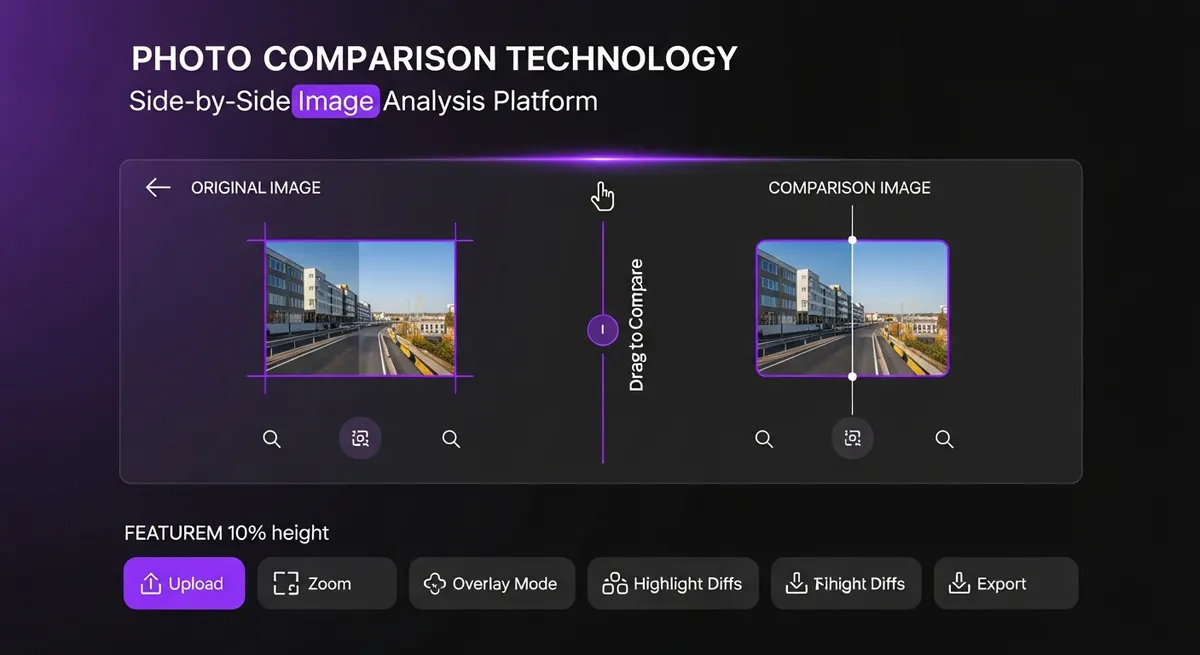
This specialized tool analyzes and evaluates two or more images to identify similarities, distinctions, and variations. The process works by uploading visuals to a platform where sophisticated algorithms examine pixel-level data and visual characteristics. Modern systems use advanced computer vision to detect even subtle changes that might escape the human eye.
The technology behind this analysis involves multiple layers of processing. First, the system processes each visual to extract key elements including color distribution, brightness levels, contrast ratios, and structural components. Then, it performs a side-by-side evaluation to highlight areas where the images differ. This analysis can reveal alterations in composition, edits, artifacts, or degradation.
Professional platforms offer capabilities beyond basic visual evaluation. They can generate detailed reports showing percentage distinctions, create overlay views, and provide metrics about visual fidelity. These tools make the platform invaluable for photographers verifying authenticity, designers ensuring consistent branding, and security professionals detecting manipulated visuals.
The accuracy depends on several factors including resolution, format, and the sophistication of the algorithm. Advanced systems can detect changes as small as single-pixel variations, making them essential for applications where precision matters. Whether evaluating for personal or professional use, these platforms streamline the process and deliver reliable results. For comprehensive visual analysis solutions, explore our photo comparison platform for all your image evaluation needs.
Free Photo Comparison Tools vs. Premium Features
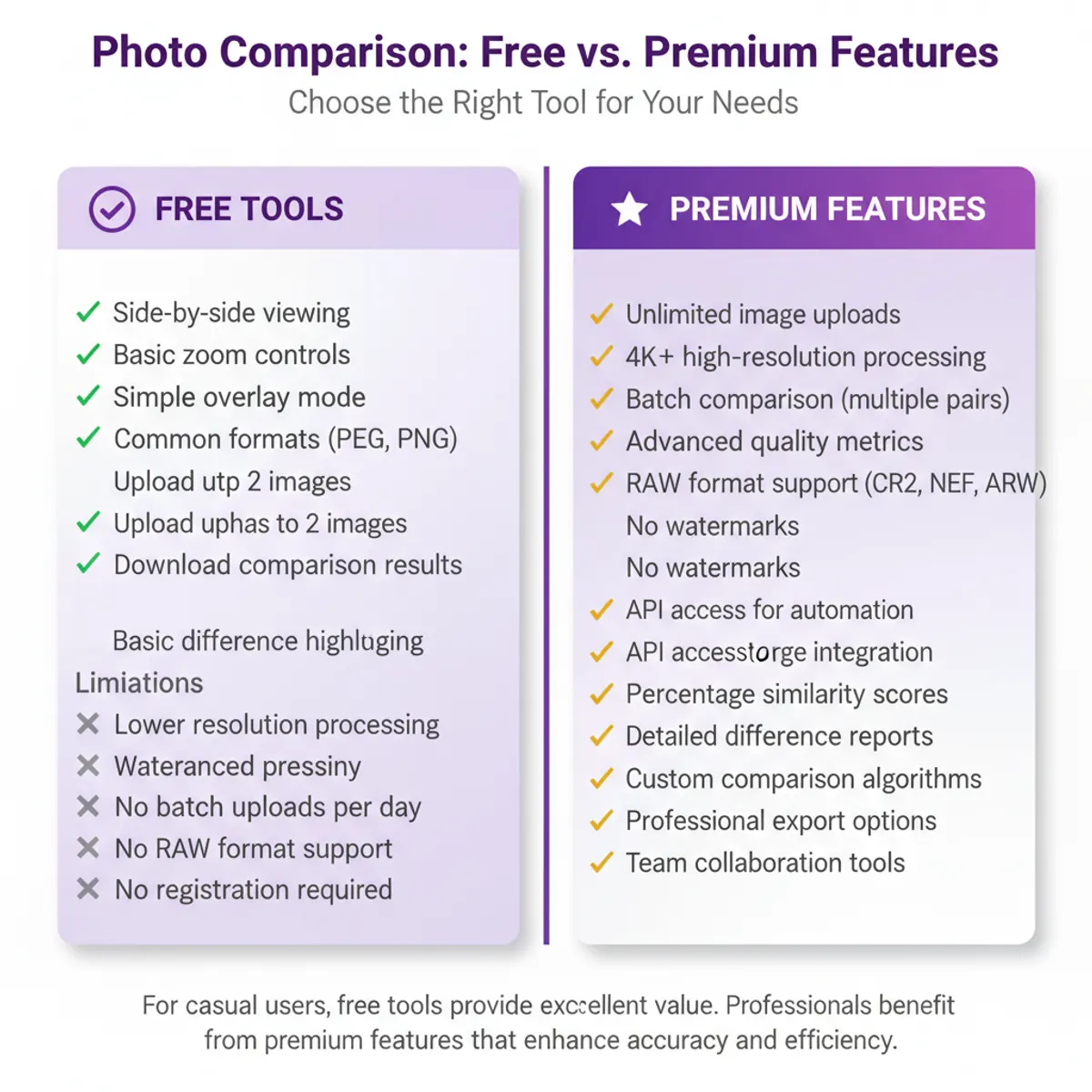
When choosing a solution, understanding the distinction between no-cost and premium options helps you select the right platform for your needs. No-cost versions typically offer basic capabilities suitable for casual users and straightforward tasks. These platforms allow you to upload two images and view them side-by-side, identifying obvious distinctions without charge.
No-cost versions excel at handling standard formats and performing basic visual analysis. Users can quickly upload images, adjust viewing options, and download results. The tier often includes essential tools like zoom controls, simple overlay modes, and basic highlighting. For many personal use cases, these capabilities provide sufficient functionality without requiring a subscription.
Premium platforms expand capabilities significantly beyond what no-cost versions offer. Advanced options in paid tiers include batch processing for evaluating multiple sets simultaneously, detailed analysis with numerical metrics, support for RAW and specialized formats, and customizable algorithms. Premium versions also offer tools like automated detection, percentage similarity calculations, and professional-grade reporting.
The fidelity and speed improve substantially with premium platforms. Professional users benefit from faster processing times, higher resolution support, and more accurate detection. Premium options often include cloud storage integration, collaborative workflows for teams, and API access for automation. These advanced capabilities justify the cost for businesses and professionals who rely on this technology regularly.
Choosing between no-cost and premium depends on your specific needs. Casual users evaluating occasional images for personal projects typically find no-cost versions adequate. However, photographers, designers, forensic analysts, and businesses requiring frequent analysis benefit from investing in premium options that deliver enhanced accuracy, efficiency, and professional capabilities.
How to Compare Two Photos Side by Side
Evaluating two images side by side is the most intuitive method for identifying distinctions and assessing visual quality. The process begins by uploading both files to a platform, either through direct selection or drag-and-drop functionality. Once uploaded, the system displays the visuals in adjacent panels, allowing your eyes to naturally detect variations in composition, color, and detail.
Modern platforms enhance the side-by-side viewing experience with synchronized controls. When you zoom into one image, the other zooms proportionally to maintain alignment. Panning across one automatically pans the other, ensuring you're always examining the same region. This synchronized viewing makes it easy to spot subtle distinctions in fidelity, sharpness, or color accuracy between the source and edited versions.
The effectiveness of side-by-side viewing increases when using tools like adjustable opacity overlays. By blending two visuals together with variable transparency, you can see exactly where pixels differ. This overlay mode proves particularly valuable when examining nearly identical images to identify minor edits, artifacts, or degradation from conversion.
To evaluate effectively, start with a full-view assessment to identify major alterations in composition or subject matter. Then zoom into specific areas of interest to examine details like sharpness, noise levels, and color accuracy. Toggle between different viewing modes—side-by-side, overlay, and highlight—to gain a complete understanding of how the two visuals differ. This systematic approach ensures you don't miss important variations in the source images. To get started with advanced visual analysis, try our photo comparison tool for instant, accurate results. For detailed side-by-side visual analysis, explore our image comparison platform.
Advanced Image Comparison Features and Technology
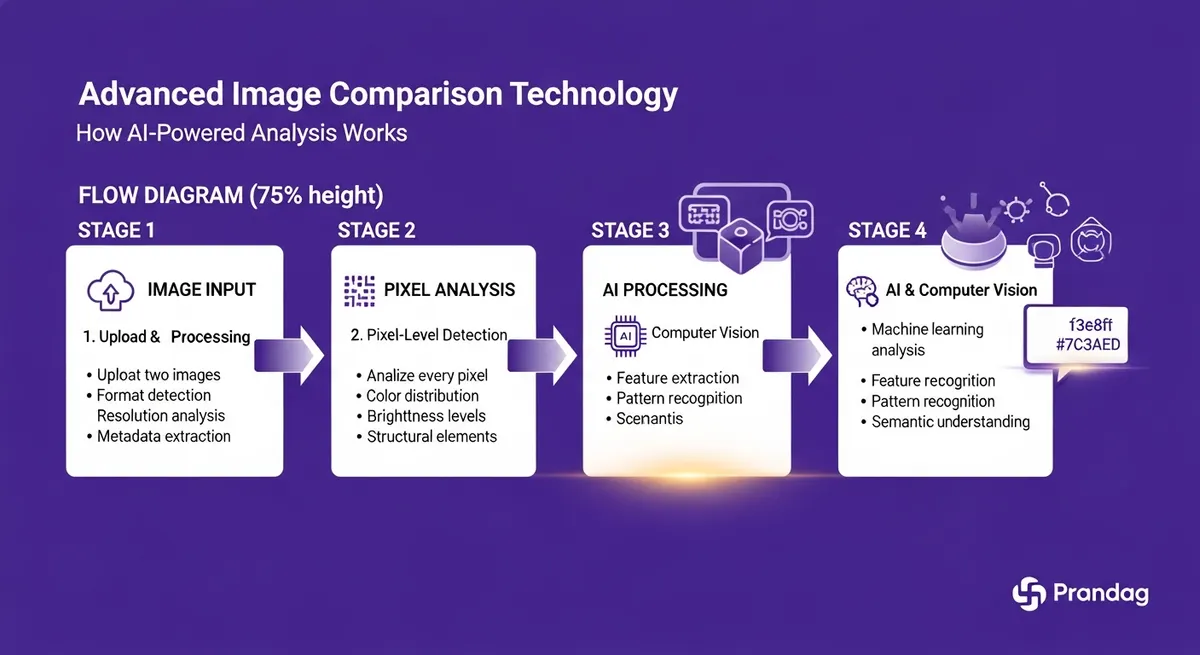
Advanced technology leverages sophisticated algorithms and machine learning to deliver precision analysis that goes far beyond visual inspection. These capabilities enable professional-grade evaluation for applications requiring the highest accuracy and detail. Modern platforms incorporate computer vision, artificial intelligence, and specialized algorithms designed to detect even microscopic changes between visuals.
Pixel-level detection stands as one of the most powerful tools in advanced image comparison systems. These platforms analyze every pixel in both images, creating detailed maps that highlight exactly where and how visuals vary and show differences. The technology can quantify changes with numerical precision, reporting percentage similarity scores and identifying specific regions with the greatest differences and alterations. This granular image analysis reveals subtle manipulations, artifacts, or degradation that manual inspection might miss when examining original images.
Automated element extraction represents another critical advancement in image comparison technology. Modern systems can identify and evaluate specific elements like faces, objects, text, and structural patterns within images. This semantic understanding allows the algorithm to report not just that images differ, but what specifically changes—whether it's a person's position, an object's color, or text differences in your original content. These image comparison capabilities make the platform invaluable for security applications, control, and forensic analysis.
Advanced tools also include intelligent filtering and normalization capabilities for image comparison. Platforms can automatically adjust for distinctions in lighting, white balance, or exposure before performing analysis, focusing on substantive content differences rather than technical variations between original versions. Batch processing tools allow handling hundreds or thousands of image pairs simultaneously, generating comprehensive reports on alterations, metrics, and similarity scores across entire image libraries and comparisons.
Comparing Photos for Quality and Compression
Visual assessment helps photographers, designers, and content creators evaluate how different formats, encoding levels, and processing methods affect appearance. Understanding these distinctions becomes essential when optimizing for web use, preparing for print, or archiving source images. These platforms reveal how algorithms impact visual fidelity, size, and overall appearance.
Artifacts represent one of the primary concerns when analyzing images. JPEG encoding, while reducing image sizes significantly, introduces visible artifacts like blocking, color banding, and loss of fine detail. By evaluating source original images against encoded versions, you can assess whether the tradeoff justifies the reduced size and identify visual differences. Advanced systems quantify this loss through metrics like PSNR (Peak Signal-to-Noise Ratio) and SSIM (Structural Similarity Index), providing objective measurements of differences and impact on your original image quality.
Different formats and methods affect appearance in distinct ways. Lossless formats like PNG preserve every pixel of the source but create larger sizes. Lossy formats like JPEG offer smaller sizes but sacrifice some fidelity. When examining across formats, look for distinctions in edge definition, gradient smoothness, and color accuracy. These evaluations guide decisions about which format best balances requirements against size constraints.
Professional assessment extends beyond visual evaluation to include technical metrics when comparing images. Systems can measure and evaluate dynamic range, color gamut, sharpness levels, and noise characteristics between source and original processed images to identify differences. This comparison data-driven approach ensures that results meet specific standards for intended use cases, whether that's web publishing, professional printing, or archival preservation. Understanding these differences in your original images helps optimize workflows and maintain visual standards across image projects.
Upload and Compare Images Online Instantly
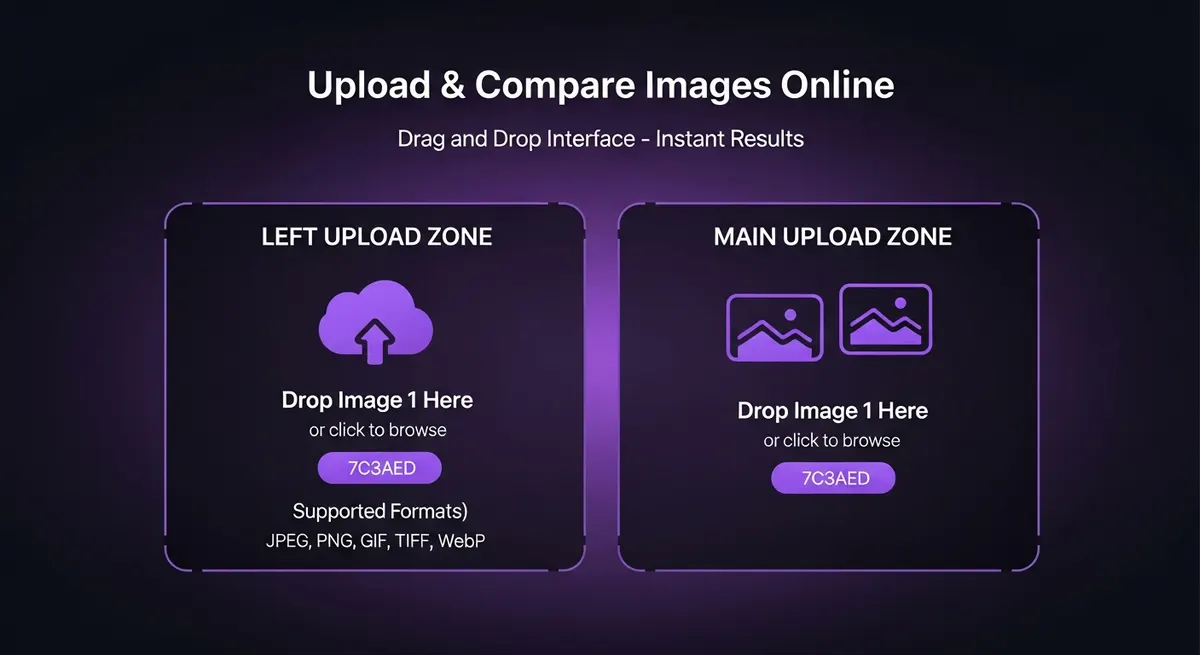
Modern platforms offer instant online upload capabilities that eliminate the need for software installation or complex setup. Users can simply visit a website, select or drag visuals into the upload area, and begin analysis within seconds. This immediate accessibility makes online solutions the preferred choice for quick analysis and casual use cases.
The upload process supports various methods to accommodate different user preferences and image comparison workflows. Direct selection opens your device's browser for traditional image choosing. Drag-and-drop functionality provides a faster, more intuitive image upload method—simply grab images from your desktop or folders and drop them into the comparison platform. Many services also support URL-based image uploads, allowing you to compare and evaluate images already hosted online without downloading them first.
No-cost online platforms typically process uploads instantly, displaying results as soon as both images load. This real-time processing eliminates waiting periods and enables rapid iteration when evaluating multiple pairs. The instant feedback loop helps users make quick decisions about selection, editing effectiveness, or acceptability. For professional workflows requiring speed, this instant capability significantly improves productivity.
Security considerations matter when using online image upload services for comparison. Reputable platforms implement secure upload protocols, process images in memory without permanent storage, and automatically delete uploaded images after sessions end. These privacy measures ensure that sensitive original content remains protected during the comparison process. For particularly confidential images, some services offer local processing options that keep images entirely on your device while still providing comprehensive comparison capabilities.
Drag and Drop Photo Comparison Interface
Drag and drop interfaces have revolutionized this process by making it effortless and intuitive. Instead of navigating through selection dialogs, users simply grab images from their desktop, folders, or other applications and place them directly into the platform. This streamlined approach reduces the steps required to begin analysis from multiple clicks to a single gesture.
The drag and drop paradigm works seamlessly across different image sources and formats when creating comparisons. You can place images from your computer's system, email attachments, cloud storage interfaces, or even web pages directly into the comparison area. The platform automatically detects supported image types including JPEG, PNG, GIF, BMP, and TIFF, processing them immediately for comparison analysis. This flexibility accommodates diverse image comparison workflows and sources without requiring format conversions or special preparations.
Modern platforms enhance the drag and drop image experience with visual feedback and intelligent handling. As you move images over the upload area, the interface highlights zones and provides indicators showing where each image will appear for your comparison. Some services support multi-placement, allowing you to compare multiple image pairs simultaneously by placing several images at once. The system intelligently groups them into pairs or arranges them for sequential comparison analysis based on your workflow needs.
Drag and drop image functionality extends beyond initial upload to include reordering and swapping operations. Users can move images between panels to change which items are being compared, swap positions to alter the side-by-side layout, or place additional images to replace current content in your comparison. This dynamic image interaction model makes iterative comparison workflows faster and more fluid, particularly when evaluating multiple variations or examining several images against an original reference.
Photo Comparison Use Cases and Applications
This technology serves diverse use cases across professional and personal contexts, each benefiting from the ability to identify distinctions, assess fidelity, and verify authenticity. Understanding these applications helps illustrate why these platforms have become essential in numerous fields and everyday scenarios.
Professional photographers use this analysis to evaluate editing decisions and ensure consistency across image sets. By examining source original RAW images against processed JPEGs, photographers assess whether color grading, exposure adjustments, and retouching achieve desired results without sacrificing fidelity. These platforms help photographers maintain consistent styles across sessions, verify that client-requested edits match expectations, and create before-and-after demonstrations that showcase their editing skills.
E-commerce and product photography rely heavily on this analysis for control and consistency. Online retailers examine product images to ensure accurate color representation, verify that they match physical products, and detect any artifacts or issues before publishing. The process helps maintain brand standards across thousands of product listings, ensuring customers see accurate, high-definition images that properly represent merchandise.
Forensic analysis and security applications use this technology to detect manipulation, verify authenticity, and investigate potential fraud. Law enforcement agencies examine suspect images against known references, and use detection methods to identify edited or manipulated evidence. Insurance companies evaluate before-and-after documentation of damages, while authentication experts analyze historical images to verify provenance and detect forgeries.
Real estate professionals compare and examine property images taken at different times to document changes, verify renovations, or assess damage. Medical imaging uses these platforms to track patient progress by analyzing scans taken over time, viewing differences in comparison images. Graphic designers compare multiple versions of logos, layouts, or marketing materials to refine designs and ensure consistency in their original concepts. Academic researchers use this technology to compare and analyze historical content, document archaeological sites, or study differences and environmental changes. Even casual users benefit when viewing and comparing similar items, comparing digital collections, or converting between image formats while preserving original fidelity.
Frequently Asked Questions About Photo Comparison
What is the best free photo comparison tool?
The best no-cost option depends on your specific image comparison needs, but several platforms offer robust capabilities without charge. Popular options include online websites that support drag-and-drop image uploads, side-by-side viewing, and basic highlighting of differences. These versions typically handle common image formats like JPEG and PNG, provide zoom and pan controls, and allow you to download comparison results. While they may have limitations on size, batch processing, or advanced functions, they provide excellent value for casual users who need occasional image comparison without investing in premium software.
How do I compare two photos online?
To compare images online, visit a website and upload your two items using either the selector or drag-and-drop method. Most online platforms display both images side by side automatically once uploaded. You can then use zoom controls to examine details, toggle between viewing modes like overlay or highlighting, and adjust settings to focus on specific aspects like color or sharpness. The entire image comparison process typically takes seconds and requires no software installation or registration. Simply upload your images, view the comparison results, and download or screenshot any findings you want to preserve about the differences you discover.
Can I compare image quality and compression?
Yes, advanced platforms can analyze and evaluate visual fidelity metrics including size reduction levels and artifacts. These systems assess technical aspects like JPEG settings, encoding ratios, and degradation caused by lossy algorithms. Analysis tools measure differences in sharpness, color accuracy, noise levels, and detail preservation between source and original processed image versions. The comparison process typically generates numerical scores and detailed maps showing exactly where optimization impacts image appearance, helping you balance reduction against acceptable levels for your specific use case.
What file formats are supported for photo comparison?
Most platforms support standard image types including JPEG, PNG, GIF, BMP, TIFF, and WebP for comparison analysis. Advanced systems may also handle RAW original camera formats like CR2, NEF, and ARW, as well as specialized image types like PSD (Photoshop) or PDF documents containing images. The supported list varies by platform, with professional services typically offering broader compatibility for image comparison. Before uploading, check your platform's documentation to confirm it handles your specific image types. Most services automatically convert uploaded images to a common format for comparison analysis, ensuring compatibility of image formats across different types within a single session.
Is photo comparison free to use?
Many platforms offer no-cost versions with basic capabilities suitable for casual use, allowing you to compare images without charge. These tiers typically include core functionality like side-by-side image viewing, simple detection, and support for common formats. However, no-cost versions often have limitations such as lower resolution processing, watermarks on results, restricted upload sizes, or limited daily usage. Premium options like batch processing, advanced analysis metrics, RAW format support, and commercial use rights usually require paid subscriptions. For occasional personal use, no-cost versions provide adequate functionality for comparing images, while professionals and businesses benefit from premium options that enhance accuracy and efficiency in their image comparison work.
How does drag and drop photo comparison work?
Drag and drop simplifies the image upload process by allowing you to grab images from your computer and place them directly into the interface. When you hover an image over the zone, the platform highlights where it will appear once released. Simply place your source image into one panel and the second image into another. The platform immediately processes both and displays them for your comparison analysis. This method eliminates the need for traditional browser dialogs, making the process faster and more intuitive. You can also place additional images to replace or swap, or queue multiple image comparisons, streamlining workflows that involve viewing and examining numerous pairs.
Can I compare photos to find differences?
Absolutely—finding differences is the primary purpose of these platforms. Advanced capabilities can detect subtle differences in color, composition, brightness, and detail that human eyes might miss when comparing images. The systems highlight these differences and variations using various visualization methods including side-by-side views, overlay modes with adjustable opacity, and maps that color-code altered areas. Algorithms analyze pixel-level data to identify where images differ, quantifying alterations as percentage similarities or scores. This makes these image comparison platforms invaluable for detecting edits, verifying authenticity, assessing visual changes from size reduction or conversion, and documenting differences and alterations between versions of the same original content.
Platform Features and Capabilities
| Platform Feature | No-Cost Version | Analysis Capabilities | Format Support |
|---|---|---|---|
| Side-by-Side Viewing | Available in all no-cost versions | Basic visual analysis | JPEG, PNG, GIF supported |
| Drag and Drop Upload | Included at no cost with intuitive interface | No degradation during upload | All common formats accepted |
| Difference Highlighting | Basic detection included | Shows variations clearly | Works with all formats |
| Overlay Mode | Limited in no-cost versions | Detailed assessment capability | Requires compatible formats |
| Batch Processing | Usually premium only | Checks on multiple items | All formats in batch mode |
| Advanced Metrics | Premium feature only | Comprehensive scoring system | RAW and professional format support |
The Future of Visual Analysis Technology
This technology continues to evolve with artificial intelligence and machine learning driving new capabilities. Future platforms will offer even more sophisticated variation detection, faster processing, and intelligent analysis that understands content at semantic levels. As these systems become more powerful and accessible, visual analysis will play an increasingly vital role in content creation, quality assurance, authentication, and countless other applications across personal and professional domains.