
Image Comparison: Compare Images Effortlessly with AI Tools
Image comparison has become essential for professionals who need to visually analyze images with precision and efficiency. Whether you're working with photography, design, quality control, or verification workflows, the ability to compare images side-by-side reveals critical changes that might otherwise go unnoticed. Modern image comparison platforms leverage advanced algorithms to detect even subtle variations between files, making the process faster and more accurate than manual inspection. Professional image comparison platforms have democratized access to these powerful capabilities, enabling users to perform detailed visual analysis with forensic-grade precision. From identifying variations in visualization to validating screenshots and standards, image comparison serves countless uses across industries. The GPU-accelerated processing behind modern comparison platforms ensures fast analysis that can handle large files and complex comparisons effortlessly.
What is Image Comparison?
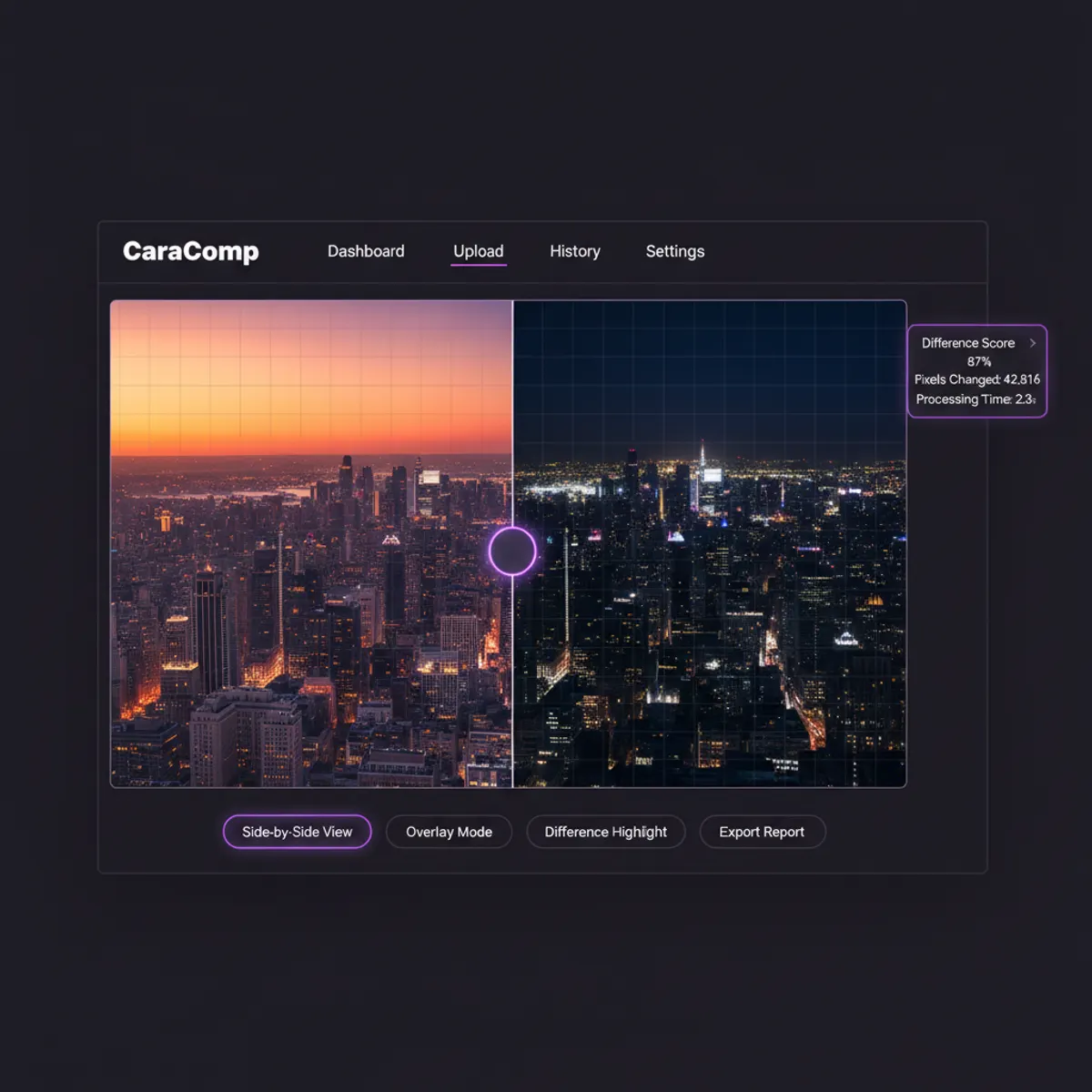
Image comparison is the process of analyzing two or more images to identify visual changes, similarities, or variations between them. This technology serves as a fundamental tool in fields ranging from development to scientific research. When you evaluate two files, specialized platforms examine pixel-level information to highlight variations in color, structure, positioning, and content. The changes detected can range from obvious modifications like added or removed elements to subtle variations in lighting, compression, or resolution.
Modern image comparison goes beyond simple visual inspection by providing quantitative metrics about the differences found. These capabilities can measure percentage changes, show heat maps displaying areas of variation, and generate detailed reports for documentation purposes. In development work, image comparison helps validate UI changes and detect unintended visual regressions. Photographers use image comparison to evaluate editing decisions by examining processed versions. Quality control teams rely on these capabilities to verify that manufactured products match specifications.
The technology behind image comparison has evolved significantly with advances in computer vision and machine learning. Today's platforms can intelligently ignore irrelevant variations like timestamps or metadata while focusing on meaningful visual changes. This smart capability makes the process more efficient and reduces false positives that would otherwise require manual review. For comprehensive photo comparison capabilities that extend beyond individual image evaluation, explore our platform designed for multi-image workflows.
How CaraComp's Image Comparison Platform Works
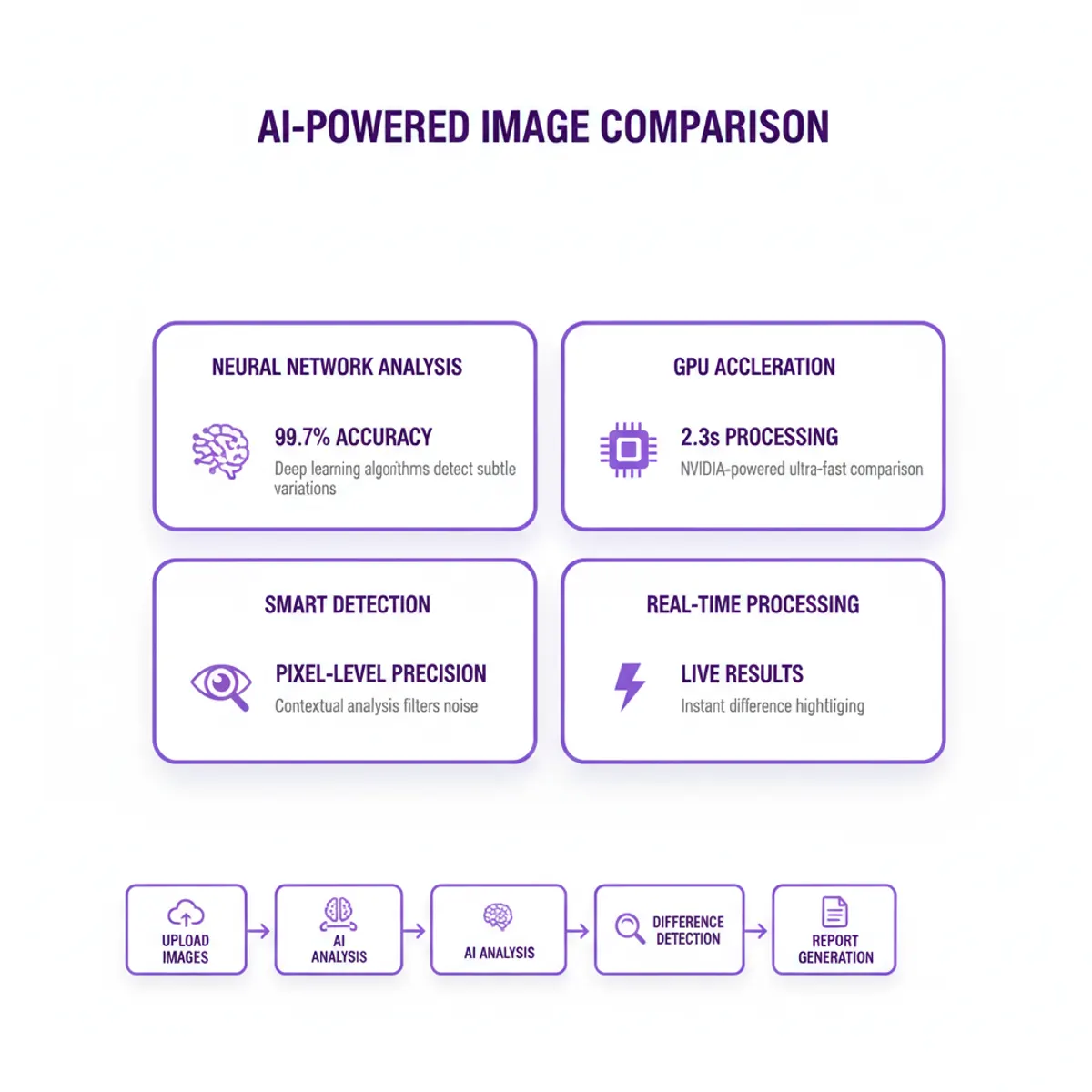
CaraComp's image comparison platform leverages cutting-edge technology to deliver fast, accurate results when you need to evaluate visuals for any purpose. The system employs sophisticated algorithms that analyze visual information at multiple levels, from overall composition to individual pixel variations. When you upload two files to evaluate, CaraComp immediately begins processing through neural networks trained on millions of comparing images, enabling the system to recognize patterns and anomalies that indicate meaningful variations.
The system's architecture prioritizes both speed and precision. CaraComp processes content using optimized processing pipelines that can handle high-resolution files without compromising speed. The platform supports multiple viewing modes, including side-by-side viewing, overlay blending, and variation highlighting. Each mode serves specific use cases, whether you're checking for exact pixel matches or identifying broader compositional changes. The platform ensures that quality is preserved throughout the process, maintaining color accuracy and resolution fidelity.
One of CaraComp's standout features is its intelligent variation detection. Rather than simply flagging every pixel variation, the platform uses contextual analysis to group related changes and filter out insignificant noise. This approach delivers cleaner, more actionable results. CaraComp also provides detailed metrics showing speed, variation percentages, and confidence scores for detected variations. Advanced users can access detailed information including histograms, color space analysis, and structural image similarity indices that provide deep insights into how content differs.
Professional Image Comparison Features and Capabilities
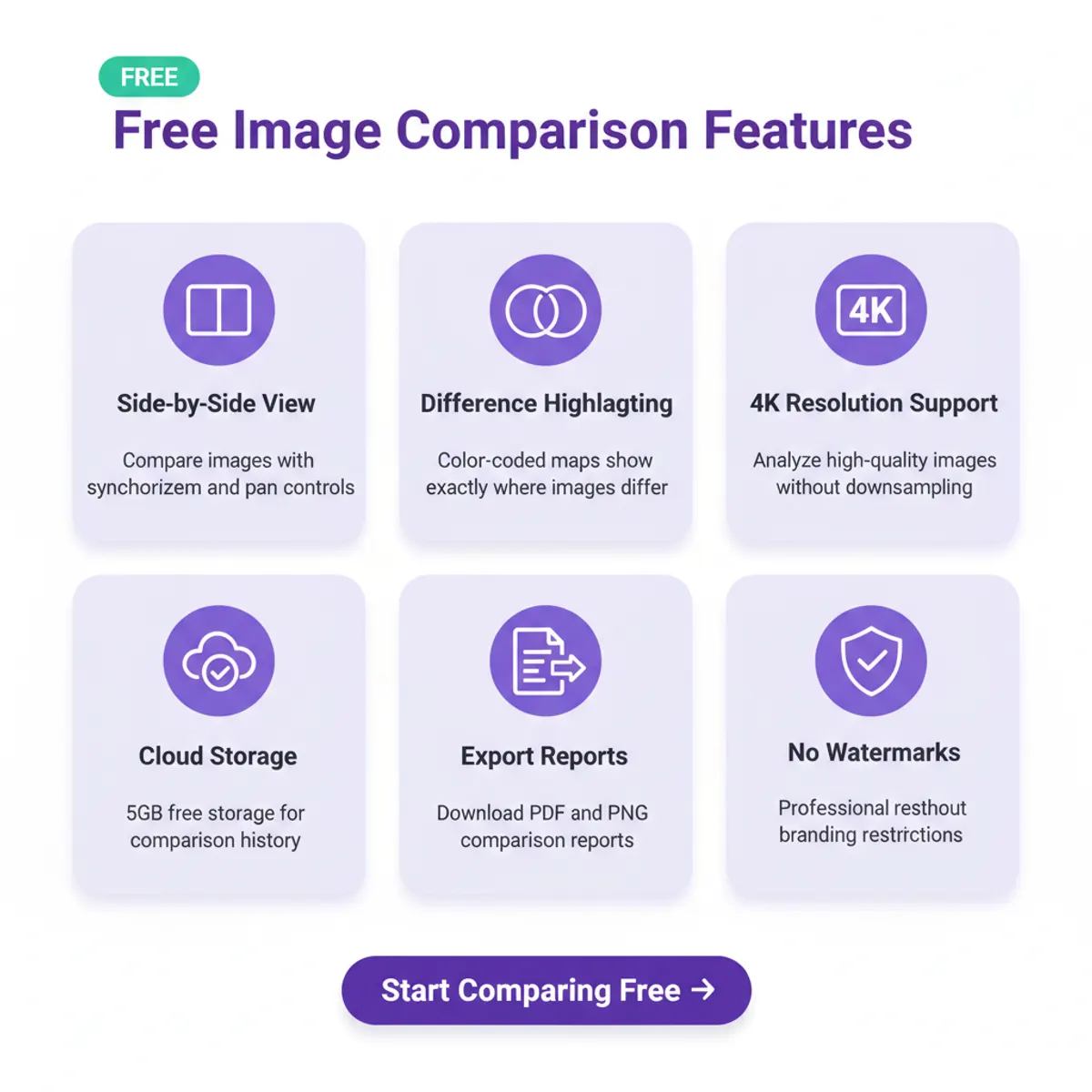
CaraComp's Investigator plan ($29/month) delivers professional-grade image comparison features that empower investigators, researchers, and quality teams to evaluate visuals with forensic accuracy. The platform provides core functionality including side-by-side viewing, variation highlighting, and export capabilities. Users can upload content in all standard formats and receive instant results without watermarks. Every plan includes a 7-day money-back guarantee, so you can evaluate the platform's accuracy on real cases before committing.
The Investigator platform includes management features that let you organize and retrieve previously evaluated pairs. Cloud storage integration means you can access your history from any device without managing local files. The platform supports evaluations up to 4K resolution, ensuring that even high-quality materials can be analyzed without downsampling. CaraComp's offering includes automation features, allowing users to set up recurring evaluations for monitoring purposes.
Speed is a defining advantage, with most evaluations completing in under three seconds. The platform's infrastructure ensures consistent speed regardless of your local hardware capabilities. Every subscriber benefits from the same intelligent variation detection, receiving accurate identification of meaningful variations. Batch processing and API access are included on the Investigator plan, providing everything needed for professional workflows. Individuals can generate professional reports, validate visual assets, and maintain quality control with confidence. CaraComp's Investigator plan represents a genuine commitment to accessible forensic-grade analysis technology. Organizations evaluating visual assets can also benefit from our picture comparison tools that provide specialized analysis for various image formats and use cases. You can also compare pictures using our dedicated platform for batch processing and detailed visual reports.
Advanced Image Comparison Tutorial
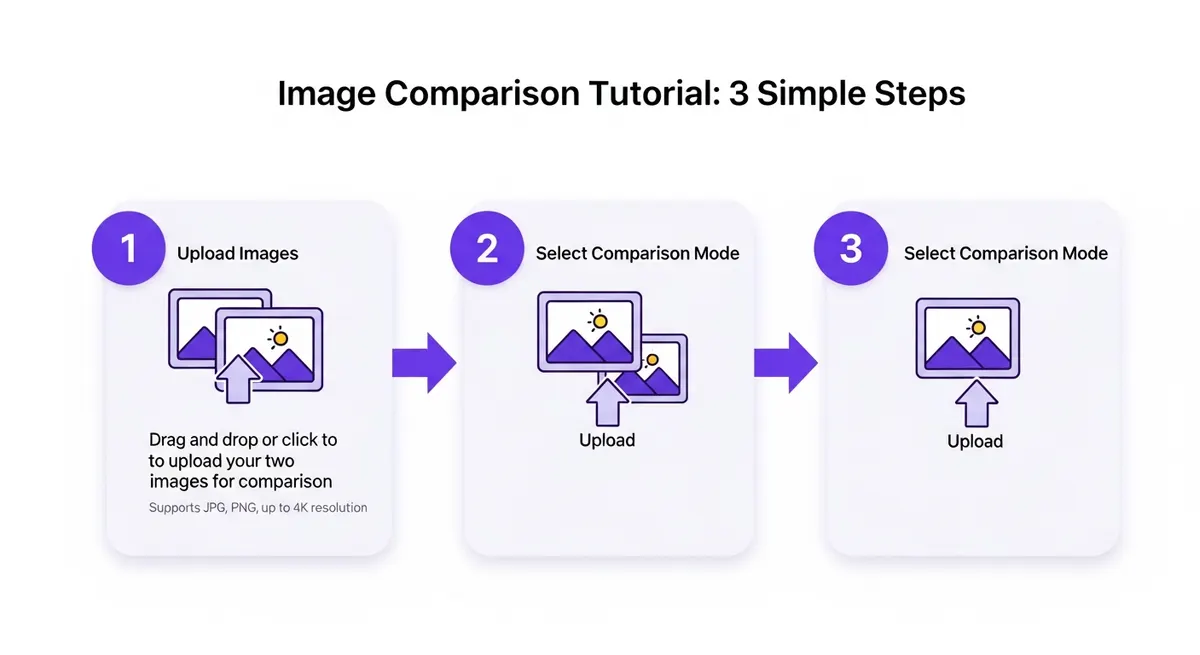
This tutorial will guide you through the process to evaluate two files using CaraComp's advanced features. Start by navigating to the interface and selecting your primary file. The platform accepts drag-and-drop uploads, making it easy to add files directly from your desktop. Once your first file loads, add the second file you want to evaluate. CaraComp automatically aligns the content based on dimensions, but you can manually adjust alignment if needed for specialized scenarios.
After both files are loaded, select your preferred mode from the toolbar. The "Variation Highlight" mode visually shows changes by overlaying a color mask on areas that vary between the two files. The "Slider" mode lets you interactively transition using a draggable divider line. For documentation or presentation purposes, the "Split View" mode displays content side-by-side with synchronized zooming and panning. Each mode serves different analytical needs, and you can switch between them without re-uploading.
The features extend to reporting and export capabilities. CaraComp allows you to save results into various formats including annotated PDFs, overlays, and information exports. Use the annotation features to mark specific variations and add notes explaining their significance. This approach makes it easy to produce training materials or documentation that shows exactly what changed between versions. The platform's export options maintain full resolution and include metadata about the process for comprehensive record-keeping.
Image Quality Comparisons and Reference Standards
When you need to make quality comparisons between a baseline file and a standard, precise analysis becomes critical. CaraComp excels at helping users evaluate two files to detect quality degradation, compression artifacts, or processing errors. The platform provides specialized metrics for quality assessment, including structural similarity indices, peak signal-to-noise ratios, and perceptual scores. These quantitative measures go beyond subjective visual inspection to provide objective information about quality variations.
Evaluating baseline files against standard versions reveals the impact of various processing operations. For example, when evaluating compression algorithms, you can examine the uncompressed file with compressed versions to quantify quality loss. The platform's visualization capabilities display quality metrics across different regions, helping identify areas most affected by processing. This standard-based approach is essential for establishing quality benchmarks and ensuring that optimized content maintains acceptable fidelity to materials.
The platform handles standard workflows with dedicated features for batch comparison and threshold-based validation. Upload a standard file once, then evaluate multiple variants against it to determine which processing approach preserves quality best. CaraComp's file integrity verification ensures that comparisons use exact pixel data without additional compression or conversion. The system maintains a complete trail showing how current content relates to files, supporting quality assurance workflows that demand rigorous documentation. Advanced users can define custom quality metrics based on their specific requirements, creating tailored standards for their unique applications.
Applications and Use Cases for Image Comparison
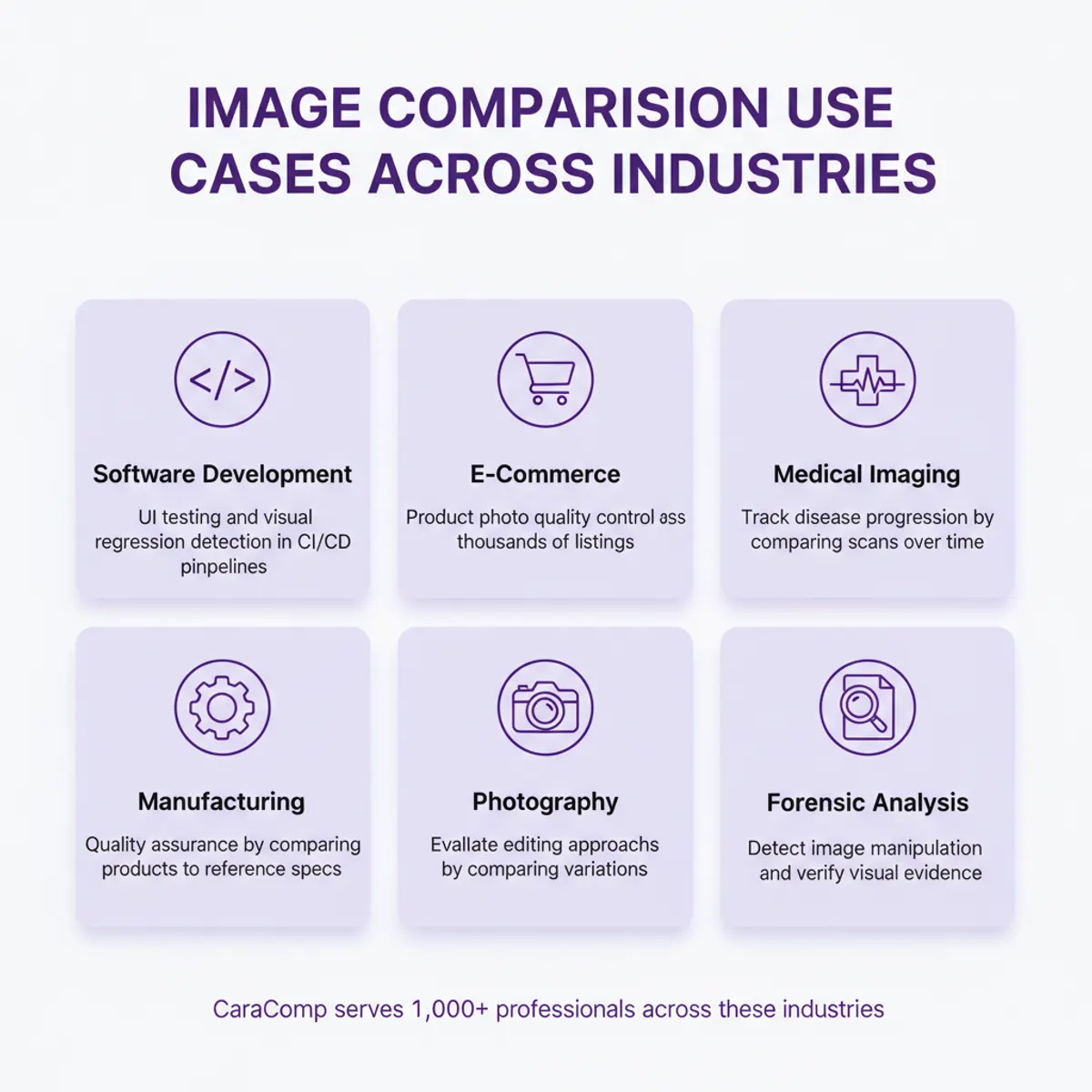
Image comparison technology powers a diverse range of uses across industries and workflows. In development work, teams use dedicated images compare tools with sliders that evaluate two files to validate UI implementations against design specifications. This approach ensures pixel-perfect accuracy when translating mockups into production code. Quality assurance teams examine screenshots from different browsers or devices to identify rendering inconsistencies that could affect user experience. The ability to analyze content programmatically through APIs enables continuous integration workflows that automatically detect visual regressions.
E-commerce platforms leverage image comparison platforms to detect product inconsistencies and maintain visual quality standards across thousands of listings. Medical imaging uses comparison capabilities to track disease progression by analyzing scans taken at different times. Scientific researchers rely on image comparison to validate experimental results and detect subtle changes in microscopy or satellite content. Manufacturing operations employ automated comparison systems to verify that products match specifications, catching defects before they reach customers.
Content creators and photographers use image comparison as part of their creative workflow. These capabilities help evaluate different editing approaches by examining variations of the same base file. Forensic analysts apply comparison technology to detect manipulation and verify the authenticity of visual evidence. Online comparison services enable collaborative review workflows where teams can comment on specific variations and make decisions about which version to approve. The possibilities continue to expand as image comparison technology becomes more accessible and powerful. To try this directly in your browser, use our compare pictures online tool for instant side-by-side analysis.
Image Comparison Feature Matrix
Side-by-Side View: Provides synchronized panning and zoom capabilities with smart alignment detection. Included on Investigator plan.
Variation Highlighting: Features color-coded variance maps with intelligent noise filtering to focus on meaningful changes. Included on Investigator plan.
File Management: Includes online storage integration with automated organization. Investigator plan provides 5 GB storage.
Export Options: Supports PDF, PNG, and reports with automated report generation. Standard formats included on Investigator plan.
Processing Speed: Delivers sub-3-second processing with GPU-accelerated analysis. Full speed on every plan.
API Access: Provides REST and WebSocket APIs with batch processing automation. Investigator plan includes 100 calls per day; higher tiers expand quotas.
Platform Integrations: Offers plugin ecosystem support with workflow automation. Included on Investigator plan.
Frequently Asked Questions About Image Comparison
How do I evaluate content using CaraComp?
To evaluate content with CaraComp, simply upload or drag-and-drop two files into the comparison interface. The platform will automatically align and analyze the content, highlighting variations in real-time. You can visually examine content using various modes including side-by-side view, overlay blend, or variation highlighting. CaraComp's Investigator plan delivers instant results with forensic-grade accuracy. The platform supports all common formats and maintains your privacy by processing comparisons securely.
What makes CaraComp's image comparison platform unique?
CaraComp combines intelligent analysis with an intuitive interface that lets you examine content effortlessly. Unlike basic comparison platforms, CaraComp uses neural networks trained on millions of pairs to intelligently identify meaningful variations while filtering out irrelevant changes. The platform's GPU-accelerated processing delivers exceptional speed, completing most comparisons in under three seconds regardless of file size. CaraComp also delivers professional forensic accuracy with no watermarks or artificial limitations on core functionality.
How much does CaraComp image comparison cost?
CaraComp's Investigator plan is $29/month (or $279/year — two months savings) and includes 100 daily forensic-grade comparisons with full reports, heat maps, and PDF export. Teams plan is $19.99/seat/month with dedicated support, batch processing, and API access. Every plan includes a 7-day money-back guarantee, so you can evaluate the platform on real cases risk-free. You can analyze content at resolutions up to 4K and export results in standard formats. Cancel anytime.
How do I evaluate two files for quality variations?
When you compare images online in CaraComp, the platform provides comprehensive quality metrics beyond visual comparison. After uploading your files, select the "Quality Analysis" mode to access detailed statistics including structural similarity scores, color accuracy measurements, and compression artifact detection. The system can create reports showing exactly where and how content differs in quality terms. Use the "Heatmap" view to visually identify regions with the greatest quality variations. CaraComp's file comparison ensures you're working with unprocessed files without additional processing that could skew results.
What is a slider that evaluates two files?
A slider that evaluates two files is an interactive visualization capability that lets you transition between two files using a draggable divider line. As you move the slider left or right, you reveal more of one file while hiding the other, making it easy to spot variations and evaluate changes. This capability is particularly effective for before-and-after comparisons where you want to show the impact of editing, processing, or time-based changes. CaraComp's implementation includes features like snap-to-variation markers and keyboard controls for precise navigation. The slider comparison mode is included on every plan and works seamlessly with all file types.
Can I convert comparison results to different formats?
CaraComp supports extensive export capabilities that let you convert comparison results into various formats for different use cases. Export annotated comparison content as PNG or JPEG files for presentations and documentation. Generate comprehensive PDF reports that include visualizations showing variation statistics, heatmaps, and detailed analysis. For technical applications, export raw information in CSV or JSON formats containing pixel-level comparison metrics. The platform's API allows platform integrations to programmatically retrieve and convert comparison results, enabling automated workflows. Investigator plan subscribers can access standard export formats, while higher tiers include custom branding and template-based report generation.
What are the variations between CaraComp's pricing plans?
The primary variations between CaraComp's Investigator and Teams plans involve automation, scale, and advanced analytics. The Investigator plan ($29/month or $279/year) provides full access to core comparison features including all visualization modes, exports, and intelligent variation detection. It supports individual comparisons with generous resolution limits and includes cloud storage for comparison history, plus 100 daily forensic-grade comparisons. The Teams plan ($19.99/seat/month) adds dedicated support, expanded batch processing for analyzing multiple pairs simultaneously, broader API access for platform integration, and priority performance. Every plan includes a 7-day money-back guarantee, so you can evaluate the platform on real cases before committing.
The Future of Image Comparison Technology
Image comparison technology continues to evolve with advances in artificial intelligence, computer vision, and distributed processing. The integration of machine learning enables smarter analysis that understands context and semantics, moving beyond pixel-level comparison to recognize objects, text, and compositional elements. Future image comparison platforms will likely incorporate predictive capabilities that anticipate common scenarios and automatically configure optimal analysis parameters. The ongoing development of specialized hardware like latest GPUs promises even faster processing for high-resolution and video frame comparisons.
CaraComp remains at the forefront of these innovations, continuously enhancing its platform with cutting-edge features while maintaining accessibility through professional forensic-grade accuracy at a fair $29/month price point. As image comparison becomes increasingly essential across industries, platforms that combine power, ease of use, and affordability will define the standard. Whether you're a professional requiring precise quality control or a researcher examining content for verification, the technology now exists to make visual comparison effortless, accurate, and accessible.
When comparing images at scale, keep the source images together: an image similarity check on original images gives the diff image more to read, and images compare more reliably when both images share a format. Whether it is one image or a batch of images, image comparison works best when you compare images online against the images you trust. For deeper work, pair a visual diff with a pixel diff: the image diff view highlights difference detection zone by zone, an image compare of images from two cameras reveals lens variation, and a compare visualisation lays both images over each other. Whatever comparison method you choose, compare images from the images you captured yourself first — a camera-original file beats a re-compressed copy.
Compare Images Online: Similarity Comparison, Compare Images, Images, Metadata & File
| Image Comparison Feature | Evaluation Capability | Intelligent Features | Plan Access |
|---|---|---|---|
| Side-by-Side View | Synchronized panning and zoom | Smart alignment detection | All paid plans |
| Variation Highlighting | Color-coded variance maps | Intelligent noise filtering | All paid plans |
| File Management | Online storage integration | Automated organization | 5 GB storage |
| Export Options | PDF, PNG, and reports | Automated report generation | Standard formats |
| Processing Speed | Sub-3-second processing | GPU-accelerated analysis | Full speed on every plan |
| API Access | REST and WebSocket APIs | Batch processing automation | 100 calls/day on Investigator |
| Platform Integrations | Plugin ecosystem support | Workflow automation | Included on Investigator |
The Future of Comparing Images: Cameras, Compare Images Online Metadata & Compare Images Online Metadata
Image comparison technology continues to evolve with advances in artificial intelligence, computer vision, and distributed processing. As these tools become more powerful and accessible, image comparison will play an increasingly vital role in content creation, quality assurance, authentication, and countless other applications across personal and professional domains.