
Image Comparison Online: Compare Two Images Instantly
Your comprehensive guide to comparing images online with advanced AI-powered tools and professional workflows.
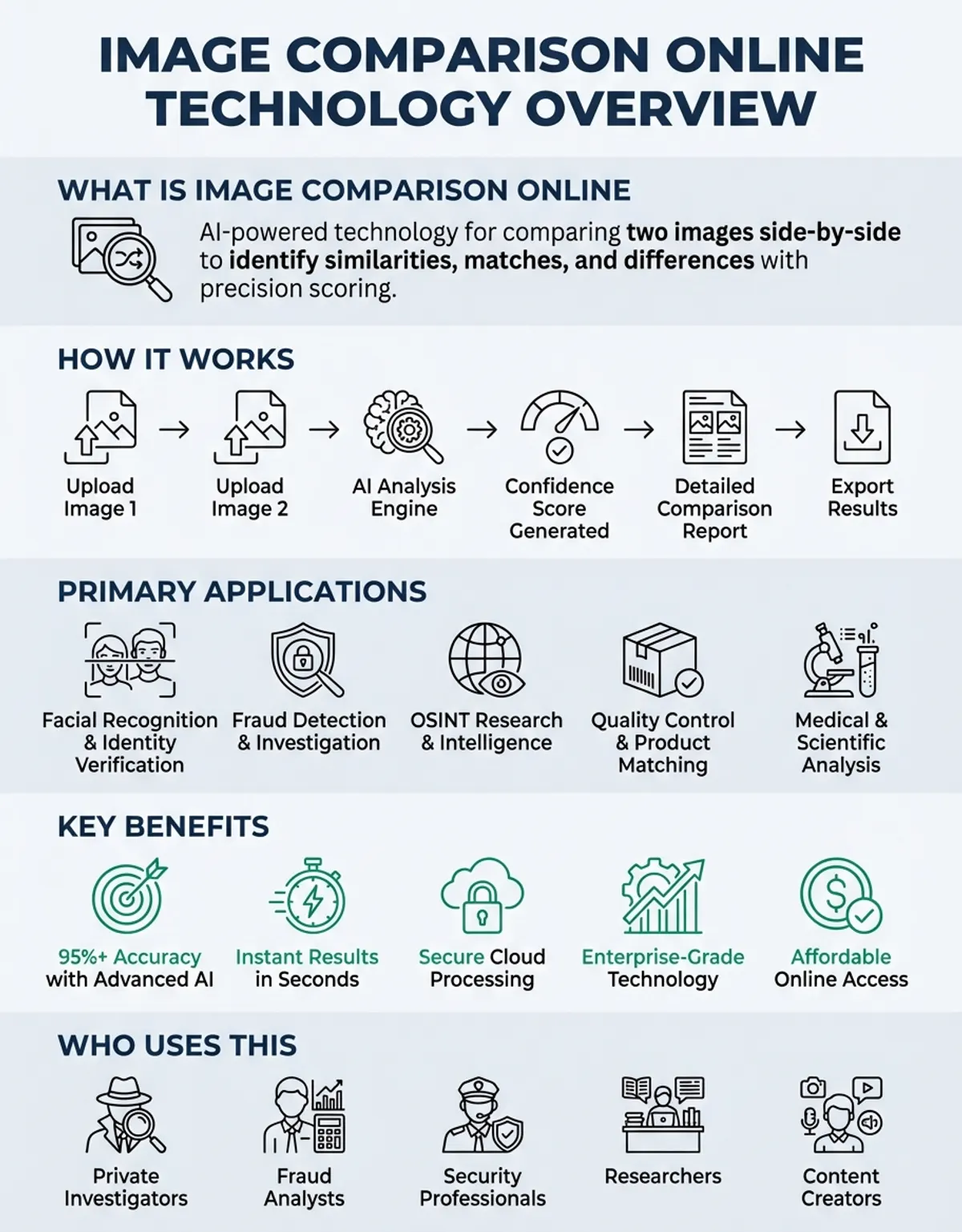
When you need to compare images online, finding the right online tool makes all the difference between a frustrating experience and effortless visual analysis. Whether you're checking before-and-after edits, verifying picture accuracy, or analyzing differences between two versions, web-based platforms provide instant results without requiring software installation. Modern comparison tool services have evolved beyond simple dual-panel viewing to offer AI-powered analysis, metadata examination, and detailed difference highlighting.
Compare Image Online
The ability to compare images directly in your browser has become essential for photographers, designers, QA teams, and anyone working with digital imagery. These tool platforms process your content securely, identify even subtle variations, and present findings in an intuitive format that helps you make informed decisions about your visual assets.
Comparison Tool Online
For comprehensive photo analysis capabilities, explore our photo comparison platform.
Online Tool Features for Advanced Comparison
The core analytical functionality determines how effectively a tool examines your images. Advanced algorithms assess pixel-level differences, color variations, and structural changes between the pair you upload. The best platforms use multiple comparison techniques simultaneously, including perceptual hashing for detecting similar but not identical images, histogram analysis for color distribution differences, and edge detection for structural variations.
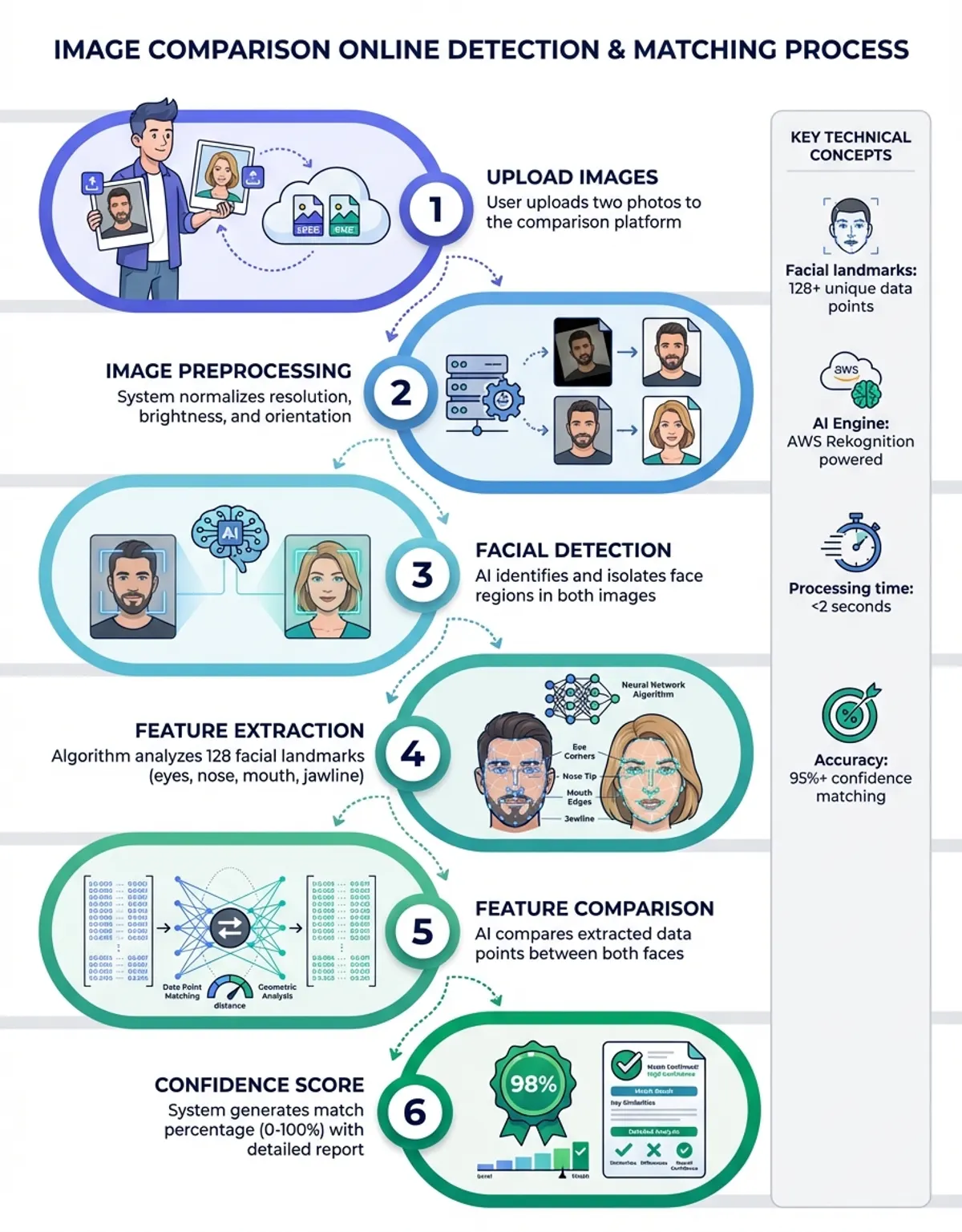
When you upload files for analysis, the platform creates a detailed map with highlighted differences showing changed areas. This processing typically completes within seconds, even for high-resolution content. The tool evaluates both images at the pixel level, examining RGB values, brightness, contrast, and saturation across every point.
Modern engines also identify compression artifacts from encoding, helping you understand any reduction in visual quality from file conversion or resizing. Results often include percentage-based similarity scores, heat maps showing concentrations of differences, and overlay modes that let you toggle between versions to spot changes instantly.
For professional workflows, tools integrate batch processing capabilities, allowing you to examine multiple pairs simultaneously. This streamlines quality verification when dozens or hundreds of images need checking against reference standards.
You may also find our picture comparison guide helpful for understanding advanced comparison techniques and workflows.
Gallery Management for Organized Visual Projects
A well-designed gallery system transforms scattered tasks into organized visual projects. When you upload files, the gallery stores your pairs, maintains comparison history, and lets you revisit previous analyses without re-uploading content. This becomes invaluable when tracking multiple revisions across design iterations or maintaining a reference collection of approved versus rejected edits.
Professional features include tagging systems for categorizing analyses, search functionality for quickly locating specific pairs, and export options that preserve your results alongside the examined content. Some platforms offer collaborative spaces where team members can review analyses, add annotations, and approve changes directly within the interface.
Modern comparison tool services have evolved beyond simple dual-panel viewing to offer AI-powered analysis, metadata examination, and detailed difference highlighting.
Organizing your visual assets systematically improves workflow efficiency. Create folders by project type, client name, or date range to maintain clear separation between different initiatives. When managing hundreds of image pairs, this organizational structure prevents confusion and ensures you can quickly locate specific analyses weeks or months after initial upload. Consider implementing a consistent naming convention that identifies both the baseline and variant versions, making it immediately clear which files represent your reference standard versus candidates under evaluation.
Testing with Sample Images and Reference Standards
Using sample test images helps you evaluate a platform's capabilities before committing your actual project content. Most services provide pre-loaded pairs that demonstrate the system's ability to detect various types of changes—from subtle color shifts to major compositional differences. These sets typically include common scenarios like photo retouching, before-after color grading, visual fidelity reduction, and watermark placement verification.
Testing with sample images reveals how the platform handles different formats, resolution levels, and aspect ratios. It also demonstrates the interface's clarity when presenting differences, helping you determine whether the visualization method suits your needs. Professional users often create their own libraries with known differences to benchmark different platforms against consistent reference standards.
Sample-based testing also verifies speed, accuracy thresholds, and the platform's sensitivity to minor variations. This pre-flight check ensures the tool can handle your specific requirements before you invest time in uploading proprietary content. Establish a diverse test suite that includes photographs with fine details, graphics with sharp edges, and images containing text to thoroughly evaluate detection capabilities across varied visual content types.
Preserving Original Files and Secure Handling
Maintaining the integrity of your source images throughout the analysis is fundamental to reliable results. fidelity platforms never modify your uploads—they create temporary copies for assessment while keeping your source content pristine and unchanged. This non-destructive approach ensures you can download your exact uploads after analysis without worrying about accidental alterations or visual degradation.
Secure handling includes encrypted storage during active sessions, automatic deletion after evaluation completes, and privacy safeguards for sensitive content. The system should clearly indicate which file represents your baseline and which is the variant under examination, preventing confusion in your workflow.
Advanced platforms maintain embedded data during analysis, letting you verify EXIF information, camera settings, and creation dates alongside visual differences. This becomes critical when authenticating content or verifying that analysis steps haven't stripped important technical information. Understanding how a platform manages your source uploads helps ensure compliance with privacy regulations and corporate security policies, particularly when working with confidential client assets or unpublished marketing materials. Comparing edited versions against the original baseline ensures modifications meet specifications while preserving the original aesthetic intent.
Selecting the Right Platform and Evaluating Features
Choosing the right service requires evaluating capabilities against your specific needs. Basic options provide simple split-screen viewing with manual inspection, while advanced platforms offer automated difference detection, overlay modes, slider controls for gradual transitions, and AI-powered analysis that identifies specific types of changes like object removal, background alterations, or color corrections.
Choosing the right service requires evaluating capabilities against your specific needs. Basic options provide simple split-screen viewing with manual inspection, while advanced platforms offer automated difference detection, overlay modes, slider controls for gradual transitions, and AI-powered analysis that identifies specific types of changes like object removal, background alterations, or color corrections.
The best platforms use multiple comparison techniques simultaneously, including perceptual hashing for detecting similar but not identical images.
For professional use, evaluate platforms based on batch capacity, API availability for workflow integration, output format options, and collaboration features. Free services often limit sizes or frequency, while paid platforms remove restrictions and add enterprise features like custom branding, dedicated storage, and priority handling. You may also find our guide on compare pictures online helpful for understanding related approaches.
Security considerations include data privacy policies, retention periods, SSL encryption for uploads, and whether the service stores or immediately deletes your images after analysis. For confidential content, platforms offering local execution or on-premise deployment provide additional security layers. Evaluate whether the platform's data handling practices align with your organization's compliance requirements, particularly regarding GDPR, HIPAA, or industry-specific regulations governing visual content management.
Compare Images: Examining Metadata and Technical Specifications
Beyond visual analysis, examining embedded data reveals technical differences invisible to the naked eye. When you upload images, advanced platforms extract and examine EXIF information, including camera model, lens details, exposure settings, GPS coordinates, and editing software history. This technical examination helps verify authenticity, track editing workflows, and ensure specifications meet project requirements.
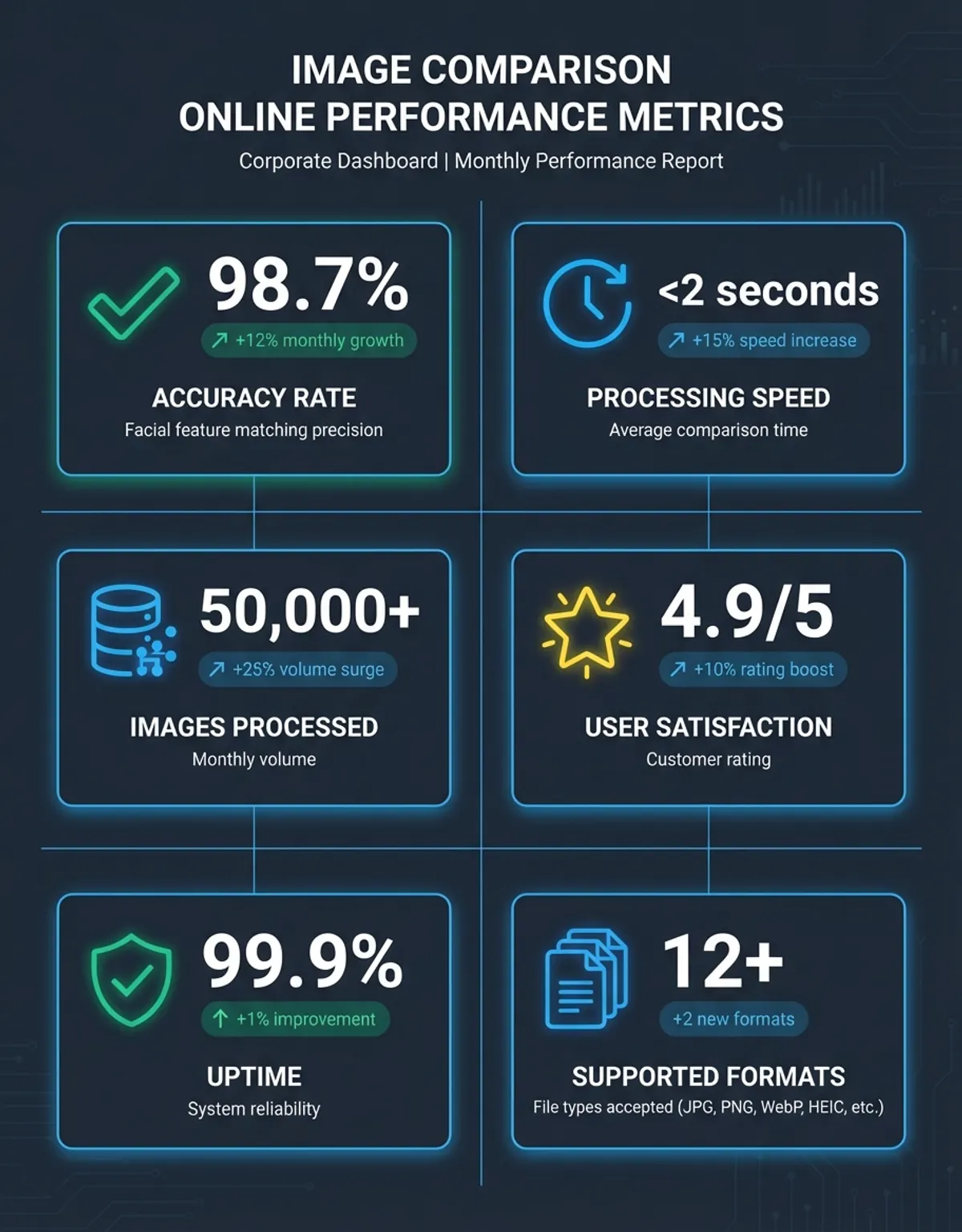
Discrepancies in embedded data often indicate manipulation, re-encoding, or format conversion that may affect visual fidelity. Examining this technical information alongside visual content provides a complete picture of how images differ and whether changes resulted from intentional editing or unintended transformation. Color space information embedded within image headers determines how colors render across different displays and browsers—mismatches here can cause unexpected color shifts even when pixel data appears identical.
Format Support and Advanced Capabilities
Comprehensive format support ensures your platform handles whatever image types your workflow requires. Standard formats like JPEG, PNG, and GIF are universally supported, but professional work often involves RAW camera formats, TIFF images, WebP, SVG, and other specialized types. The best platforms support dozens of formats, automatically handling format-specific characteristics during analysis.
Capabilities extend beyond simple viewing—they include format conversion during examination, automatic resizing when images have different dimensions, and intelligent handling of transparency in PNG content. When examining images with different aspect ratios or resolutions, the platform should align them properly, either through cropping, scaling, or split-screen modes that accommodate size differences.
Large content handling separates professional-grade platforms from basic alternatives. Look for services that handle high-resolution images without excessive reduction in visual fidelity, maintain color accuracy throughout analysis, and provide full-resolution zoom for examining fine details. Efficiency affects workflow speed, especially when examining RAW formats that require demosaicing and color space conversion before analysis. Support for animated formats like GIF and APNG adds versatility, letting you examine frame-by-frame differences in animated content or verify that animated sequences match specifications across different encoding settings.
Detecting Compression Artifacts and Assessing Visual Fidelity
Identifying artifacts and visual degradation requires sophisticated analysis beyond simple visual inspection. Platforms that evaluate encoding look for telltale signs like blocking artifacts in JPEG content, color banding, edge halos, and detail loss in fine textures. This analysis helps you determine whether visual standards are met or whether re-export at higher settings is required.
When examining compressed versus uncompressed versions, the platform should quantify differences through objective metrics like PSNR (Peak Signal-to-Noise Ratio) and SSIM (Structural Similarity Index). These measurements provide numerical values that supplement visual assessment, making it easier to establish thresholds and ensure consistency across image sets. Understanding the tradeoffs between size reduction and perceptual impact enables you to optimize delivery for web performance while maintaining acceptable visual standards across diverse viewing conditions and devices.
Understanding how a platform manages your source uploads helps ensure compliance with privacy regulations and corporate security policies.
Image Processing and Quality Control in Side-by-Side Workflows
Effective integration transforms image analysis from isolated tasks into seamless workflow components. Modern platforms offer APIs and webhooks that trigger automated examination whenever new images enter your content pipeline. This continuous verification catches issues immediately rather than discovering problems after publication, when corrections become costly and time-consuming. Configure automated workflows that examine every image against reference standards, flagging deviations that exceed acceptable thresholds for human review.
Version control integration provides traceability throughout the content lifecycle. When designers commit updated visual assets to repositories, automated analysis can examine changes against previous versions, generating reports that document exactly what changed and whether modifications maintain visual consistency with brand guidelines. This systematic approach prevents gradual drift from established standards while providing audit trails that demonstrate compliance with fidelity requirements.
Collaborative review workflows benefit from analysis platforms that support annotations, comments, and approval tracking. Team members can examine results, mark specific regions requiring attention, and communicate revisions without switching between multiple applications. This centralized review process accelerates iteration cycles while maintaining clear documentation of decisions and rationale throughout the approval process. Integration with project management systems ensures that visual asset reviews connect directly with task tracking, keeping all stakeholders informed about progress and blockers.
Image Comparison Online Tools: Feature Comparison Table
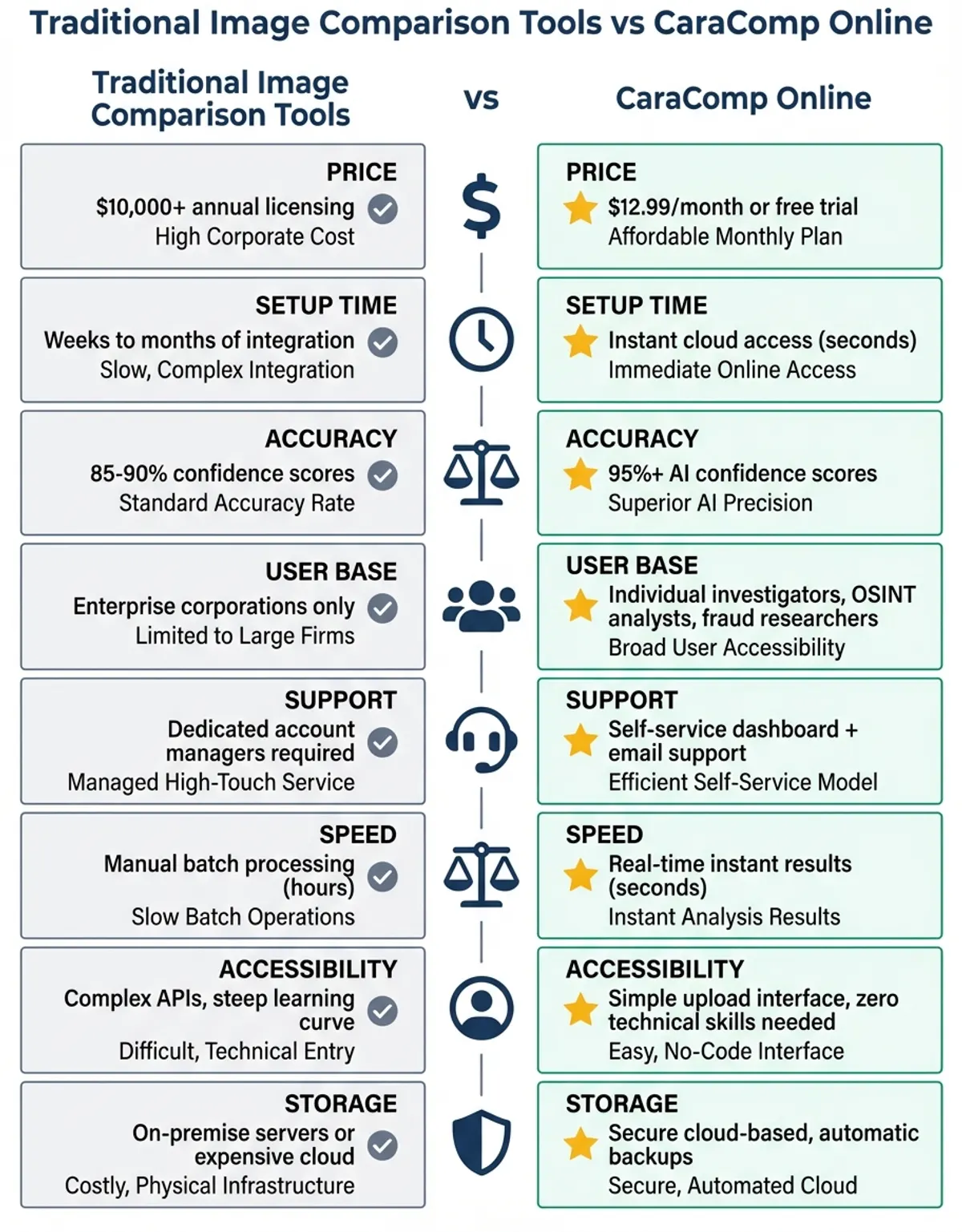
| Feature | Basic Tools | Advanced Tools | Professional Platforms |
|---|---|---|---|
| Side-by-Side Viewing | Yes | Yes | Yes |
| Automated Difference Detection | No | Yes | Yes |
| Metadata analysis | No | Limited | Comprehensive |
| Batch execution | No | Limited | Unlimited |
| File Size Limit | 5-10MB | 25-50MB | 100MB+ |
| RAW Format Support | No | Sometimes | Yes |
| AI-Powered Analysis | No | Sometimes | Yes |
For specialized analysis features, our photo comparison tool provides additional capabilities for professional workflows.
Frequently Asked Questions
How does compare images online work?
When you examine images online, the process begins by uploading your pair to the platform's secure server. The system then compares images by analyzing both simultaneously, examining pixel-by-pixel differences, color variations, and structural changes. Advanced comparison algorithms create a difference map that highlights modified areas, calculates similarity percentages, and generates visual overlays. The entire process typically completes within seconds, with results displayed through split-screen views, overlay modes, or color-coded difference maps. No software installation is required—everything processes directly in your browser using cloud computing resources.
How does diffchecker online work?
A diffchecker online specifically focuses on helping you find differences between two images. After upload, it runs algorithms that detect changes at multiple levels—pixel differences for exact changes, perceptual analysis for human-visible variations, and structural assessment for layout modifications. The comparison results typically appear as highlighted regions overlaid on one or both images, with color coding indicating addition, removal, or modification. Many platforms offer adjustable sensitivity settings, letting you control whether minor variations register as differences or get ignored as acceptable tolerance.
How does find differences work?
Finding differences between images involves multiple analytical techniques working together. The platform first aligns both, accounting for any size or resolution variations. It then examines corresponding pixels, evaluating RGB values, brightness, and contrast. Advanced systems use edge detection to identify structural changes, histogram analysis for color shifts, and perceptual hashing for detecting similar but modified regions. The system compiles all detected variations into a visual report, often using heat maps to show concentration, percentage scores for overall similarity, and interactive controls that let you toggle between the original and modified version.
How does two images online comparison work?
To compare two images online, and to compare images online more broadly, requires examining two images online by uploading both to a web-based platform that processes them using server-side algorithms. The platform creates temporary processing copies while preserving your originals, runs routines that may include pixel analysis, feature matching, and pattern recognition, then presents results through an interactive interface. Most tools offer multiple viewing modes—synchronized zoom for examining details simultaneously, slider controls for gradual transitions, and split-screen views. The analysis happens entirely online without requiring local software, with processing speed depending on image size and server capacity.
How does compare images functionality differ across tools?
Different platforms implement image analysis with varying sophistication levels. Basic services offer simple split-screen viewing where you manually spot differences. Mid-range options add automated difference detection using pixel analysis and overlay modes. Professional-grade platforms incorporate AI that identifies specific types of changes (object removal, color grading, retouching), provide numerical similarity metrics, examine metadata and technical specifications, offer batch handling for multiple pairs, and include collaboration features for team workflows. The accuracy and speed also vary based on the algorithms used and server infrastructure.
How does AI improve image comparison?
AI-powered analysis lets you compare visual content beyond simple pixel matching by understanding modifications contextually. Machine learning models trained on millions of images can identify specific types of changes—detecting whether differences result from object removal, background replacement, color grading, or retouching. AI systems recognize patterns that indicate manipulation, assess degradation from encoding, and even detect deepfakes or synthetic modifications. This intelligent analysis provides insights that pure algorithmic methods might miss, helping users understand not just that images differ, but specifically how and why those differences exist.
How does visual comparison help in professional workflows?
Professional workflows rely on visual analysis to maintain quality standards, verify deliverables, and streamline approval processes. Photographers evaluate retouching work against the original, ensuring edits enhance rather than destroy image integrity. Designers examine mockups with implemented designs to catch discrepancies before launch. Assurance teams verify that product images match photography specifications, that web images haven't degraded from encoding, and that brand assets maintain consistency across platforms. The ability to examine multiple image pairs efficiently, document differences with annotations, and share results with stakeholders makes these tools essential for collaborative visual production.
Conclusion
Image analysis online platforms have evolved into sophisticated platforms that serve everyone from casual free users checking photo edits to professionals managing complex visual workflows. The combination of instant browser-based access, powerful analysis algorithms, and intuitive interfaces makes these platforms indispensable for modern image work. Whether you need to verify fidelity, detect unauthorized modifications, or simply spot the differences between two versions, online analysis platforms deliver results without the complexity of desktop software.
As AI capabilities continue advancing, expect even more intelligent analysis that understands context, predicts user intent, and automates fidelity assessments. The future of image analysis online lies in platforms that don't just show differences but help you understand their significance and impact on your projects. For anyone working with digital images, mastering these analysis platforms accelerates workflows, improves quality control, and provides the confidence that comes from thorough visual verification.
When you compare online, compare images, free, compare, compare two images online all matter. When you compare online, compare images online, two images online, find differences all matter.
A thorough image comparison starts with a clean view: open the image comparison side by side, view both versions at full size, and let the image comparison run before you judge. One more view after the image comparison confirms the result.