
Compare Images Online: AI Image Compare to Find Differences
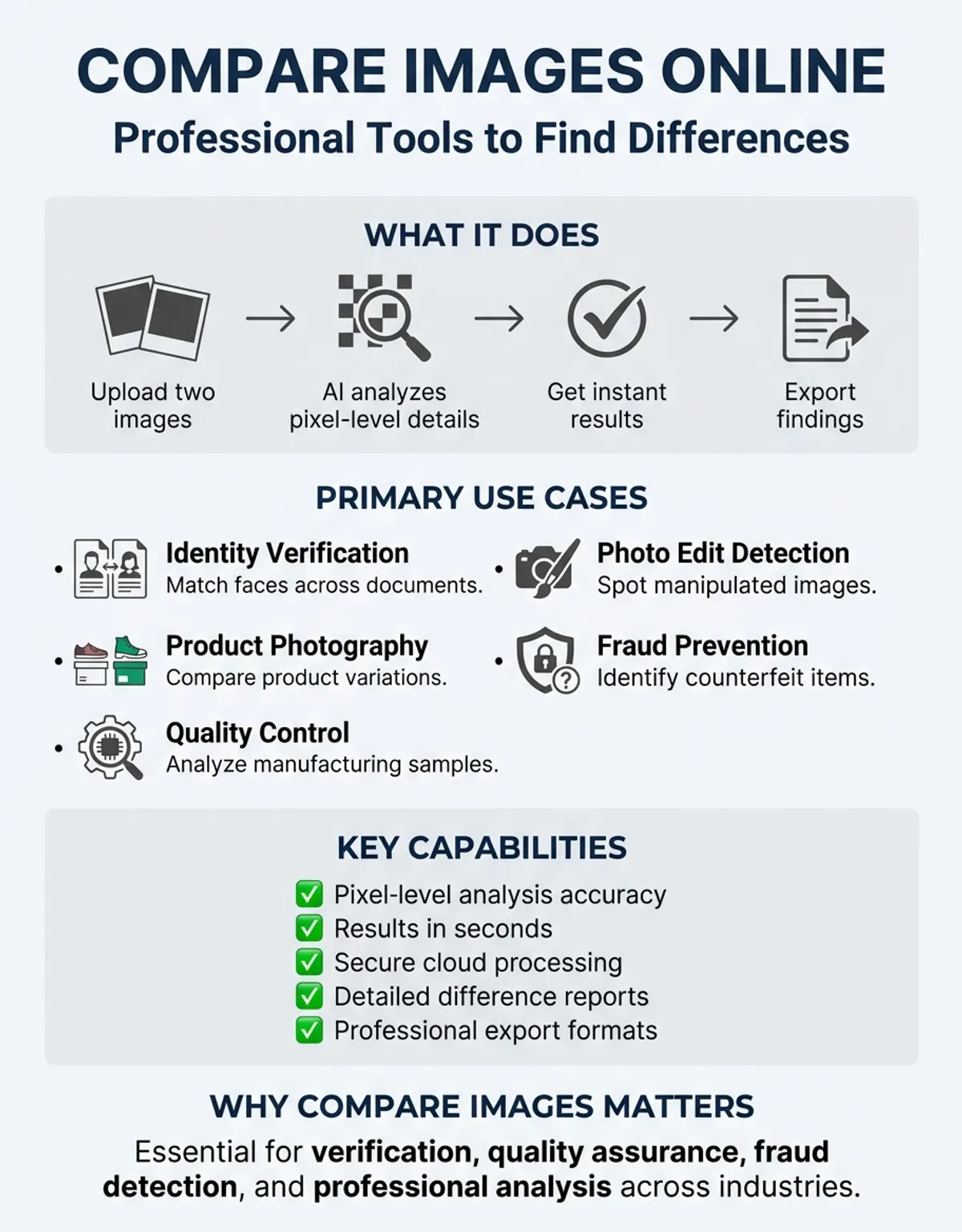
Whether you need to verify identity, detect photo edits, or analyze product photography, the ability to compare images accurately has become essential. Modern platforms make it possible to upload two images and find differences within seconds, using pixel analysis and artificial intelligence to reveal changes invisible to the naked eye.
From photographers to businesses detecting counterfeit products, this technology serves countless applications. This guide explores how to visually compare images, the science behind analysis methods, and how AI transforms comparison into actionable insights.
Modern comparison tools include diff image utilities, image compare software, and the ImageMagick compare command for developers. These comparison programs analyze pixel differences with precision, making visual comparison effortless even for non-technical users.
What Does It Mean to Compare Images?
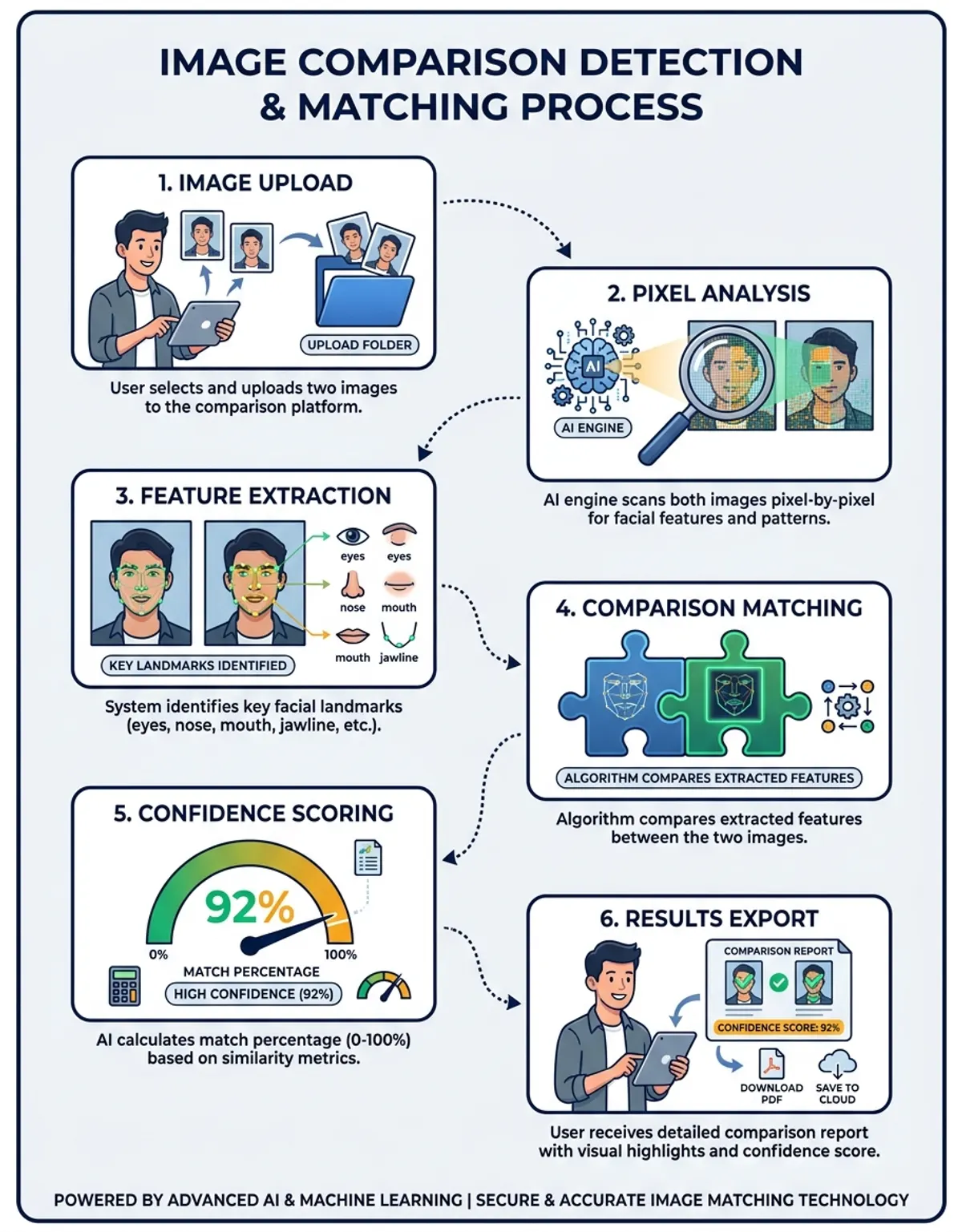
Image comparison analyzes two or more photographs to identify similarities or differences. This can occur at multiple levels: visual inspection reveals obvious compositional changes, while technical examination detects subtle alterations in data that escape human perception. For a comprehensive guide on comparing photos, explore our photo comparison resource.
When you compare images, you're asking: how do these differ, or how similar are they? The answer depends on your method. Visual approaches identify obvious changes, while technical analysis examines raw data to detect minute modifications. Data inspection reveals details about camera settings, software, creation dates, and processing history.
Photographers verify files haven't been altered during transfer. Businesses match product photos against manufacturer images to detect counterfeits. Security teams analyze uploaded photographs for identity verification. Design professionals ensure accuracy across formats and devices. For detailed information on comparing photos, check out our compare two photos guide.
Professional platforms automate this process with objective measurements. Rather than manual side-by-side inspection, these systems perform mathematical analysis, generate difference maps, calculate similarity scores, and highlight changes with exceptional precision. You may also find our guide on comparing two images for similarity helpful for understanding similarity analysis.
How to Upload Two Images and Find Differences Online
Modern online tools make it simple to compare images effortlessly without installations. The process involves straightforward steps delivering results in seconds.
Navigate to a professional comparison platform. Look for systems supporting multiple formats with AI-powered analysis. You'll see upload areas where you drag and drop or browse device storage.
After you upload two images, processing begins immediately. Advanced platforms perform multiple analyses simultaneously: difference detection, deviation measurement, structural similarity indexing, and AI content recognition. Within moments, you'll see a comprehensive report.
Results display several visualization modes. Side-by-side view shows both photographs together for easy visual comparison. Overlay mode superimposes one on the other with transparency controls to spot subtle shifts. Difference highlighting uses coding to mark changed areas with intensity indicating magnitude.
Professional platforms provide quantitative metrics: similarity percentages, difference counts, and deviation scores measuring changes in appearance. These objective measurements prove invaluable for documentation purposes.
Online comparison accessibility lets you analyze two uploaded images from any device with internet access—laptop, tablet, or smartphone. No downloads or technical configuration required.
Pixel-Level Analysis: Comparing Images at Pixel Precision
Pixel-level comparison represents the most precise detection method. Every digital photograph consists of a grid of tiny colored dots, each with specific color values. Analysis examines corresponding positions and calculates value differences.
Technically, each element contains color information stored numerically. In RGB space, one might have values R:255, G:128, B:64. Algorithms examine identical positions and calculate differences for each color channel. If red differs by 50, green by 20, and blue by 10, the algorithm computes a total difference score.
Repeating this for every element—often millions in high-resolution photos—generates a complete difference map. Matching areas show zero difference. Minor variations display small scores. Significant changes produce high values.
Professional systems visualize these differences through heatmaps using gradients to show magnitude: blue for identical areas, green for minor differences, red for major changes. Binary masks display changed elements in white and unchanged in black.
This proves valuable for detecting subtle manipulation. Forged documents might look identical initially, but analysis reveals artifacts or inconsistencies. Product photos might appear accurate, yet examination detects corrections or replacements visual inspection would miss.
Comparing Image Files: Original Metadata, Format, and Compression
Beyond visible content, files contain extensive metadata revealing crucial information about origin, creation, and modification history. Data-level comparison uncovers details the visual content alone cannot provide.
Metadata includes EXIF data embedded by cameras and software: camera specifications, lens details, exposure settings, ISO speed, focal length, flash usage, and GPS coordinates. Timestamps show when files were created, modified, and accessed. Profiles indicate space usage like sRGB or Adobe RGB.
Comparing information between files reveals whether originals are actually copies or edited versions. Authentic original photographs contain detailed EXIF matching camera capabilities. Edited and re-saved versions show software information, different timestamps, and possibly stripped details.
Format significantly impacts quality and accuracy. JPEG uses lossy techniques with varying levels of compression, discarding data to reduce file size. Each save causes additional quality loss. Compression settings directly affect how much detail is preserved versus removed. Understanding format differences and compression levels prevents mistaking artifacts for intentional edits.
When comparing images that have undergone different processing, expect to see variations even if the visual content appears identical. A high-quality JPEG might look perfect to the eye yet show thousands of pixel differences compared to an uncompressed original. Professional systems account for these artifacts, focusing on meaningful differences rather than noise.
Whether analyzing compressed images, comparing original files against edited versions, or examining PNG metadata, understanding compression artifacts and color space differences ensures accurate results. File format comparison requires attention to compression levels and original image data preservation.
How to Compare PNG, PDF, and Other File Formats
Different formats serve different purposes. Understanding these helps you compare images effectively across boundaries.
PNG excels for comparison because it preserves all image data. When you save as PNG, then open and re-save repeatedly, data remains absolutely identical. This makes PNG ideal when you need accuracy without worrying about artifacts.
Comparing PNG documents yields clear, unambiguous results. Differences represent actual changes in data, not processing side effects. This certainty makes PNG preferred for technical comparison, quality assurance, and situations where exact matching matters.
PDF comparison presents unique challenges. A PDF can contain embedded images, vector graphics, text, and combinations. Comparing images within these documents requires extracting embedded data first, then performing standard analysis on extracted content.
Professional systems handle extraction automatically. They identify objects within structure, export them in comparable formats, then apply analysis. This works well for simple documents containing primarily images, but becomes complex with layers or annotations.
Other formats bring specific characteristics. TIFF often contains multiple pages or layers, requiring systems that compare specific layers or flatten first. WebP combines efficient processing with quality retention. RAW camera documents contain unprocessed sensor data, offering highest quality but requiring specialized software interpreting proprietary formats.
AI Image Comparison: How Artificial Intelligence Enhances Results
Artificial intelligence transforms comparison from simple matching into intelligent content analysis. While technical methods tell you where images differ, AI understands what those differences mean.
Traditional comparison struggles with photographs taken under different conditions. A scene captured in morning light versus afternoon shows thousands of differences due to temperature changes, yet depicts identical content. AI recognizes this, analyzing semantically rather than just numerically. They identify objects, understand spatial relationships, and recognize when differences result from environmental factors rather than actual changes.
Face comparison represents one of AI's most powerful applications. When you compare images containing faces, AI detects facial features, calculates geometric relationships between key points, measures proportions, and generates similarity scores based on identity rather than just technical matching. This enables accurate verification even when photos were taken years apart with different expressions, lighting, or angles.
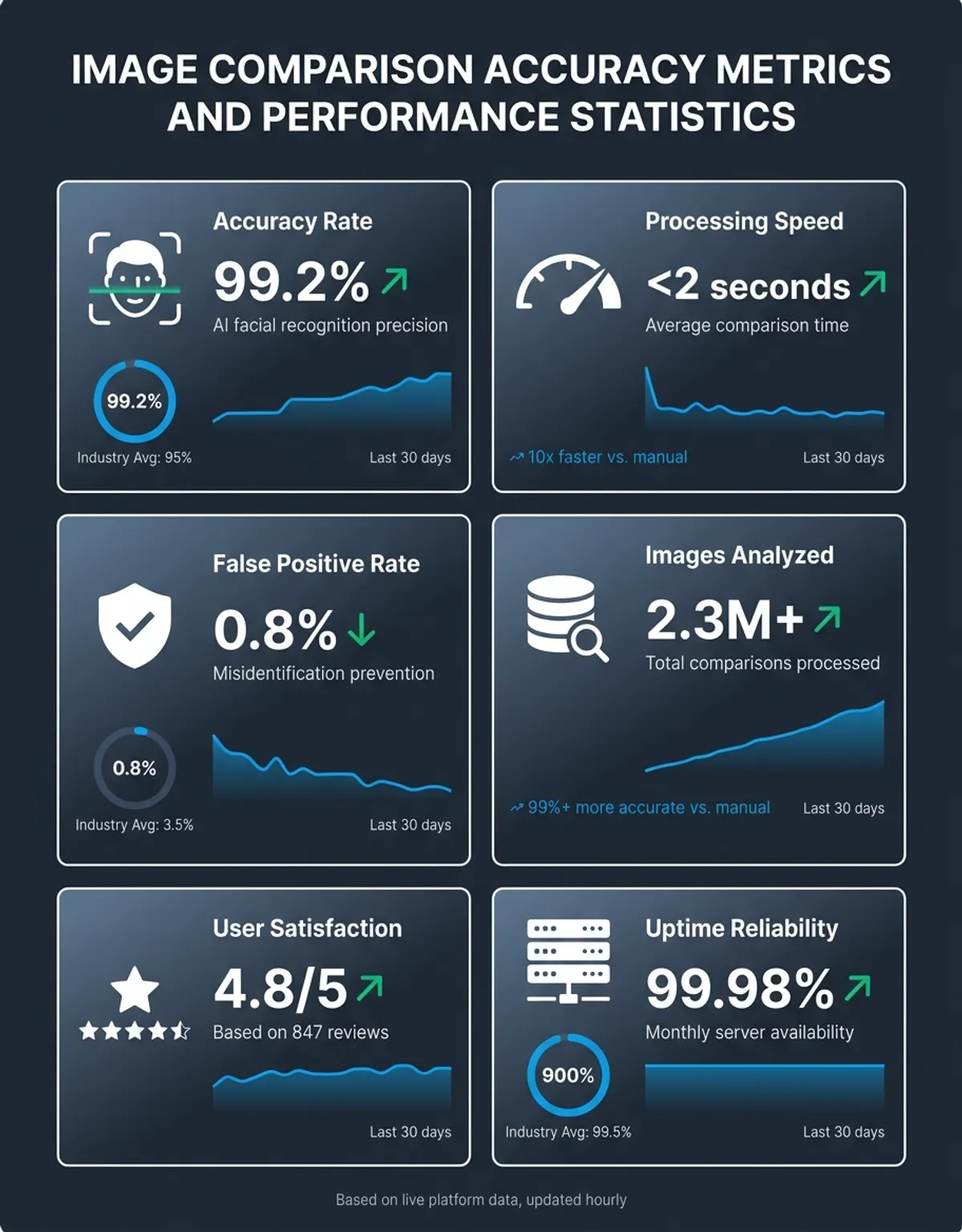
CaraComp's AI approach to comparing images leverages deep learning models trained on millions of faces. When you analyze two uploaded images through CaraComp, the AI doesn't just count different elements—it understands facial structure, recognizes identical individuals despite appearance changes, and detects sophisticated deepfakes that would fool simple technical comparison.
AI also excels at detecting specific manipulation types. They recognize cloning artifacts where regions were copied and pasted. They identify inconsistent lighting indicating composited elements from multiple sources. They detect unnatural smoothing suggesting excessive retouching or generation. These insights go beyond what technical analysis alone provides.
Combining precision with AI content understanding creates the most comprehensive analysis available. Professional systems employ both methods simultaneously, giving you quantitative data alongside qualitative AI insights about what changes represent.
How to Compare Images Effortlessly with CaraComp
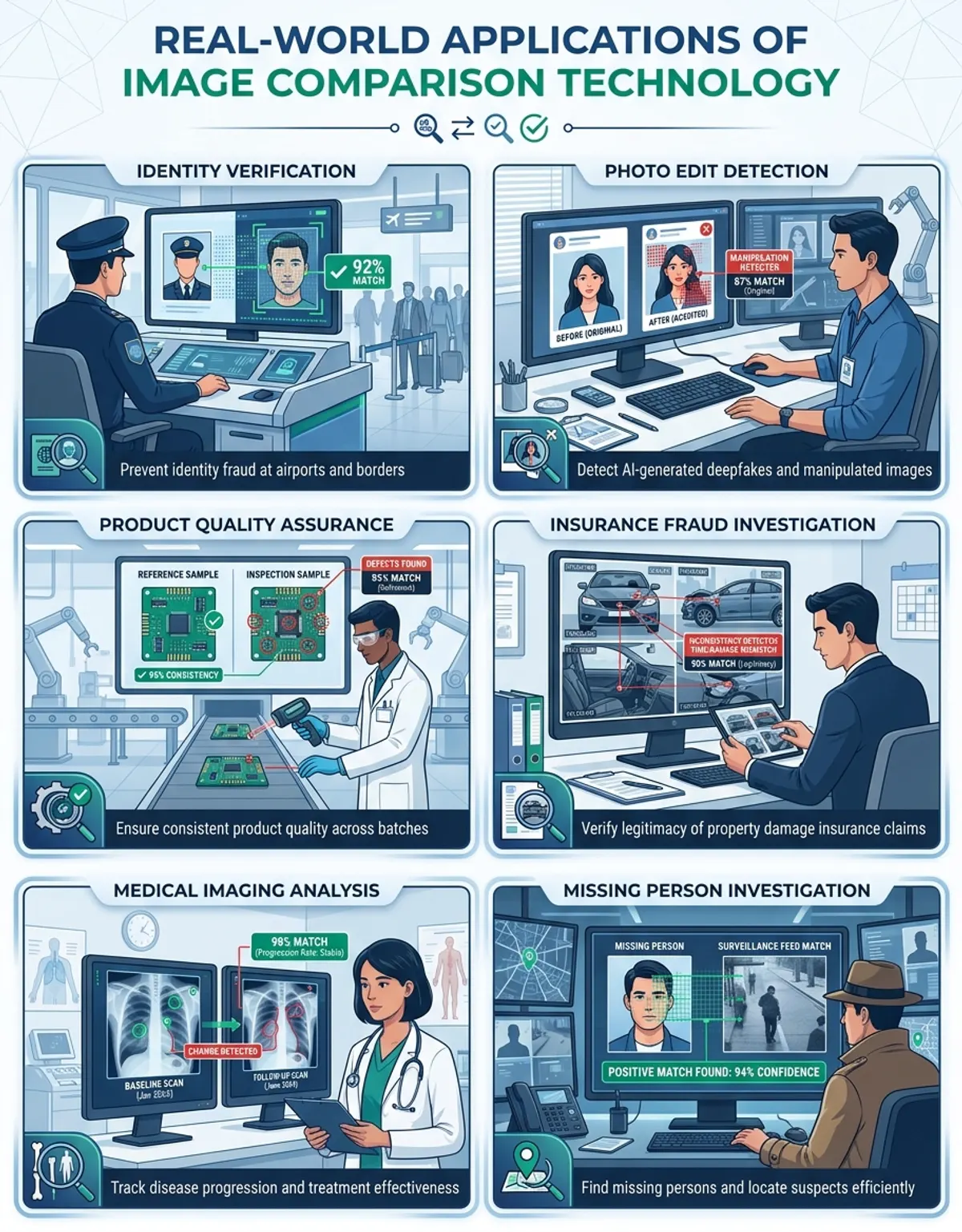
Image comparison serves diverse professional and personal applications across numerous industries and contexts.
Face comparison and identity verification represent the most common use case. Security systems match individuals against database photos to grant access. Law enforcement agencies identify suspects or missing persons. Border control matches travelers against passport photos. Social platforms detect duplicate accounts through profile pictures.
Product photography comparison helps e-commerce combat fraud and maintain quality. Marketplaces match seller uploads against known product photos to detect counterfeits. Buyers compare listing images against received items to document discrepancies. Manufacturers compare retail photos against approved imagery to identify unauthorized sellers.
Document verification relies heavily on this technology. Banks compare check images, signatures, and identification documents against stored originals to prevent fraud. Government agencies verify passport authenticity by comparing security features. Legal teams compare contract or evidence documents to establish authenticity.
Medical imaging assists healthcare professionals in tracking disease progression. Radiologists compare sequential scans to detect tumor changes. Dermatologists compare skin condition images over time to evaluate treatment response. Dental professionals compare x-rays from different appointments to monitor tooth and bone changes.
Design proofing depends on precise comparison. Graphic designers compare versions across different profiles to ensure consistent appearance. Print professionals verify files before and after color correction to maintain brand standards. Web developers identify rendering inconsistencies across browsers and devices, ensuring responsive designs display correctly. Quality assurance teams match product photos against specifications to verify packaging, labeling, and visual presentation meet company guidelines.
Beyond professional applications, individuals use comparison technology daily. Online shoppers verify product authenticity by comparing seller photos against manufacturer images. Social media users check if their images have been stolen or reposted without permission. Homeowners document property condition before and after renovations for insurance purposes. Travelers compare travel destination photos against actual locations to avoid misleading marketing.
Professional tools provide multiple view modes for analyzing images compare results. The compare program interface typically offers side-by-side view, overlay view, and difference highlighting, helping users quickly identify pixel-level changes.
How to Compare Images Effortlessly with CaraComp
CaraComp streamlines the entire process through an intuitive interface powered by advanced AI. Whether you need to verify identity, detect edits, or analyze similarity, CaraComp delivers professional results without complexity.
Getting started takes seconds. Visit CaraComp's page and upload two images by dragging them into upload areas or browsing. The platform accepts all common formats—JPEG, PNG, PDF, TIFF, WebP—handling conversion automatically.
Once you upload two images online, CaraComp's AI engine begins comprehensive analysis. Unlike basic systems examining only technical elements, CaraComp applies multiple analytical methods simultaneously. Detection identifies exact changes in data. Structural similarity measures how composition and patterns differ. AI content recognition understands what objects, faces, or scenes appear and how they compare semantically.
Results appear in an intuitive dashboard within moments. Side-by-side view lets you visually compare both with synchronized zooming and panning. Difference highlighting overlays regions showing where and how they differ. Similarity scores provide clear percentages indicating overall match levels. Detailed metrics break down differences by category—variations, deviations, structural changes—giving complete transparency.
For face comparison specifically, CaraComp's specialized AI delivers exceptional accuracy. The system detects faces automatically, extracts key facial features, calculates biometric measurements, and generates identity similarity scores remaining reliable across different poses, expressions, ages, and lighting conditions.
CaraComp functions as a professional tool scaling from casual personal use to enterprise security applications. The first month is 50% off ($14.50), perfect for evaluation. Plans include advanced features like batch comparison, API access, detailed forensic reports, and priority processing.
Try CaraComp today to experience how modern AI transforms comparison from tedious manual inspection into instant, accurate, actionable insights.
Comparison Table: Image Comparison Methods
| Comparison Method | Best For | Accuracy | Speed | Requires Software |
|---|---|---|---|---|
| AI Image Comparison | Face similarity, content analysis, semantic understanding | Very High | Instant | No |
| Pixel-by-Pixel Analysis | Exact file differences, editing detection, quality control | Exact | Fast | No |
| Metadata Comparison | File authenticity, format changes, modification history | High | Instant | No |
| Visual Side-by-Side | Quick spot-check, design review, compositional changes | Medium | Instant | No |
| Manual Inspection | Complex creative review, subjective assessment | Variable | Slow | No |
Frequently Asked Questions
How do I compare two images online?
To compare two images online, visit a professional tool like CaraComp, upload both using the drag-and-drop interface or browser, and wait seconds for AI-powered analysis to complete. The system displays side-by-side views, difference highlights, and similarity scores immediately. No installation or technical expertise required—the entire process happens in your browser and takes under a minute from upload to results.
What is pixel-by-pixel image comparison?
Pixel-by-pixel comparison analyzes each corresponding position in two images and calculates differences in values. Since digital photographs consist of millions of individual pixels, this method examines every single one to detect even the smallest changes. The system measures channel differences (red, green, blue values), generates difference scores for each, and creates visual maps showing where and how images differ at the most granular level possible.
Can I compare images for free online?
Yes, many professional tools offer free tiers providing comprehensive analysis without payment. CaraComp's free version allows unlimited basic comparisons with full access to AI-powered similarity scoring, side-by-side views, and difference detection. While premium features like batch processing and detailed forensic reports require paid plans, the free service delivers professional-quality results suitable for most personal and small business needs.
How do image comparison tools find differences?
Comparison tools find differences through multiple analytical techniques working together. Analysis examines values at each position and flags changes. Structural similarity algorithms detect patterns and textures that differ. Metadata checking verifies information for discrepancies. Advanced AI adds content recognition, understanding what objects or faces appear and identifying meaningful semantic differences beyond raw data.
What is the best tool to compare images online?
The best depends on your specific needs, but CaraComp stands out for combining ease of use with professional AI capabilities. For general comparison, CaraComp offers excellent accuracy, fast processing, and intuitive results visualization. For face comparison specifically, CaraComp's specialized AI delivers superior identity verification accuracy. Other systems excel in specific niches—some offer better batch processing, others provide more detailed analysis—but CaraComp provides the most balanced combination of features.
How does AI compare images differently from manual comparison?
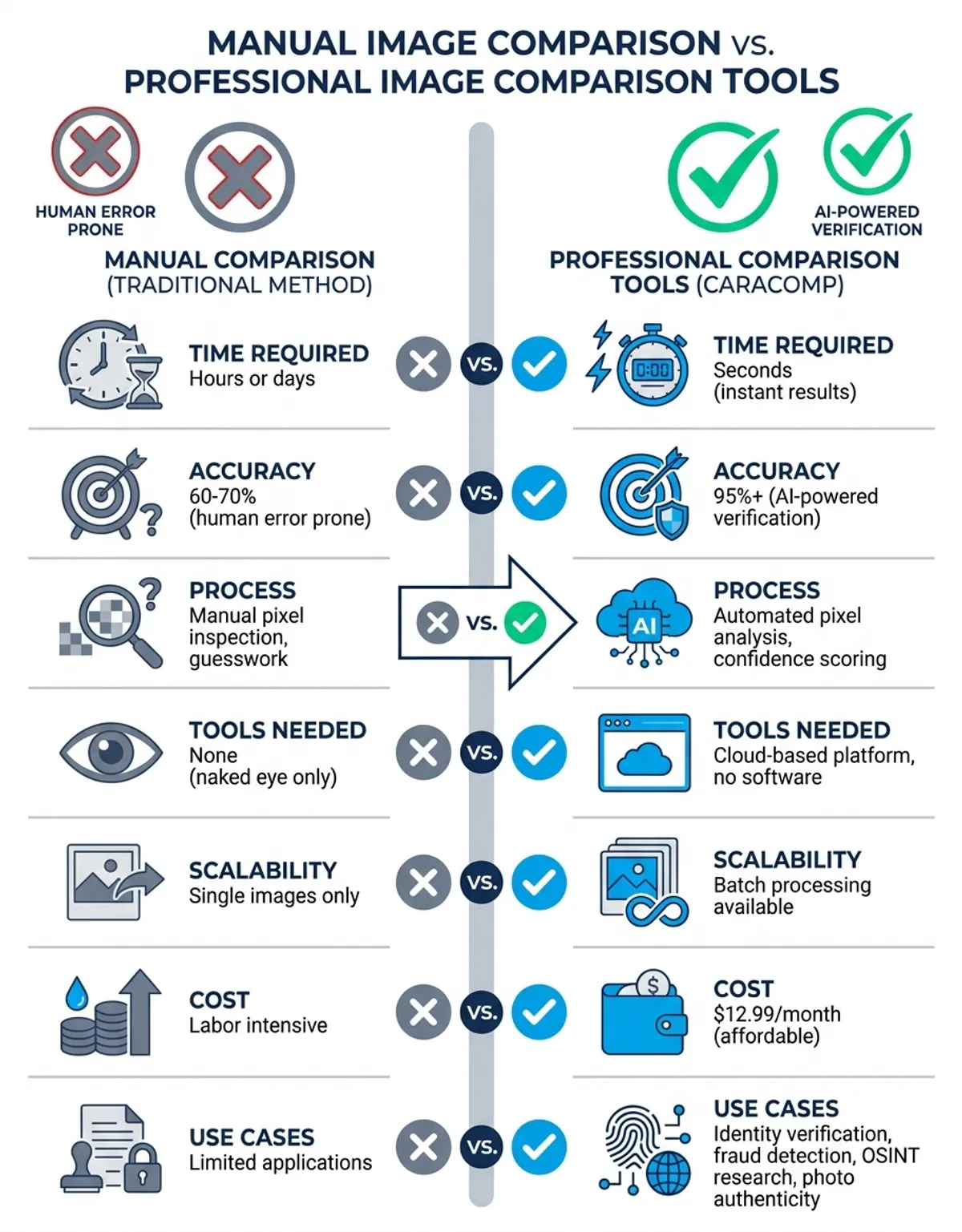
AI comparison understands content rather than just measuring differences. While manual visual inspection relies on human perception and is susceptible to fatigue and subjectivity, AI processes millions of data points instantly with consistent objectivity. AI recognizes faces across different conditions, detects manipulation artifacts invisible to humans, and generates quantitative similarity scores. Manual comparison identifies obvious differences, but AI reveals subtle changes and provides forensic-level analysis that manual inspection cannot match.
Can I compare PNG and PDF files in the same tool?
Yes, modern tools like CaraComp handle different formats seamlessly. The system automatically detects the format of each uploaded file, extracts data from PDFs, converts formats to a common internal representation, and performs comparison on the normalized content. This means you can upload one PNG and one PDF containing an image, and the tool will compare the actual content regardless of format differences, delivering accurate results across boundaries.