
Side by Side Photo Comparison: Two Photos, Spot the Differences
Master the art of visual comparison with the best apps, AI tools, and professional techniques for placing photos side by side.
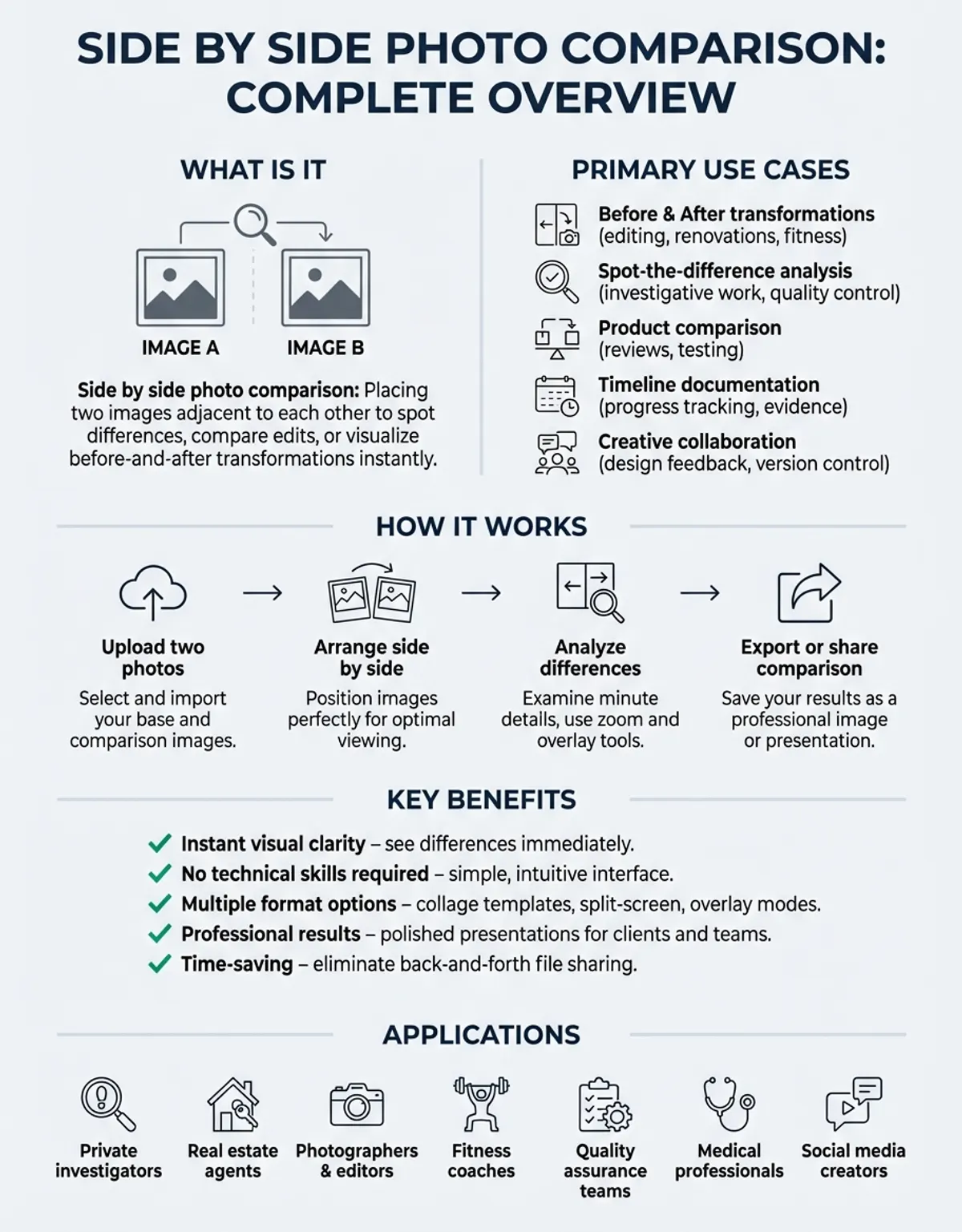
Whether you need to spot subtle differences between two photos, compare editing results, or create a visual before-and-after presentation, side by side photo comparison is one of the most practical skills in digital photography. From professional photographers reviewing retouching work to real estate agents showing property transformations, comparing your photos side by side saves time and delivers clear visual insights. This guide walks you through everything you need to know about comparing images, including the best approaches and techniques to compare two photos with precision.
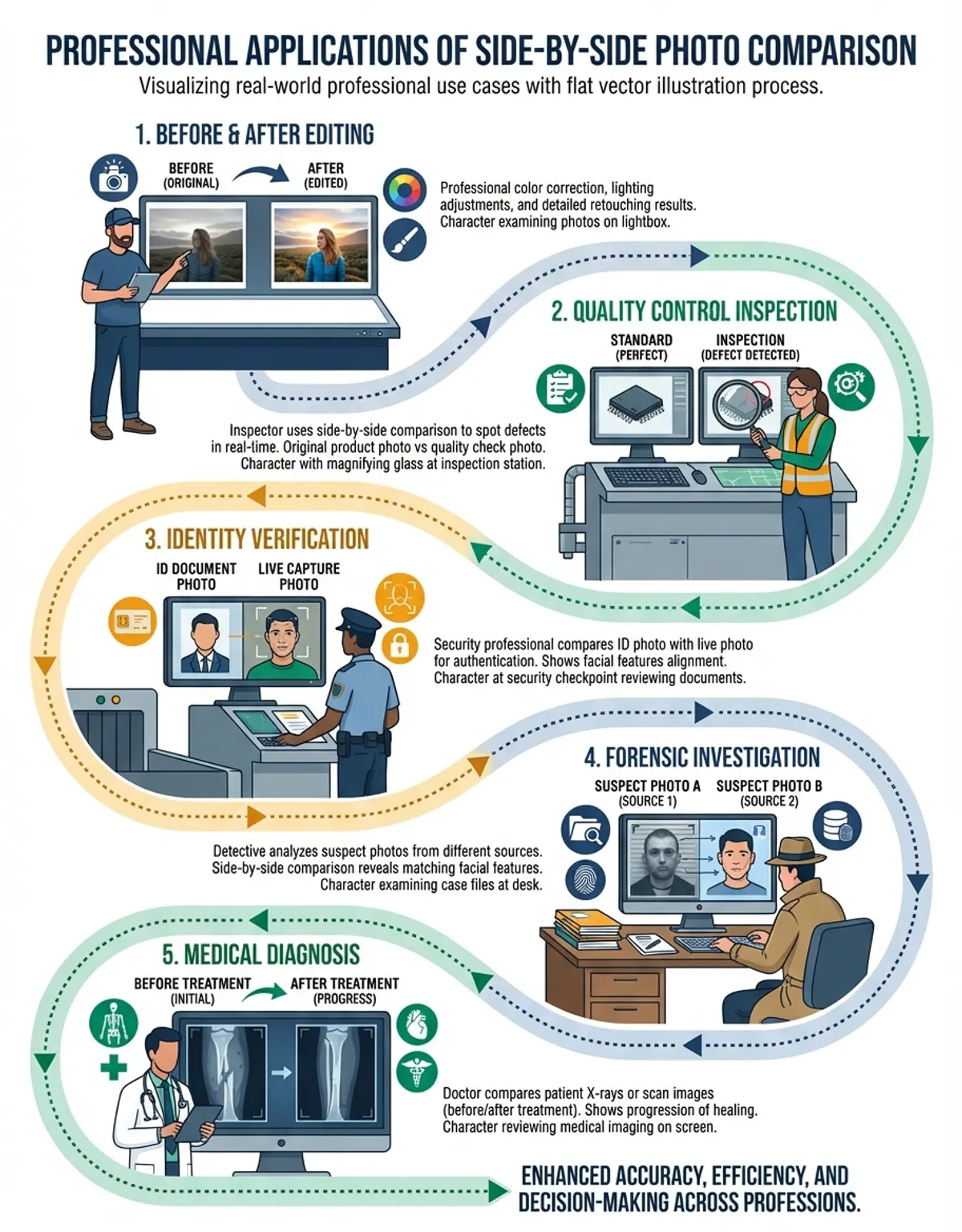
Side by side photo comparison has become essential across industries. Designers use it to evaluate color grading, e-commerce sellers compare product shots for consistency, and medical professionals analyze diagnostic images next to each other. Here's the thing - once you start using a proper comparison tool, you'll wonder how you ever managed without one. With the right app, you can view differences in seconds and make confident decisions about your side photos.
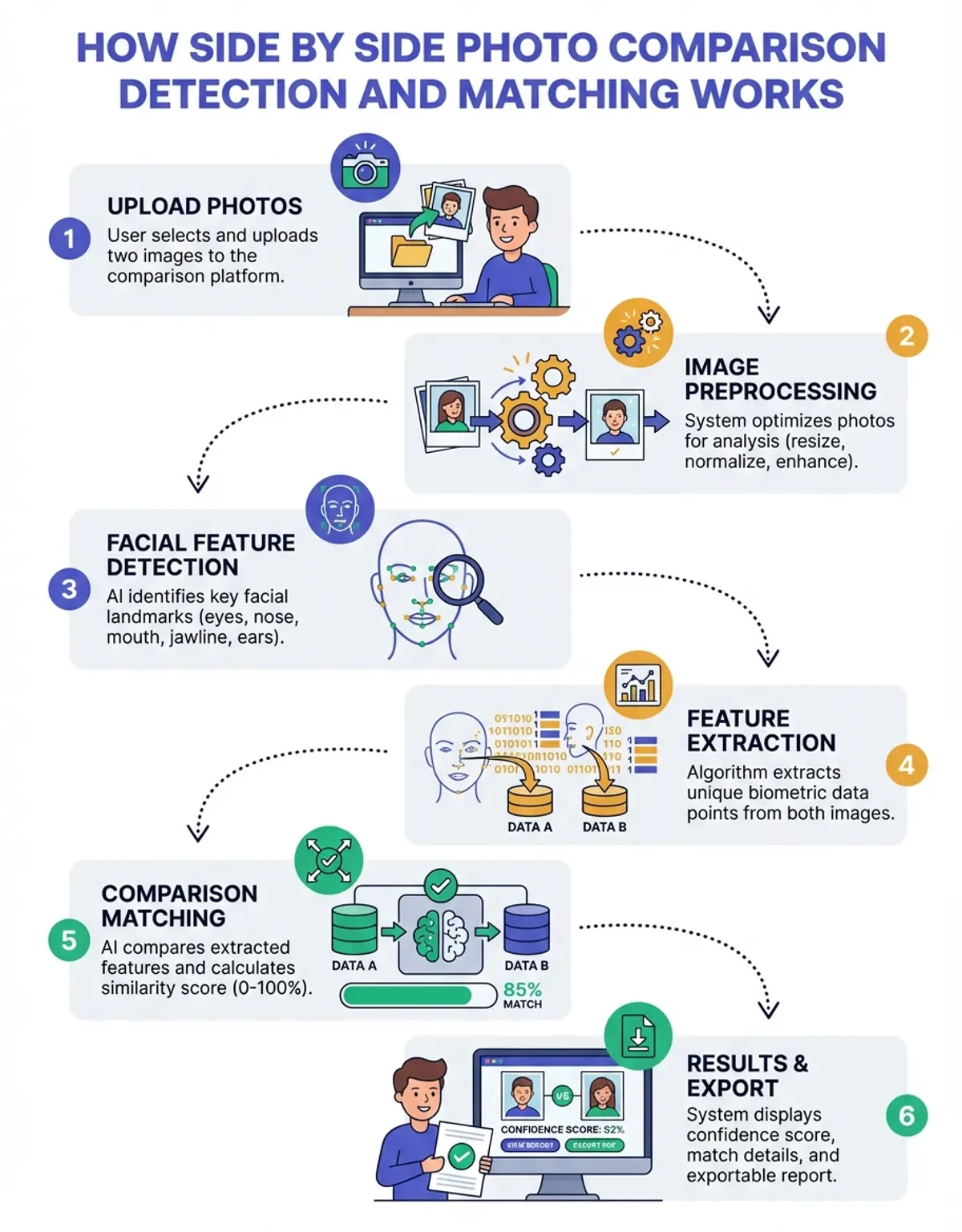
What Is Pictures Side by Side Photo Comparison?
Side by side photo comparison is the process of placing two photos adjacent to each other so you can view differences, similarities, or changes between them. This technique allows you to compare images at the pixel level or simply get a high-level visual overview. Whether you are examining before-and-after edits, checking two versions of a product image, or reviewing architectural renderings against finished buildings, the side by side arrangement gives you immediate clarity.
The concept is straightforward: take two photos, align them horizontally or vertically, and examine them together. However, modern solutions have expanded what side by side photo comparison can do. Advanced capabilities now support overlay modes, difference highlighting, zoom synchronization, and automated detection of changes between images. These features make it possible to compare two photos with scientific precision rather than relying on visual estimation alone.
Common use cases include quality assurance in photography studios, progress tracking in construction projects, medical imaging analysis, and academic research where visual data must be compared systematically. The approach works equally well for casual users who want to quickly pick the best selfie from a burst of shots.
Best Side by Side Image Comparison Apps and Software
Choosing the right solution for side by side photo comparison depends on your specific needs, technical skill level, and budget. The market offers everything from simple free apps to professional-grade software with advanced comparison features. Here is an overview of the most effective tools available today. For a comprehensive overview of comparing images across formats and use cases, explore our photo comparison guide.
CaraComp stands out as a purpose-built comparison platform designed specifically for placing images side by side. Unlike generic photo editors that treat comparison as an afterthought, CaraComp puts the side by side arrangement front and center. The platform supports drag-and-drop uploads, synchronized zooming, and customizable layouts that make it easy to compare two photos without any learning curve.
For users who prefer desktop solutions, applications like Adobe Lightroom and Capture One include built-in comparison modes. Lightroom Classic, for example, offers Compare view, Reference view, and Survey view for placing photos side by side with detailed metadata overlays. (Source: https://helpx.adobe.com/lightroom-classic/help/browse-compare-photos.html) While powerful, this type of software can be overwhelming for users who only need basic side by side photo comparison without the full editing suite.
Web-based platforms have gained popularity because they require no installation. You can upload your images, arrange them side by side, and share results through a simple link. Many of these offer free tiers that handle standard comparison tasks perfectly well. Mobile solutions bring side by side photo comparison to your phone. Whether you are on a job site comparing blueprints to reality or in a store comparing product designs, having a reliable comparison app in your pocket is invaluable.
How to Use a Side by Side Photo Comparison App
Using a side by side photo comparison app is designed to be intuitive, but following a structured approach ensures you get the most accurate results. Here is a step-by-step walkthrough of how to compare images effectively using a typical comparison app.
First, open your preferred app and select the images you want to compare. Most let you import from your camera roll, cloud storage, or directly from a URL. For the clearest comparison, choose images with similar dimensions and resolution. The app will automatically scale them to fit the side by side layout, but starting with matched sizes gives more accurate results.
Next, select your preferred comparison method. Several comparison modes are typically available: horizontal side by side, vertical stack, overlay blend, and slider comparison. The horizontal layout works best for landscape images, while vertical stacking suits portrait shots. The slider comparison method lets you drag a divider across the image to reveal one photo beneath the other, which is especially useful for before-and-after presentations.
Once your images are arranged, use zoom and pan controls to examine specific areas. A good app synchronizes zoom across both images, so when you zoom into one photo, the other follows at the same magnification. This is where things get interesting - differences that looked invisible at normal zoom suddenly become obvious when you zoom in to the same spot on both photos simultaneously.
After reviewing your comparison, you can export the result as a single combined image, generate a report, or share directly. You can save your comparison as a combined output that keeps both images together for easy reference later. Many users create side by side layouts for presentations and client reviews using this workflow.
Once you start using a proper comparison tool, you'll wonder how you ever managed without one.
Side by Side Photo Comparison Maker and Collage Features
A side by side photo comparison maker takes the basic concept of placing two images together and adds creative layout options. While a simple comparison focuses on analytical viewing, a maker lets you create polished visual outputs suitable for presentations, social media posts, and marketing materials. The collage capabilities in modern platforms transform utilitarian comparisons into engaging visual content.
Most maker platforms offer grid-based layouts with customizable borders, backgrounds, and spacing. You can arrange multiple images in a single collage, add text labels to identify each photo, and apply consistent styling across the entire composition. These features are particularly valuable for real estate professionals who need to present property comparisons to clients, or for fitness influencers creating transformation posts.
The collage functionality in a comparison maker goes beyond simple placement. Advanced options support rounded corners, shadow effects, watermarks, and brand-specific color schemes. Some allow you to save custom layouts that you can reuse across projects, maintaining visual consistency in your output. Whether you need a two-image side by side arrangement or a complex multi-image grid, the right tools handle both with ease.
Batch processing is another powerful feature in modern comparison tools. Instead of creating each layout manually, you can define a reusable design and apply it to dozens of image pairs automatically. This saves hours for professionals who regularly produce comparison content, such as product photographers documenting inventory or construction managers tracking project milestones.
AI-Powered Side by Side Photo Comparison Generator
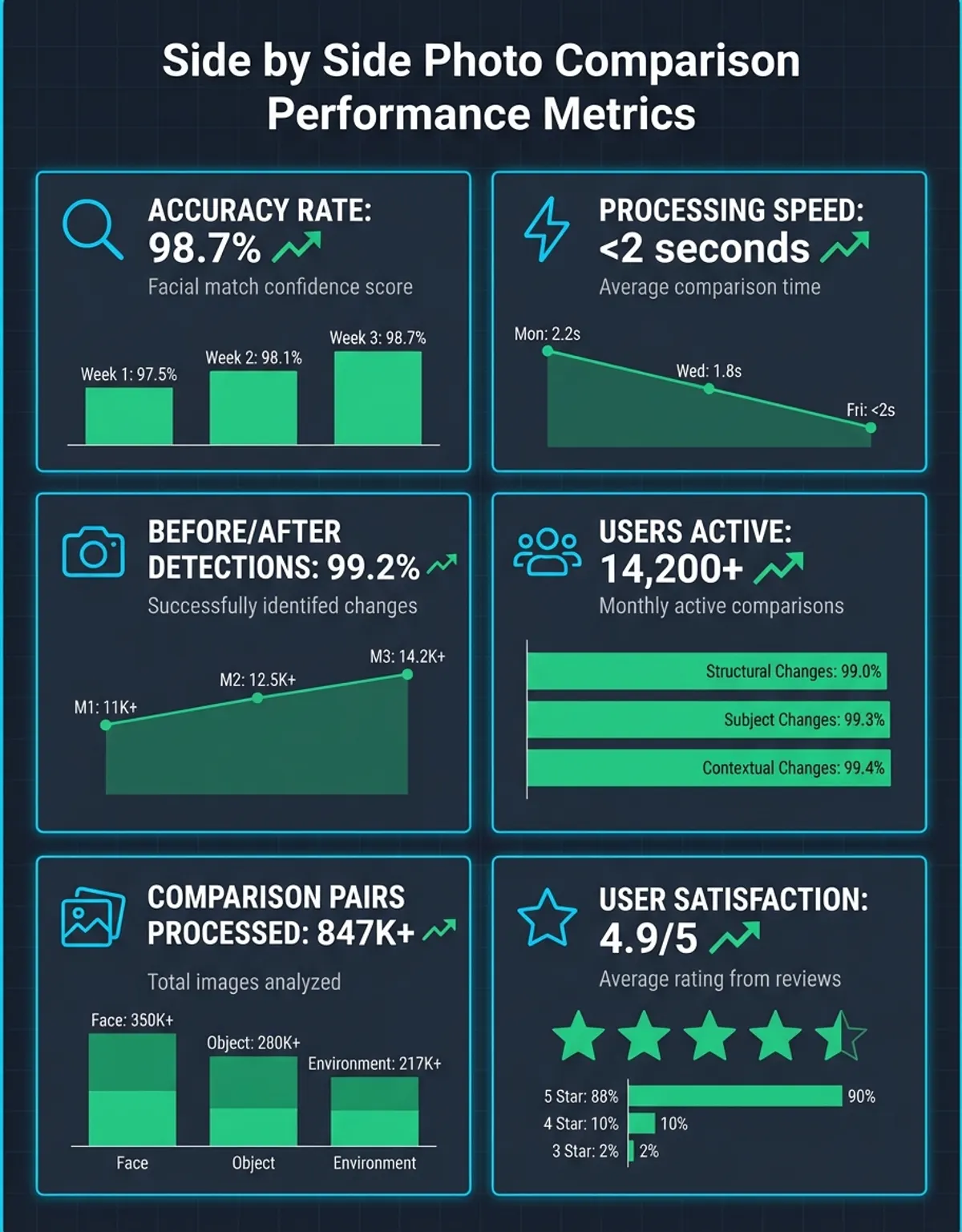
Artificial intelligence has transformed side by side photo comparison from a manual process into an automated workflow. A generator AI system can analyze two photos and instantly highlight every difference between them, from obvious compositional changes to subtle color shifts that human eyes might miss. This technology represents a significant leap forward for anyone who needs to compare images at scale.
A generator AI platform works by processing each image through neural networks trained on millions of image pairs. The generator identifies structural differences, color variations, added or removed elements, and even changes in lighting or perspective. Results are typically presented as a heat map overlay or an annotated side by side arrangement that draws your attention to the most significant changes.
The practical applications of an AI-powered generator extend across many fields. Quality control teams use it to detect manufacturing defects by comparing product photos against reference images. Insurance adjusters compare before-and-after damage photos with AI assistance to ensure nothing is overlooked. Content moderation teams use automated detection to identify unauthorized modifications to copyrighted images.
For everyday users, a generator simplifies tasks like finding the best photo from a series of similar shots. Instead of manually comparing each image, AI analyzes sharpness, exposure, facial expressions, and composition across all photos and recommends the strongest candidates. This automated approach delivers results in seconds rather than the minutes or hours manual review would require. You may also find our guide on the image comparison tool helpful for understanding how dedicated comparison utilities streamline visual analysis.
Side by Side Photo Editor: Edit and Compare in One Place
A dedicated photo editor with comparison capabilities combines two essential workflows into a single interface. Instead of switching between an editor for adjustments and a separate platform for comparison, you can edit one image while viewing it alongside the original or a reference photo. This integrated approach makes the editing process faster and more precise.
The best photo editor options for side by side work include synchronized adjustment previews. When you apply a filter, adjust brightness, or crop an image in the editor, you can immediately see how the result compares to the unedited version. This real-time comparison prevents over-editing, a common problem when you lose sight of the original during extended editing sessions.
Professional solutions like Photoshop offer split-screen comparison modes where the editor workspace shows the current state on one side and a saved snapshot on the other. These support multiple comparison points, letting you save several editing stages and compare any two of them side by side. For retouching work, this capability is invaluable because it lets you evaluate whether each adjustment actually improves the overall image.
Online platforms have made this technology accessible without expensive licenses. Browser-based experiences like CaraComp provide comparison-first editing where the side by side layout is the default workspace rather than a secondary feature. This design philosophy ensures that every edit is evaluated in context, leading to better results for both beginners and experienced photographers.
Differences that looked invisible at normal zoom suddenly become obvious when you zoom in to the same spot on both photos simultaneously.
Using a Template for Side by Side Photo Comparison
A template streamlines the side by side photo comparison process by providing pre-designed layouts that you can populate with your own images. Rather than building each comparison from scratch, this approach gives you a professional starting point with optimized spacing, typography, and visual hierarchy already configured.
Social media offerings are among the most popular options for side by side photo comparison. Platforms like Instagram, Facebook, and LinkedIn each have specific image dimension requirements, and a pre-built design ensures your comparison fits perfectly. A well-designed layout accounts for the platform's aspect ratio, safe zones for text overlay, and visual style that performs well in social feeds.
Business and professional designs cater to specific industries. Real estate layouts include space for property details, pricing, and agent branding alongside the comparison photos. Medical formats provide structured arrangements for clinical image comparison with HIPAA-compliant annotation fields. Construction designs feature date stamps, project identifiers, and progress tracking metrics built into each layout.
Creating your own custom design is straightforward in most comparison tools. Start with a blank canvas, arrange your image placeholders, add text zones and branding elements, then save the layout for reuse. Many platforms support sharing within teams, ensuring consistent visual output across an entire organization. You can quickly create side by side layouts that match your brand guidelines and reuse them indefinitely.
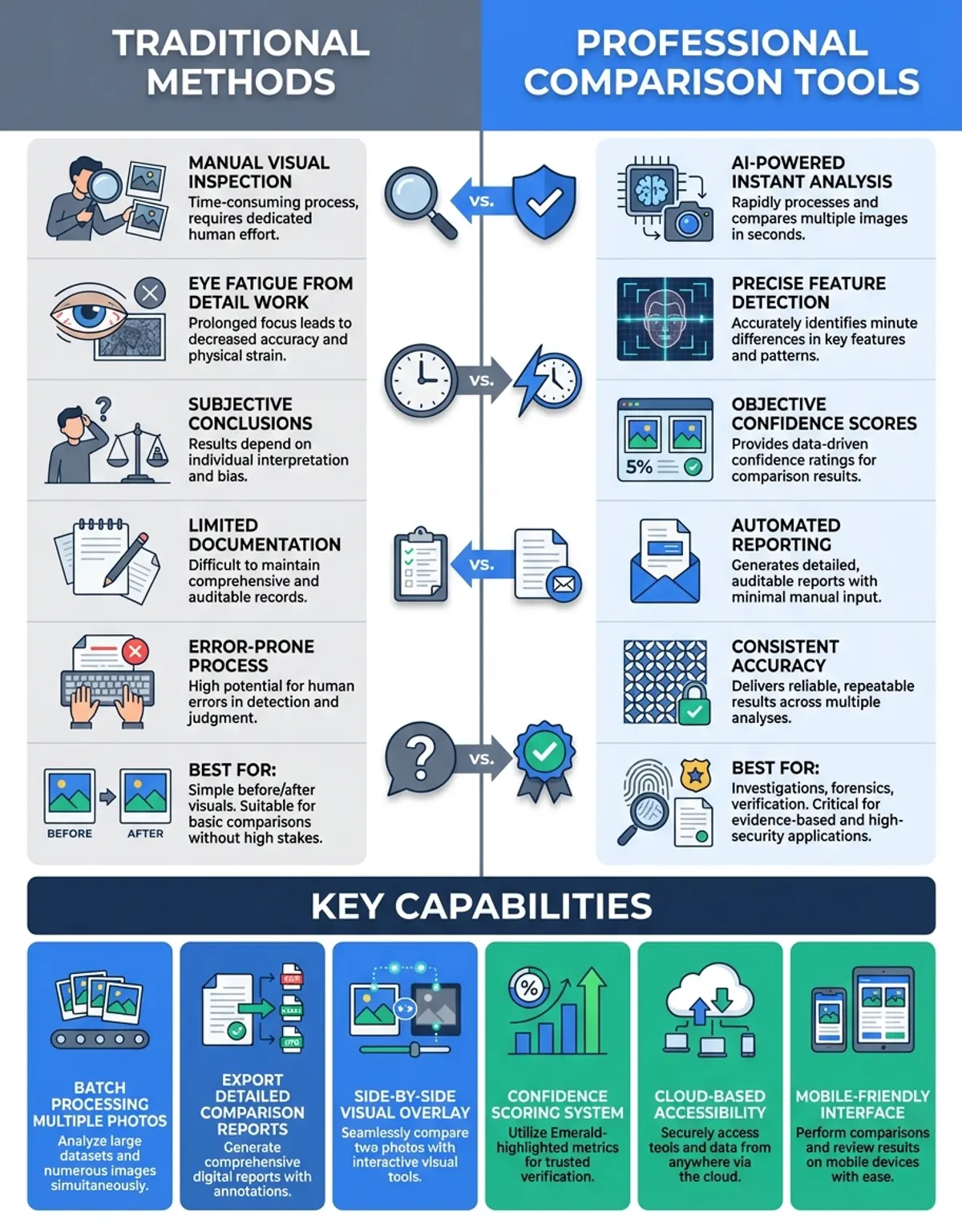
Side by Side Comparison for Video Clips and Photo Differences
Side by side comparison is not limited to still photographs. The technique extends naturally to video clips, where placing two clips next to each other reveals differences in motion, color grading, stabilization, and overall production quality. Comparing video clips next to each other has become standard practice in film production, surveillance analysis, and content creation.
Video comparison platforms synchronize playback across both clips so that corresponding frames are displayed simultaneously. This synchronized playback is critical for tasks like comparing raw footage against color-graded output, evaluating different stabilization algorithms, or reviewing multiple takes of the same scene. Without frame-accurate synchronization, video comparison loses much of its analytical value.
Dedicated solutions for video side by side comparison typically support variable playback speeds, frame-by-frame stepping, and exportable comparison outputs. Some allow you to scrub through both video clips with a single timeline control, maintaining synchronization even when you jump to specific timestamps. Advanced options can also overlay motion tracking data and audio waveforms alongside the visual comparison.
Mobile apps are beginning to support video comparison as well, though the feature set is more limited than desktop alternatives. Current mobile offerings handle short video clips well and are useful for quick comparisons on location. As mobile processing power continues to increase, expect video comparison capabilities to match their desktop counterparts.
Comparison Table: Top Side by Side Photo Comparison Options
| Feature | CaraComp | PicStitch | Adobe Lightroom |
|---|---|---|---|
| Side by Side View | Yes | Yes | Yes |
| AI Comparison | Yes | No | No |
| Template Library | Yes (50+) | Yes (250+ layouts) | No |
| Video Clip Comparison | Yes | No | No |
| Collage Maker | Yes | Yes | No |
| Free Tier Available | Yes | Yes | No (subscription) |
| Mobile App | Yes | Yes | Yes |
| Built-in Photo Editor | Yes | No | Yes |
Frequently Asked Questions
How Can I Easily Compare My Pictures Side by Side?
The easiest way to compare your photos side by side is to use a dedicated comparison platform like CaraComp. Simply upload your two photos, and it automatically arranges them in a side by side layout with synchronized zoom controls. You can easily compare your photos side by side without any technical knowledge. Most comparison tools let you drag and drop images directly from your file browser or camera roll, and results appear in seconds.
What Is the Best App to Compare Two Photos Side by Side?
CaraComp is widely regarded as the best app for side by side photo comparison because it was built specifically for this purpose. Unlike general-purpose photo editors that include comparison as a secondary feature, CaraComp focuses entirely on making it easy to compare two photos with precision. The app supports multiple modes, offers a generous free tier, and works on both desktop and mobile devices. PicStitch is another popular option, particularly for creating comparison layouts for social media sharing.
How Do I Select the Preferred Comparison Method for My Images?
To select your preferred comparison method, look for the mode options in your comparison platform. Most offer horizontal side by side, vertical stack, overlay blend, and slider comparison modes. The right approach depends on what you are comparing: horizontal works best for landscape photos, overlay is ideal for spotting subtle differences, and the slider method excels at before-and-after presentations. You can select your preferred comparison method from the toolbar and switch between modes at any time.
Can I Compare Images Side by Side in Just Seconds?
Yes, and honestly the speed surprised me when I first tried it. With drag-and-drop uploads and instant rendering, you can compare images side by side in seconds. Web-based options like CaraComp require no installation, so you can start comparing immediately by visiting the site and uploading your photos. Mobile options are equally fast, letting you quickly select images from your gallery and compare them side by side almost instantly.
What Is PicStitch and How Does It Compare Photos?
PicStitch is a popular mobile app that specializes in combining multiple photos into visual layouts. While it is not a dedicated comparison platform, PicStitch excels at creating side by side photo arrangements with customizable borders, filters, and aspect ratios. Many users rely on PicStitch for creating before-and-after comparisons for social media. PicStitch offers over 250 layout options and integrates with Instagram, Facebook, and other sharing platforms. (Source: https://apps.apple.com/jm/app/pic-stitch-collage-editor/id454768104)
How Do I Create a Side by Side Photo Collage Quickly?
To create side by side photo arrangements quickly, open a maker like CaraComp or PicStitch, choose a two-panel layout, and upload your images. Most auto-fit your photos and let you adjust positioning with simple drag controls. You can quickly customize borders, add text labels, and export your finished collage in under a minute. For recurring comparison tasks, save your layout for even faster creation next time. You may also find our guide on side by side comparison picture helpful for understanding different layout approaches and templates.
Can I Compare Video Clips Next to Each Other Side by Side?
Yes, several platforms now support comparing video clips next to each other in a side by side arrangement. CaraComp offers video comparison with synchronized playback, letting you view two clips simultaneously at the same speed and timestamp. Desktop solutions like DaVinci Resolve also include video comparison modes through its Reference Wipe and Gallery-based split screen tools, which are particularly useful for professional color grading work. (Source: https://www.steakunderwater.com/VFXPedia/__man/Resolve18-6/DaVinciResolve18_Manual_files/part2641.htm) While mobile support for video comparison is still developing, basic side by side video playback is available on both iOS and Android platforms.
AI-powered generator capabilities are becoming more accurate and accessible, maker features are growing more sophisticated, and mobile apps are closing the gap with desktop alternatives.
Getting Started with Side by Side Photo Comparison
Side by side photo comparison is a versatile technique that serves everyone from casual smartphone users to professional photographers and enterprise teams. The key is choosing the right approach for your specific needs. For quick comparisons, a free web-based app delivers results in seconds. For professional workflows that require advanced editing, AI-powered analysis, or video comparison, investing in dedicated software pays for itself through time savings and improved accuracy.
Start by identifying your primary use case. If you need to compare two photos occasionally, a simple free option with a clean side by side view is all you need. If comparison is a regular part of your workflow, look for options with template support, batch processing through a maker workflow, and team collaboration features. For organizations dealing with large volumes of images, an AI generator that automates difference detection will transform your comparison process from a bottleneck into a streamlined operation.
The technology behind side by side photo comparison continues to advance rapidly. AI-powered generator capabilities are becoming more accurate and accessible, maker features are growing more sophisticated, and mobile apps are closing the gap with desktop alternatives. Whether you are evaluating side photos for personal projects or managing visual quality across a global brand, the ability to effectively compare images side by side remains an essential skill in the visual-first digital landscape.