
Face Similarity Comparison: Advanced Tools to Compare Faces and Measure Similarity
Face similarity comparison technology revolutionizes how we analyze and compare faces across multiple photos using advanced image recognition algorithms. When you upload photos to a face similarity comparison system, sophisticated recognition software measures the unique facial features within each image and calculates similarity scores between different images. This powerful technology enables you to compare faces with remarkable accuracy, whether you're searching for a specific person across thousands of photos or evaluating how similar two faces appear. Modern face comparison tools process each image through deep learning recognition models that extract hundreds of facial data points from every image, from eye spacing to jawline contours. The image recognition system analyzes image quality, lighting conditions, and facial angles to deliver a precise similarity measurement that helps identify matching faces even when photos vary in lighting, angle, or quality.
How Face Similarity Comparison Works
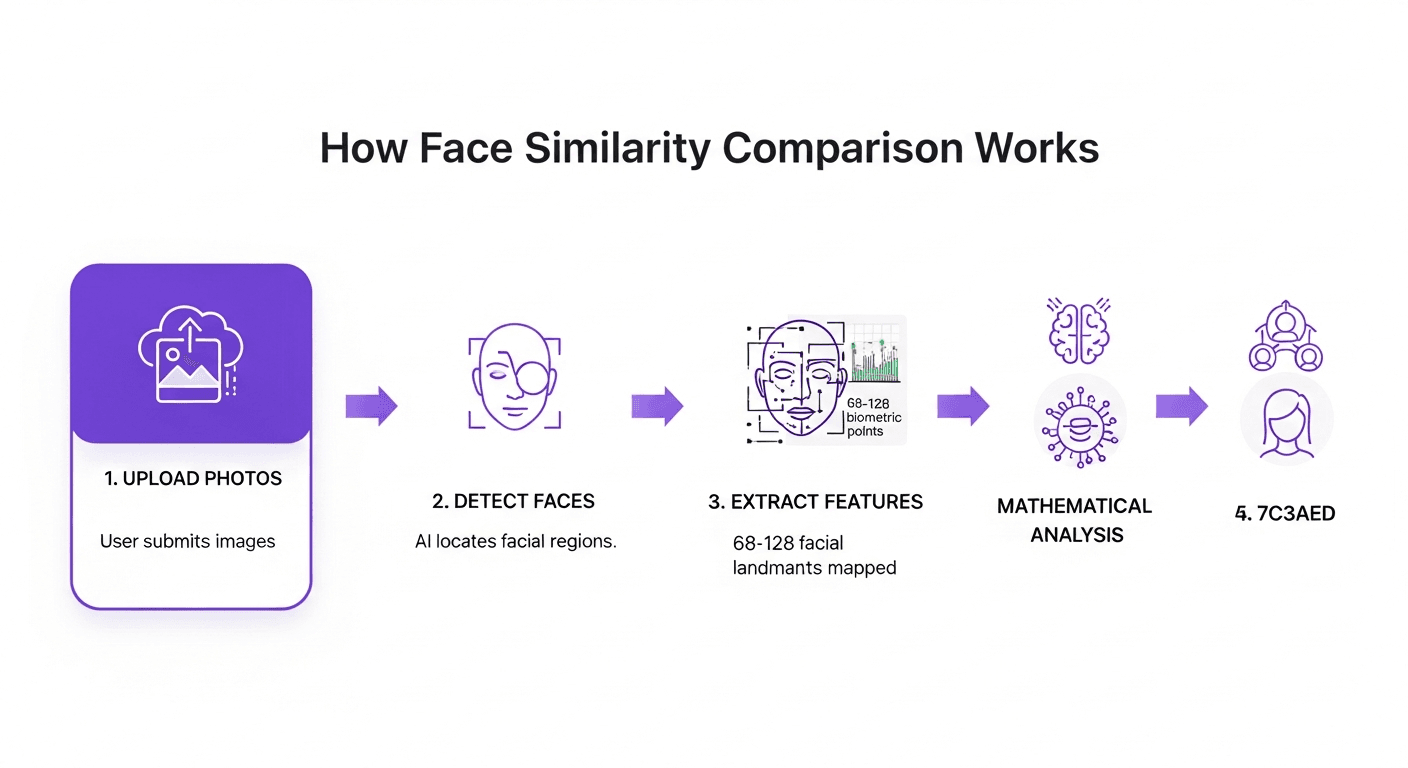
Face similarity comparison operates through sophisticated image analysis that transforms photos into mathematical representations. When you upload an image, the recognition system first detects the face within the photo, then extracts distinctive features like eye position, nose shape, and facial proportions from the image. These features become a unique facial signature that the recognition system uses for comparison. The technology analyzes multiple images simultaneously, measuring the distance between facial signatures to calculate similarity scores. Advanced recognition algorithms can process hundreds of images per second, comparing each face from your uploaded images against your reference image to identify potential matches.
The recognition process involves several sophisticated steps. First, the system normalizes each image to account for variations in lighting, angle, and resolution within the image. Then it maps key facial landmarks—typically 68 to 128 points across the face—creating a detailed facial geometry from each image (Source: https://pyimagesearch.com/2017/04/03/facial-landmarks-dlib-opencv-python/). This geometric map becomes the foundation for recognition comparison, allowing the system to recognize the same person even across dramatically different images. Modern face similarity comparison tools achieve accuracy rates exceeding 95% when working with high-quality images, making them invaluable for both personal and professional recognition applications (Source: https://bipartisanpolicy.org/blog/frt-accuracy-performance/).
Upload Photos for Instant Face Comparison
Uploading photos for face similarity comparison is straightforward and quick. Most systems accept common image formats including JPG, PNG, and HEIF, processing each upload within seconds. When you upload photos to a comparison tool, the system automatically detects faces and prepares them for analysis. You can upload a single reference photo and compare it against a gallery of images, or upload multiple photos to search for matching faces across your entire collection. The upload process handles various image sizes and qualities, automatically optimizing each photo for accurate comparison.
Advanced upload features enable batch processing, where you can upload dozens or even hundreds of photos simultaneously. The system queues each image for processing, running face detection and comparison algorithms in parallel to deliver results quickly. Search functionality allows you to upload a reference image and instantly search through previously uploaded photos to find matching faces. This makes face similarity comparison ideal for organizing photo libraries, searching for specific individuals across large collections, or verifying identity across multiple images. The upload interface typically provides real-time feedback, showing detected faces and confirmation when images are ready for comparison.
Real-Time Face Recognition and Person Identification
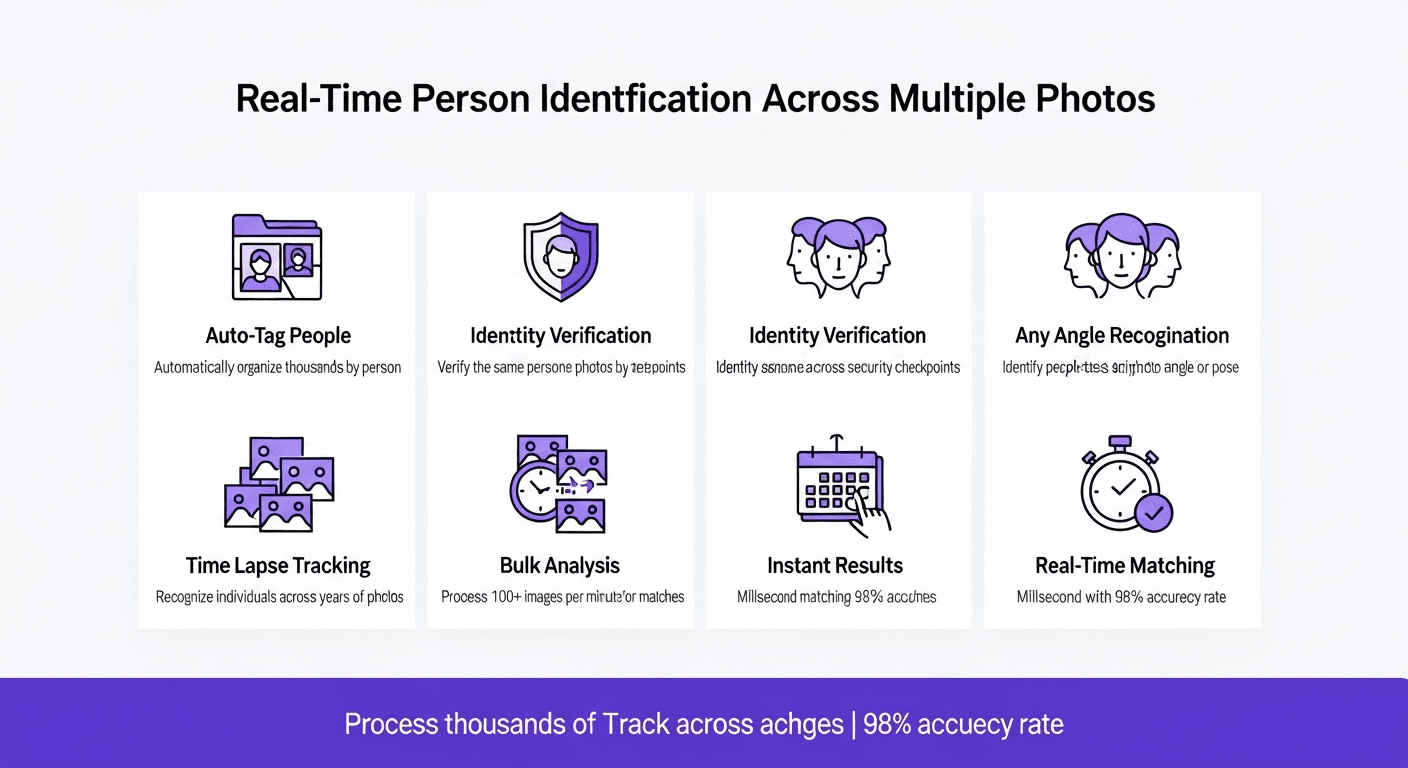
Real-time face recognition capabilities transform how we identify specific individuals across photo collections. When analyzing images for person identification, recognition systems compare facial features against known profiles to determine matches. This technology processes each image as it's captured or uploaded, immediately searching for the target person within the photo. Recognition algorithms achieve remarkable speed, analyzing faces within milliseconds and returning match probabilities that indicate confidence levels. The system can track the same person across multiple images even when facial expressions, lighting, or angles vary significantly.
Advanced recognition systems build comprehensive person profiles from multiple images, learning facial characteristics that remain consistent across different conditions. When you search for a specific person, the system evaluates every face in your image database, measuring similarity against the person's known features. This enables powerful applications like automatically tagging individuals in photo galleries, verifying identity for security purposes with privacy protections, or finding all images containing a particular person. Real-time recognition makes these searches instantaneous, processing thousands of images per minute to locate every appearance of your target person.
Compare Faces Across Multiple Photos
Comparing faces across multiple photos reveals relationships and similarities that aren't immediately apparent. When you compare faces from different images, the system analyzes each photo independently before calculating cross-image similarity scores. This enables applications like identifying twins or relatives, finding doppelgängers through image search, or tracking how someone's appearance changes over time. The comparison process handles varying image qualities, automatically adjusting for differences in resolution, lighting, and camera angles to ensure accurate results.
Batch comparison features allow simultaneous analysis of entire photo galleries. Upload a collection of images, and the system identifies all unique faces, groups similar faces together, and calculates similarity matrices showing how each face relates to others. This clustering capability automatically organizes photos by person, making it easy to compare faces and search for matching individuals across your entire image collection. Advanced tools also support comparing your face against celebrity databases or historical photo archives, revealing surprising similarities and entertaining matches. For comprehensive face comparison capabilities across your entire photo collection, explore our compare a face platform. For another perspective, check out our pictriev resource.
Privacy and Security in Face Comparison Apps
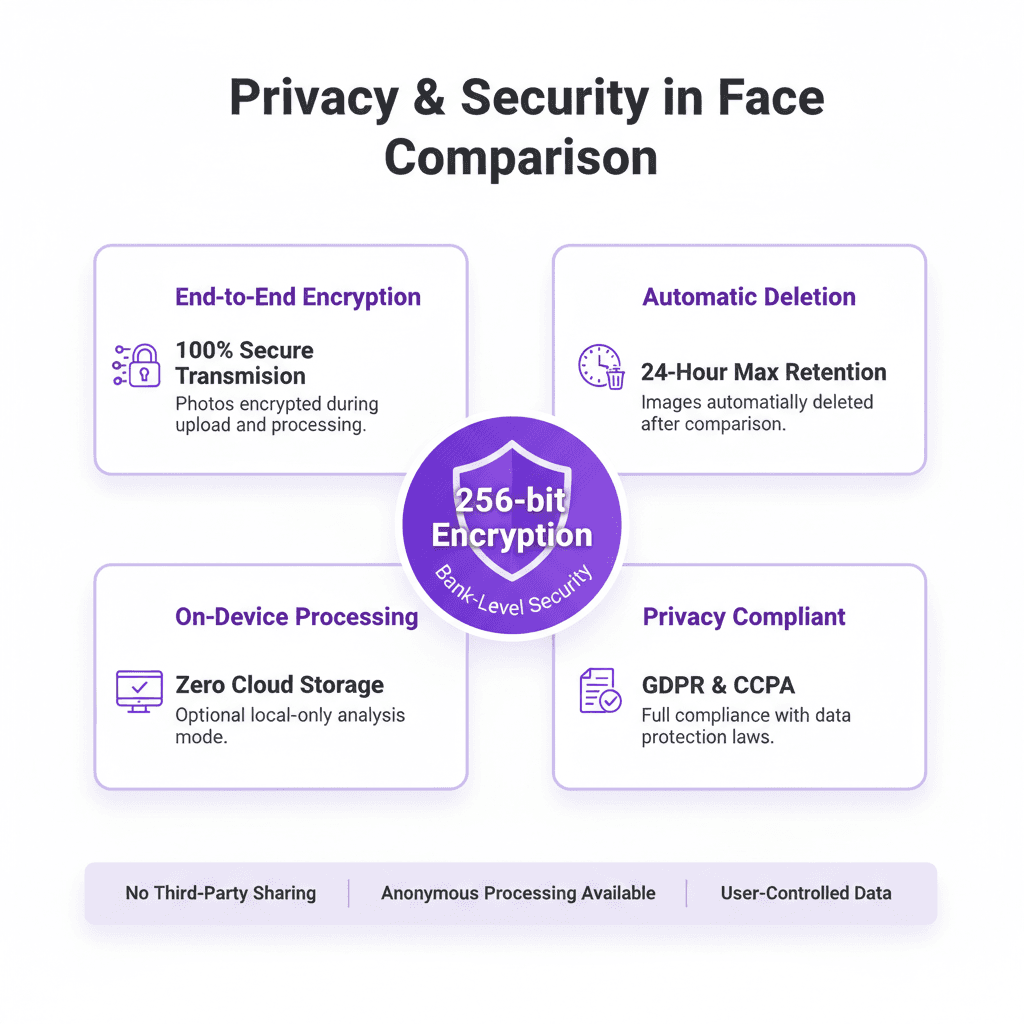
Privacy considerations are paramount when using face comparison apps and services. Responsible platforms implement strict privacy protections, ensuring your uploaded photos remain secure and aren't used for unauthorized purposes. Look for apps that offer end-to-end encryption for photo uploads, keeping your images private during transmission and storage. The best face comparison services process photos locally on your device when possible, avoiding cloud uploads entirely and giving you complete control over your data.
Security features should include automatic photo deletion after comparison, ensuring images aren't retained longer than necessary. When you upload photos to comparison services, verify they have clear privacy policies explaining exactly how your images will be used and stored. Reputable apps never share your photos with third parties or use them for advertising purposes. Some advanced tools offer anonymous comparison modes where facial features are extracted and analyzed without storing the original images. Understanding the privacy implications of face comparison technology helps you choose apps that respect your data while delivering powerful comparison capabilities. Learn more about .
Face Similarity Measurement and Accuracy
Measuring similarity between faces involves sophisticated algorithms that quantify how closely two facial signatures match. Most systems express similarity as a percentage or confidence score, with higher values indicating greater likelihood that images show the same person. These measurements consider hundreds of facial features from each image, weighting each element based on its distinctiveness and reliability. When evaluating faces, algorithms account for variations in expression, aging, and image quality to provide robust similarity scores.
Accuracy in face similarity measurement depends on several factors including image resolution, lighting conditions, and facial pose. High-quality frontal photos with good lighting yield the most accurate recognition results, often exceeding 98% accuracy. However, modern algorithms achieve impressive results even with challenging images, using machine learning to recognize faces across extreme variations. When you measure similarity, the system typically provides confidence intervals indicating measurement reliability. This helps you evaluate whether a match is definitive or requires additional verification through other images or methods.
Best Apps for Face Comparison and Recognition
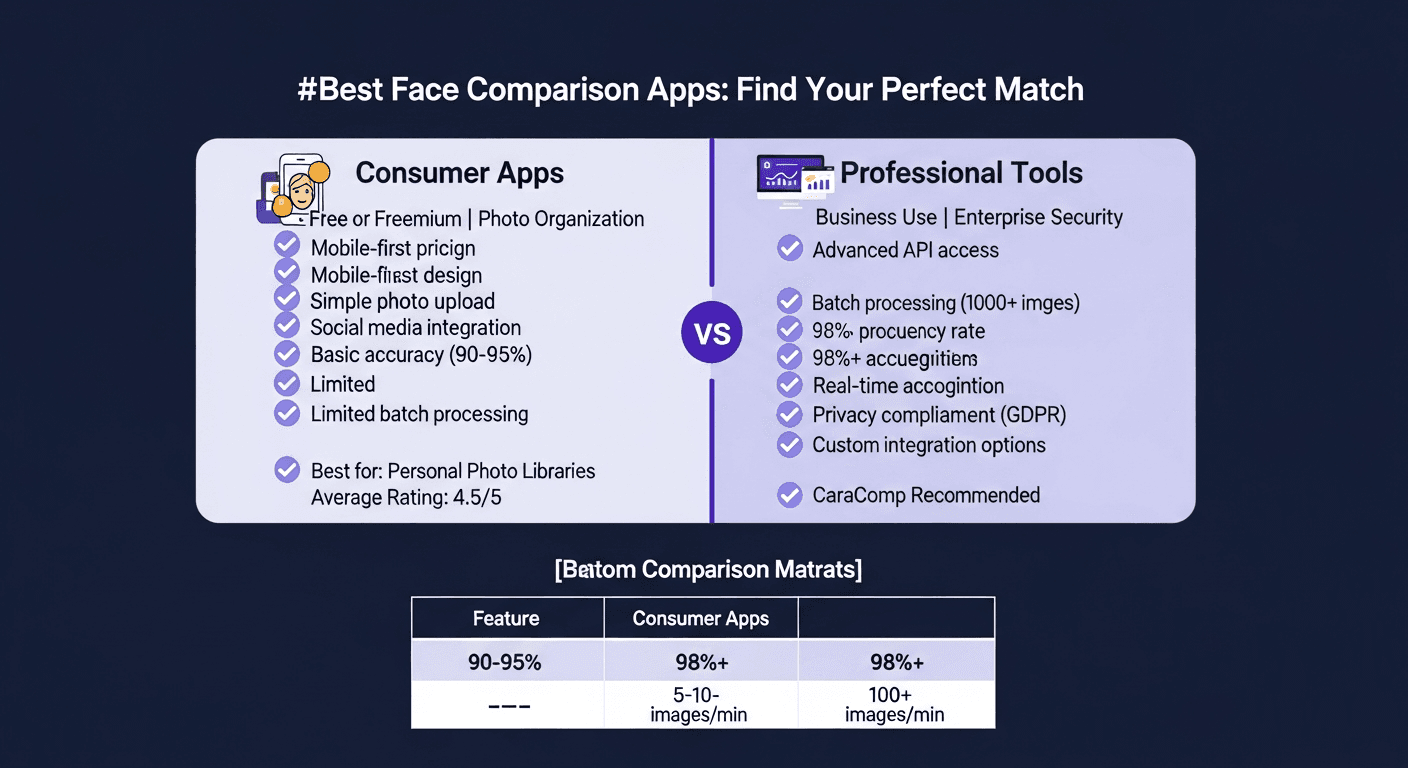
Selecting the right app for face comparison depends on your specific needs and use cases. Leading apps combine powerful recognition capabilities with intuitive interfaces, making it easy to upload photos and interpret comparison results. Consumer-focused apps often emphasize speed and simplicity, delivering instant face similarity scores without requiring technical expertise. Professional tools offer advanced features like batch processing, API access, and customizable recognition parameters for specialized applications.
Top-rated face comparison apps include both free and premium options. Free tools typically limit the number of photos you can upload or process, while paid services offer unlimited comparisons and advanced features. When evaluating apps, consider recognition accuracy, upload speed, privacy protections, and supported image formats. The best apps provide clear documentation, responsive support, and regular updates that improve recognition algorithms. Look for platforms that offer both mobile and web access, enabling you to search and compare faces from any device. Many leading apps also integrate with photo management systems, automatically organizing your image library based on face similarity and person identification. Readers looking for a comprehensive face comparison solution may want to explore CaraComp, which offers advanced facial similarity analysis with 90%+ accuracy and unlimited photo uploads. For additional comparison capabilities, explore our compare faces app.
Face Comparison Tool Comparison
| Face Comparison Tool | Image Processing Speed | Photo Upload Capacity | Recognition Features |
|---|---|---|---|
| CaraComp Face Comparison | Process 100+ images per minute | Unlimited photo uploads | Advanced facial recognition with 90%+ accuracy |
| Cloud Face Recognition API | Real-time image analysis | Batch upload up to 1000 photos | Multi-face detection and comparison |
| Mobile Face Matching App | Instant on-device processing | Upload from gallery or camera | Privacy-focused local recognition |
| Enterprise Face Search Platform | Process millions of images daily | Unlimited bulk photo upload | Advanced person identification and tracking |
| AI-Powered Face Analyzer | Sub-second image comparison | Upload photos via API or interface | Deep learning recognition algorithms |