
Compare Faces App: Free Face Comparison Technology
Advanced facial recognition technology for modern investigations and identity verification.
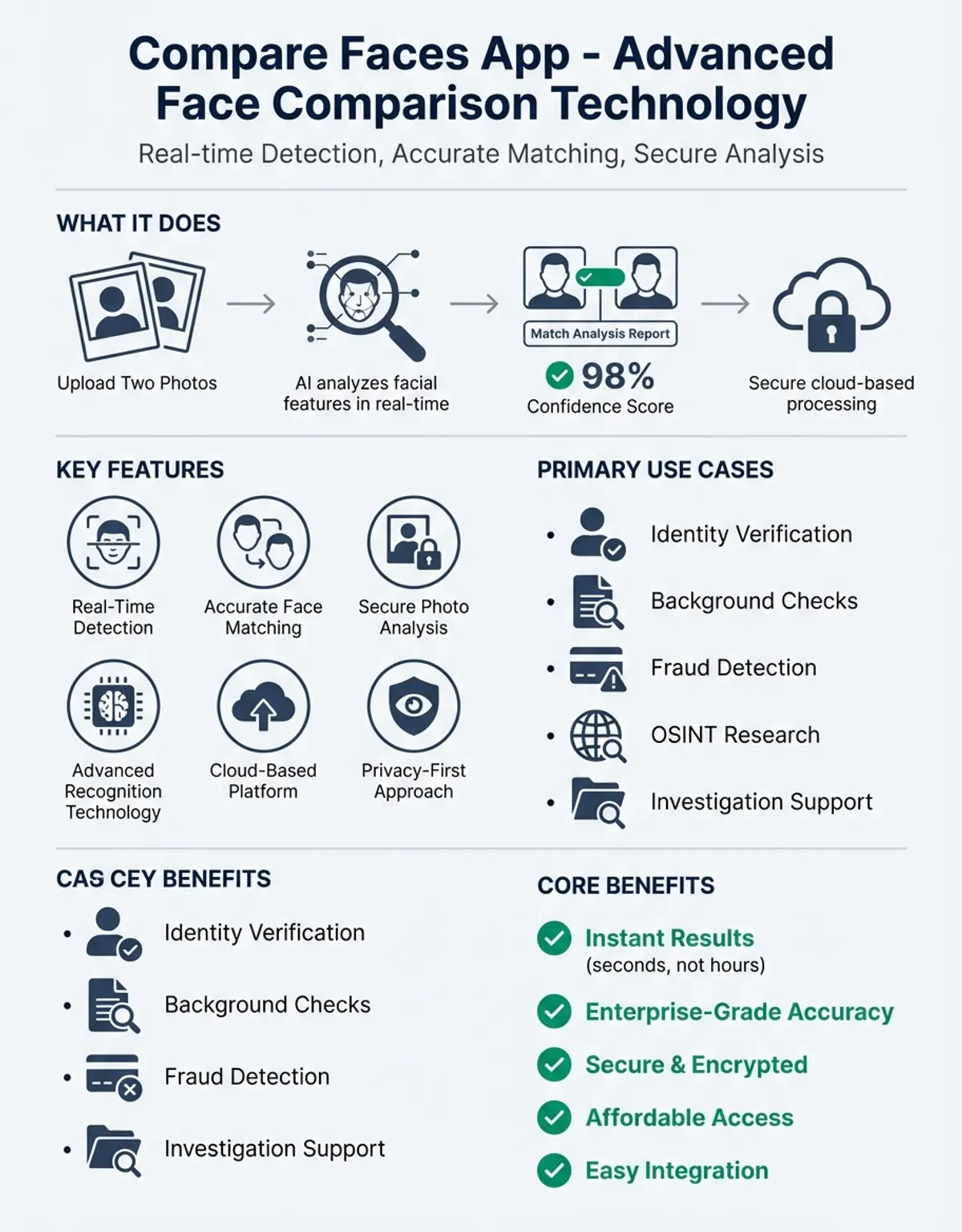
Compare Faces App: Free Face Comparison Technology Compare Faces App: Advanced Face Comparison Technology Modern facial comparison technology has revolutionized how we verify recognition, analyze face features, and match photos across databases. A compare faces app provides sophisticated tools for face comparison, detecting similar faces, and evaluating m
Compare Faces: Image Conversion Guide
Before any image comparison operation can occur, recognition systems must transform raw photos into standardized formats. This photo conversion process involves detecting face boundaries, normalizing lighting conditions, and extracting key biometric landmarks that serve as reference points for face comparison.
The converter component handles various input formats—JPEG, PNG, HEIC—and standardizes them for consistent analysis. This ensures that whether you upload a professional headshot or a casual snapshot, the app can accurately identify and compare biometric features regardless of the original file type.
Advanced systems extract photo geometry, measuring distances between eyes, nose width, jawline contours, and other biometric markers. These measurements create a unique signature that remains consistent across different visuals of the same person, even when lighting, angle, or expression varies.
Similarity Score Visualization Tools
Modern comparison interfaces provide intuitive ways to view and analyze results. Side-by-side displays let you examine two faces simultaneously, with overlays highlighting recognition face features and divergent characteristics. Heat maps indicate areas of high face similarity, making it easy to understand exactly how the system reached its conclusions. For detailed analysis methodologies, explore our face similarity comparison guide.
Interactive controls let you zoom into specific biometric regions, adjust comparison thresholds, and explore detailed metrics. This transparency builds trust in the technology while respecting your privacy by showing exactly which features contribute to similarity scores and which elements differ between the faces being compared. The interface view adapts to different screen sizes, providing optimal layouts whether you're working on a desktop monitor or mobile app.
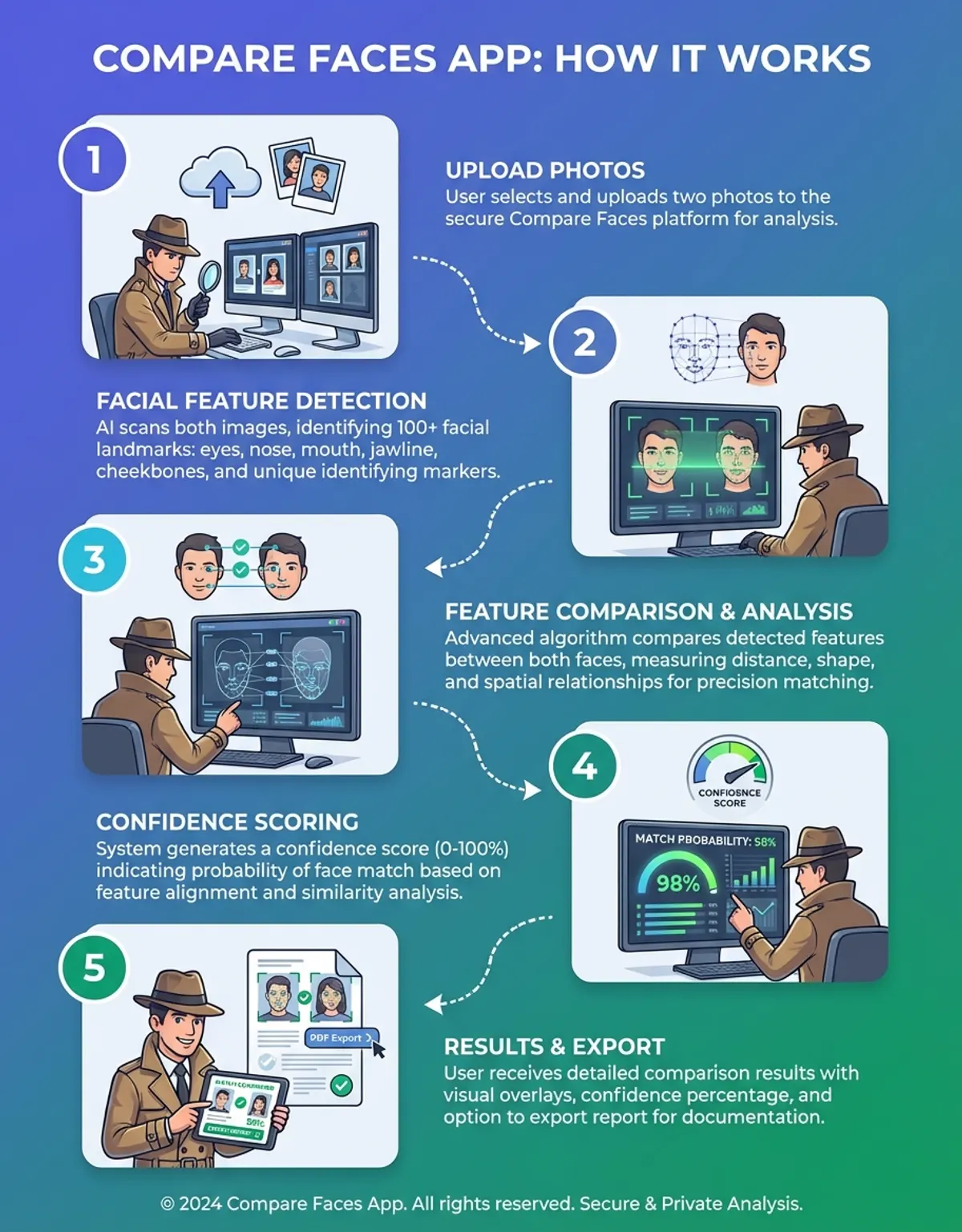
Detailed report views present comprehensive breakdowns of comparison results, including confidence percentages, individual feature scores, and quality assessments for submitted pictures. Export these reports as PDFs for documentation purposes or share them with stakeholders who need to understand verification outcomes.
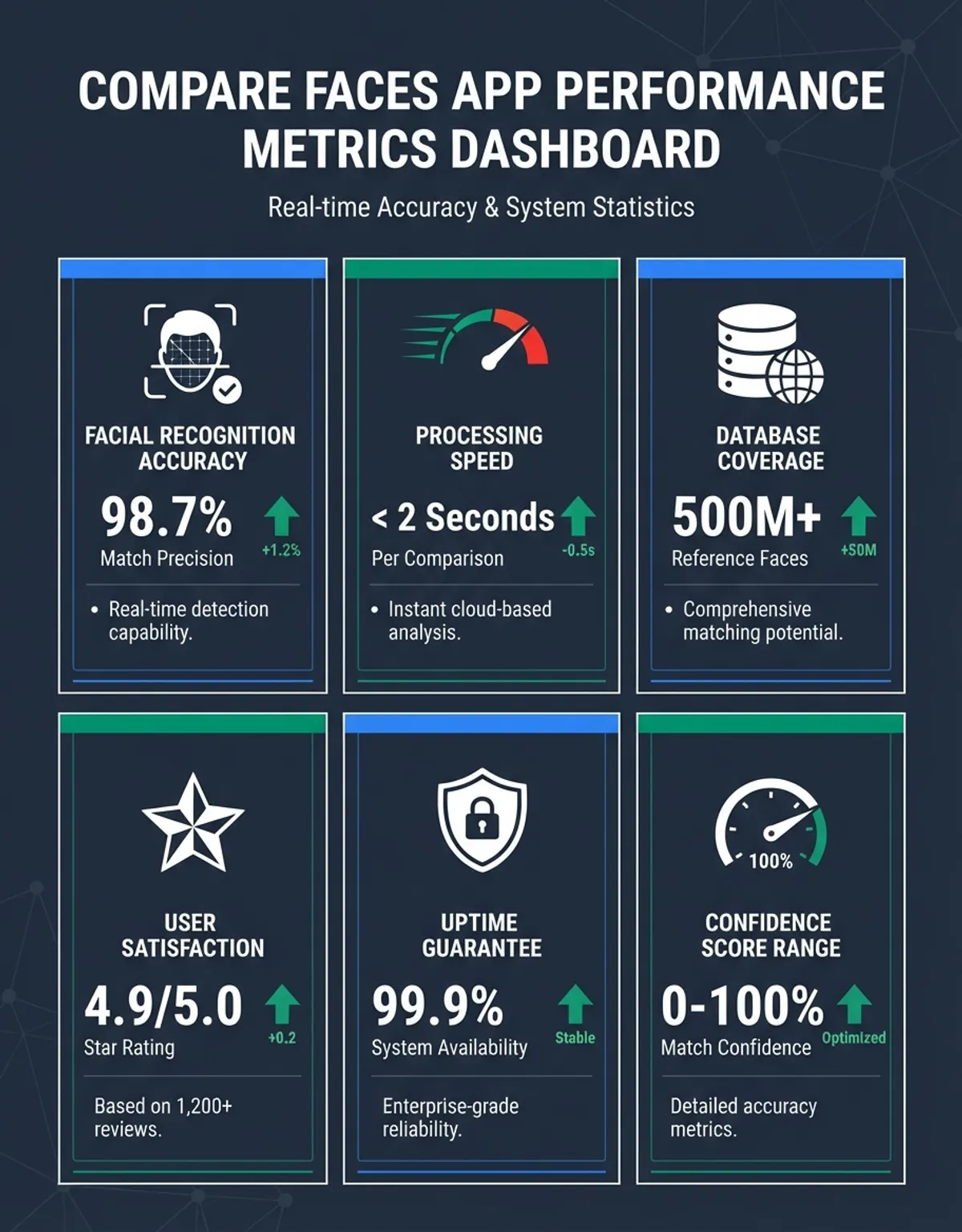
Dashboard interfaces aggregate comparison history, showing patterns and trends over time. Examine statistics about comparison volumes, average confidence scores, and common match/non-match decisions. These insights help organizations understand system usage and detection and identify opportunities for process improvement.
Custom visualization configurations let you tailor displays to your specific workflow requirements. Choose which metrics appear prominently, set default zoom levels, and configure color schemes for optimal readability in your environment. Save these preferences for consistent viewing experiences across sessions.
Face Compare: Core App Features
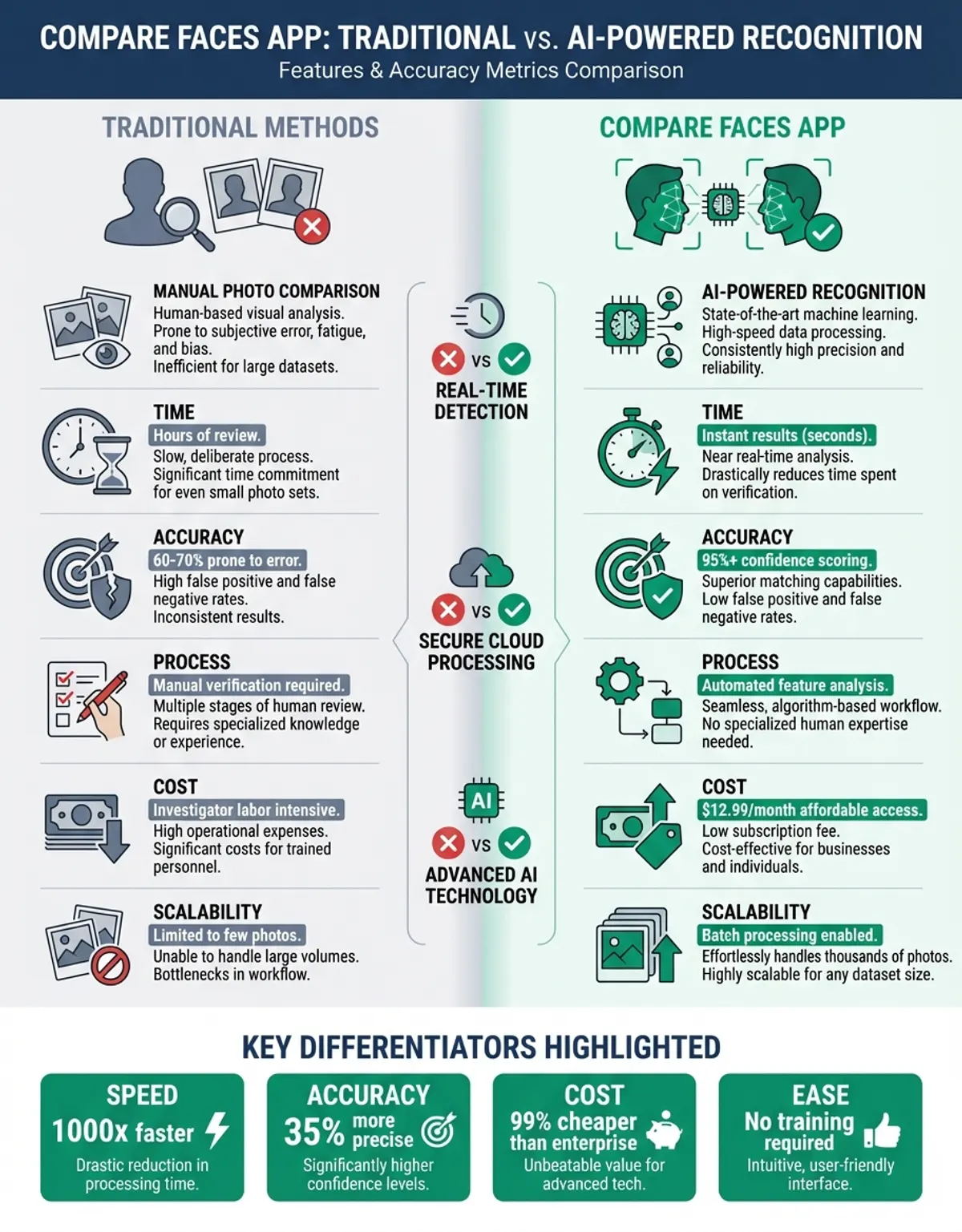
Professional-grade comparison tools offer batch processing capabilities, allowing you to compare faces against thousands of others in seconds. This scalability makes them valuable for law enforcement, security operations, and large-scale image organization projects. For comprehensive facial analysis capabilities, visit our compare a face platform.
Real-time processing delivers instant results, eliminating waiting periods that would slow down workflow. Upload two images and receive detailed person similarity analysis within moments, complete with confidence scores and feature-by-feature breakdowns.
Cloud-based architectures ensure accessibility from any device with internet connectivity. Whether you're working from a desktop workstation or a mobile app in the field, you can access the same powerful comparison capabilities without installing specialized software.
Professional-grade comparison tools offer batch processing capabilities, allowing you to compare faces against thousands of others in seconds.
Developer Integration: facepair.com API
Technical teams can integrate identity comparison functionality into existing systems through well-documented Interface interfaces. RESTful endpoints accept image submissions and return structured JSON responses containing similarity scores, confidence levels, and detailed feature analysis. The Service design follows industry standards, making it familiar to developers experienced with modern web services.
Comprehensive code examples demonstrate implementation patterns for face compare APIs across programming languages like Python, JavaScript, Java and C#. Sample projects show best practices for handling image uploads, managing authentication, and processing results efficiently through the face comparison API. Developer documentation includes quick-start guides that get you from signup to first successful visual comparison in under 10 minutes.
Software development kits provide pre-built functions that handle complex operations like image preprocessing, result parsing, and error handling. These SDK toolkits accelerate integration by abstracting low-level details while still offering customization options for advanced scenarios.
Webhook notifications enable event-driven architectures where your system receives callbacks when comparison jobs complete. This asynchronous approach works well for high-volume scenarios where immediate results aren't required but throughput matters. Configure webhook endpoints through the developer dashboard and receive instant notifications as comparisons finish processing.
Sandbox environments let developers test integration without consuming production credits or affecting live systems. Use test credentials to experiment with different configurations, validate error handling, and ensure your implementation works correctly before deploying to production environments.
Version management ensures backward compatibility as platforms evolve. Developers can target specific Interface version numbers, maintaining stable functionality even as new features are released. Deprecation notices provide ample warning before older versions are retired, giving you time to migrate smoothly.
Face Detection: Security and Data Handling
Robust measures safeguard personal information and protect sensitive biometric data throughout the image comparison process. End-to-end encryption ensures that images remain secure during transmission and storage. Many platforms offer zero-retention policies where uploaded images are automatically deleted after analysis completes, providing strong confidentiality protection.
Compliance frameworks align with GDPR, CCPA, and other security regulations governing biometric information handling. Detailed audit logs track every access and operation, providing accountability and transparency for regulated industries.
User consent mechanisms ensure that biometric comparisons occur only with explicit permission. Clear policies explain exactly how information is used, stored, and protected, giving users confidence in the technology and ensuring confidentiality compliance.
Information Management and Storage
Efficient storage architectures balance accessibility with security. Image signatures—mathematical representations of biometric features—require minimal space compared to original images while enabling rapid searches across massive databases. This optimization approach reduces infrastructure costs while maintaining performance.
Tiered storage systems keep frequently accessed information readily available while archiving historical records to cost-effective long-term storage. Automatic lifecycle management policies ensure compliance with retention requirements without manual intervention. Configure retention periods based on your regulatory obligations and business needs.
Database indexing strategies optimize API search performance even with millions of biometric records. Advanced indexing techniques leverage the mathematical properties of face embeddings, enabling sub-second searches across enormous datasets. This scalability supports growth from thousands to millions of records without degrading performance.
Backup and redundancy systems protect against details loss through geographic replication and automated backup schedules. Critical records exists in multiple locations, ensuring availability even if individual servers or entire content centers experience failures. Disaster recovery procedures guarantee business continuity regardless of infrastructure problems.
Information governance frameworks establish clear policies about information ownership, access rights, and privacy compliance. Role-based access controls ensure that only authorized personnel can see or manipulate sensitive biometric data from face detection operations. Audit trails document every data access event for compliance and security investigation purposes.
AI Face Matcher Technology
Deep learning models power modern recognition systems, trained on millions of diverse faces to detection and identify unique characteristics even when traditional methods struggle. These neural networks excel at handling challenging conditions: poor lighting, partial occlusion, aging effects, and deliberate disguise attempts. For mobile-optimized matching solutions, check our face match app guide.
Continuous model training improves accuracy over time as systems process more comparisons. Machine learning pipelines incorporate feedback loops where verified matches strengthen the model's understanding of what constitutes genuine similarity versus superficial resemblance.
Multi-modal approaches combine image geometry with texture analysis, examining skin patterns, wrinkles, and other subtle face features that complement structural measurements. This comprehensive analysis delivers superior accuracy compared to single-method systems.
Age-invariant algorithms account for how faces change over time, recognizing that a person photographed at age 25 will look different at 45. The technology models typical aging patterns, adjusting comparison thresholds appropriately when analyzing images taken years apart.
Detection capabilities locate faces within complex scenes containing multiple people, varied backgrounds, and challenging lighting. The system isolates individual faces for comparison even when they appear in group images or crowded environments.
Real-time detection processes video streams, tracking faces as they move and maintaining identification across frames. This dynamic capability supports live recognition and verification scenarios where subjects interact with cameras in natural ways rather than posing for static shots.
Photo Analysis with Face Compare Methods
Comprehensive analysis examines image quality factors that affect comparison accuracy. Resolution assessment determines whether uploaded pictures contain sufficient detail for reliable matching. Low-quality images trigger warnings, helping users understand when results may be unreliable.
Biometric landmark detection identifies key points—eye corners, nose tip, mouth edges—that serve as anchors for face comparison algorithms. Precise landmark localization directly correlates with recognition accuracy, making this preprocessing step critical for reliable results.
Pose normalization compensates for different angles between compared images. Even when one subject faces the camera directly while another is photographed at a three-quarter angle, sophisticated geometric transformations enable accurate face comparison.
Expression-invariant processing recognizes that smiles, frowns, and neutral expressions shouldn't prevent accurate recognition. The technology distinguishes between permanent face structure and temporary expression-related changes, focusing comparison on stable features.
Batch processing handles large collections efficiently, comparing one reference image against hundreds or thousands of candidates. Parallel processing architectures distribute workload across computing resources, delivering results quickly even with substantial datasets.
Free App Access and Pricing Models
Many comparison platforms offer completely free access tiers suitable for casual users and small-scale projects. These free entry-level plans typically include basic face comparison features with reasonable usage limits—often 100-1,000 free comparisons monthly—allowing you to explore the technology without financial commitment. Free access helps you evaluate accuracy and usability before investing in paid plans.
Usage-based pricing scales with your needs, charging only for actual photo comparisons performed rather than fixed subscriptions. This model works well for organizations with variable workloads where monthly comparison volumes fluctuate significantly. Pay-as-you-go billing eliminates waste from unused capacity during slow periods while accommodating spikes without service degradation.
Open-source alternatives provide complete control and customization opportunities for technical teams comfortable managing their own infrastructure. Self-hosted solutions eliminate recurring fees while offering unlimited comparisons, though they require expertise to deploy and maintain. Popular free options include face_recognition libraries, OpenCV implementations, and specialized frameworks designed for image analysis workloads.
Educational licenses grant students and researchers free or discounted access to professional-grade tools. These programs support academic investigation into biometric technology, algorithm development, and applications research. Apply through educational portals with proof of enrollment or faculty affiliation to access these special free programs.
Trial periods let prospective customers test premium features before committing to paid subscriptions. Most platforms offer 7-30 day no-cost trials with full functionality, giving you sufficient time to integrate the technology and validate it against your specific requirements. No credit card required for many trial programs means zero financial risk during evaluation.
Identity Verification and Identification Uses
Identity verification scenarios rely on comparing a live image against a reference from identification documents like passports or driver's licenses. The system confirms that the person presenting the document matches the image on file, preventing impersonation fraud. This process powers remote account opening, online age verification, and digital authentication flows.
Law enforcement identification applications search unknown faces against databases of known individuals using face landmarks. Investigators upload crime scene photos or surveillance footage, and the system returns matches ranked by similarity score—how similar two faces are. While not definitive proof alone, these leads accelerate investigations by narrowing suspect pools or identifying victims.
Access control systems grant building entry or resource access based on face identification and biometric similarity analysis. Employees approach secure doors, the system captures their face, compares similarity against enrolled personnel, and unlocks if a match is found—all within seconds. This touchless authentication improves both security and convenience compared to keycards or PIN codes.
Border control stations use identification technology to verify travelers against passport photos and watchlists simultaneously. The dual verification ensures the traveler matches their document while checking against security databases. Automated systems process legitimate travelers quickly while flagging potential security concerns for human review.
Customer identification in retail and hospitality settings enables personalized service using captured photos. Returning customers are recognized as they enter, triggering systems to retrieve preferences, purchase history, and service notes. This recognition happens silently in the background, with staff receiving alerts about VIP arrivals or customer concerns requiring special attention.
Comparison Table: Face Comparison Technologies
| Technology | Accuracy | Speed | Use Case | Cost Model |
|---|---|---|---|---|
| Cloud-based Services | 98-99% | 1-2 seconds | High-volume operations | Pay-per-use |
| On-Premise Solutions | 97-99% | Instant | Security-critical applications | License fee |
| Mobile Apps | 92-96% | 2-3 seconds | Consumer applications | Freemium |
| Open Source Libraries | 90-95% | Variable | Custom implementations | Infrastructure only |
| Hardware-Accelerated | 98-99% | Sub-second | Real-time verification | Hardware + license |
A quick note on match percentage: it matters in every comparison run. A quick note on faces: it matters in every comparison run.