
Face ID: Apple's Biometric Authentication Explained
Discover how Apple's revolutionary facial recognition system transforms device security with 3D depth mapping and machine learning.
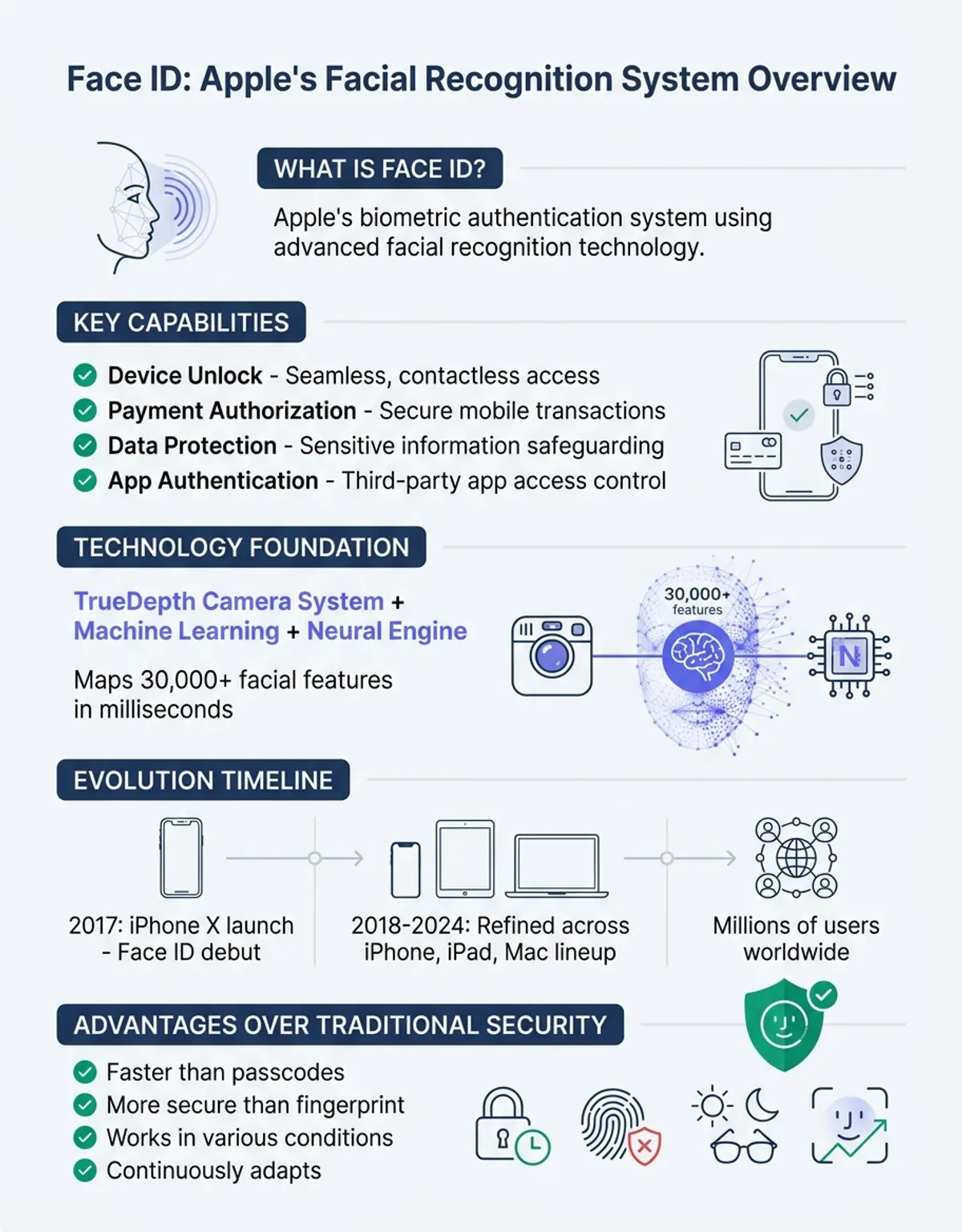
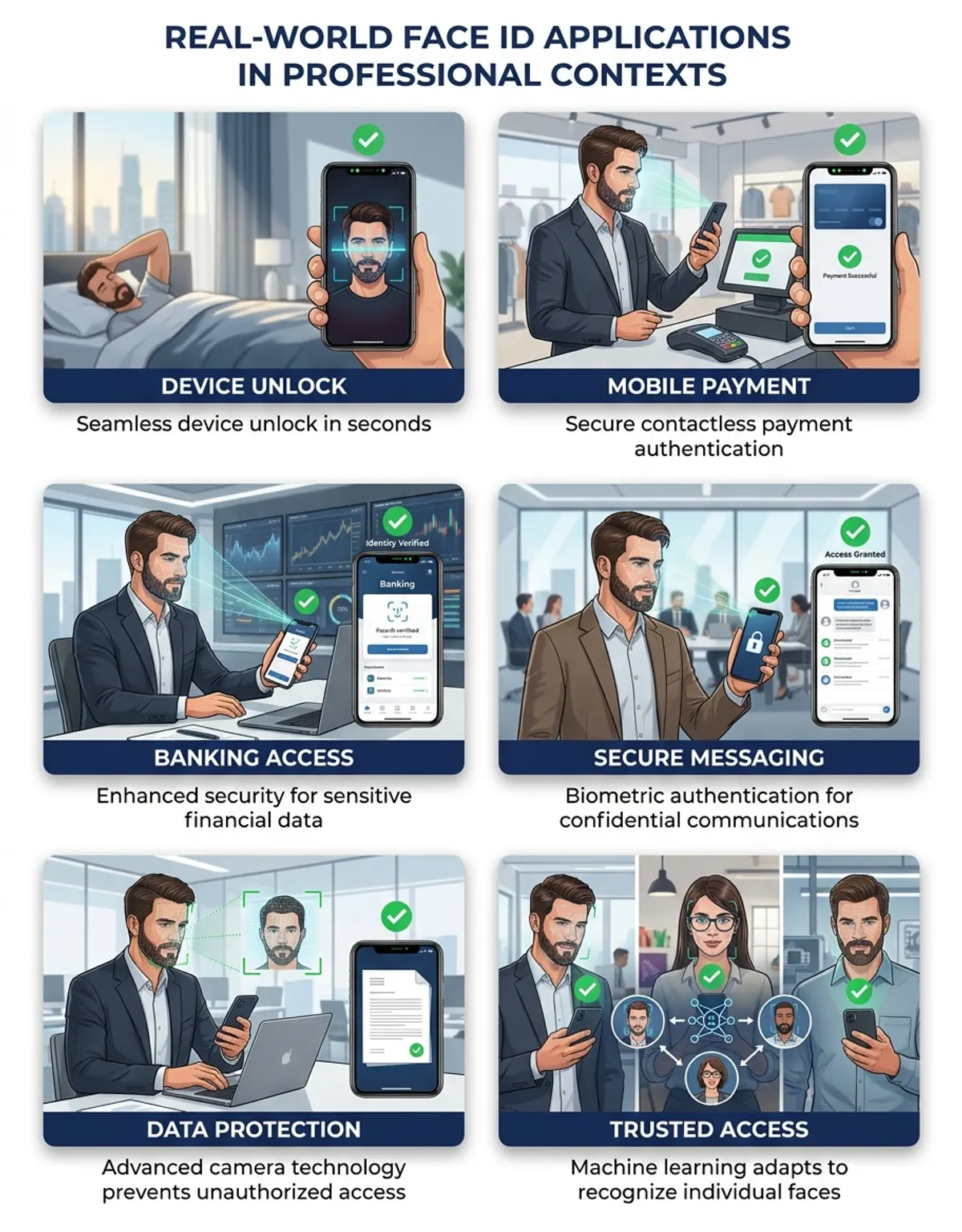
Face ID has transformed how millions of iPhone users unlock their device, authorize mobile payments, and protect sensitive data. Since its debut in 2017 with the iPhone X, Apple's facial recognition system has redefined biometric authentication, moving beyond traditional passcode security to offer seamless, contactless access powered by advanced camera technology and machine learning. This comprehensive review explores how Face ID works, how to set it up on your iPhone or iPad Pro, and how it compares to other security methods in the cybersecurity landscape. You may also find our guide on spotting deepfakes helpful for understanding advanced identity verification challenges.
Whether you're considering upgrading to a device with Face ID, troubleshooting recognition issues, or simply curious about how your face unlocks millions of possibilities across Apple's smart ecosystem—from cloud services to third-party apps—this guide covers everything you need to know. We'll examine the tech behind facial scanning, compare Face ID to passcode protection and competing biometric systems, and address common questions about masks, photos, and settings. Plus, discover how tools like CaraComp extend face comparison technology beyond your iPhone for identity verification and photo matching. For comprehensive image verification and analysis, explore our reverse image search guide.
What Is Face ID?
Face ID is Apple's proprietary biometric authentication system that uses your face to unlock your iPhone or iPad Pro. Introduced in 2017 with the iPhone X, this technology replaced Touch ID (fingerprint recognition) on flagship models, offering a more advanced approach to device security. Instead of relying on numeric codes or fingerprints, Face ID analyzes the unique contours and features of your face using a sophisticated camera array called TrueDepth. Learn more about biometric data and how facial recognition systems store and protect your information.
The TrueDepth camera system includes three key components: a dot projector that maps facial geometry, a flood illuminator for infrared imaging, and an infrared sensor that captures depth data. This combination enables Face ID to create a precise mathematical model of your face—a level of detail that goes far beyond what a simple photo or 2D image could provide. The technology represents a significant leap in device protection and has been adopted across Apple's premium lineup.
The TrueDepth Camera System
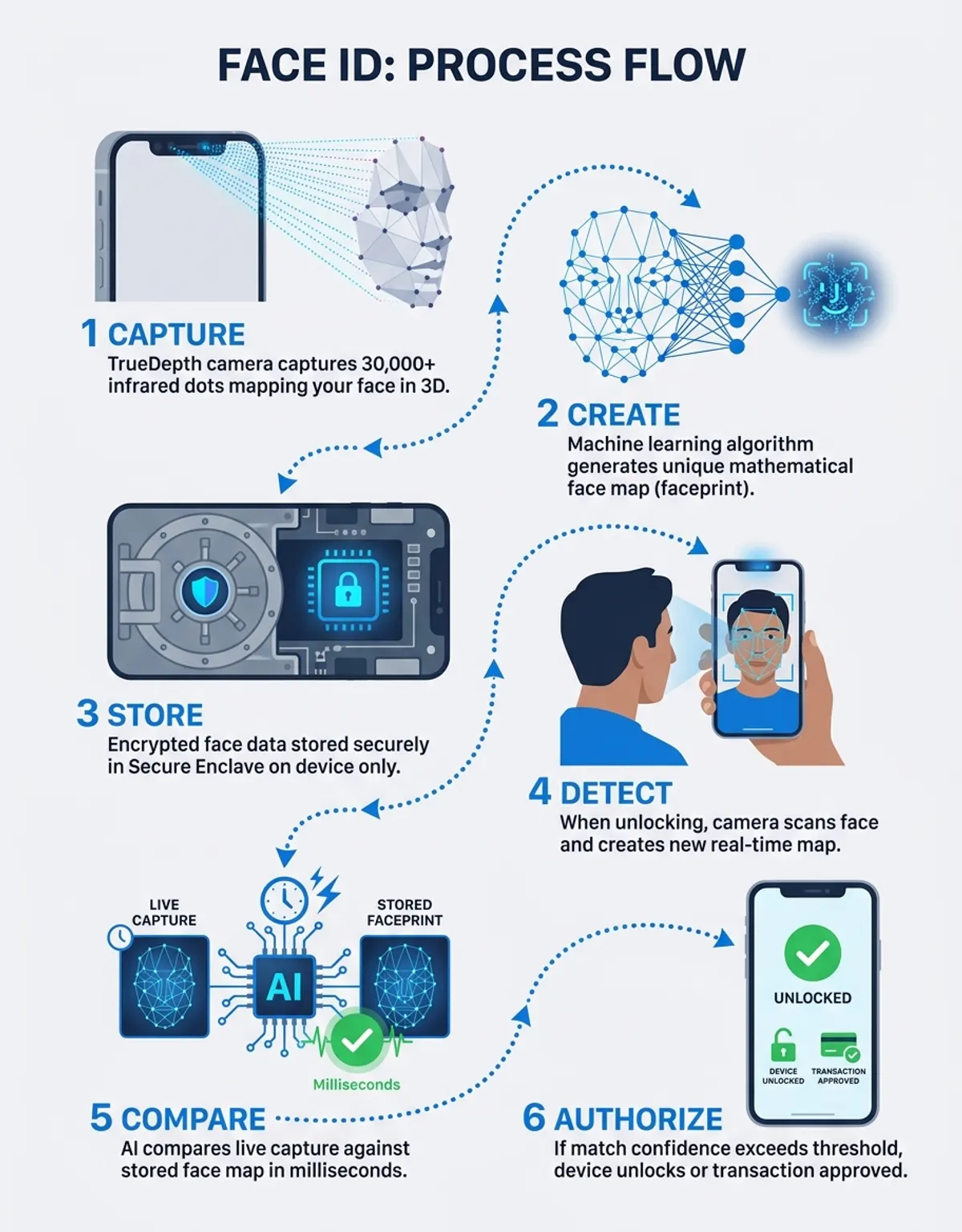
Face ID is available on iPhone models from the iPhone X onward, including the iPhone 11, 12, 13, 14, and 15 series, as well as select iPad models released after 2018. Unlike server-based facial recognition systems used by some companies, Face ID stores all facial data locally in a secure chip called the Secure Enclave. This means your face data never leaves your phone and is never uploaded to iCloud or Apple's servers—a crucial cybersecurity feature that addresses privacy concerns associated with biometric authentication.
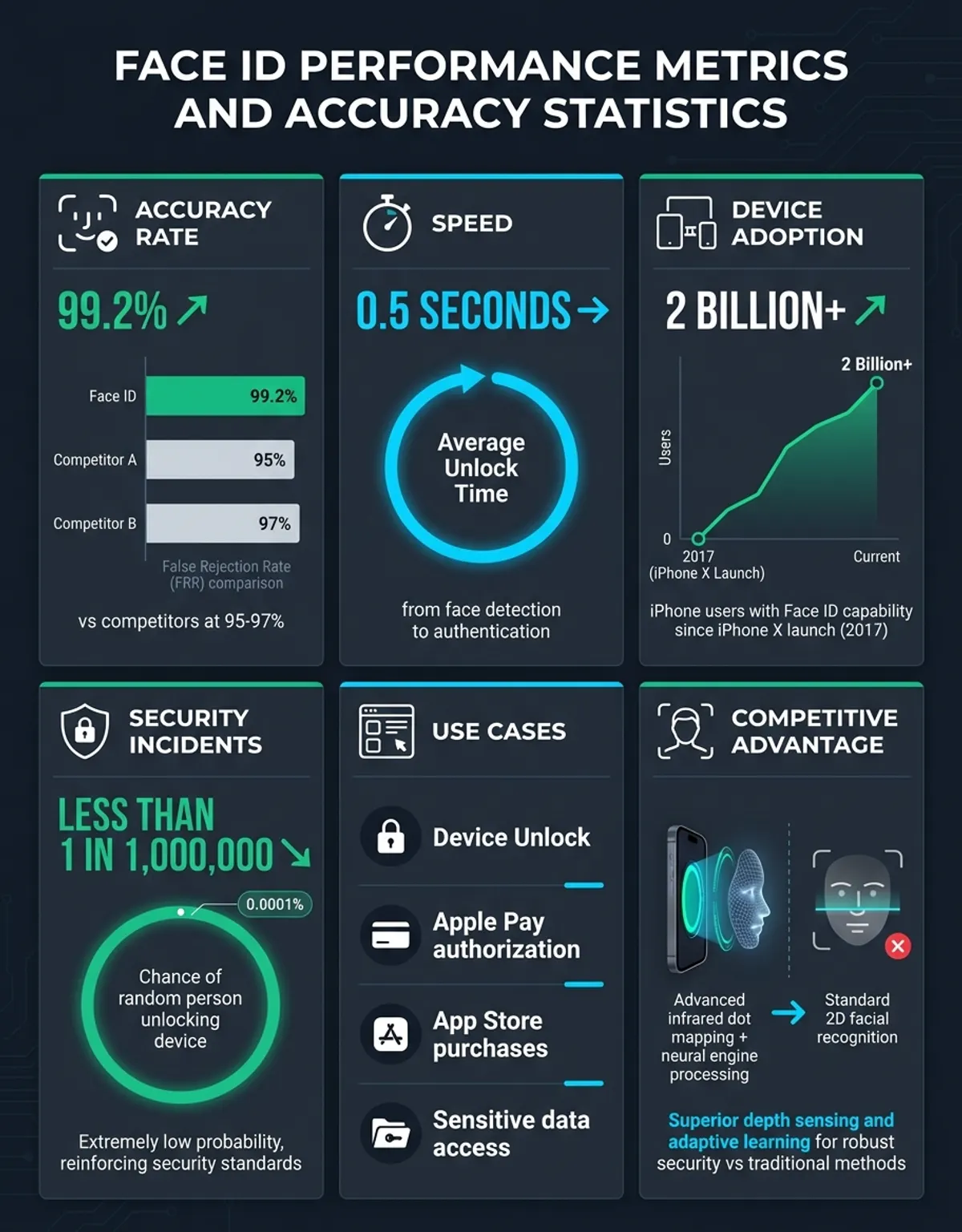
Face ID is statistically 100 times more secure than a numeric passcode, with a false acceptance rate of just 1 in 1,000,000.
One key advantage of Face ID over traditional passcode entry is convenience. You simply glance at your phone to unlock it, approve App Store purchases, or authenticate Apple Pay transactions. The system learns and adapts over time, recognizing gradual changes like growing a beard, wearing glasses, or aging. This adaptive capability makes Face ID one of the world's leading face-based identity verification solutions.
How Face ID Recognition Technology Works
The tech behind Face ID relies on a process called 3D facial mapping. When you set up Face ID in preferences, the TrueDepth sensor projects over 30,000 invisible infrared dots onto your face. These dots map the unique contours of your facial structure—the curves of your cheeks, the distance between your eyes, the shape of your nose, and the depth of your eye sockets. The infrared sensor then captures this dot pattern and creates a mathematical representation of your face, which your phone stores securely.
Every time you attempt to unlock your iPhone or iPad, the TrueDepth sensor performs a new scan of your face. The infrared sensor captures the current dot pattern and compares it against the stored facial map. Apple's Neural Engine—a dedicated machine learning processor—analyzes the match in milliseconds, determining whether the face in front of the screen matches the enrolled user. If the match is confirmed, your phone unlocks; if not, it falls back to requiring your passcode.
Face ID's scanning process is designed to work at various angles and distances. You don't need to hold your device directly in front of your face or at a specific position—Face ID adapts to how you naturally hold your phone or position your head. The system also incorporates "attention detection," which requires you to be actively looking at the screen with your eyes open. This prevents someone from unlocking your phone while you're asleep or looking away.
The infrared dot projection creates a 3D map of your facial contours, which cannot be replicated by a flat, 2D image—even high-resolution photos fail to trick Face ID.
One of the most common questions is whether Face ID can be fooled by a person's photo. The answer is no, because a printed photo or digital image lacks the depth information that Face ID requires. The infrared dot projection creates a 3D map of your facial contours, which cannot be replicated by a flat, 2D image. Even high-resolution photos displayed on another screen or professionally printed masks have failed to trick Face ID in controlled tests, thanks to liveness detection that verifies the presence of a living person.
Face ID also adapts to changes in your appearance. If you put on a hat, wear glasses, or grow facial hair, the system continues to recognize you through adaptive learning over time. However, dramatic changes—such as significantly different hairstyles or facial surgery—may require you to re-enroll your face or set up an alternate appearance through the Face ID settings.
How to Set Up Face ID on Your iPhone
Setting up Face ID on your iPhone or iPad is a straightforward process that takes less than a minute. To begin, open the Settings app and navigate to "Face ID & Passcode." You'll be prompted to enter your PIN to access the Face ID configuration. Once inside, tap "Set Up Face ID" or "Enroll Face" to start the enrollment process.
During setup, your phone will ask you to position your face within a circular frame displayed on the screen. Hold your device at arm's length, about 10 to 20 inches from your face, and ensure your entire face is visible within the frame. The system will then instruct you to slowly move your head in a circular motion, allowing the TrueDepth sensor to capture your face from multiple angles. You'll complete two full rotations—one clockwise and one counterclockwise—to map the contours of your face comprehensively.
If you have difficulty moving your head due to physical limitations, you can tap "Accessibility Options" during setup to enable a stationary enrollment mode. This alternative allows Face ID to scan your face without requiring movement, making the feature accessible to users with mobility challenges.
After the initial scan is complete, you'll be prompted to configure a second appearance. This optional step is useful if you want to enroll a different look (such as with and without glasses) or if you want to grant access to a trusted family member. However, Apple recommends limiting alternate appearances to maintain authentication integrity.
Once Face ID is configured, you can determine what it unlocks. In the Face ID configuration menu, you can enable or disable Face ID for phone unlock, Apple Pay and Wallet, iTunes and App Store purchases, password autofill in Safari and apps, and third-party apps that support biometric authentication. You can also check "Require Attention for Face ID," which adds an extra layer of protection by ensuring you're actively looking at the screen.
If Face ID fails to recognize you during normal use—perhaps due to poor lighting, an obstructed sensor, or an unusual angle—your phone will prompt you to enter your PIN after a few failed attempts. Common troubleshooting tips include ensuring the TrueDepth sensor isn't covered by a case or screen protector, adjusting the angle or distance of your device, and verifying that you're in adequate lighting conditions.
Face ID vs. Passcode — Security Comparison
When comparing Face ID to a traditional PIN in this review, the statistical protection advantage is significant. Apple states that the probability of a random person unlocking your iPhone with Face ID is approximately 1 in 1,000,000. In contrast, a standard 6-digit passcode has a probability of 1 in 10,000—meaning Face ID is statistically 100 times more secure than a numeric code. This makes Face ID one of the strongest biometric authentication methods available on any smartphone today.
However, there are scenarios where your system will require a PIN instead of accepting Face ID. These include: immediately after restarting your phone, after five unsuccessful Face ID attempts, when your device hasn't been unlocked for more than 48 hours, after receiving a remote lock command, or before viewing saved passwords in system preferences. These fallback mechanisms are designed to balance convenience with cybersecurity best practices.
From a legal and privacy perspective, there's an important distinction between biometric authentication and PIN protection. In some jurisdictions, law enforcement may compel biometric unlocking but cannot force PIN disclosure protected by Fifth Amendment rights in the United States. This has led some security-conscious users to disable Face ID in sensitive situations and rely solely on a strong alphanumeric PIN.
For optimal security, experts recommend using Face ID and a PIN together. Enable Face ID for everyday convenience, but also configure a strong, unique code as a backup. Avoid simple patterns like "123456" or birthdates, and consider using a longer alphanumeric code if you store highly sensitive data on your phone. Additionally, enable the "Erase Data" option in preferences, which automatically wipes your phone after ten consecutive failed attempts—a critical safeguard against brute-force attacks.
Face ID Features for iPhone Users
Beyond unlocking your phone or tablet, Face ID integrates seamlessly into Apple's smart ecosystem, enhancing convenience across cloud services, mobile payments, and app authentication. One of the most practical applications is Apple Pay. When making a purchase in a store, online, or within an app, you simply double-click the side button on it and glance at the screen to authorize payment. This eliminates the need to enter credit card numbers, codes, or sign receipts—streamlining transactions while maintaining pro-level protection.
Face ID also works with iCloud Keychain, Apple's cloud-based password manager. When you visit a website or open an app that requires a login, Safari or the system autofill feature can retrieve your saved credentials from iCloud Keychain. Instead of typing your password, you simply authenticate with your face, and the system fills in your username and password automatically. This integration makes password management effortless and encourages the use of strong, unique passwords for every account.
Face ID extends beyond device unlocking—it secures Apple Pay transactions, iCloud Keychain passwords, and third-party banking apps with enterprise-grade biometric authentication.
Third-party apps across banking, finance, health, and productivity categories support Face ID authentication. Mobile banking apps, for example, allow you to log in with a glance instead of entering a complex password every time. Note-taking apps like Notion and Evernote let you lock sensitive notes behind Face ID. Even home automation apps and surveillance systems leverage Face ID to prevent unauthorized access to controls and live video feeds.
On iPad Pro models equipped with Face ID, the technology extends to landscape orientation. Unlike on phones, where Face ID primarily works in portrait mode, iPads can authenticate your face whether the tablet is held vertically or horizontally. This flexibility makes Face ID practical for artists using Apple Pencil, writers working in keyboard mode, or anyone who frequently switches between orientations.
Face ID's adaptation extends to accessories as well. If you wear glasses, a hat, or a scarf, the system typically continues to recognize you after a few successful unlocks. However, face masks—which cover a significant portion of facial contours—present a challenge. Apple introduced a "Face ID with a Mask" feature for iPhone 12 and newer models, which scans the area around your eyes and uses advanced algorithms to authenticate you even when wearing a mask. This feature requires an additional enrollment step but has proven valuable in healthcare, travel, and retail environments.
Face ID vs. Other Biometric Authentication Systems
In our comprehensive review, Face ID stands out for its use of 3D facial mapping, a feature that distinguishes it from many competing technologies. Most Android phones with facial recognition rely on 2D camera systems, which capture a flat image of your face without depth information. While 2D facial recognition is faster and cheaper to implement, it's significantly less secure—many 2D systems can be fooled by a high-quality photo or even a video of the user's face.
Windows Hello, Microsoft's biometric authentication system for PCs and tablets, uses a similar approach to Face ID with infrared sensors and depth mapping. However, Windows Hello's implementation varies by manufacturer, leading to inconsistencies in security and performance. Some Windows Hello-enabled computers use true 3D sensing like Face ID, while others use hybrid 2D/IR systems that are less robust. In controlled tests, Face ID has demonstrated superior resistance to spoofing attempts compared to most Windows Hello implementations.
Fingerprint sensors, including Apple's own Touch ID, remain a popular alternative to facial recognition. Touch ID uses capacitive sensing to map the unique ridges and patterns of your fingerprint, offering a different set of advantages and limitations. Fingerprint authentication is typically faster than Face ID (unlocking in under a second) and works in any lighting condition. However, fingerprint sensors can be affected by wet or dirty fingers, worn fingerprints from manual labor, or physical damage to the sensor. Face ID, by contrast, works in complete darkness thanks to infrared technology and isn't affected by hand conditions.
For users comparing multiple faces or verifying identity across photos, tools like CaraComp extend facial recognition beyond phone unlocking. CaraComp allows you to upload and compare faces from different images, check for matches, and analyze facial similarity—useful for genealogy research, verifying profile authenticity, or identifying people across social media platforms. While CaraComp operates online rather than on-device like Face ID, it demonstrates the broader applications of facial recognition in authentication and verification contexts.
Face ID vs. Other Biometric Authentication Methods
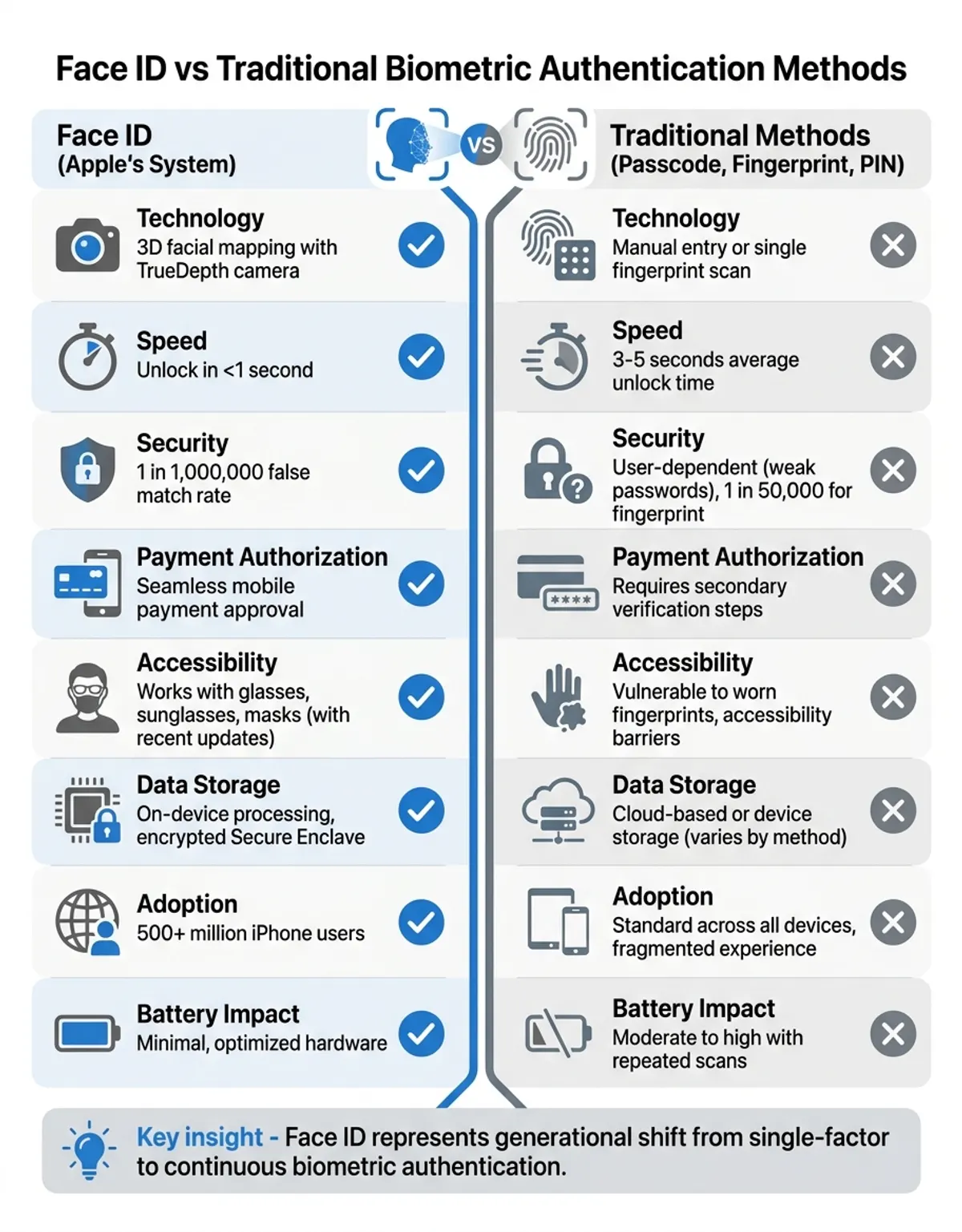
| Feature | Face ID (Apple) | Android Face Unlock | Fingerprint Sensor | Windows Hello |
|---|---|---|---|---|
| Depth Sensing | Yes (3D TrueDepth) | Usually No (2D sensor) | N/A | Varies by hardware |
| False Acceptance Rate | 1 in 1,000,000 | Higher (varies) | 1 in 50,000 | 1 in 100,000 |
| Photo Spoofing Resistance | Highly Resistant | Often Vulnerable | N/A | Varies by implementation |
| Cloud Storage of Biometric Data | No (Secure Enclave only) | Varies by manufacturer | No (local storage) | No (local storage) |
| Available Devices | iPhone X and later, iPad Pro (2018+) | Most Android smartphones | Most smartphones and tablets | Windows 10/11 PCs and tablets |
| Works with Masks | Yes (iPhone 12+ with setup) | No | N/A | Varies |
| Works in Darkness | Yes (infrared technology) | Usually No (requires light) | Yes | Yes (if infrared equipped) |
Frequently Asked Questions About Face ID
How does Face ID work on iPhone?
Face ID works by using the TrueDepth array to project 30,000 invisible infrared dots onto your face, creating a detailed 3D map of your facial contours. When you attempt to unlock your phone, the sensor captures a new scan and compares it against the stored mathematical model of your face. Apple's Neural Engine processes this comparison in milliseconds to confirm your identity. The system requires attention detection, meaning you must be actively looking at the screen with your eyes open for it to unlock.
Is Face ID the same as facial recognition?
Face ID is a specific type of facial recognition technology developed by Apple. While all Face ID systems use facial recognition, not all facial recognition systems are Face ID. The key difference is that Face ID uses 3D depth sensing through infrared scanning, making it significantly more secure than the 2D facial recognition systems used by many Android devices. Apple's facial recognition system also stores biometric data locally in the Secure Enclave chip rather than in the cloud, offering enhanced privacy protection.
Can Face ID be fooled by a photo?
No, Face ID cannot be fooled by a person's photo. Because Face ID relies on 3D depth mapping using infrared technology, a flat 2D image—whether printed or displayed on a screen—lacks the necessary depth information to trick the system. Face ID's liveness detection also verifies that it's scanning an actual living face rather than a static image. Even realistic masks and 3D-printed replicas have failed to bypass Face ID in independent authentication tests.
What happens if Face ID doesn't recognize your face?
If Face ID fails to recognize your face after several attempts, your iPhone will prompt you to enter your PIN. This typically happens after five unsuccessful Face ID attempts. You may also be required to use your code immediately after restarting your phone, if your device hasn't been unlocked for 48 hours, or if you've enabled the emergency SOS feature by rapidly pressing the side button five times. To improve Face ID recognition, check that the TrueDepth sensor isn't blocked and that you're holding it at an appropriate distance and angle.
Is Face ID secure for mobile banking?
Yes, Face ID is highly secure for mobile banking and is widely supported by financial institutions. With a false acceptance rate of 1 in 1,000,000, Face ID provides stronger protection than most traditional authentication methods. All facial data is stored in the Secure Enclave and never transmitted online or shared with apps—banking apps only receive a confirmation that authentication was successful. For maximum protection when using digital banking, combine Face ID with strong account passwords and enable two-factor authentication on your financial accounts.
Does Face ID work with a mask or glasses?
Face ID works reliably with most glasses, including sunglasses, reading glasses, and many types of eyewear. However, standard Face ID does not work with face masks that cover your nose and mouth, as these obstruct the facial contours needed for recognition. Apple introduced "Face ID with a Mask" for iPhone 12 and later models, which uses additional scanning around the eye area to authenticate you while wearing a mask. To enable this feature, you must enroll your masked appearance in the Face ID & Passcode configuration menu. Note that this feature requires you to be wearing a mask during the additional enrollment scan.
What is the difference between Face ID and a passcode?
The primary difference is the authentication method: Face ID uses biometric data (your facial features) while a passcode uses knowledge-based security (a number or alphanumeric code you memorize). Face ID is statistically more secure, with a 1 in 1,000,000 false acceptance rate compared to 1 in 10,000 for a six-digit code. Face ID is also more convenient for everyday unlocking and app authentication. However, PINs may offer stronger legal protection in some jurisdictions, as courts cannot compel you to reveal a memorized code in the same way they might compel biometric authentication. Most cybersecurity experts recommend using both Face ID and a strong code together for optimal protection.