
Selfie ID Verification Checks: 34% of Rejections Aren't the Face
Quick answer
Why does my selfie ID verification keep getting rejected?
Selfie ID verification often fails because of the card photo or the live-person test, not your face. Glare, blur, an expired document, glasses, dim light or a blocked camera permission can each end an attempt. An old ID photo can also push the match score under the pass line.
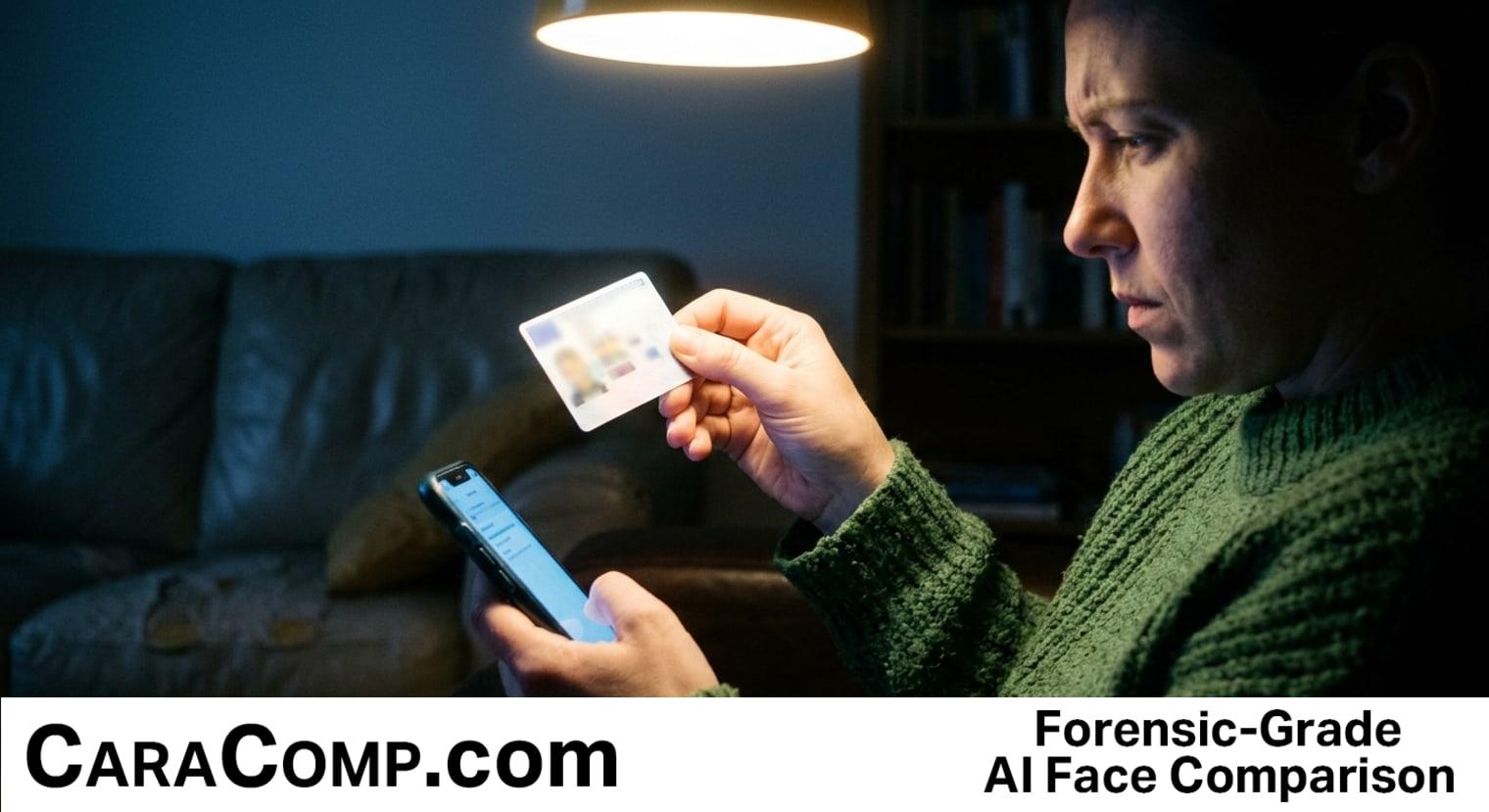
You hold your license next to your face, tap the button, and the app says no. Again. Selfie ID verification just rejected the one person on earth who is definitely you, and it won't tell you why.
Selfie ID verification uses three separate checks (the card, the face match, and a live-person test). In one vendor's breakdown, 34% of rejections came from low-quality or incomplete document images, not the face.
Here's the part that stings. People may respond to a rejection by retaking the selfie in the same room, with the same lamp and angle. If the problem is glare on the ID or a blocked camera, another selfie in the same conditions won't fix it.
Selfie ID Verification: Three Gates, Not One
Think of an airport with three security checkpoints. Gate one asks, "Is this a real, readable ID?" Gate two asks, "Does the face on it match the face in front of me?" Gate three asks, "Is there a real, live person standing here, or just a photo or a recording?" Miss any one gate and you don't board. The airport doesn't always announce which gate stopped you. It may just send you back to the start of the line.
That is how selfie verification confirms that you are you. It checks the document, it matches the face, and it tests whether a live person is present. The order can vary by provider. Each gate wants something different from you. Gate one wants a sharp, glare-free picture of a government-issued ID. Gate two wants a clear view of your face. Gate three looks for signs of a live person, which can include movement, depth and skin texture.
The face-matching gate is a biometric method that involves turning your face into a pattern of numbers, then asking how close two patterns are. Companies call this advanced face-based biometrics, which is a way of saying "math that measures the shape and spacing of your features." The system compares the number pattern from your ID photo with the pattern from the user's selfie, and a score comes out. If the score clears a line the company picked, you pass. If it doesn't, you get the "try again" screen.
How Selfie Verification Works During Customer Onboarding
You usually meet this system at onboarding, the moment a customer opens a new account at a bank, a payment app or a government site. The sign-up form comes first. Then the app asks you to photograph your card and take a selfie. Businesses run these steps because opening accounts with stolen or made-up identities is an identity fraud problem, and the gates are their answer to it.
Some partner agencies may ask you to verify this way before they open an online account with a government service. The idea is the same: link a real person to a real document before handing over the keys to money or benefits.
One more thing to know. The software can use AI for these checks. It reads the text on your card, measures the face, and judges whether the camera feed looks alive. Each job has its own criteria, and a failure at any single one can end the attempt.
Let that number sink in. According to a 2025 breakdown of why ID checks fail, about one in three rejections is about how the card looks in the photo. Another 18% come from unsupported or expired documents. About 15% trace back to a face mismatch or suspicion of a fake face. In that breakdown, document image quality and document validity account for 52% of rejections.
Selfie ID Verification Mistakes That Keep Real Users Locked Out
The pattern is simple: the visible part of the system is your face, so you blame your face. The mistakes below can trip up honest people. For each one, I'll tell you which gate it can affect. This article is part of a series, start with Minimum Act Score Colleges Vary Eu Social Media Age Is 15.
Mistake 1: Glare on the ID (gate one). A shiny license under an overhead light throws a white streak across the text. The reader can't pull your name or birth date out of it, so the document fails. Tilt the card slightly, move away from the bright light, and lay it on a dark flat surface if the app allows it. Guidance on holding your ID for a selfie makes the same point: glare and blur can cause trouble.
Mistake 2: Retaking the photo in the same conditions (every gate). If something was wrong the first time, it may still be wrong the fifth time. Change one thing on purpose between tries: the light, the distance, the angle, the surface under the card.
Mistake 3: Wearing glasses or a hat (gate three, sometimes gate two). Lenses can reflect screen light and obscure your eyes. Some live-person tests follow your eyes as they track a moving dot, so obscured eyes can interfere with the check. Take them off, along with sunglasses, hats and anything covering your forehead.
Mistake 4: Standing too far away or in dim light (gates two and three). A face that fills too little of the frame gives the matcher too few details. A dark room adds grain, which can obscure details used by the match and liveness checks. Face a window or a lamp. Put the phone at eye level, about arm's length.
Mistake 5: Blocking the camera before it starts (gate three). If camera permission is switched off, the app can't capture the live-person test. Check the app's permissions in your phone settings before blaming your face.
Those are five possible problems that have nothing to do with how you look. Checking them can be quicker than repeating the same attempt.
Is Selfie ID Verification the Same as Fraud Detection?
Not exactly. Fraud detection is the bigger job of spotting fake identities. Selfie verification is one identity verification tool inside that job, tied to one moment, usually sign-up. It checks the document and the person together, so a thief with a stolen card has to fake a face that matches too.
Why Liveness Detection Rejects Real Users and Stops Fakes
Liveness is the third gate in our model, and it puzzles people because its checks are often invisible. It answers a plain question: is a real person here right now? A still photo of your face, held up to the camera, might pass a simple match check. Liveness is designed to reject the photo.
It works by looking for signs that distinguish a live person from a presentation attack. A screen or a printout may lack the depth or movement of a live face, though attacks can imitate some signals. Systems can combine several signals. Some ask the person to turn their head left, right and up. Others flash a moving dot on the screen and see whether your eyes and head follow it. Here is how one technical explainer describes the approach:
It combines various techniques like texture analysis, depth and shape of an image, facial movement, and other factors to determine whether it is a real live person or a fake representation. Previously in this series: Biometrics Hong Kong Counts 2 800 Arrests Not Its Errors.
From a technical explainer on liveness verification methods
Why does the gate exist? Because spoofing (holding up a photo, a screen or a mask to pretend to be someone) is a real attack, and so are synthetic faces, which are computer-made images of people who never existed. Anti-spoofing detection is the family of tests built to catch these. Every security measure has a trade-off. A test set to catch a deepfake video can also reject a real person in a dim kitchen.
That trade-off explains something odd. A detection pass mark intended to block a thief can also block an honest user capturing a photo with a smudged lens. The system may not have enough clear information to distinguish a bad capture from an attack.
Why Face Match Fails Even When Users Do Everything Right
Here is the unfair one. Sometimes you light the card perfectly, you pass the live-person test, and gate two still says no. One possible reason is that your ID photo is old. A new haircut, a beard, weight loss, ten years of living and the face on your card may produce a different pattern of numbers than your current face. Low light and glare from glasses can make matching harder. Even a genuine user can end up on the wrong side of the pass mark.
This is not a flaw in you. A face match is a score with a line drawn through it, and your score landed under the line. A newer ID photo may help. Many places let you renew a license online, though that depends on where you live.
That "a match is a score, not a verdict" idea matters far outside sign-up screens. In 2022, Randal Reid was jailed in Georgia for about six days over a theft in Louisiana he had nothing to do with, after a false face match on surveillance footage, as the Associated Press reported. A failed bank check can cost you time. A bad match used by police can cost far more. At CaraComp, where facial recognition is what we study all day, the first lesson is always the same: the number is a clue that a human has to question, never the final word.
| Gate | What it checks | What usually breaks it |
|---|---|---|
| Gate 1: the document | Whether the government-issued ID that proves your identity is real, readable and not expired | Glare, blur, cut-off corners, expired cards |
| Gate 2: face match | Whether the face image was submitted from a person who matches the ID photo | Old photos, big appearance changes, low light |
| Gate 3: liveness | Whether a live person is present, not a photo or video | Glasses, dim rooms, blocked camera permission |
Why Does My Selfie ID Keep Getting Rejected When the Photo Looks Fine?
A photo can look fine to you and still fail a check you can't see. The system may be unable to read the text on your card, may not see enough texture or depth to pass the live-person test, or may score your face too far from the old ID photo. The message may not say which one, so check the card, the light and the camera settings.
Why People Blame Their Face (and Why That Makes Sense)
Nobody invented this mix-up out of silliness. The selfie is the part you can see yourself doing. The three checks run quietly in the background, and the error message may be one vague line. When the only thing you control feels like the face, you assume the face is the problem. Plus, we've all seen movies where a scanner "doesn't recognize" someone. So it's understandable to think a rejection always means your face didn't match.
The truth is messier and often more fixable. The problem could be a shiny card, a dark room, or a switched-off camera permission. It also helps to know that every false rejection can mean an annoyed customer, a call to support or a lost sign-up, so businesses have their own reasons to want you through the gates.
What You Just Learned
- Three gates: the card, the face match and the live-person test are separate checks, and one failure can end the attempt.
- Check the card: in one vendor's breakdown, 34% of failures were about the document photo, and another 18% about unsupported or expired documents.
- Liveness needs a clear view: glasses, dim rooms and blocked camera permission can interfere with it for honest users.
- Old ID photos hurt: a changed look can push the match score under the line even when you did everything right.
What to Check First Tonight
If this were happening to you tonight, here is an order to try. First, look at the picture of your ID, not your face. Is every word sharp, with no white streak? Second, check the light on your face and take off glasses. Third, open your phone settings and confirm the app can use the camera. Fourth, check whether the card is expired. If all four are fine, the match score may be the issue. The next stop is the help page inside the app or bank where you have the account, or a visit to the branch with your ID in hand. Stay inside your own existing account when you look for help. Be wary of anyone who contacts you offering to "fix" a failed verification, because that could be a scam.
What Data Does a Selfie Check Keep?
It varies by company. The photo of your ID and the face pattern are personal data, and the rules on storing it differ by place and provider. The privacy policy of the app or bank is the place to read how long it is kept. Up next: Selfie Id Verification 34 Of Rejections Arent The Face.
Here is the idea to carry into tomorrow. The system that rejected you was not necessarily judging your face. It was checking different things: a readable card, a face match and signs of a live person. So the next time you see "try again," don't just take the same selfie. Ask which of the three gates might have closed.
Selfie ID verification is three checks in one. Since a rejection may start with the document photo, checking the glare, the light and the camera settings can be more useful than retaking the same selfie.
Recap: Selfie ID verification checks the card, the face match and the live-person test. A failure at any one can stop the attempt.
Selfie ID Verification: Frequently Asked Questions
What does identity verification actually check besides my face?
Identity verification checks the identity document: whether it is real, readable and not expired. It also compares the face on it with your live selfie and runs a liveness test to check that a real person is present. The order can vary. Authentication is a related step that later confirms you are the same person each time you log in. Together, these checks help protect the account from fraud, but each has its own criteria, which is why one flaw can stop the process.
How can I tell if the face image was submitted correctly?
Many apps show a preview before you send. Look for a sharp face with no shadow across it, eyes visible, and the whole head inside the frame. If the face image was submitted blurry or too dark, the match score may drop. If the app also asks for a picture of your card, make sure all four corners are visible and every word is readable. If the preview looks flat or washed out, retake it in better light before you tap send.
Why would my selfie fail even though it looks like me?
Your selfie can look like you and still fail for reasons the eye misses, such as small glare spots, grainy low light, or an ID photo that is many years old. The system measures numbers, not resemblance. A different haircut, glasses or weight change can widen the gap between the two photos. Fix the lighting and distance first, then consider a newer ID photo or contact support if the match keeps failing.
Do selfies and a short video both get used in ID checks?
Some systems take a single photo, while others record a short video so the software can watch for natural movement. The video can help the liveness test assess movement, including blinking and head turns. A captured face image is compared with the photo on your ID. If the app asks for a head turn, follow its instructions and keep your face in the frame.
Can partner agencies ask you to verify differently?
Yes, the steps can vary. Some partner agencies may ask you to verify with a selfie before opening an online account, and other places offer different routes. Because it varies by agency and bank, the safest move is to read the instructions inside your own existing account, or call the number printed on your card or listed on the official website. Do not trust a message from a stranger offering to speed up your identity verification.
Is face matching safe, and how is it used by businesses?
Face matching can help businesses protect customers from account takeover and fake sign-ups when it is used as one check among several. It is not perfect, because a match is a score and not proof. Read the app's privacy policy to see how your data is handled, and check whether human review is available if the system rejects you.
What should I try after a failed selfie ID verification?
Start with the document. Lay the card flat if the app allows it, avoid glare, and make sure each word is sharp. Then take the selfie in even light with your glasses off, holding the phone at eye level. Check that the camera permission is on. These steps address possible causes of failure. If selfie ID verification still fails after that, contact the help page inside your own account instead of retrying a dozen times.
Selfie identification is a plain name for what happens when an app asks for a photo of your face and a photo of your card. Selfie identity checks link the two pictures, and identity proofing is the wider term for showing that a person really is who they say they are. Selfie verification is one common way to do that proofing online.
Selfie comparison is the face-matching step in everyday words. Facial recognition software measures the face on your card and runs a selfie comparison against the live picture. The verification result is a score that the company judges against its own line, not a final answer about who you are.
Selfie biometrics are the number patterns pulled from your face. Because selfie biometrics are personal, it is fair to ask how an identity verification provider treats them. Look in the privacy policy for whether the face pattern is stored or deleted after the ID verification is done.
Liveness is the part of selfie verification that tries to tell a live person from a picture. Liveness checks often look at a short video of your face, because a video shows movement that a still photo cannot. When liveness fails for an honest user, the cause is often a dim room, a smudged lens or a hat, not anything about your identity.
Identity verification and ID verification are close cousins, and many companies use the two terms for the same job. In both, the system checks the card, matches the face and looks for a live person. If you see either term on a sign-up screen, expect the same three gates described above, though each provider sets its own rules.
Identity verification is also a security step, and security always means trade-offs. A strict ID verification setting can stop more fakes but may also reject more honest people. A looser setting is easier on real users but gives a thief more room to try. Companies choose a balance, and you may never see where they set it.
To verify yourself with fewer failures, treat selfies like passport photos. Use even light, keep your face centered, look at the lens and take off anything that hides your eyes. Selfies taken this way give both the face match and the liveness test a clearer view, so each verification step has more to work with.
Taking a few selfies in a row can feel like the right move, but each selfie verification attempt is only useful if something changed. If liveness failed, fix the light or the camera permission. If the card failed, fix the glare. Retaking selfies without a plan may only repeat the same identity verification error.
Video capture adds another layer to liveness. When an app records video, it can watch how your head turns and how your eyes move. A steady phone and a calm, well-lit face give that video the best chance to pass the liveness test during selfie ID verification.
Facial recognition is the technology behind the face-match gate, and it is only as good as the pictures it gets. A sharp selfie and a readable ID photo give facial recognition more to measure. That is why verification can fail on a bad day and pass on a good one with the same face.
If you want to verify an app is asking for the right things, look at where you are. Open the app from your own bank or agency account, not from a link in a text message. Real identity verification requests appear inside your own account, and a scam usually pushes you outside it.
Good ID verification should leave you with a clear next step when it fails. Look for a help page, a retry limit and a way to reach a person. If an identity verification service gives you none of these, contact the bank or agency that asked for it, and mention that your selfie verification keeps failing.
Identity checks can feel personal, but most of the time the system is reading pixels, not judging you. Selfie verification, liveness testing and document reading are each narrow jobs. Once you know which job failed, fixing it is usually a matter of light, angle and a sharper card photo.
Ready for forensic-grade facial comparison?
Full forensic reports with detailed similarity scoring. Results in seconds.
Run My First SearchMore Education
Age Verification Face Scan: 2-Year Miss Lets 16 Pass as 18
A selfie age check takes one second and feels scientific. Learn why distinguishing a 16-year-old from an 18-year-old can be difficult, and what else can help protect a kid.
biometricsBiometric Passport: Chip Locks the Document, Not the Face
The little camera-like symbol on your passport cover marks a chip that communicates by radio. Learn what the chip actually stores, what its security does and doesn't stop, and how to keep your face data yours.
digital-forensicsFake ID vs Real ID: 7 Tells, and Why a Great Hologram Lies
You can spot a sloppy fake by eye, but some pass visual tests. Learn the 7 visible differences and the separate check that can help identify an impostor.