
Identity Verification Process: Digital Identity, Face Data, Risk
Quick answer
What is the identity verification process and how does it work?
Identity verification is a set of checks that confirm a person is who they claim to be. It usually reads an ID document, uses liveness detection to confirm a real person is present, then compares a selfie with the ID photo. Vendors may keep the text, selfie and numeric template afterward.
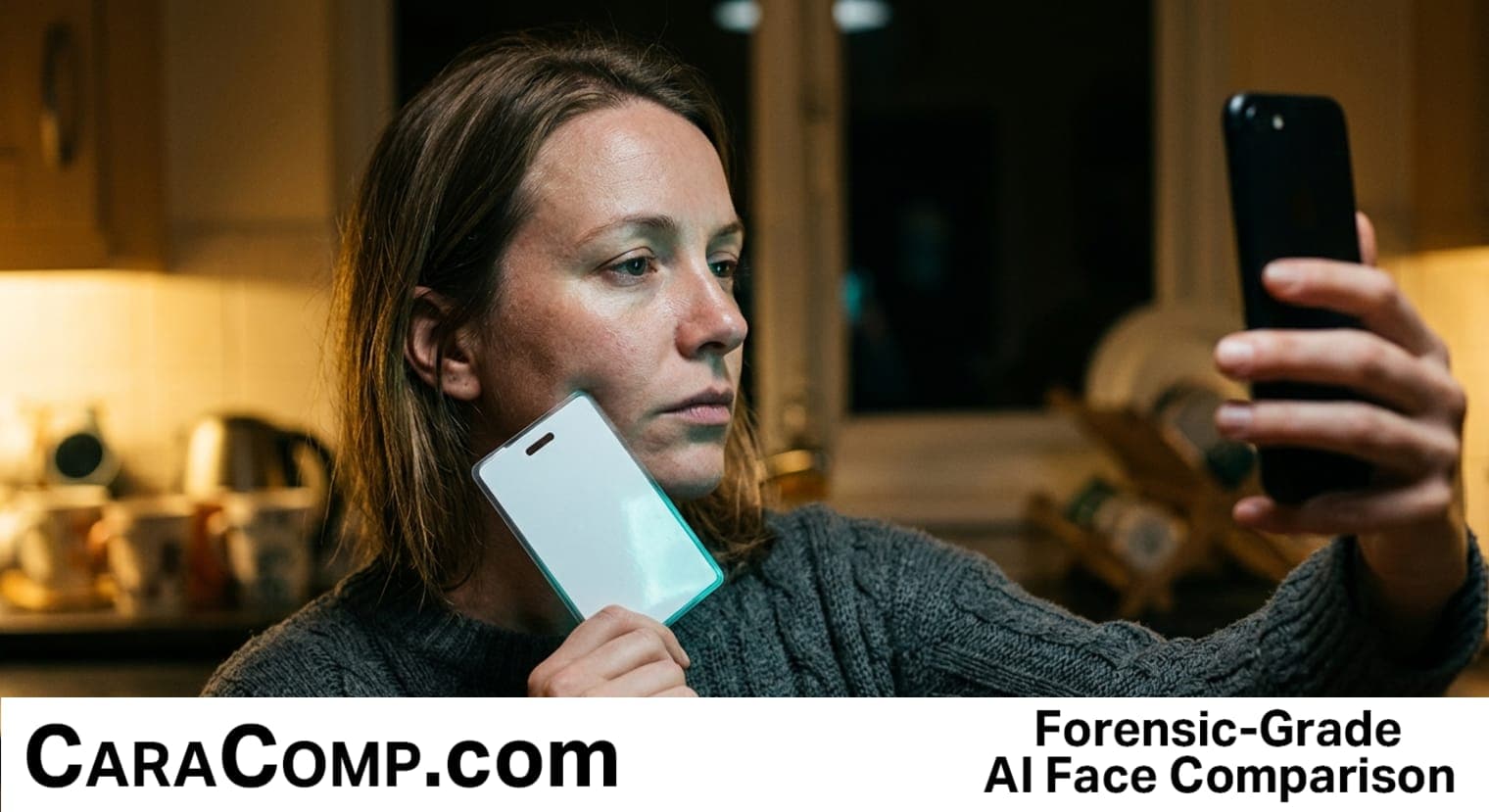
Hold your driver's license up next to your face for a selfie. You've probably done this a dozen times this year, maybe for a bank app, a dating site age check, or to get a marketplace account verified. Two seconds later, a green checkmark appears. Verified. Done. Except here's the part nobody tells you: in that moment, a company just created a single file that has your government ID and your biometric face data (the unique geometry of your face, encoded as numbers) sitting right next to each other, alongside other personal information tied to your identity. That file is now worth more to a criminal than either piece alone, especially once it grants access to other accounts down the line.
The identity verification process does not just "check" your face against your ID like a bouncer glancing at a photo. It converts your face into a list of 128 numbers, measures the mathematical distance between that list and your ID photo's list, and stores both together with other identity documents and information, which is exactly why a breach of that file is so much worse than a breach of either piece alone.
What the Identity Verification Process Does to Your Face and Your Data
Here's the surprising part. When you go through an identity verification process, the verification system is not "looking" at your face the way a person would. It cannot tell that you have your mother's nose or your dad's eyes. Instead, it measures the distance between your eyes, the shape of your nose, and the geometry of your jawline, and turns all of that into a set of exactly 128 numbers. That's it. Your entire face, reduced to a list of numbers a computer can compare in a fraction of a second, according to research on facial encoding published on DEV Community.
This is not a percentage or a "confidence score" like you might see on a home security app. It's a straight mathematical measurement called Euclidean distance, basically how far apart two points are once you plot them in space. Your selfie becomes one point. Your ID photo becomes another point. The system draws a line between them and measures it. If that distance is 0.6 or smaller, it's a match. Go above that number, and the system says no. Drop the threshold to 0.5, and you get a stricter, more secure check, but you also risk rejecting real people whose lighting was bad that day, according to technical documentation on face_recognition's accuracy documentation on GitHub.
It is worth being precise about what an identity verification check actually keeps. Most identity verification vendors store three separate things: the text pulled off your identity document, the selfie image itself, and the numeric template built from both. Each of those is data that can be copied on its own, and each has a different shelf life inside the company holding it. When people describe a breach at a digital identity verification vendor, they usually mean all three of those things leaving at once.
128
numbers your entire face gets reduced to during identity verification
Source: FaceNet embedding research, cited in academic peer review
Why 128 Numbers Beats a Human Eyeball Check
Think about why this even matters. A human bouncer checking your ID gets thrown off by a new haircut, glasses, or bad lighting behind the bar. A mathematical distance does not care about vibes. It measures the same skeletal geometry every time, which is more stable and harder to fool than a person's gut feeling, though as we'll get to, it's not foolproof either. That stability is also why identity verification vendors reuse a stored template for later checks instead of asking for a fresh identity document every time. This article is part of a series, start with Age Verification Roblox 31 Lawsuits Test Section 230.
The Three Hidden Steps Behind Every Identity Check
Here's where it gets interesting. When you tap "verify," you're not triggering one check. You're triggering at least three, stacked on top of each other, and each one can fail independently, and each one touches your personal information and data in a different way.
Step one: document verification. The system reads your ID document, whether it's a driver's license, passport, or another official document, and pulls the printed information, like your name, birthdate, and address. Some identity verification services ask you to upload an electronic copy or a scanned image rather than a photo, since a flat scan produces cleaner data than a photo taken at an angle on your kitchen counter. This step establishes access to your identity documents before anything else happens.
Step two: liveness detection. To stop someone from holding up a printed photo of your face to fool the camera, or worse, playing a deepfake video, the system asks you to blink, smile, or turn your head. This is called active liveness, and it checks for actions that a static image or recorded loop cannot perform, according to a breakdown of spoofing defenses from a fraud-prevention analysis. This is one of the core verification methods used to confirm a real human is present online, not a recording.
Step three: facial comparison. This is the 128-number math we just walked through. Your live selfie gets compared against the photo on your ID, and the system spits out a distance. Below the threshold, you pass, the identity verification result is written to your customer record, and the system grants access to whatever service requested authentication in the first place.
Each step leaves its own trace. Document verification produces text data. Liveness detection produces a short video or a burst of frames. Facial comparison produces the numeric template. One identity verification run can therefore leave three artifacts in a vendor's storage rather than one, and the customer who tapped the button rarely sees a list of what was kept or for how long.
What You Just Learned About These Three Steps
- 🧠 Your face becomes math128 numbers during identity verification, compared using a distance formula, not a visual "look-alike" judgment
- 🔬 Liveness detection is a separate checkit confirms you're a real person right now, not just that your face matches a photo
- 💡 Image quality changes the mathblurry, badly lit selfies push the distance number around, which is why apps obsess over lighting instructions
- 🔐 Your ID and your face get stored togetherthe convenience for you creates a single high-value target for a criminal, along with your other personal information and identity data
How Digital Identity Verification Compares to the Old Way
It helps to see this side by side. The old way of proving who you are involved a person looking at a printed ID and comparing it to your face, using judgment. The new way runs on math, cameras, and stored files, and it usually happens online rather than face to face. Both have tradeoffs, and both change how much data a customer hands over just to complete a routine authentication step. The short version: digital identity verification trades a human judgment call for a stored file.
| Old manual ID check | Digital identity verification process | What your identity data does next |
|---|---|---|
| Human compares printed photo to your face | System compares facial vectors using Euclidean distance | Your face is held as template data |
| No permanent record beyond a glance | Selfie and identity document stored together, often indefinitely | Both sit in one customer file |
| Easily fooled by a good fake ID | Liveness detection blocks static photos and many deepfakes | Liveness clips prove a live person tried to verify |
| Judgment varies person to person | Same numeric threshold applied to every applicant, online or in person | Every applicant leaves the same identity verification record |
| Low fraud risk from a data breach | High fraud risk if the stored file is ever breached | One breach exposes your digital identity and your document at once |
| Nothing stored, so nothing to breach later | Vendor retains identity verification data after the check ends | Storage risk continues long after you pass |
| Each new check needs a fresh glance | Stored templates get reused for later identity checks | Faster logins, longer identity trail |
Does Digital Verification Really Stop Fraud?
Mostly yes, for the fraud it's built to stop. Combining an ID document with a live selfie makes stolen ID fraud and basic impersonation much harder, because a thief usually has your ID but not your face, or your face but not your ID. The layered approach, document plus biometric plus liveness, catches most casual fraud attempts, according to a selfie-verification explainer. Fraud prevention is the entire reason this authentication layer exists in the first place, and it's a big part of why cybersecurity teams keep adding more checks to the process. Selfie verification raises the cost of an attack rather than removing it, and no serious identity verification vendor claims otherwise.
The Misconception That Makes People Feel Falsely Safe
Most people assume an identity verification process is basically the same as a bouncer checking your ID at a bar door. Snap a photo, glance, wave you in. It's an easy mistake to make, honestly, because the entire experience is designed to feel that simple. You tap a button, hold up your phone, and two seconds later you're "verified." The complexity is invisible on purpose. Good design hides the machinery, and the amount of information collected behind that machinery is easy to underestimate. An identity verification flow is built to feel like a formality, which is exactly why few people ask what the identity verification vendor keeps afterward.
On the surface, a selfie check seems simple, a user takes a quick picture of their face and ID. But behind that single click, a powerful set of technologies goes to work, relying on a combination of advanced AI, biometric analysis, and liveness detection. Previously in this series: Deepfake Video Detection 60 Faked One Security Sign Podcast.
Selfie verification explainer, source
The reality is that a real identity verification process is at least three separate technical checks, each with its own failure point. Document verification can fail if the photo of your ID is blurry. Liveness detection can fail if your lighting is bad or your camera glitches mid-blink. Facial comparison can fail if the distance between your two facial vectors creeps just above the threshold because you got a haircut or you're squinting into the sun. None of that happens with a bouncer. That's the gap between what people picture and what's actually running under the hood, and it's also where fraud slips through when one step is weaker than the others. Three checks also means three ways an identity verification can fail, and three sets of data created along the way.
The Real Risk in One File: Two Keys to Your Digital Life
Now here's the part that should actually change how you think about every "verify your identity" prompt you tap through. A stolen database of face photos alone is annoying. A stolen database of official documents alone is annoying. But a stolen file that pairs your face with your government ID, your name, your birthdate, your address, and other personal information in one record? That's a different category of damage entirely. A criminal now has your verified biometric signature and proof of your legal identity in a single package, and biometric data cannot be changed the way a password can. You can't reset your face.
This is the tradeoff almost nobody explains when they ask you to enter your social security number, upload a printed or scanned government ID, and snap a selfie in the same flow, whether that flow happens online or at a physical counter. Financial institutions, gig apps, dating platforms, and marketplaces all lean on this dual confirmation method because it genuinely reduces fraud during onboarding. But the convenience for the business comes from consolidating your most sensitive information into one place, which is precisely what makes that one place so valuable to attackers seeking access to it, a tension covered in CaraComp's reporting on selfie verification going mainstream.
The asymmetry is simple. You complete an identity verification once and forget about it. The file it creates can outlive the account by years, because retention is often driven by the same rules that required the check in the first place. So the practical question about any identity verification is not how accurate the match was, it is how long the record survives and who can reach it. That is the part of digital identity verification nobody puts on the confirmation screen.
Ask the Storage Question Before You Verify
Here's a habit worth building. Before you complete an identity verification process, ask where the data goes after the check finishes, not just whether the check works. Some services generate an enrollment receipt, similar in spirit to your TSA ConfirmID receipt, as proof you completed initial identity proofing, without permanently pairing your live selfie to your ID document in a consumer-facing file. Others store both indefinitely, alongside other information such as your linked ID.me account details if you used one. That difference matters more than how fast the checkmark appears, and it is a question about data governance rather than about whether the identity verification worked.
Identity Authentication vs Identity Proofing: What Shows Up in Each
People use these words like they're interchangeable. They're not. Identity proofing happens once, at signup, when the system confirms you are who you say you are for the first time, often through document verification and a facial comparison. Identity authentication happens every time after that, when you log back in and the system re-confirms it's still you, sometimes with a password, sometimes with a face scan again, often online without any human involved. One is onboarding. The other is ongoing access control.
This distinction matters for your risk exposure. The heaviest data collection almost always happens during initial identity proofing, since that's when the user creates the record that everything else references. If you're going to be selective about which services get your face and ID together, be most careful at that very first step, not at every login afterward, because that first file is what will show up later if a breach ever happens. In plain terms, proofing is the expensive half of the identity verification lifecycle and authentication is the cheap half.
There is a practical test you can run in the moment. If an app asks for your identity document plus a selfie, you are being proofed and a new identity verification record is being created. If it asks only for a code, a password, or a face scan compared against something it already holds, you are being authenticated against data it collected earlier. The first expands your exposure. The second only reuses it.
What This Means the Next Time You Verify Your Customer Identity
Think of your face like a house key, and your ID like the deed to the house. Losing either one is a problem you can manage. Someone finding both, taped together, with your address written on the back? That's the actual nightmare, and it's exactly what a breached identity verification database represents. The facial recognition market is expected to reach 5.73 billion dollars this year alone, which tells you how fast this pairing of face and document is becoming routine rather than rare, according to industry data reported by a selfie-verification provider. Every extra identity verification you complete adds one more copy of your identity data to the internet, held by a company you will probably never think about again.
The identity verification process does not just check that your face matches your ID, it can link your biometric data and your official document into one file, and that pairing, not the selfie itself, is the real risk worth asking about before you tap verify. The storage question matters more than the identity verification result. Up next: Age Verification Roblox 31 Lawsuits Test Section 230 Podcast.
So the next time an app asks you to hold your ID next to your face, pause for one second before you tap the button. You're not just proving who you are. You're deciding who else gets access to hold both pieces of you at once.
Identity Verification Process: Frequently Asked Questions
What happens if I enter my social security number during verification?
When a service asks you to enter your social security number as part of an identity verification process, it's usually cross-checking that number against credit bureau or government records to confirm your identity document matches a real, existing person. This step is common for financial institutions and background checks, both online and in person. The risk is that your social security number often gets stored alongside your face, your ID photo, and other personal information, which is exactly the kind of file consolidation that makes a future breach more damaging for any customer involved. Treat that step as the most sensitive part of the identity verification, because it ties your face and your identity document to a permanent government number.
What does the TSA do with facial verification and your ConfirmID receipt?
The TSA also does its own facial comparison at security checkpoints, matching your live face against the photo on your ID or passport, similar to how private identity verification apps work online. If you enrolled through a TSA PreCheck provider, your TSA ConfirmID receipt serves as proof you completed identity proofing in advance, so the airport check moves faster since the heavier verification, and the data access it required, already happened during enrollment. Either way the identity verification data already exists somewhere, and the receipt only proves the check happened.
Is a printed ID document check more secure than an electronic copy?
Not necessarily. A printed ID document verification depends on the scan or photo quality, and printed documents can degrade or reflect glare that confuses the system. An electronic copy of your ID, straight from the issuing agency's digital file, generally produces cleaner data for facial comparison and text extraction. Most modern identity verification services now prefer a live camera capture of a physical document over an uploaded printed copy, since it also helps confirm the document itself is real and reduces access to forged identity documents slipping through. Either format ends up as the same identity verification record once the check completes.
Why does my skin appear too smooth in verification selfies?
If your skin appears too smooth in a verification selfie, it could mean heavy camera filters or beauty modes are altering your facial geometry, which can throw off the facial comparison math and increase the Euclidean distance between your selfie and your ID photo. It can also be a red flag systems watch for during liveness detection, since overly smoothed or synthetic-looking skin is a known signal of deepfake or spoofing attempts rather than a live human face, and cybersecurity teams train models specifically to show this kind of manipulation. Filters are one of the most common reasons an otherwise valid identity verification fails on the first try.
What is biometric verification and how does it differ from a document check?
Biometric verification measures something unique to your body, like your facial geometry, through a selfie or scan, to confirm user identity. Document verification instead checks whether your ID document, like a passport or license, is authentic and unaltered. A full identity verification process usually runs both together: document verification confirms your ID is real, and biometric verification confirms the person holding it is actually you, not someone who stole or forged the document, and both feed into the same customer record afterward. Together they form the digital identity check most services now run at signup.
Why do banks require a strict process for online access?
Financial institutions face legal requirements to confirm customer identity before opening accounts or granting online access, largely to prevent fraud, money laundering, and stolen identity use. A strict identity verification process, combining document verification, biometric verification, and liveness detection, helps a bank confirm both that your ID is legitimate and that you are physically present, reducing the risk of an applicant using someone else's identity to gain access or open an account. The result is that banks end up holding some of the most complete identity verification files on each customer, including the selfie, the document, and the numeric template.
Ready for forensic-grade facial comparison?
Full forensic reports with detailed similarity scoring. Results in seconds.
Run My First SearchMore Education
Face Recognition iPhone: Beats Masks, Still Opens for Twins
Face ID can reject photos and masks. An identical twin is another story. Learn why, and the one setting worth checking before bed.
privacyDigital Identity Protection: Software Jails Grandma 5 Months
Most digital identity protection advice is theatre. Learn the three moves that matter, and the first questions to ask if your name ends up on a charge you never earned.
digital-forensicsBest AI Image Detector: Top Tool Wrong on 1 in 5 Images
Even the top detector tested was wrong on nearly one in five images. Here is why scores can fall outside the lab, and what to do first if a fake of your child shows up.