
How To Find A Person By Photo - Advanced Recognition Tools
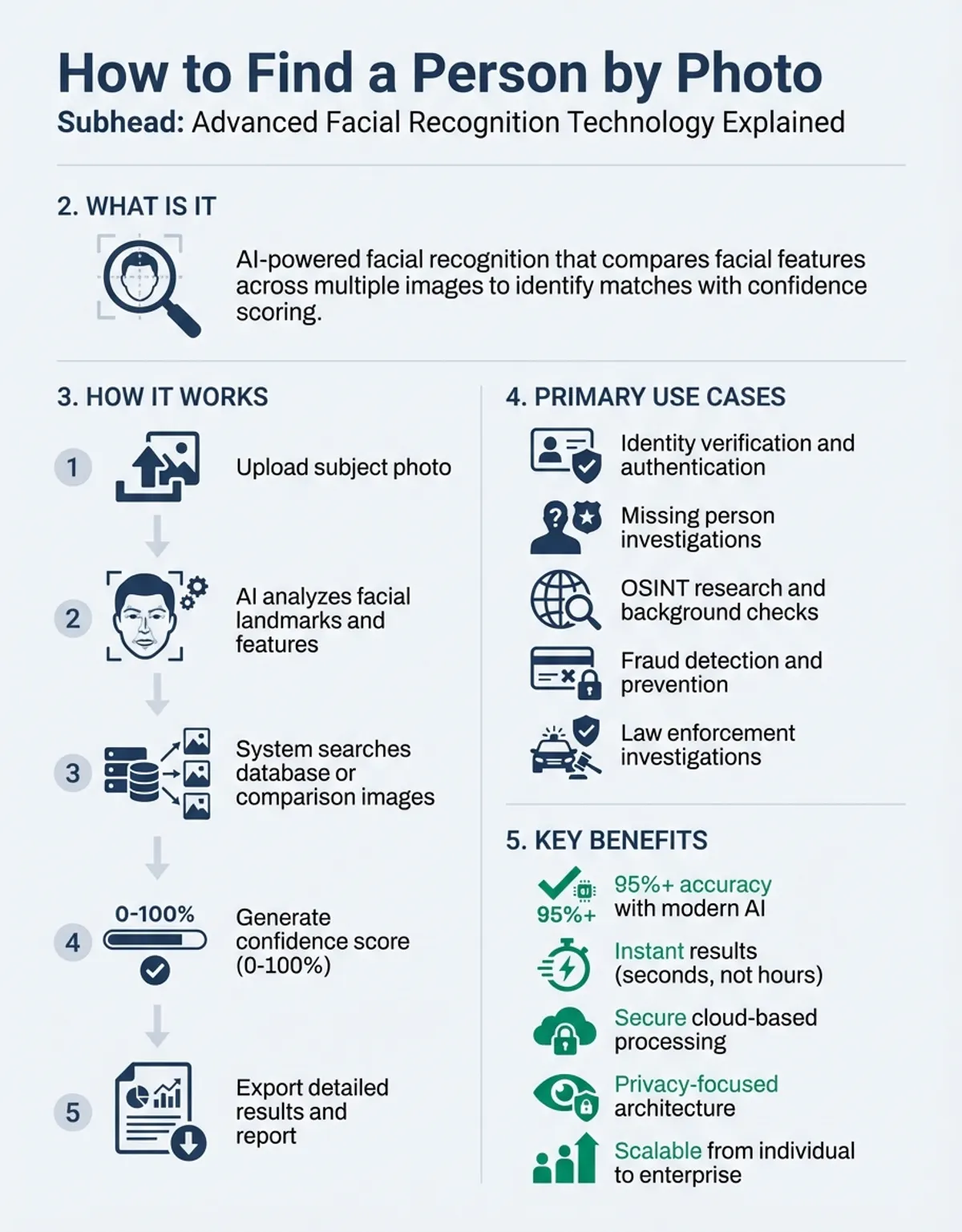
Finding a person by photo has become increasingly sophisticated with modern facial recognition technology. Whether you need to verify someone's identity, locate a missing person, or conduct background research, photo-based search tools now scan millions of images across the internet to deliver accurate matches. This comprehensive guide explores the most effective methods, tools, and technologies for locating individuals using only their photograph.
The ability to find a person by photo relies on advanced algorithms that analyze facial features, compare them against massive databases, and return potential matches with remarkable accuracy. From specialized platforms to integration options, the landscape of reverse image search has evolved dramatically. Understanding how these systems work—and which tools deliver the best results—can save you time and dramatically improve your search success rate.
Reverse Face Search with FaceCheck
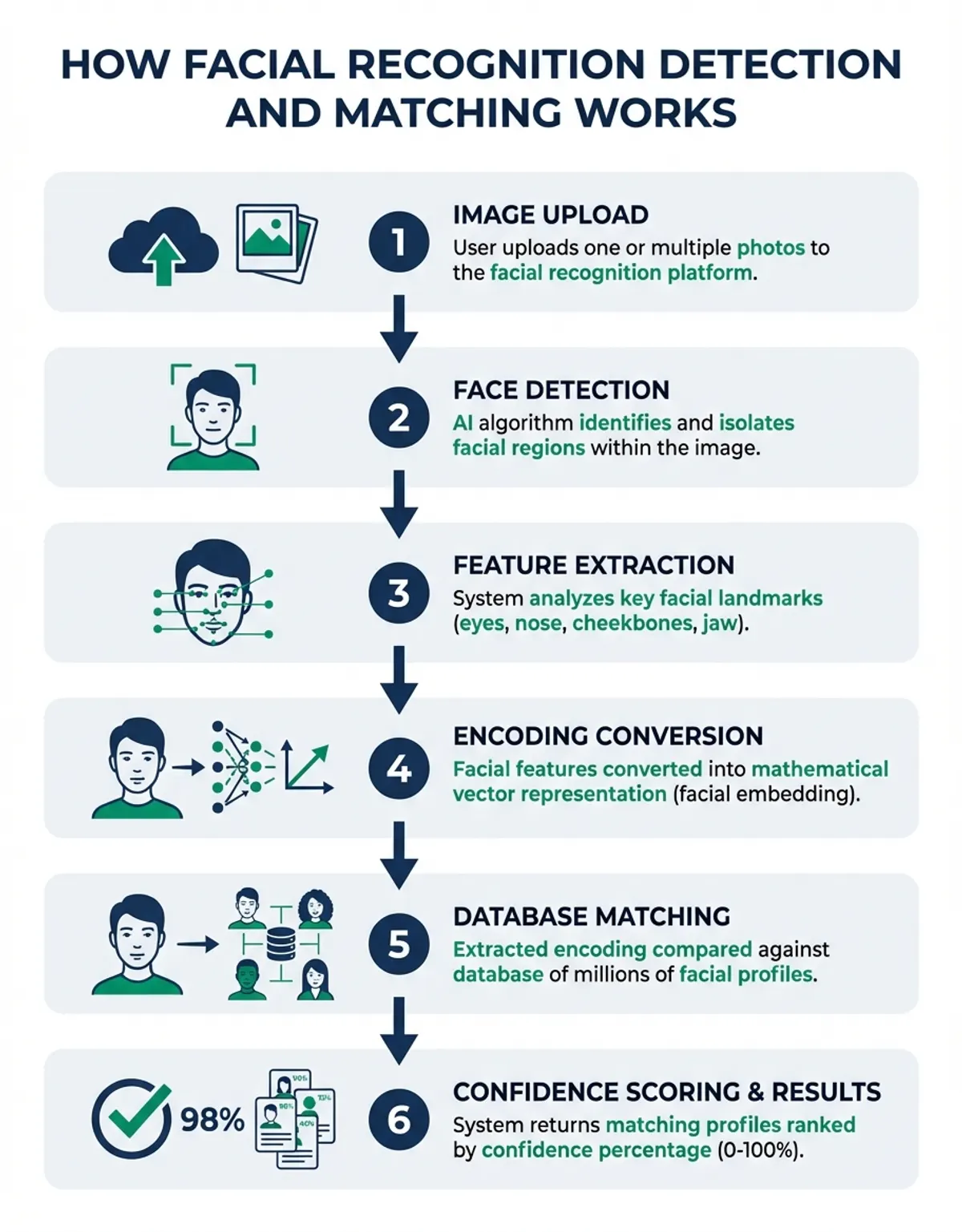
FaceCheck represents one of the most powerful approaches when you need to find a person by photo. This technology combines facial recognition algorithms with extensive online database searches, allowing users to upload a photo and receive matches from across the web. The systems analyze unique facial characteristics including eye spacing, nose shape, jawline structure, and overall facial geometry to create a digital fingerprint of each face.
The process begins when you upload a photo to the platform. The system immediately extracts facial features and converts them into mathematical representations that can be compared against millions of stored profiles. These comparisons happen in milliseconds, with the algorithm assigning confidence scores to potential matches. Higher scores indicate stronger likelihood that the person in your uploaded photo matches someone in the database.
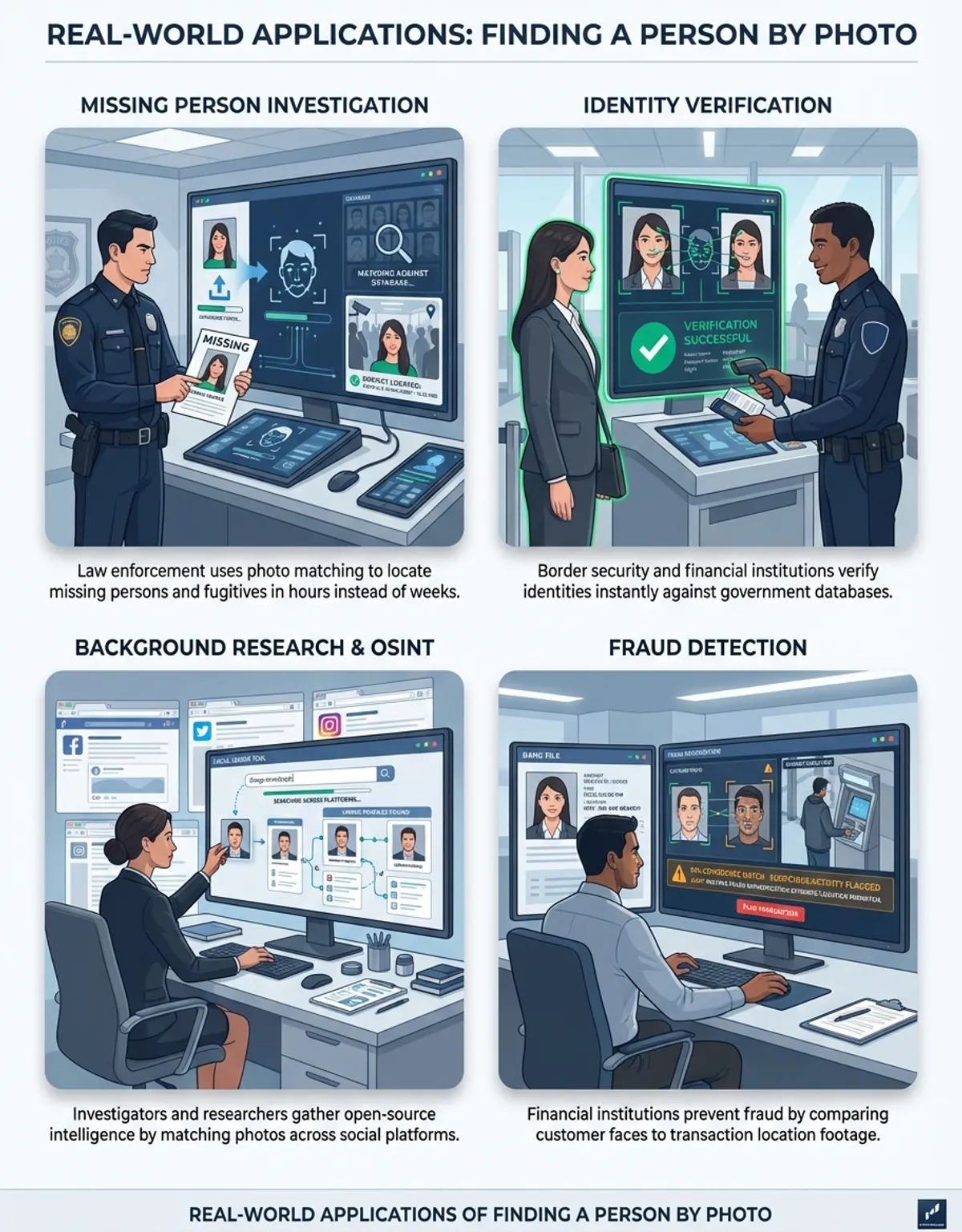
Modern platforms scan social media profiles, public records, news articles, and other online sources where photos appear. This broad search capability means you can potentially find a person by photo even if they haven't actively posted that specific image themselves. The technology has proven particularly valuable for verification purposes, helping employers confirm candidate identities, families locate missing relatives, and investigators track down persons of interest.
What sets this approach apart from basic reverse image search is its focus specifically on facial features rather than overall image similarity. While traditional image search might return photos of similar clothing or backgrounds, advanced recognition zeroes in exclusively on the face itself. This precision reduces false positives and delivers more relevant results when your goal is to identify a specific individual.
Image Search with EyeMatch
EyeMatch technology takes facial recognition to an even more granular level by focusing specifically on the eye region when you need to find a person by photo. The eyes contain incredibly distinctive patterns—from iris structure to the unique shape of the eye socket and surrounding features. These systems leverage eye-specific characteristics to create highly accurate identification matches, even when other parts of the face are obscured or altered.
The precision comes from analyzing multiple eye-related features simultaneously. The system measures pupil diameter, iris patterns, the distance between eyes, eyelid shape, eyebrow positioning, and the subtle creases around the eye area. These measurements combine to form a unique biometric signature that remains remarkably stable throughout a person's life, unlike features such as hairstyle or facial hair that change frequently.
When you upload a photo, the algorithm isolates the eye region and performs detailed analysis independent of other facial features. This focused approach means the technology can successfully match individuals even in cases where they're wearing masks, have grown beards, or have undergone other appearance changes. Law enforcement agencies have found this particularly valuable for identifying suspects in surveillance footage where only partial face views are available.
Eye-based recognition also excels in scenarios involving aging. While overall facial structure changes significantly as people age, the eye region remains relatively consistent. This stability allows the systems to match childhood photos with adult images, or connect photos taken decades apart. For families searching for lost relatives or adopted individuals seeking birth parents, this temporal stability proves invaluable.
Reverse Image Matching with EyeMatch AI
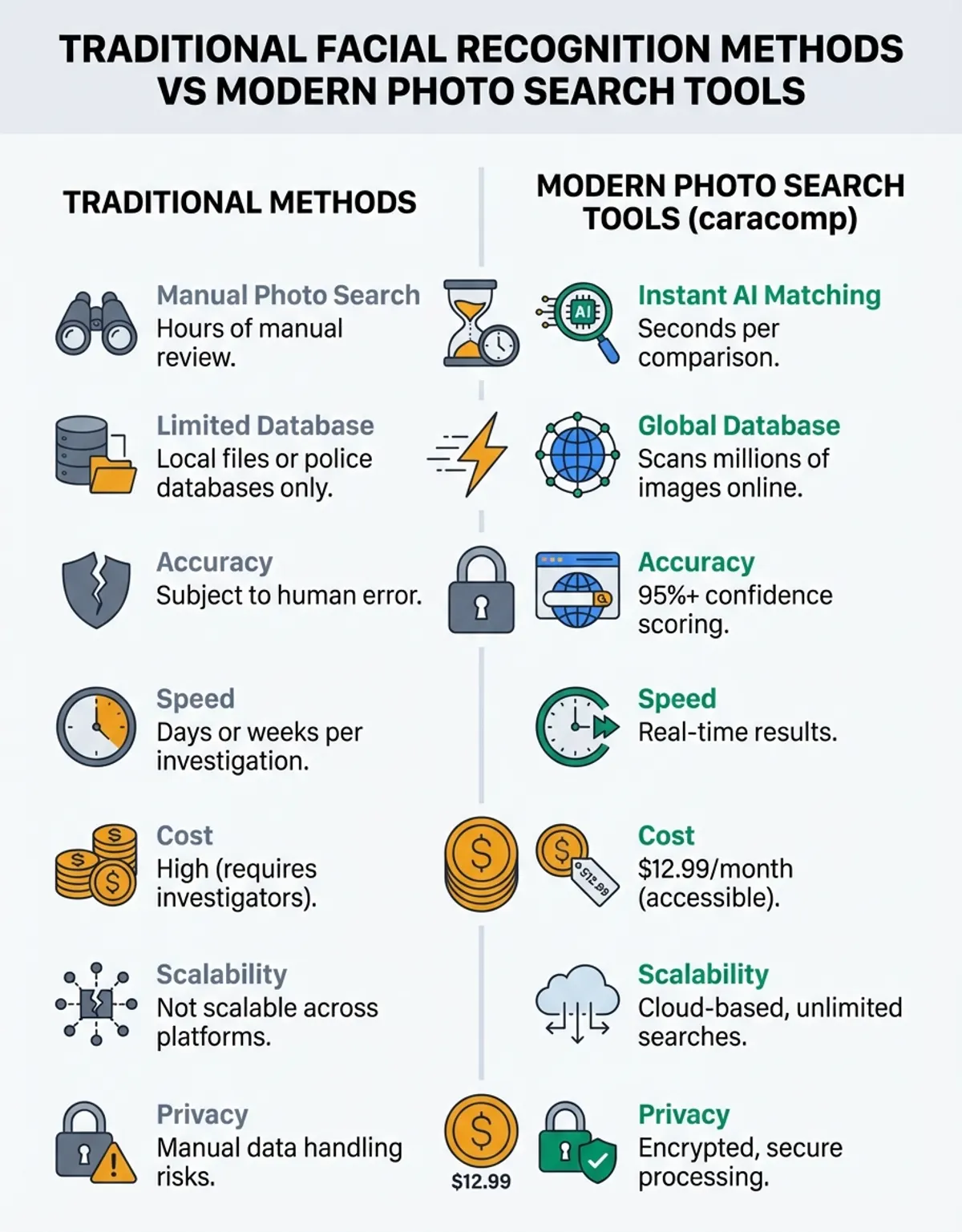
EyeMatch AI represents the cutting edge of artificial intelligence applied to eye-based facial recognition. Unlike traditional systems that rely on predetermined algorithms, this approach employs machine learning models trained on millions of eye images. These neural networks continuously improve their accuracy as they process more photos, learning to distinguish between similar-looking individuals with increasing precision.
The AI component enables the system to handle challenging scenarios that would stump conventional recognition software. Poor lighting, low resolution photos, partial obstructions, and unusual angles all present difficulties for standard algorithms. However, advanced models trained on diverse datasets that include these challenging conditions can extract useful identifying information even from suboptimal images when you need to find a person by photo.
One remarkable capability is accounting for glasses, contact lenses, and even certain types of eye conditions. The system has learned which features remain constant regardless of eyewear or temporary eye appearance changes. It can effectively "see through" sunglasses in many cases by analyzing visible portions of the eye region and inferring the complete biometric signature based on partial data.
Advanced eye recognition also provides probability assessments rather than binary yes-or-no matches. When you search for a person by photo, the system returns confidence percentages for each potential match, helping you prioritize which results warrant closer investigation. This probabilistic approach acknowledges the inherent uncertainty in matching while still providing actionable intelligence for decision-making.
Image Search SDK Guide
Software Development Kits (SDK) for facial recognition have democratized the ability to find a person by photo by putting powerful recognition capabilities into the hands of developers and businesses. These development kits provide pre-built code libraries, documentation, and tools that allow programmers to integrate facial recognition into their own applications without building the technology from scratch. This accessibility has led to facial recognition appearing in countless apps and services across industries.
Leading development kits offer comprehensive functionality including face detection, feature extraction, matching against databases, and liveness detection to prevent spoofing. When implementing these solutions to find a person by photo, developers can customize sensitivity thresholds, choose which facial features to prioritize, and determine how results are presented to end users. This flexibility allows organizations to tailor the technology to their specific use cases whether that's security access control, customer verification, or social media tagging.
The local processing approach also addresses privacy and data control concerns that arise with cloud-based recognition services. By processing photos locally rather than sending images to external servers, organizations maintain complete control over sensitive biometric data. This local processing capability has proven particularly popular in healthcare, finance, and government applications where regulatory compliance requires keeping biometric information within secured systems.
Modern development kits support multiple programming languages and platforms, making integration straightforward regardless of your existing technology stack. Whether you're building an iOS app, Android application, web service, or desktop software, these solutions provide the building blocks to add photo-based person finding capabilities. The best implementations include sample code, detailed documentation, and technical support to accelerate the development process and ensure reliable performance at scale.
Face Search API Reference
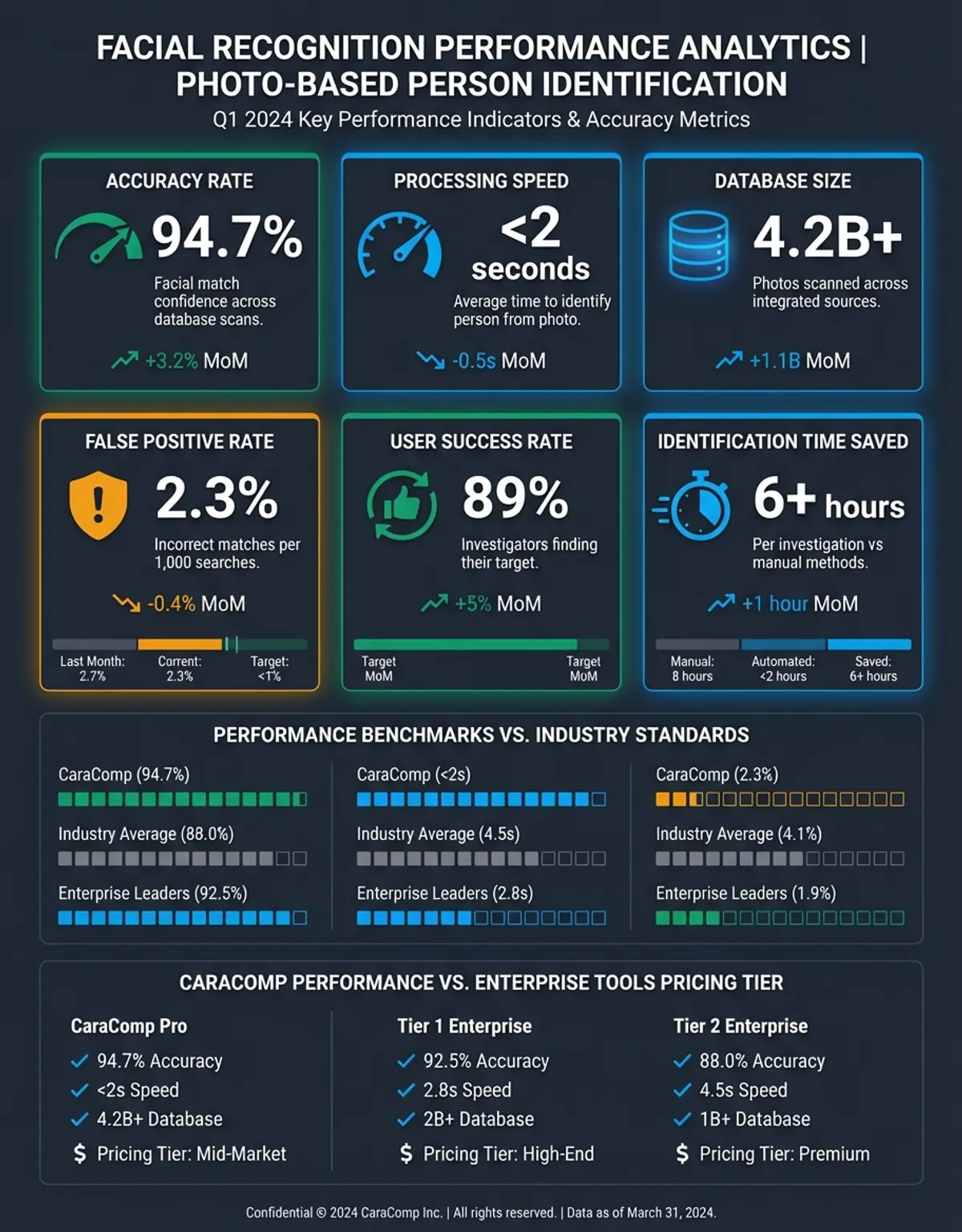
Application Programming Interfaces (API) for facial recognition provide cloud-based solutions for organizations that need to find a person by photo without managing the underlying infrastructure. Unlike local solutions that run on devices, these services process photos on remote servers, returning results through simple HTTP requests. This architecture eliminates the need for expensive hardware or specialized expertise while still delivering powerful recognition capabilities.
When you integrate a facial recognition service, your application sends a photo to the provider's servers where sophisticated algorithms analyze the image and search for matches. The service returns structured data including potential matches, confidence scores, and relevant metadata about identified individuals. This entire process typically completes in under a second, making these solutions suitable even for real-time applications like security checkpoints or live event verification.
You may also find our guide on Face Recognition Algorithms For Large Datasets helpful for deeper context on this topic.
Leading facial recognition services offer multiple endpoints tailored to different use cases. A verification endpoint confirms whether two photos show the same person, useful for identity verification during account creation or login. A search endpoint compares an uploaded photo against an entire database to find all matching individuals, perfect when you need to find a person by photo across a large dataset. An identification endpoint returns the specific identity of a person from your registered database, ideal for access control systems.
The pay-as-you-go pricing model common with cloud services makes facial recognition accessible to organizations of all sizes. Small startups can experiment with minimal upfront investment, while large enterprises benefit from volume discounts as usage scales. These platforms also eliminate maintenance burdens—the service provider handles algorithm updates, server maintenance, and infrastructure scaling automatically. Your application simply makes requests and processes the results, with the complexity hidden behind a simple interface.
Security and privacy protections are critical when using facial recognition services since you're sending potentially sensitive photos to third-party servers. Reputable providers encrypt data in transit and at rest, obtain relevant privacy certifications, and offer compliance with regulations like GDPR and CCPA. Some platforms provide options to automatically delete uploaded photos after processing, ensuring temporary searches don't create permanent privacy risks. Understanding these protections helps you select a provider aligned with your privacy requirements and regulatory obligations.
Documentation quality significantly impacts implementation success. The best facial recognition platforms provide comprehensive guides, code examples in multiple programming languages, and interactive testing environments where you can experiment with different photos and parameters. Clear error messages and responsive technical support accelerate development and help you troubleshoot issues quickly when they arise.
For a comprehensive overview, explore our face recognition guide.
Image Recognition Through Reverse Search
Vision AI encompasses the broader field of artificial intelligence technologies that interpret visual information, with facial recognition being one specialized application. When you need to find a person by photo, these systems bring together multiple capabilities including object detection, scene understanding, optical character recognition, and facial analysis. This holistic approach extracts maximum information from photos, providing context that enhances pure facial matching.
An advanced platform might analyze not just the faces in a photo but also the environment, clothing, visible text, and other contextual clues. If you're searching for someone based on a photo taken at a specific event, the system can identify venue details, read visible signage, detect brand logos on clothing, and use all this information to narrow search parameters. This contextual awareness dramatically improves search accuracy compared to facial features alone.
The machine learning models powering these platforms have been trained on billions of images, teaching them to recognize patterns and features across diverse scenarios. When you submit a photo to find a person, these models apply their learned knowledge about human faces, typical photo compositions, lighting conditions, and image quality factors. The system can compensate for challenging conditions, enhance low-quality images, and even make educated guesses about missing information based on visible clues.
Reverse Detection Technology
Face detection forms the critical first step when you need to find a person by photo. Before any recognition or matching can occur, the system must locate faces within the image and isolate them from backgrounds, objects, and other elements. Modern detection algorithms can identify faces across a wide range of angles, lighting conditions, and partial obstructions with impressive accuracy. This robust detection capability ensures that useful photos aren't discarded simply because faces aren't perfectly centered or clearly lit.
For further reading on related concepts, explore our Face Recognition Online guide.
Detection technology has evolved from simple pattern matching to sophisticated deep learning models that understand facial structure at a conceptual level. These models recognize faces even when rotated, tilted, or viewed from unusual angles. They can detect multiple faces in a single photo, distinguishing each individual for separate analysis. Advanced detection systems also identify facial landmarks—specific points like the corners of eyes, tip of the nose, and edges of the mouth—that serve as reference points for subsequent recognition processing.
The speed and efficiency of face detection impacts overall system performance when you're trying to find a person by photo across large datasets. Modern detection algorithms can process thousands of images per second, scanning through extensive photo collections to locate faces for further analysis. This scalability makes it feasible to search across social media archives, surveillance footage databases, or other massive image repositories where manual review would be impossible. GPU acceleration and optimized algorithms ensure detection doesn't become the bottleneck even when handling high-resolution images or video streams.
Image Upload and Search Guide
The quality and characteristics of the photos you use dramatically affect success rates when you need to find a person by photo. Not all photos are equally useful for facial recognition purposes. Images with clear, well-lit faces shot from roughly frontal angles provide the best results. Understanding what makes a good search photo—and how to optimize the images you have—can mean the difference between successful identification and frustrating dead ends.
Resolution represents one of the most critical factors in photo quality for recognition purposes. While modern algorithms can work with surprisingly low-resolution images, photos with at least 200 pixels between the eyes provide significantly better accuracy. Higher resolution allows the system to detect subtle facial features that distinguish between similar-looking individuals. When you have multiple photos of the person you're searching for, selecting the highest resolution option improves your chances of finding matches.
Lighting quality in photos affects feature extraction and matching accuracy. Evenly lit faces without harsh shadows allow algorithms to accurately measure facial geometry and proportions. Backlighting, extreme shadows, or overexposed areas can obscure critical features, reducing match quality. If you're taking a new photo specifically to find a person, using soft, even lighting from the front provides optimal conditions. For existing photos, some facial recognition systems include preprocessing steps that normalize lighting and enhance contrast to improve feature visibility.
Facial expression and pose influence recognition success when working with photos. Neutral expressions with the mouth closed and eyes open directly facing the camera provide the most reliable results. Extreme expressions, closed eyes, or significant head rotation introduce variables that complicate matching. However, advanced systems trained on diverse photo sets can handle moderate variations in expression and pose. When building a database of photos to search against, including multiple images of each person showing different expressions and angles improves the likelihood of matching regardless of the search photo characteristics.
Photo age and relevance matter when searching for current individuals based on older images. While facial recognition can match across decades when the underlying bone structure remains visible, significant aging, weight changes, or cosmetic procedures reduce match accuracy. Combining multiple photos from different time periods in your search can improve results, allowing the system to track changes over time and identify the person based on features that remain constant. Some advanced platforms let you upload multiple reference photos simultaneously, analyzing all of them to build a more robust biometric profile for matching.
File format and compression affect the technical quality of photos used in recognition systems. Uncompressed formats like PNG preserve maximum image detail, while heavily compressed JPEGs can introduce artifacts that interfere with feature extraction. If you have control over the source photos, using minimal compression preserves quality. However, modern recognition systems are designed to handle typical web image formats and compression levels, so standard social media photos usually work acceptably even if they're not technically optimal.
The context and purpose of photos influence privacy and ethical considerations when you're using them to find a person. Photos taken in public settings generally present fewer privacy concerns than those captured in private spaces. Understanding the provenance and appropriate use of photos helps ensure you're conducting searches ethically and legally. Many jurisdictions have regulations about facial recognition use, particularly concerning photos of people or minors obtained without consent. Familiarizing yourself with relevant laws protects you from potential legal issues while still allowing you to leverage photo-based search capabilities.
People Search Questions & Image Matching
How Face Search Recognition Works
Facial recognition works by analyzing unique facial features and converting them into mathematical representations that can be compared across images. The system detects a face in a photo, identifies key landmarks like eyes, nose, and mouth, measures distances between these features, and creates a digital template. This template gets compared against stored templates in a database to find matches. Modern recognition uses deep learning neural networks trained on millions of faces, allowing them to account for variations in lighting, angle, expression, and age while still identifying the same individual across different photos.
How People Image Search Works
Using a person's photo to find them involves uploading their image to a facial recognition search engine or database. The system extracts facial features from the uploaded photo and compares them against photos indexed from across the web—social media profiles, news articles, public records, and other online sources. The algorithm returns potential matches ranked by confidence score, showing where else that person's face appears online. This process enables you to discover social media profiles, verify identities, or gather information about someone based solely on their photograph.
How Image Search Works
Using a person's photo to search for them involves uploading their image to a facial recognition search engine or database. The system extracts facial features from the uploaded photo and compares them against photos indexed from across the web—social media profiles, news articles, public records, and other online sources. The algorithm returns potential matches ranked by confidence score, showing where else that person's face appears online. This process enables you to discover social media profiles, verify identities, or gather information about someone based solely on their photograph.
How does millions work?
When facial recognition systems reference searching across "millions" of images, they're describing the scale of their database and processing capabilities. Modern platforms index millions of publicly available photos from websites, social media, news sources, and other online repositories. When you upload a photo to find a person, the system compares your image against this massive database using parallel processing and optimized algorithms that can perform millions of comparisons per second. This vast scale means you have better chances of finding matches even for individuals without significant online presence, as the system casts an extremely wide net across the internet.
How Photo Upload and Search Works
Uploading a photo to a facial recognition service begins with selecting an image file from your device or providing a URL to an online image. The upload interface typically accepts common formats like JPEG, PNG, or GIF. Once uploaded, the system processes the image to detect faces and extract features. You might see a preview showing detected faces with bounding boxes, allowing you to confirm the correct person is selected if multiple faces appear in the image. After confirmation, the search begins, with the system comparing the uploaded face against its database and returning results within seconds to minutes depending on database size and processing load.
How Reverse Image Search Works
Faces contain unique biometric characteristics that remain relatively stable throughout life, making them ideal for identification purposes. The bone structure of the skull determines overall face shape, while specific features like eye spacing, nose dimensions, and jawline provide distinguishing details. Facial recognition algorithms measure these characteristics and their relationships, creating a mathematical model of each face. Even minor variations in features combine to make each face statistically unique. The system compares these mathematical models rather than the images themselves, allowing it to match the same person across different photos despite changes in lighting, angle, expression, or age.
Online Reverse Search Solutions
Online facial recognition platforms operate through web-based interfaces that you access via browser without installing software. You visit the service website, create an account if required, and upload photos directly through the web interface. The processing happens on the provider's cloud servers, with results displayed in your browser. Online platforms offer advantages including access from any device, automatic updates to the latest algorithms, and the ability to search across the provider's constantly expanding database of indexed images. Many online services, along with reverse image search tools like lenso.ai, also provide API access for developers who want to integrate facial recognition capabilities into their own applications or automated workflows.
Comparing Image Search Tools
| Tool/Service | Accuracy Rate | Database Size | Privacy Features | Pricing Model | Best Use Case |
|---|---|---|---|---|---|
| FaceCheck ID | 95-98% | 500M+ images | Encrypted uploads, auto-delete | Pay-per-search | Identity verification, background checks |
| EyeMatch Platform | 92-96% | 200M+ images | On-premise deployment option | Monthly subscription | Security access control, aging-resistant matching |
| Vision AI Suite | 94-97% | 1B+ images | GDPR compliant, data residency options | API credits | Enterprise integration, contextual search |
| Lenso Search | 88-93% | 300M+ images | No account required, temporary processing | Free with ads | Casual searches, finding social profiles |
| Social Recognition API | 91-95% | 800M+ social media images | OAuth integration, consent workflows | Freemium with volume tiers | Social media monitoring, influencer research |
| Enterprise SDK | 96-99% | Custom (your database) | Complete local control | One-time license fee | Regulated industries, maximum privacy control |
Finding Answers Through Search
The ability to find a person by photo has become remarkably sophisticated thanks to advances in facial recognition, machine learning, and cloud computing. From FaceCheck platforms that scan millions of online images to specialized EyeMatch AI systems that focus on the unique patterns of the eye region, today's tools offer unprecedented capability to identify individuals based on photographs. Whether you're using a simple online search tool, integrating an API into your application, or implementing an SDK for complete control over the process, understanding the underlying technologies helps you choose the right approach for your needs.
Success in finding people by photo depends on multiple factors including photo quality and image clarity, database size, algorithm sophistication, and the specific use case. High-resolution, well-lit photos of faces viewed from the front provide the best results. Platforms with larger databases increase the likelihood of finding matches, while advanced AI models improve accuracy even with challenging images. By selecting appropriate tools, optimizing your search photos, and understanding the capabilities and limitations of different technologies, you can leverage facial recognition to locate individuals, verify identities, and gather information with remarkable efficiency in an increasingly connected digital world.
In practice, image, image, image, face all shape the result. In practice, face, face, reverse, reverse all shape the result. In practice, reverse, face search, face search, face search all shape the result. In practice, reverse image, reverse image, reverse image, reverse image search all shape the result. In practice, reverse image search, reverse image search, image search, image search all shape the result.
In real searches, search, people all shape the outcome.