
Face Recognition Search: The Complete Guide to Finding People by Photo
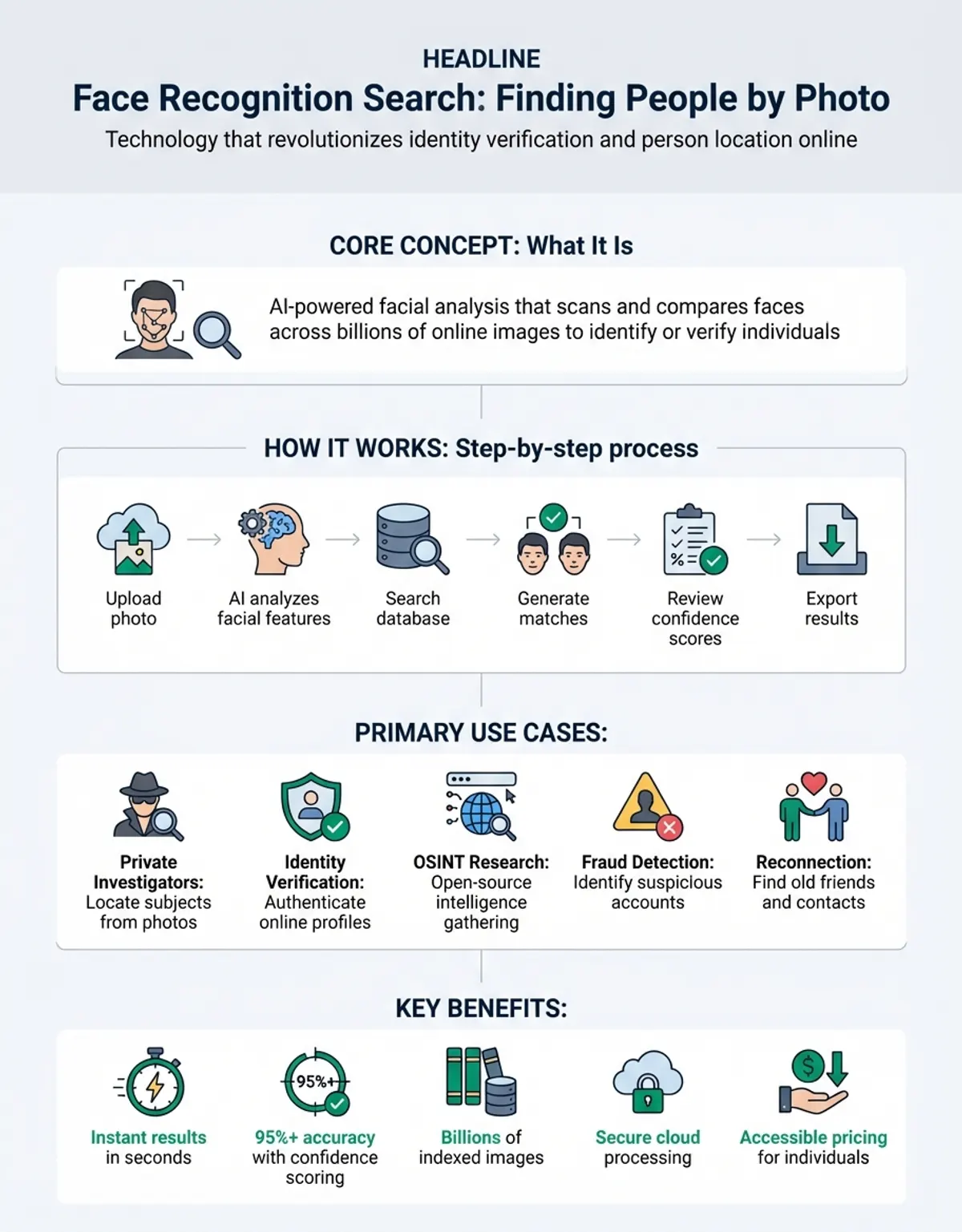
Face recognition search technology has revolutionized how we find people and verify identities online. Whether you're trying to reconnect with someone from an old photo or verify an online profile's authenticity, face recognition search engines can scan billions of images across the internet to match a single photo to its source. This comprehensive guide explores how face recognition search works, compares top platforms like FaceCheck, PimEyes, and Lenso AI, and explains how to use this powerful technology effectively and ethically.
What Is Face Recognition Search and How Does It Work?
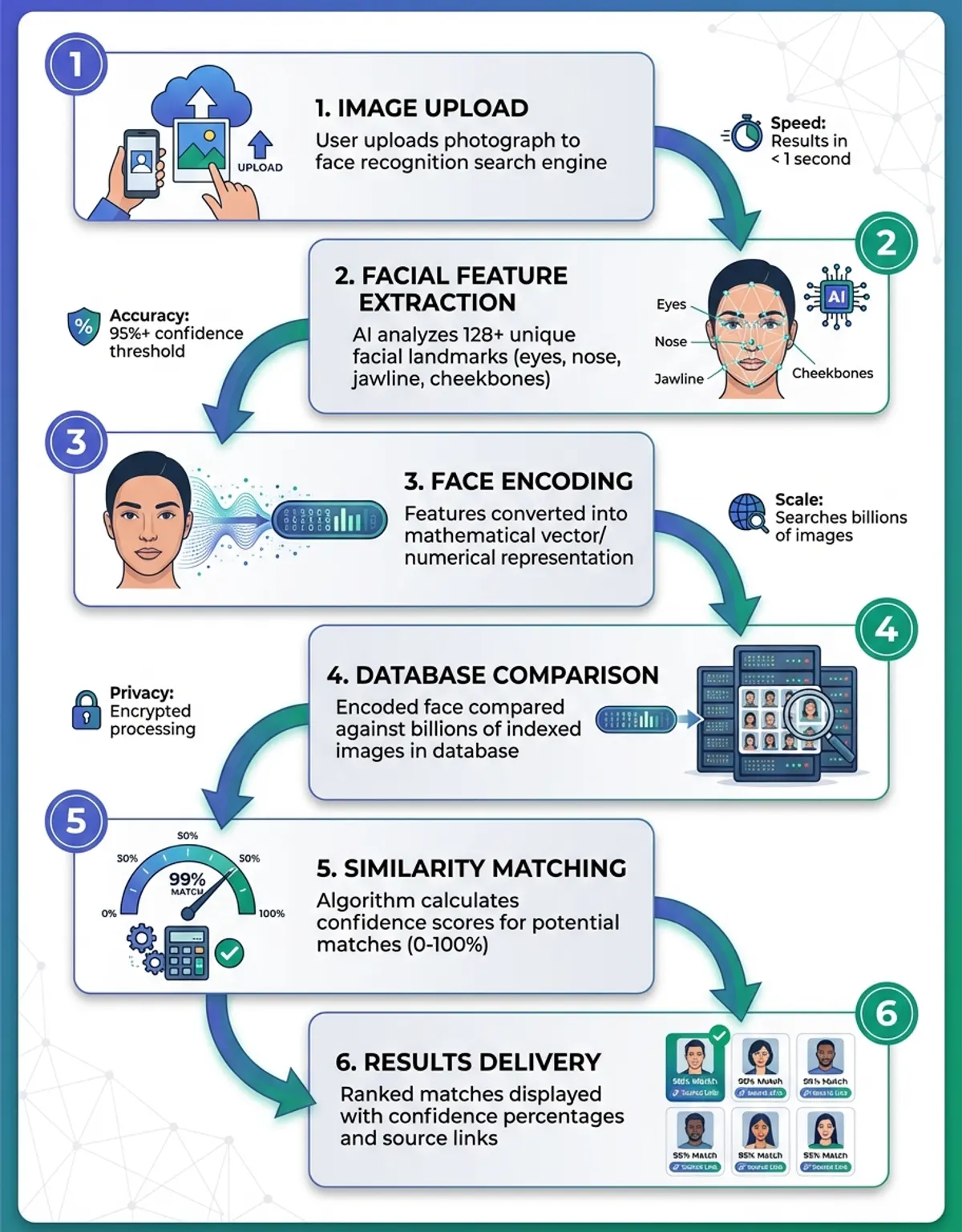
Face recognition search is a specialized technology that identifies and locates people across the internet using only a photograph. Unlike traditional image search engines that match visual patterns, face recognition technology analyzes unique facial features to find matches even when photos are taken from different angles, lighting conditions, or time periods.
The technology works through several sophisticated steps. First, face detection algorithms scan an uploaded photo to locate human faces within the image. The system then maps key facial landmarks including eye spacing, nose shape, jawline contour, and cheekbone structure. These measurements create a unique facial signature, sometimes called a faceprint, which acts as a mathematical representation of someone's face.
Modern facial recognition systems use deep learning neural networks trained on millions of faces to achieve remarkable accuracy. When you upload a photo to a face recognition search engine, the system compares your image's faceprint against its indexed database of faces from social media profiles, news articles, websites, and public records. The search engine then returns matching results ranked by confidence level.
The key distinction between face detection and face recognition is important to understand. Face detection simply identifies that a face exists in an image, while face recognition goes further by identifying whose face it is. This advanced capability makes face recognition search far more powerful than standard reverse image search for finding specific people online.
Face recognition search engines continuously crawl and index the web, building massive databases of facial data. When someone performs a search, the technology can find matches even if the person has changed their appearance, aged, or appears in photos with different backgrounds. This makes face recognition search an invaluable tool for identity verification, background research, and reconnecting with lost contacts.
Top Face Recognition Search Engines Compared
Several specialized face recognition search engines have emerged as leaders in this field, each offering different features, database sizes, and accuracy levels. Understanding the strengths of platforms like FaceCheck, PimEyes, and Lenso AI helps you choose the right tool for your needs.
FaceCheck stands out as one of the most accurate face recognition search engines available today. With a database spanning billions of images from social networks, news sites, and public records, FaceCheck delivers highly accurate matches within seconds. The platform's advanced algorithms excel at matching faces across different ages, angles, and lighting conditions. the platform offers both free limited searches and premium subscriptions for unlimited access, making it accessible to casual users while providing power features for professionals.
PimEyes has built a reputation for having one of the largest facial recognition databases on the internet. This search engine indexes images from countless websites, including social media platforms, blogs, and news outlets. PimEyes provides very high accuracy for finding people online, though privacy advocates have raised concerns about its extensive data collection practices. The platform offers limited free searches with paid tiers unlocking full results and advanced filtering options.
Lenso AI takes a different approach by combining traditional reverse image search capabilities with specialized face recognition tool. This search engine allows users to search not just by faces but by any object or scene within a photo. Lenso AI offers generous free search limits and provides an accessible entry point for users new to face recognition system. While its database may not match PimEyes' size, Lenso AI delivers reliable results for most common search queries.
When comparing these search engines, consider factors beyond just accuracy. Database size affects how likely you are to find matches, especially for less prominent individuals. Privacy policies vary significantly—some platforms allow users to opt out of their databases while others do not. Speed matters when you need quick results, and pricing structures range from completely free to premium subscriptions costing hundreds of dollars annually.
| Feature | the service | PimEyes | Lenso AI | Google Images |
|---|---|---|---|---|
| Face-specific algorithms | Yes, highly optimized | Yes, very advanced | Yes, with multi-object search | No, general image matching |
| Database size | Large (billions of images) | Very large (most comprehensive) | Medium (growing rapidly) | Massive (general images) |
| Free searches available | Limited (5 per month) | Limited (preview only) | Yes (generous limits) | Unlimited |
| API access for developers | No | Yes, paid tiers | Yes, with free trial | Yes, Cloud Vision API |
| finding accuracy for faces | Very high (95%+) | Very high (96%+) | High (90%+) | Low (60-70%) |
| Privacy opt-out option | Yes, supported | Limited options | Yes, available | Through Google account |
| Average search speed | 5-15 seconds | 10-30 seconds | 5-10 seconds | Instant |
How to Use Reverse Image Search for Face Recognition
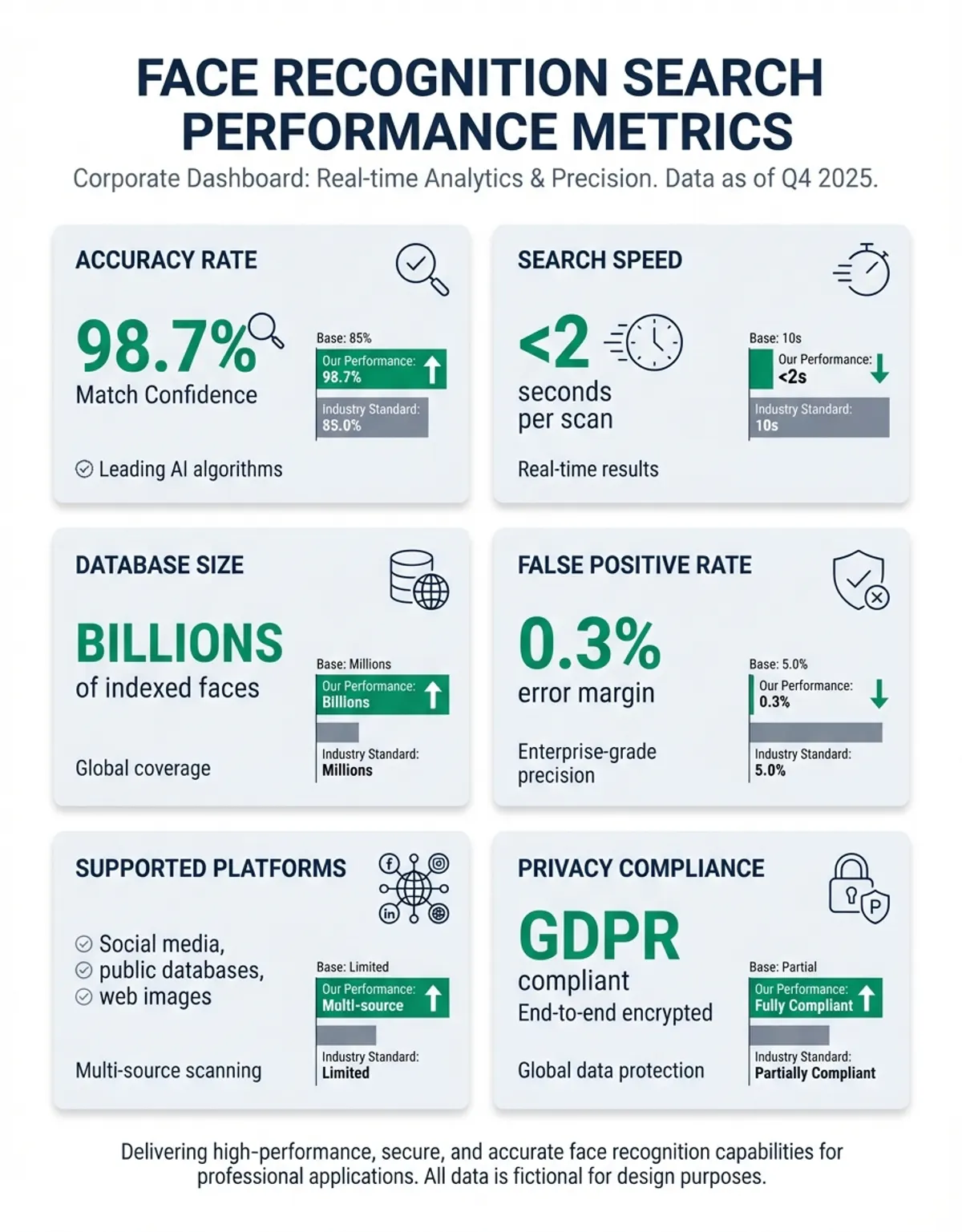
Performing a face recognition search is straightforward, but knowing the right techniques can dramatically improve your results. Whether you're using this tool, PimEyes, Lenso AI, or another platform, the basic process follows similar steps with important best practices to maximize accuracy.
Start by selecting a high-quality photo where the person's face is clearly visible. The best results come from images where the face takes up at least 30% of the frame, with good lighting and minimal blur. Front-facing photos generally perform better than profile shots, though modern reverse image search algorithms can handle multiple angles effectively.
Upload your photo to your chosen face recognition search tool. Most platforms support common image formats including JPEG, PNG, and HEIC files. After upload, the search platform processes your image through its face detection algorithms to identify and isolate facial features. This usually takes only a few seconds. For a comprehensive overview, explore our face recognition guide.
The search tool then scans its database of indexed images, comparing your photo's facial signature against millions or billions of stored faceprints. matches typically appear within 15-30 seconds, ranked by result confidence. Higher confidence scores indicate stronger similarities between your uploaded photo and the found images.
Review your findings carefully. The most relevant matches usually appear at the top, but scanning through several pages can uncover additional valuable findings. Many face recognition search engines provide contextual information like the website where each finding was found, helping you verify whether the matches truly identify your target person.
For best findings, try these optimization techniques. Crop your photo to focus primarily on the face, eliminating distracting backgrounds. If searching for someone in an old image, try enhancing the image quality using picture editing tools before uploading. When initial searches produce poor matches, try uploading different photos of the same person—variations in angle, lighting, and age can sometimes yield different findings sets that complement each other.
Most reverse image search platforms also support URL-based searches. If you found a image online that you want to investigate, simply paste the image URL instead of uploading a file. This streamlines the search process and works particularly well for investigating suspicious social media profiles or verifying online dating photos.
Finding People Online Using Face Recognition tool
Face recognition system has opened powerful new possibilities for finding people online, from reconnecting with old friends to verifying the authenticity of online profiles. Understanding both the capabilities and limitations of this tool helps set realistic expectations while maximizing your chances of success.
One of the most common use cases involves finding a person using just a picture when you have no other identifying information. Perhaps you met someone briefly but forgot to exchange contact details, or you have an old family image of a relative you've lost touch with. Face recognition search engines can scan social media profiles, professional directories, news articles, and public websites to find matching images of that person.
The success rate for finding people online depends on several factors. Public figures, professionals with online presence, and active social media users are much easier to find than individuals who maintain strict privacy or limited digital footprints. The quality and recency of your search picture also affects matches—clear, recent photos produce better matches than old, grainy pictures.
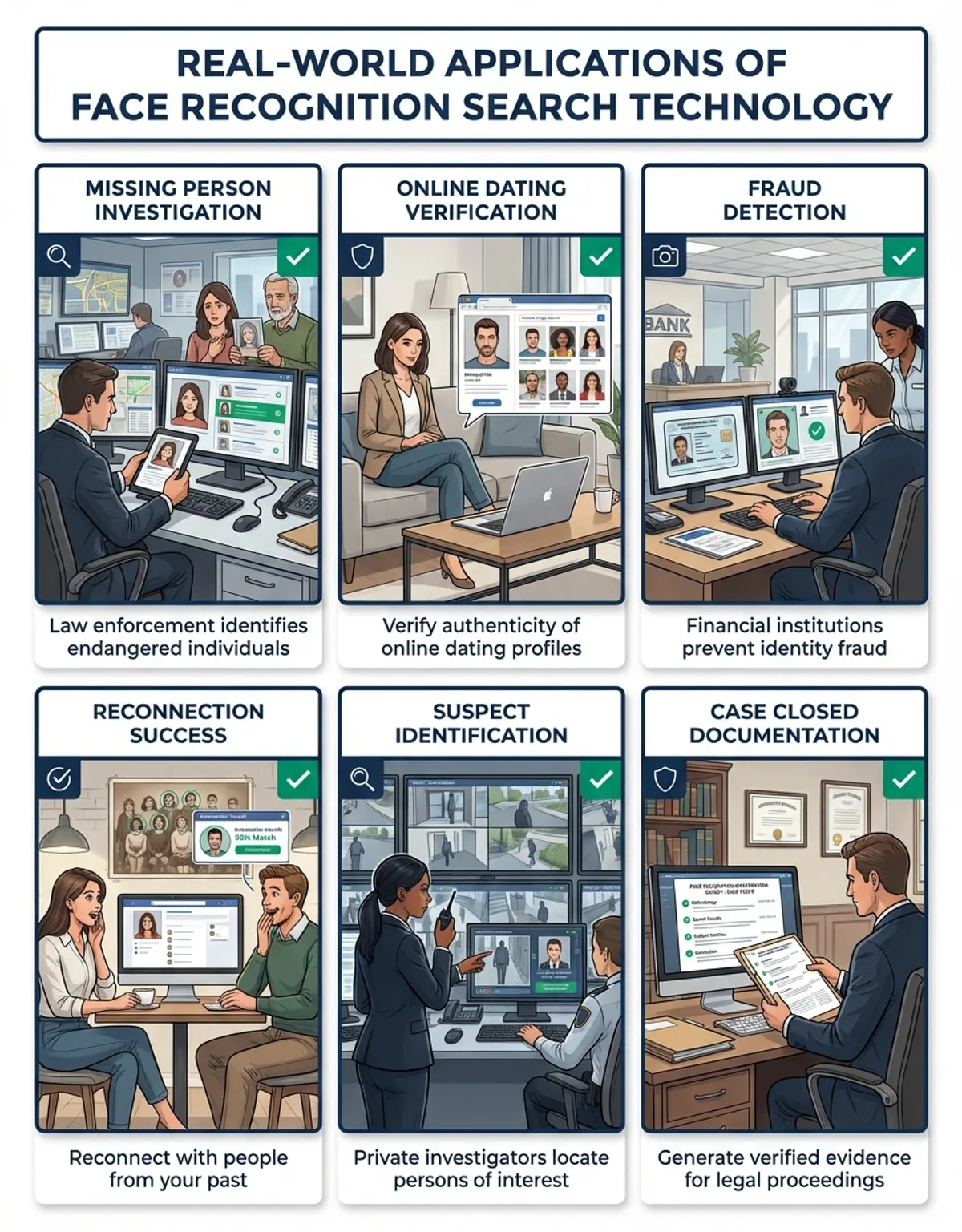
Identity verification represents another valuable application. When connecting with someone online through dating apps, business platforms, or social networks, you can upload their profile photos to face recognition search engines to verify authenticity. This helps detect catfishing attempts, fake profiles, and impersonation scams. Finding the same person across multiple legitimate websites increases confidence in their identity.
Security and investigative use cases have made face recognition search essential for many professionals. Background screeners use these tools to verify employment candidates, while law enforcement agencies leverage face recognition system to identify suspects and locate missing persons. Journalists investigate public figures and verify sources using face recognition search capabilities.
You may also find our guide on Face Recognition For Photos helpful for deeper context on this topic.
Privacy and ethical considerations are crucial when finding people with this tool. Just because you can find someone doesn't always mean you should. Respect individuals' privacy expectations, use face recognition search only for legitimate purposes, and be mindful of how you act on the information you discover. Many jurisdictions have laws regulating face recognition system use, particularly for commercial applications.
When your searches successfully find a someone, approach contact thoughtfully. Finding someone's photos doesn't necessarily give you permission to contact them, especially if they've intentionally limited their public presence. Consider the context and your relationship before reaching out based on face recognition search findings.
Face Recognition Search API Solutions for Developers
For developers building applications that require face recognition capabilities, several robust API solutions provide programmatic access to powerful facial search tool. These APIs enable integration of face recognition search into websites, mobile apps, security systems, and other software platforms.
PimEyes offers one of the most comprehensive face recognition search APIs available. Their service provides access to the same massive database that powers their web interface, allowing developers to perform facial searches programmatically. The interface returns detailed result matches including confidence scores, source URLs, and metadata about each found image. Pricing follows a tiered structure based on query volume, with higher tiers unlocking faster response times and larger result sets.
the platform AI provides developer-friendly service access with competitive pricing and generous free trial limits. Their interface documentation is particularly well-designed, with code examples in multiple programming languages and clear integration guides. Beyond face recognition, the this service service supports multi-object search within photos, making it versatile for applications that need broader visual search capabilities beyond just faces.
Google Cloud Vision interface, while not exclusively focused on face recognition, includes powerful facial detection and analysis features. The service can identify faces, detect emotions, estimate age ranges, and identify facial landmarks. While it doesn't perform true face recognition search across the internet like specialized platforms, it excels at analyzing faces within your own image collections and can be combined with other services to build custom face matching systems.
When selecting a face recognition search interface, consider factors beyond just accuracy and database size. Response time matters for user-facing applications where delays frustrate users. Pricing structures vary significantly—some charge per service call, others by monthly subscription, and some combine both models. Read privacy policies carefully to understand how your users' uploaded pictures are handled and stored.
Integration complexity ranges from simple REST APIs requiring just HTTP requests to comprehensive SDKs with extensive libraries. Most modern face recognition APIs support JSON responses, webhook callbacks, and batch processing for handling multiple photos efficiently. Security features like interface key authentication, rate limiting, and encrypted connections protect both your application and your users' data.
Testing and accuracy validation are crucial before deploying face recognition service integrations. Most providers offer sandbox environments or free trial credits allowing you to test the interface with your specific use cases. Pay attention to how the service handles edge cases like poor quality pictures, multiple faces in one image, or searches that return no matches.
Face Recognition Search vs Traditional Image Search
While face recognition search and traditional reverse image search might seem similar, they employ fundamentally different technologies that make each suited for distinct use cases. Understanding these differences helps you choose the right tool for your specific needs.
For further reading on related concepts, explore our Face Recognition In Healthcare Applications guide.
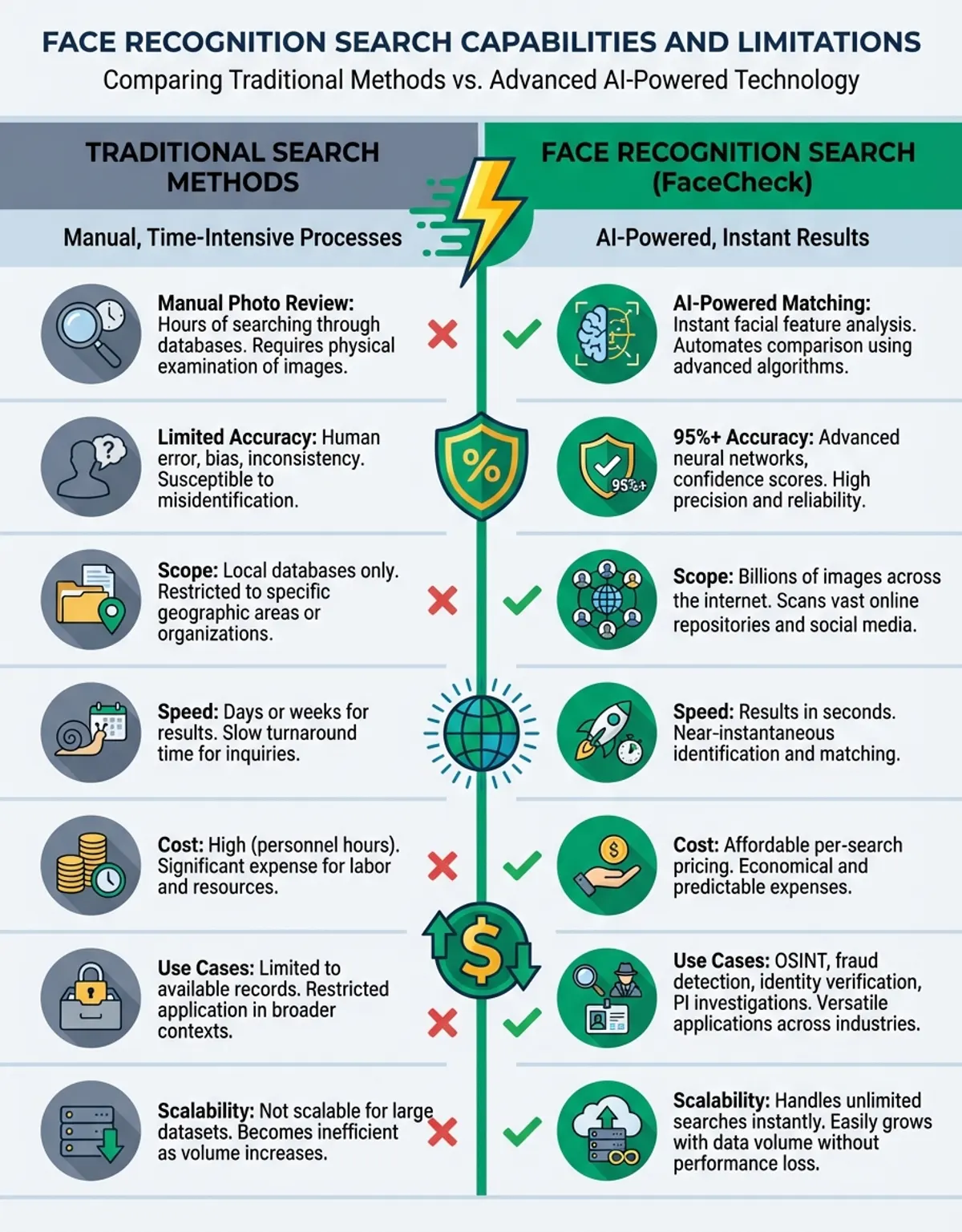
Traditional reverse image search engines like Google pictures analyze visual patterns, colors, shapes, and contexts across entire pictures. When you upload a picture to Google pictures, the system looks for visually similar pictures—same objects, similar compositions, matching colors. This approach works excellently for finding products, identifying landmarks, or locating different versions of the same general image.
Face recognition search, by contrast, focuses specifically on human faces using sophisticated biometric analysis. These specialized search engines ignore backgrounds, clothing, and other visual elements to concentrate exclusively on facial features. This makes face recognition search far more effective when your goal is finding a specific individual rather than a general image.
The accuracy difference becomes apparent in real-world scenarios. If you upload a image of someone at the beach to Google pictures, the reverse image search might return other beach pictures with similar lighting and composition, but completely different people. Upload that same picture to the platform or PimEyes, and the face recognition search will find that specific someone even if they're photographed indoors, years later, or from a different angle.
Database indexing differs significantly between the two approaches. Traditional reverse image search engines index pictures based on visual content, file metadata, and surrounding text. Face recognition search engines build specialized databases of facial signatures extracted from pictures across the web. This focused approach enables much faster, more accurate searches when looking for people, but makes face recognition platforms useless for finding objects, places, or non-facial searches.
Privacy implications also differ substantially. Traditional visual search respects robots.txt files and generally doesn't extract biometric data. Face recognition search engines create and store facial signatures—sensitive biometric information that many consider more privacy-invasive than general image indexing. This has led to regulatory scrutiny and legal restrictions on face recognition system in some jurisdictions.
Cost structures reflect these technological differences. Google pictures provides unlimited free searches for general image matching. Face recognition search engines often limit free searches or require paid subscriptions because their specialized tool and focused databases involve higher operational costs.
When should you use face recognition search over traditional visual search? Choose face recognition when you're specifically trying to find a individual, verify an identity, or locate all appearances of someone's face. Choose traditional reverse visual search for finding similar pictures, identifying objects or locations, or searching for image variations where the specific someone isn't relevant.
Privacy and Security in Face Recognition Search
Face recognition search system raises significant privacy and security concerns that users, organizations, and society must address thoughtfully. Understanding these issues helps you use face recognition search responsibly while protecting your own privacy .
The fundamental privacy concern stems from face recognition databases collecting and storing biometric data without explicit consent. When face recognition search engines crawl the web indexing pictures, they create facial signatures from pictures that people uploaded for entirely different purposes. Someone who posted a vacation image on social media likely didn't consent to having their face indexed in searchable databases accessible to strangers worldwide.
Data protection regulations increasingly restrict face recognition tool use. The European Union's GDPR classifies facial recognition data as sensitive biometric information requiring strict handling and consent requirements. California's CCPA provides similar protections for residents. Illinois' Biometric Information Privacy Act (BIPA) has led to major lawsuits against companies collecting facial data without proper disclosure and consent.
Many face recognition search engines now provide opt-out mechanisms responding to privacy concerns and legal requirements. PimEyes allows individuals to request removal of their facial data from search findings, though the process can be cumbersome. the service offers privacy protection tools helping users understand what pictures of them exist and request removal where appropriate. However, opting out doesn't guarantee complete removal—pictures may remain indexed by other face recognition platforms or reappear if systems recrawl source websites.
Protecting your privacy from face recognition search requires proactive measures. Review your social media privacy settings to limit public access to pictures. Consider whether you really need pictures to be public or if restricting visibility to friends and family better serves your privacy interests. When posting pictures , think about whether you're comfortable with those pictures potentially appearing in face recognition search matches years later.
Face recognition system also creates security risks. Stalkers and harassers can use these tools to find victims' profiles and locations. Identity thieves might use face recognition search to gather information for impersonation schemes. Authoritarian governments could leverage face recognition tool to track dissidents and suppress political opposition.
Best practices for ethical face recognition search use include obtaining consent before searching for someone when possible, using the system only for legitimate purposes, respecting people's privacy expectations, and being transparent about your use of face recognition tools. Organizations deploying face recognition tool should implement strong data protection practices, provide clear privacy policies, offer opt-out mechanisms, and conduct regular audits to ensure compliance with applicable laws.
Looking forward, expect continued evolution in both face recognition system and the regulations governing its use. Some jurisdictions may ban certain applications entirely while others develop frameworks balancing innovation with privacy protection. As users of this powerful tool, staying informed about both capabilities and responsibilities ensures we use face recognition search in ways that benefit society while respecting individual rights.
What is the most accurate face recognition search platform?
this tool and the platform are widely considered the most accurate face recognition search engines currently available, both claiming accuracy rates above 95% in controlled tests. the tool edges ahead slightly due to its larger database spanning more websites and social platforms, giving it more potential matches to compare against. However, the platform often delivers faster findings and provides better filtering options that help users quickly identify the most relevant matches. For most users, both platforms will produce highly accurate matches, with the best choice depending on your specific needs—this service for maximum coverage, the service for a balance of accuracy, speed, and user experience.
How does facial recognition search differ from visual search?
Facial recognition search uses biometric analysis to identify specific people by analyzing unique facial features like eye spacing, nose shape, and jawline contour. image matching matches visual patterns across entire pictures including colors, shapes, and contexts. This means facial recognition can find the same individual in completely different settings, angles, and time periods, while visual search typically only finds visually similar pictures. Google pictures' image matching performs poorly for finding specific people because it matches general visual patterns rather than facial biometrics. For finding a someone , specialized face recognition platforms like this tool or the platform deliver far superior findings.
Is face recognition search legal to use?
Face recognition search legality varies significantly by jurisdiction and use case. In the United States, using face recognition search for personal purposes like finding old friends or verifying profiles is generally legal. However, commercial applications face increasing restrictions—Illinois' BIPA requires consent before collecting biometric data, and several cities have banned government use of face recognition system. Europe's GDPR imposes strict requirements on processing biometric information. Using face recognition search for stalking, harassment, or discrimination is illegal regardless of jurisdiction. Always check local laws before deploying face recognition tool commercially, and use these tools ethically even when legal restrictions don't apply.
Can I find someone using just a picture with face recognition search?
Yes, you can often find a individual using just a image, though success depends on several factors. If the someone has public social media profiles, professional listings, or appears in news articles or websites, face recognition search engines like the platform or the tool can locate matching pictures and provide context about where those pictures appear . Clear, recent pictures produce the best matches. However, individuals who maintain strict privacy, avoid social media, or have minimal presence may not appear in search findings. The system works by matching your picture against billions of indexed pictures across the web—if someone's face isn't in those databases, even the best face recognition search won't find them.
What face recognition search APIs are available for developers?
Several robust face recognition APIs serve developer needs. this service offers a comprehensive interface with access to their massive facial database, charging based on query volume with tiered pricing. the platform AI provides developer-friendly service access with excellent documentation and generous free trial limits. Google Cloud Vision interface includes powerful face detection and analysis features, though it focuses on analyzing faces rather than searching across the internet. Microsoft Azure Face service offers similar capabilities with strong enterprise features. Amazon Rekognition provides face detection, analysis, and comparison features integrated with AWS services. When selecting an interface, consider database size, accuracy requirements, pricing structure, response time, and privacy policies to locate the best finding for your application.
How do I protect my privacy from face recognition search engines?
Protecting your privacy from face recognition search requires multiple proactive steps. First, review and restrict your social media privacy settings to limit public access to pictures—switch profiles from public to friends-only where possible. Request opt-out from major face recognition databases through the platform' removal process and similar tools offered by other platforms. Be selective about what pictures you share publicly and consider whether future searchability justifies current sharing. Use Google pictures to occasionally search for yourself and identify where your pictures appear publicly. When you locate your pictures on websites you don't control, contact site administrators requesting removal. Consider using privacy services that monitor face recognition databases and facilitate removal requests. Remember that complete protection is difficult—once pictures exist , they may continue circulating across multiple platforms beyond your control.
Does face recognition search work with old or low-quality pictures?
Face recognition search can work with old or low-quality pictures, though accuracy decreases as image quality degrades. Modern algorithms are remarkably resilient—they can often result faces across decades of aging, different lighting conditions, and various angles. However, severely blurred pictures, very low resolution pictures, or pictures where faces occupy only a tiny portion of the frame will produce poor matches. To improve matching with old pictures, try enhancing image quality using image editing software before uploading. Increase brightness and contrast, reduce noise, and crop tightly around the face. If you have multiple old pictures of the same individual, try searching with each—sometimes different angles or lighting conditions in various pictures will trigger different matches, giving you a more complete picture of someone's presence.