
Face Recognition For Photos: AI-Powered Organization & Search
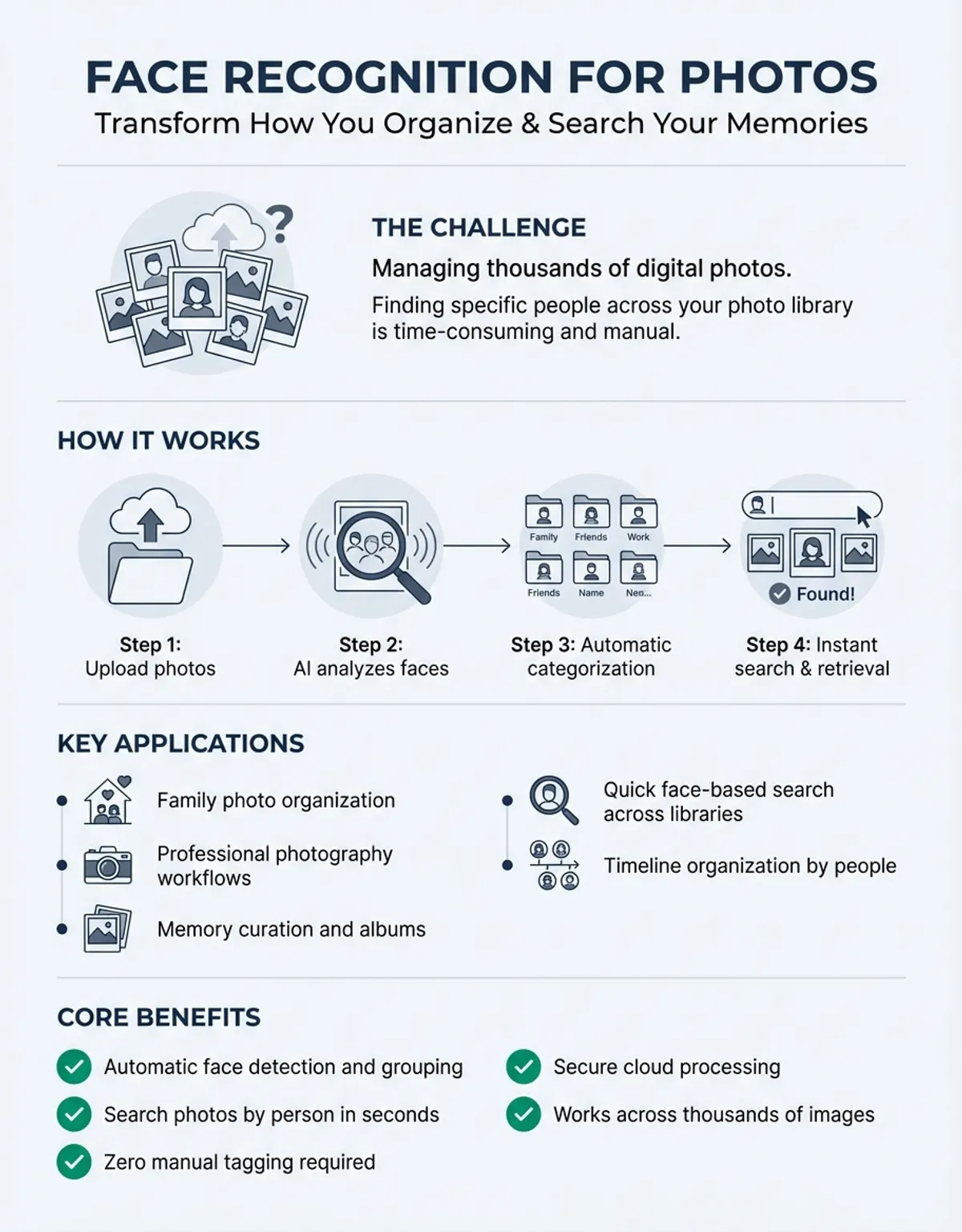
Managing thousands of digital photos has become one of the biggest challenges for modern photographers and families alike. Face recognition for photos transforms how we organize, search, and retrieve memories by automatically identifying and categorizing individuals across your entire photo library. This technology uses advanced AI algorithms to analyze facial features, creating searchable databases that turn hours of manual sorting into seconds of instant results.
Whether you're a professional photographer managing client galleries or a parent trying to find specific childhood moments, face recognition technology offers unprecedented efficiency. Modern photo management software can scan thousands of images, identify unique individuals, and create organized collections without manual effort. The technology has evolved from simple detection to sophisticated recognition that works across different ages, angles, and lighting conditions.
How Face Recognition Technology Works in Photo Libraries
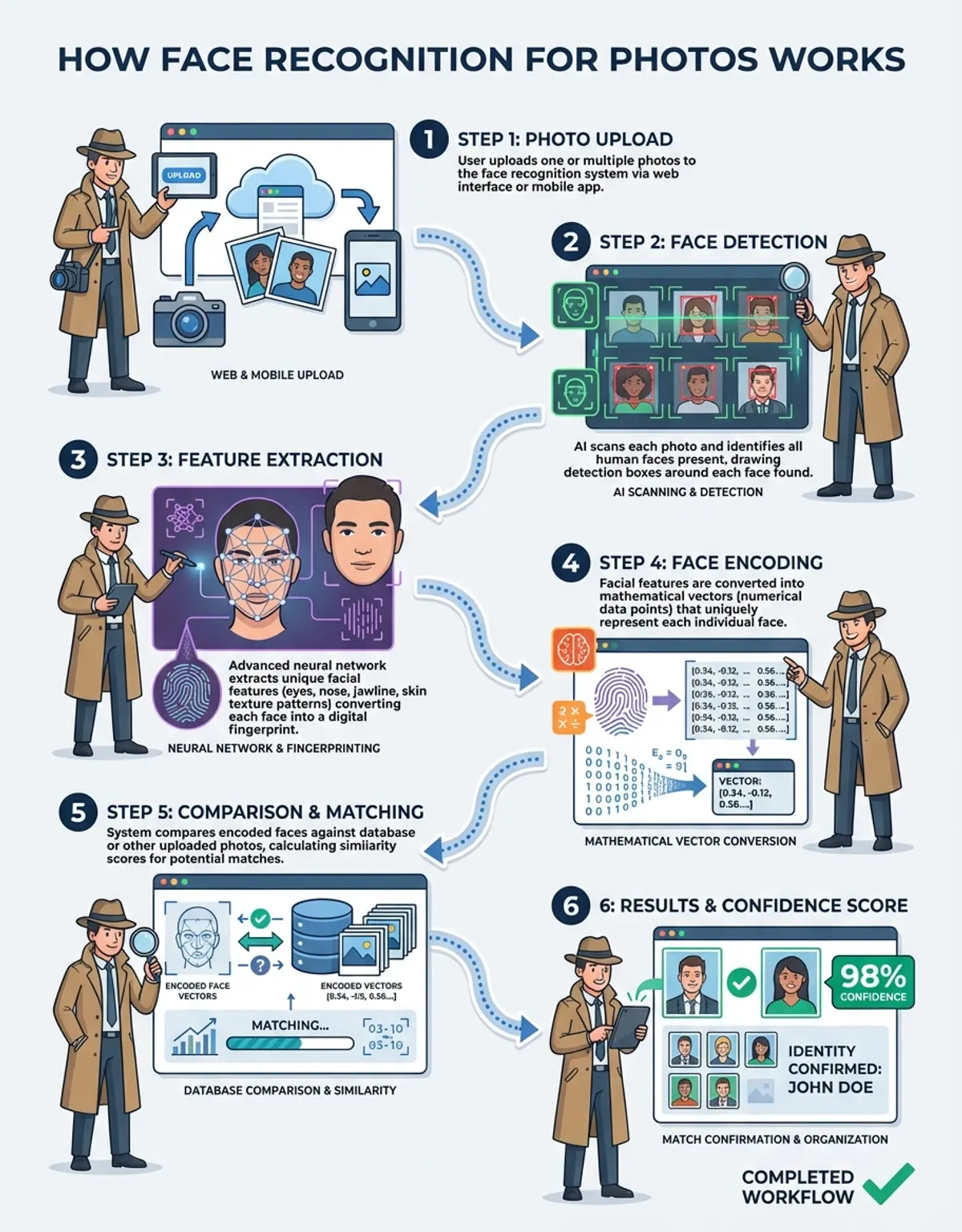
Face recognition for photos operates through a multi-stage process that begins with detection and ends with accurate identification. When you import photos into a recognition system, it first scans each image to locate faces using computer vision algorithms. These algorithms identify facial landmarks like eyes, nose, mouth, and overall face shape, creating a unique mathematical representation called a face embedding or face print.
Once faces are detected, the software analyzes distinctive features including the distance between eyes, nose width, jawline contours, and dozens of other measurements. This biometric data gets converted into a numerical template that remains consistent even when the person appears in different photos with varying expressions, lighting, or angles. The system then compares these templates across your entire photo library to identify matching faces and group them together.
Modern AI-powered photo organizers use deep learning neural networks trained on millions of faces to achieve remarkable accuracy. These systems continuously improve as they process more images from your collection, learning to recognize individuals across time as they age or change appearance. The technology can even distinguish between identical twins by analyzing subtle differences in facial structure that human observers might miss.
Privacy-conscious solutions process all face recognition locally on your device rather than uploading images to cloud servers. This ensures your family photos remain private while still delivering powerful search and organization capabilities. Some systems also allow manual correction, where you can verify or correct identifications to improve future accuracy for specific individuals in your collection.
Top Photo Management Software With Face Recognition
Choosing the right photo management software with face recognition capabilities depends on your specific needs, photo library size, and privacy preferences. Professional photographers often require different features than casual users organizing family photos, while some users prioritize cloud integration and others demand offline-only processing for maximum privacy.
Mylio uses AI algorithms to deliver outstanding facial recognition capabilities across multiple devices. The software excels at synchronizing face recognition data between your computer, tablet, and smartphone, ensuring consistent organization regardless of where you access your photos. Mylio's approach keeps all processing local, meaning your photos and facial data never leave your devices, addressing privacy concerns that many users have with cloud-based alternatives.
Apple's built-in Photos application for iPhone, iPad, and Mac users provides seamless face recognition. It scans your photo library, creating a "Faces" album where you can name individuals and quickly locate all photos containing specific persons. The integration with iCloud allows you to access these organized collections across all your Apple devices, though the feature requires sufficient iCloud storage for larger libraries.
Google Photos leverages Google's powerful AI infrastructure to offer some of the most accurate face recognition available. The service automatically groups similar faces and allows you to manually add names, after which you can instantly search your entire library by typing someone's name. Google Photos' server-side processing means it works equally well on any device with a web browser, though this convenience requires uploading your photos to Google's servers.
Adobe Lightroom Classic includes face recognition as part of its comprehensive photo editing and organization toolkit. Professional photographers appreciate how face identification integrates with Lightroom's existing keyword and metadata systems, allowing sophisticated searches that combine facial recognition with other criteria like location, camera settings, or rating. The software processes everything locally, making it suitable for professionals handling sensitive client photos.
Digikam offers open-source face recognition for photographers who prefer free software with complete control over their workflow. While the interface requires more technical knowledge than consumer-focused alternatives, Digikam provides powerful customization options and works entirely offline. The software supports multiple face recognition backends, allowing users to choose algorithms that best suit their specific photo collections.
Benefits of Face Recognition in Photo Organization
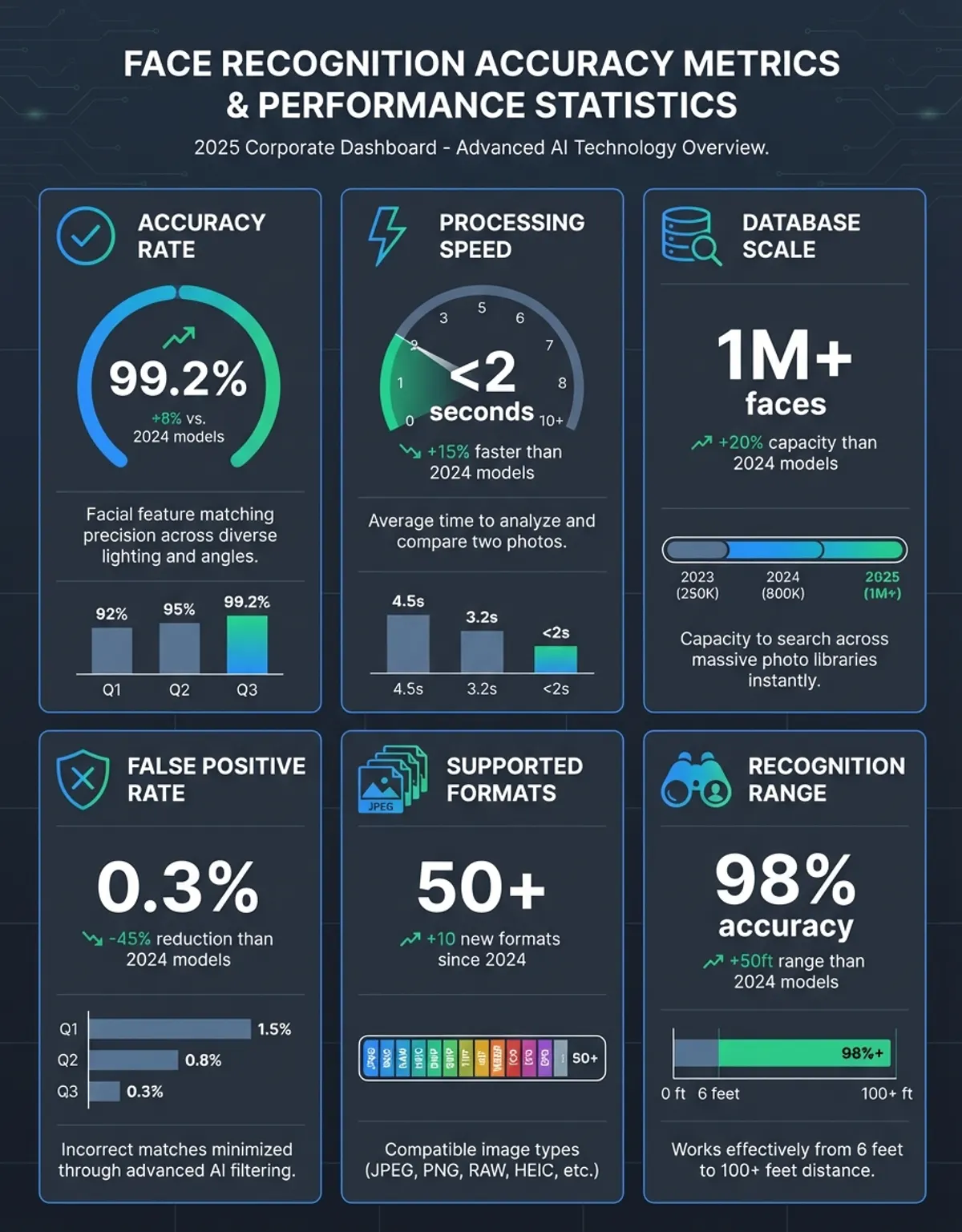
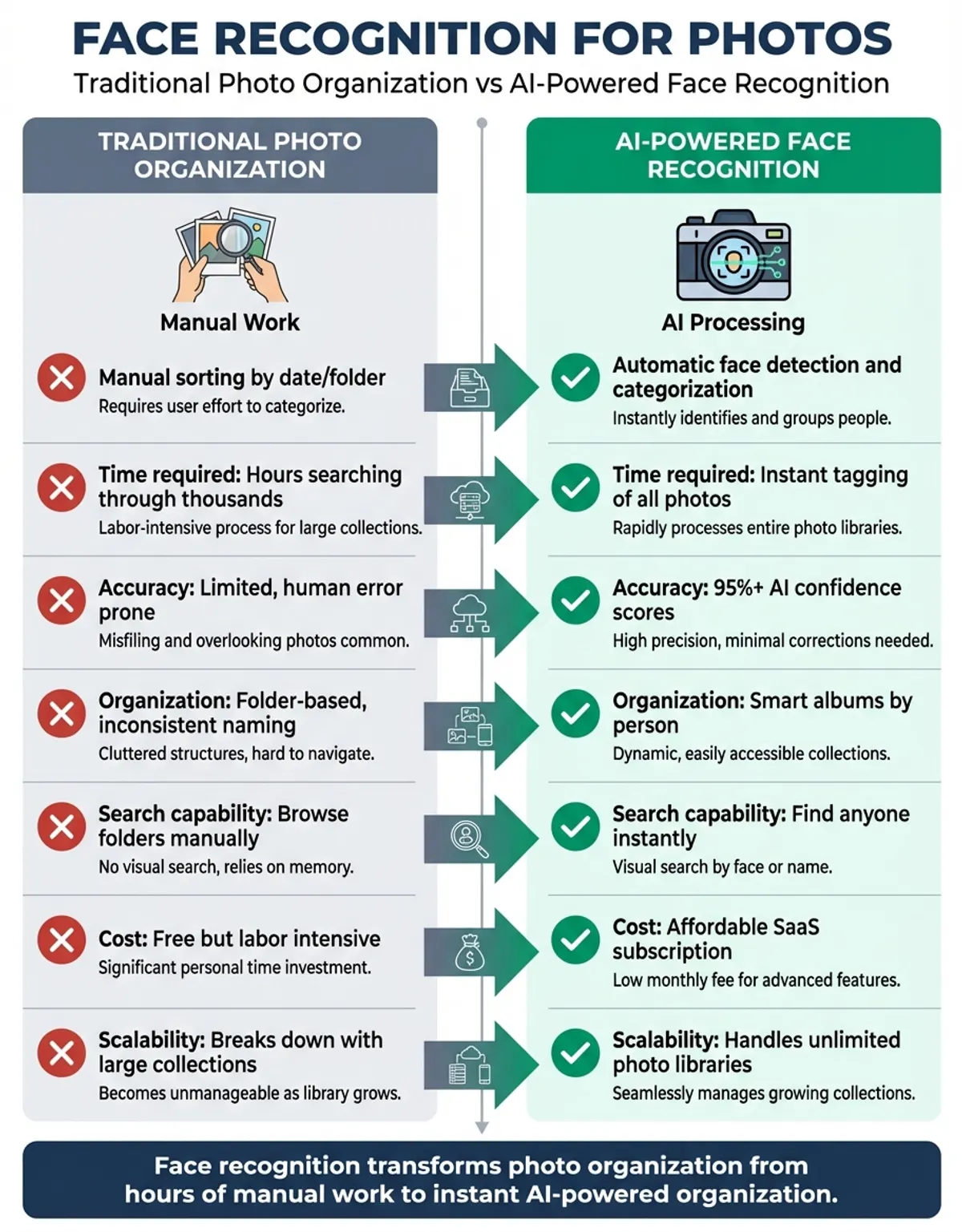
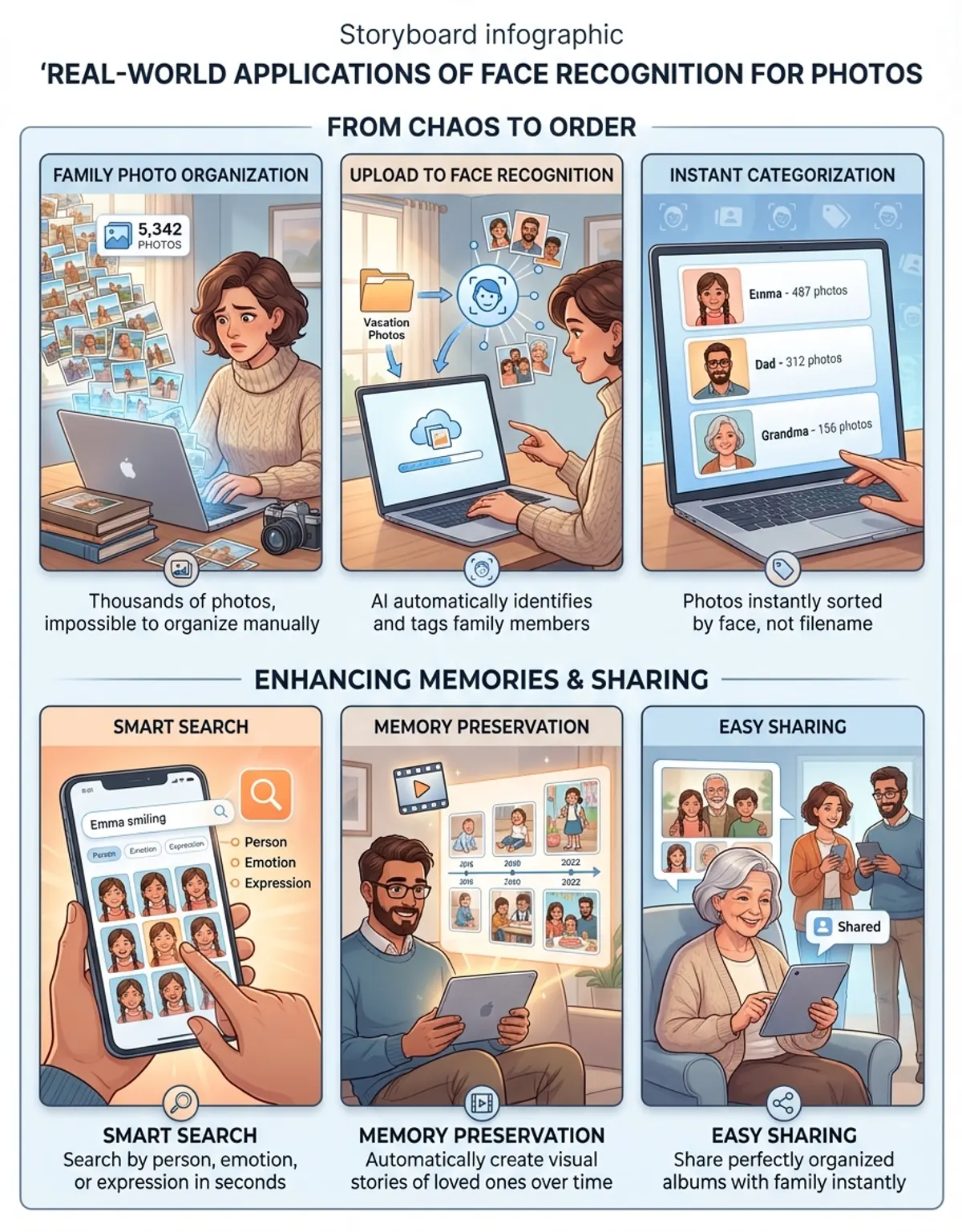
The primary benefit of face recognition for photos lies in dramatic time savings when searching through large collections. Instead of scrolling through thousands of images to locate photos of a specific family member or client, you simply select their face or type their name to instantly view every photo containing them. This transforms photo management from a tedious chore into an effortless task that takes seconds rather than hours.
Face recognition enables powerful new ways to discover forgotten memories buried in your photo archives. You might realize you have hundreds of photos of your grandmother spanning decades that you never knew existed in various folders and devices. The technology automatically surfaces these connections, helping you create meaningful photo albums or slideshows for special occasions without manually hunting through your entire collection.
Professional photographers benefit enormously from automated client photo organization. When delivering hundreds or thousands of photos from a wedding or celebration, face recognition automatically identifies the bride, groom, and family members, allowing photographers to quickly create personalized galleries for different attendees. This level of service distinguishes professionals from amateurs and increases client satisfaction without requiring additional labor.
The technology also aids in detecting duplicate photos and locating the best shots of specific individuals. If you took dozens of group photos at a gathering, face recognition can show you which images contain everyone and help you identify the shots where particular persons look their best. This capability proves especially valuable when curating photos for publication, social media, or professional portfolios.
Accessibility improvements represent another significant benefit, particularly for users with visual impairments or cognitive challenges. Voice-activated searches like "show me photos of Mom" become possible when face recognition has properly tagged your library. This makes photo collections more accessible to elderly family members or anyone who struggles with traditional browsing and filing systems.
Privacy and Security Considerations
Face recognition technology raises legitimate privacy concerns that users should understand before implementing it in their photo management workflow. The same technology that conveniently organizes your family photos could potentially be misused if facial data falls into the wrong hands or if companies share this biometric information with third parties without explicit consent. Understanding how different software handles facial data helps you make informed choices about which solutions align with your privacy values.
Cloud-based face recognition services typically upload your photos and create facial templates on remote servers owned by the software provider. While this enables powerful cross-device synchronization and leverages massive computing resources for accuracy, it also means trusting these companies with highly personal biometric data. Read privacy policies carefully to understand whether facial data gets used for advertising, sold to third parties, or retained even after you delete your account.
You may also find our guide on Ethical Issues With Face Recognition helpful for deeper context on this topic.
Local face recognition processing offers much stronger privacy protection by keeping all analysis on your personal devices. Software that processes faces locally never transmits your photos or facial templates across the internet, eliminating risks associated with data breaches, unauthorized access, or corporate data sharing. The tradeoff typically involves slower processing speeds and synchronization challenges across multiple devices, though this inconvenience may be worthwhile for privacy-conscious users.
Consider the implications of labeling others' faces in your photo library, especially if you use cloud services. While you might consent to having your face analyzed, friends and family members appearing in your photos may not appreciate their biometric data being processed without their knowledge or permission. Some jurisdictions have laws regulating facial recognition use, making it important to understand your legal obligations when managing photos containing other individuals.
Secure your photo management software with strong authentication methods like two-factor authentication to prevent unauthorized access to your facial recognition data. If someone gains access to your photo library, they also gain access to the facial templates that could potentially be used for identity theft or impersonation. Regular software updates help protect against newly discovered security vulnerabilities that could expose your facial data to malicious actors.
Advanced Features and Use Cases
Beyond basic face recognition, advanced photo management software offers sophisticated features that enhance professional workflows and enable creative applications. Smart album creation generates collections based on recognized individuals, allowing you to maintain always-updated albums that include new photos of specific individuals as soon as you import them. This proves particularly valuable for parents tracking their children's growth or professionals maintaining client portfolios.
For a comprehensive overview, explore our face recognition guide.
Face recognition combined with timeline views creates powerful storytelling capabilities. You can visualize how individuals have changed over years or decades, with the software automatically arranging chronological slideshows showing someone's journey from childhood to adulthood. This feature has become popular for milestone celebrations like graduations, weddings, and retirement parties, where these visual narratives create emotional impact.
Multi-person search queries represent another advanced capability that lets you find photos containing specific combinations of individuals. You might search for "photos with both Sarah and Michael but not Jennifer" when creating a particular album or looking for images featuring a specific subject combination. These boolean-style searches would be nearly impossible to execute manually but become trivial with proper face recognition implementation.
Some cutting-edge systems incorporate emotion detection alongside face recognition, identifying not just who appears in photos but also their emotional state. The software can find photos where someone is smiling, laughing, or looking surprised, helping you discover the most joyful moments in your collection. While this technology remains less accurate than basic face detection, it offers intriguing possibilities for automated photo curation.
Professional photographers use face recognition to automate client delivery systems for event coverage. After photographing a marathon, wedding, or corporate gathering with thousands of attendees, the photographer can allow participants to retrieve their photos by uploading a selfie. The recognition system matches the selfie against the collection and displays only images containing that subject, creating personalized galleries without manual sorting.
For further reading on related concepts, explore our Face Recognition Search guide.
Comparing Face Recognition Accuracy Across Platforms
| Platform | Accuracy Rate | Processing Location | Privacy Level | Best For |
|---|---|---|---|---|
| Google Photos | 95-98% | Cloud | Low | Convenience & cross-device access |
| Apple Photos | 90-95% | Local with cloud sync | High | Apple ecosystem users |
| Adobe Lightroom | 88-93% | Local | High | Professional photographers |
| Mylio | 85-92% | Local with device sync | Very High | Privacy-focused families |
| Digikam | 83-90% | Local | Very High | Open-source enthusiasts |
| ACDSee Photo Studio | 86-91% | Local | High | Windows power users |
Troubleshooting Common Face Recognition Issues
Face recognition accuracy can suffer when dealing with challenging lighting conditions, extreme angles, or low-resolution images. If your software struggles to detect or recognize faces in certain photos, start by checking image quality and lighting. Photos taken in harsh shadows, strong backlighting, or very low light contain insufficient facial detail for accurate recognition. Consider excluding these problematic images from face recognition processing or improving them with basic photo editing before running recognition.
Incorrect face groupings often occur when the software mistakes one person for another, particularly with family members who share similar features. Most photo management tools allow manual correction by splitting incorrectly grouped faces or merging separate face clusters that actually represent the same person. Making these corrections teaches the recognition algorithm to better distinguish between similar-looking individuals in future imports, gradually improving accuracy over time.
Processing speed issues plague users with massive photo libraries containing tens of thousands of images. Face recognition algorithms are computationally intensive, and initial scanning can take hours or even days for large collections. Run face recognition during times when you won't need computer access, and consider processing photos in batches rather than scanning your entire archive at once. Upgrading computer hardware, particularly adding more RAM or using a computer with a dedicated GPU, can significantly accelerate face recognition tasks.
Some users encounter problems where recognized faces don't sync properly across devices, leading to inconsistent naming or missing face data on secondary devices. This typically stems from incomplete synchronization settings or insufficient cloud storage space. Verify that face recognition sync is explicitly enabled in your software settings, as some applications treat facial data separately from photo files. Ensure adequate storage space exists for both photos and the associated metadata that contains face recognition information.
Privacy concerns sometimes manifest as hesitation to enable face recognition features despite their convenience benefits. If you're uncomfortable with cloud processing but still want face recognition benefits, specifically choose software that performs all analysis locally on your devices. Read privacy policies thoroughly to understand data retention practices, and contact software vendors directly if policies lack clarity about how facial data is stored, processed, or shared.
Future Developments in Photo Face Recognition
Artificial intelligence continues advancing at a rapid pace, promising significant improvements in face recognition accuracy and capabilities. Next-generation algorithms will better handle partially obscured faces, extreme lighting conditions, and photos where individuals appear at unusual angles. These improvements will make face recognition reliable even for casual snapshots that current systems struggle to process accurately, reducing the need for manual corrections and expanding the technology's usefulness across your entire photo collection.
Edge computing innovations will enable more powerful local processing without requiring cloud uploads. Upcoming processors specifically designed for AI workloads will bring sophisticated neural networks to personal computers and mobile devices, delivering accuracy that currently requires data center computing power. This shift addresses privacy concerns while maintaining the convenience and accuracy users expect from face recognition technology.
Cross-platform standardization may eventually allow facial recognition data to transfer between different photo management applications. Currently, switching from one software to another typically means losing all face recognition work and starting over. Industry standards for face metadata would preserve your organizational work across different platforms, eliminating vendor lock-in and giving users more freedom to choose software based on features rather than fear of losing existing face tags.
3D face recognition using depth sensors will improve accuracy beyond what current 2D image analysis achieves. Smartphones and cameras increasingly incorporate depth-sensing capabilities that capture three-dimensional facial structure. Photo management software that leverages this 3D data will distinguish between individuals with even greater precision, reducing false matches and enabling recognition in more challenging scenarios.
Augmented reality integration represents another frontier where face recognition could enhance photo browsing experiences. Imagine pointing your smartphone at printed photos or looking through old photo albums while AI overlays names, dates, and related digital images based on recognized faces. This technology could bridge physical and digital photo collections, helping younger generations connect with family history preserved in pre-digital photographs.
Frequently Asked Questions
How does face recognition work across different ages in photos?
Face recognition algorithms analyze core facial structure that remains relatively stable throughout life, including the distance between eyes, nose width, and bone structure proportions. While significant aging, dramatic weight changes, or facial hair can reduce accuracy, modern AI systems train on diverse datasets showing individuals at various life stages. The software learns which features remain consistent over time and which ones change, allowing it to recognize individuals across decades. Manual confirmation helps the system learn an individual's aging pattern, improving accuracy for future photos. Some advanced systems use progression modeling to predict how faces change with age, further enhancing recognition across time spans.
Can face recognition identify individuals wearing masks or sunglasses?
Partial face obstruction significantly challenges face recognition accuracy since the algorithms rely on analyzing multiple facial features simultaneously. Sunglasses block eyes, which contain important recognition data, though many systems can still achieve reasonable accuracy using remaining visible features like nose, mouth, and face shape. Medical masks present greater difficulty by covering the lower face, reducing recognition accuracy by 20-50% depending on the system and individual. Some newer algorithms specifically train on partially obscured faces to improve this capability, and certain software allows recognition using just the eye region when sufficient detail exists. For best results with masked individuals, ensure photos contain other identifying context or manually tag these images to help the system learn recognition patterns using limited visible features.
Does face recognition work on old scanned photos?
Face recognition can process scanned photos, though success depends on scan quality and original photo condition. High-resolution scans of well-preserved photographs typically work well, as the algorithms can extract sufficient facial detail for accurate recognition. Low-resolution scans, faded photos, or images with significant grain and damage provide insufficient data for reliable face detection and recognition. Improving scan quality by using higher DPI settings (at least 300 DPI for prints, 600+ DPI for smaller photos) dramatically increases recognition success rates. Photo restoration techniques like adjusting contrast, reducing noise, and enhancing sharpness can help recognition algorithms perform better on challenging historical images before processing them.
How much storage space does face recognition data require?
Face recognition metadata requires minimal storage compared to the photos themselves. Each facial template typically occupies only a few kilobytes, meaning thousands of face records consume less space than a single high-resolution photo. A library of 50,000 photos with 100 unique individuals might generate face recognition data totaling just 10-50 megabytes, negligible compared to the hundreds of gigabytes the actual photos occupy. The initial processing creates this metadata, which then remains relatively static unless you add new faces or make corrections. Local processing systems store this data in database files on your device, while cloud services maintain it on their servers alongside your photo library, often not counting against storage quotas since the metadata files are so small.
Can I share face recognition tags when sending photos to others?
Whether face recognition labels transfer with shared photos depends on the software and sharing method used. Standard photo formats like JPEG can embed metadata including face regions and names in EXIF or XMP fields, but many sharing platforms strip this metadata for privacy reasons. Direct file sharing preserves embedded face data, while social media uploads typically remove it. Some photo management applications offer specific sharing features that maintain face labels within their ecosystem, allowing recipients using the same software to see recognized faces. Consider whether sharing face recognition data is appropriate for your situation, as recipients may have privacy concerns about receiving photos with biometric labeling information attached.
What happens to face recognition data if I delete photos?
Proper photo management software should automatically remove face recognition data when you delete associated photos, though implementation varies by platform. Local processing systems typically delete orphaned face templates immediately when you remove photos from your library, ensuring no facial data remains without corresponding images. Cloud services may retain facial data temporarily in backup systems or until you empty a trash folder, following the same retention policies as deleted photos. Some platforms allow deleting face recognition data separately from photos, letting you remove facial templates while keeping images. Check your software's privacy settings and data management options to understand and control what happens to face recognition information when photos are deleted.
How do I improve face recognition accuracy for specific individuals?
Improving recognition accuracy for specific individuals starts with providing clear, high-quality reference photos showing the person from multiple angles, with good lighting and neutral expressions. When you manually confirm correct identifications and split incorrect groupings, the software learns that person's distinctive features more accurately. Adding diverse photos spanning different times, expressions, and contexts helps the algorithm understand which features remain consistent across conditions. Some applications offer training modes where you can explicitly mark multiple photos of the same person, accelerating the learning process. For individuals the system consistently misidentifies, ensure their face cluster contains at least 10-15 clear, correctly identified photos before expecting reliable recognition in new imports.