
Facial Recognition App Free — Find Matches With Image Search
Your comprehensive guide to the best free facial recognition tools, from reverse image lookups to direct face comparison — no subscription required.
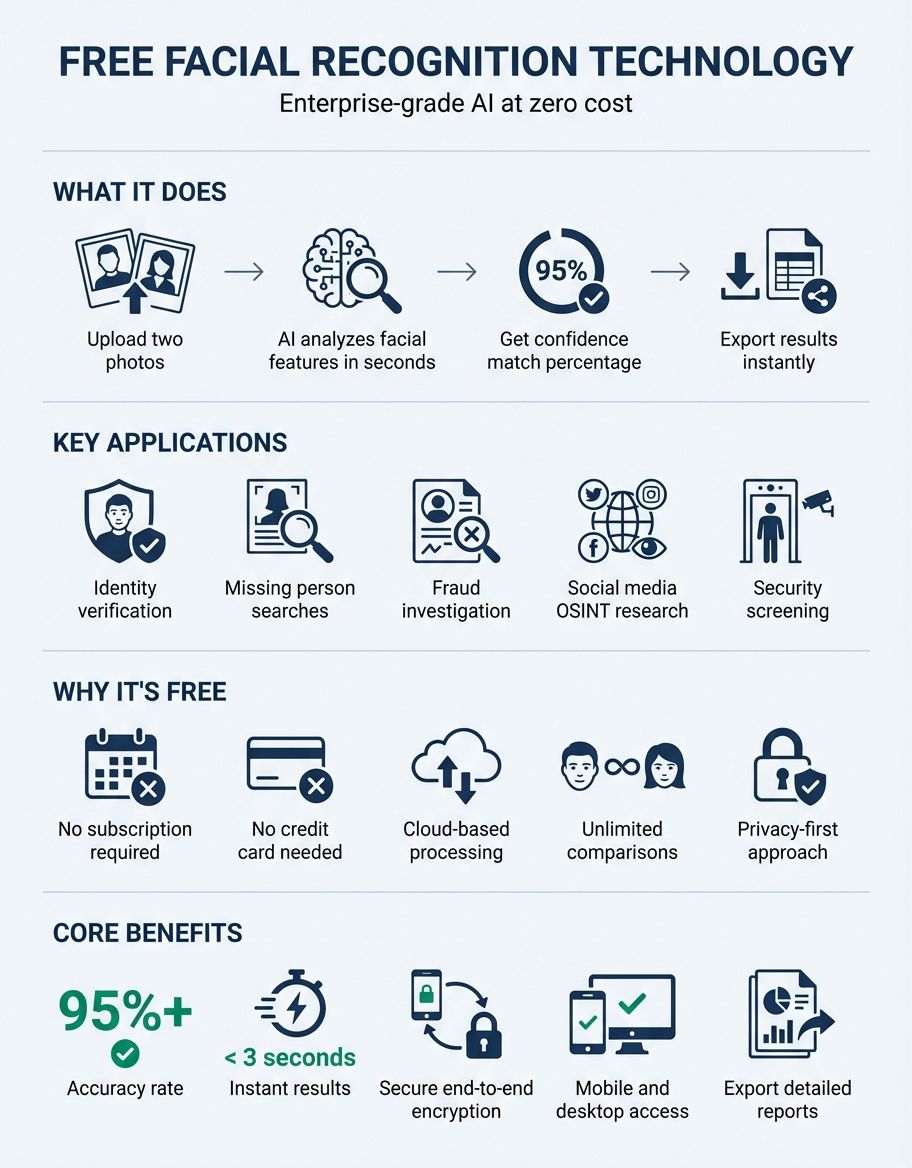
Ever tried to find someone online using just a photo? Facial recognition has gone from sci-fi fantasy to something you can do on your phone in seconds — and the best part is, you don't have to pay a cent. Free tools now deliver genuinely impressive results, from simple reverse image lookups to specialized services that scan billions of records. This guide breaks down the best options, explains how the technology actually works, and helps you pick the right tool for what you need.
What Is a Facial Recognition App and How Does It Work?
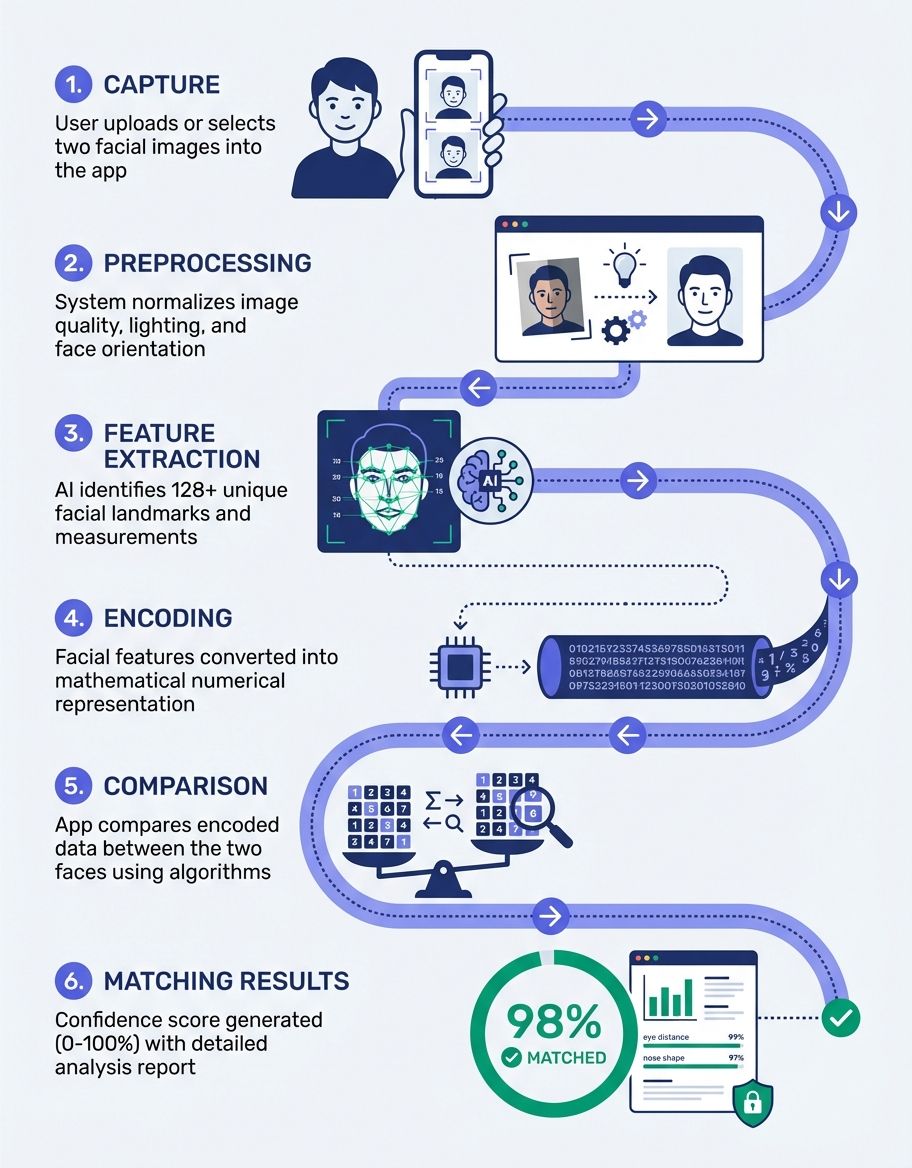
A facial recognition app detects and analyzes unique features of someone's face in a digital snapshot. The software maps key landmarks — the distance between the eyes, the jawline shape, the cheekbone contour — and converts those measurements into a mathematical template called a faceprint.
When you upload a picture, the app compares that faceprint against a database of stored records. If the algorithm locates results, it returns confidence scores showing where that face appears elsewhere. This process of verifying people's identities using their faces has gotten scary accurate — some platforms now report success rates above 99 percent.
The core pipeline involves three steps: detection (the app identifies where a face appears), analysis (extracting landmarks and identifying features), and comparison (checking extracted data against indexed records). Modern tools handle all three steps in seconds. Any app designed to recognize user's face from a single snapshot puts this technology in the hands of anyone with a smartphone. You can now find tools that search through millions of indexed photos to locate a specific person in seconds. For a comprehensive overview of how these systems work at scale, explore our facial recognition technology guide.
Many of today's free services use the same deep-learning architectures that power enterprise solutions. The main difference is database scope — consumer apps typically search public web content, while enterprise platforms let organizations build private databases. Either way, the underlying analysis pipeline is remarkably similar, which is why free options can still deliver impressive accuracy when you need to identify a person from a single snapshot.
Some platforms now report success rates above 99 percent — and you don't have to pay a cent to use them.
Top Free Facial Recognition Apps for Photos in the App Store
The app store is filled with face-scanning tools, but not every free option delivers on its promises. Here are the standout choices that provide genuine value at no cost.
FaceCheck ID is a popular platform for running a reverse lookup against faces found across the internet. FaceCheck ID lets you upload a snapshot and scan through profiles, news articles, and public databases. The free tier provides limited daily scans, and the tool excels at locating whether a person appears across various sites or news outlets. (Source: https://facecheck.id)
PIMEyes operates a powerful visual lookup engine designed around facial features. Users can upload a picture and the platform searches across the open web for matching results. Free users get limited scans, and PIMEyes shows blurred previews that confirm hits without revealing source URLs unless you upgrade to a paid plan. (Source: https://pimeyes.com)
Google Lens offers a completely free reverse image search that can help you track down where a photo appears online. While Google Lens is not specifically designed for facial recognition, its massive index means you can sometimes locate visually similar results when you start with a clear portrait. It works best for finding exact or near-exact copies of an image rather than matching faces across different photos. (Source: https://lens.google)
FaceFirst is an enterprise-grade platform now operated by Gatekeeper Systems. FaceFirst focuses on real-time detection from video feeds and is widely used in security, retail, and loss prevention applications. While primarily designed for businesses, the platform demonstrates how advanced facial recognition can work at scale in physical environments. (Source: https://www.gatekeepersystems.com/solutions/facefirst/)
Identiface Pro is a free, open-source face recognition app available across multiple platforms including Windows, Mac, and mobile devices. Identiface Pro lets you compare two pictures to determine whether they show the same person — useful for quick verification without requiring a full database scan. The app can run with a local backend, keeping processing closer to your own hardware. (Source: https://apps.microsoft.com/detail/9mz7hh1njbgm)
CaraComp takes a different approach by letting users compare faces across multiple snapshots in a clean, intuitive interface. The platform is completely free and does not retain your uploads after processing. CaraComp delivers a similarity score and visual overlay showing which facial landmarks align, making it an excellent choice for transparent, easy-to-understand results. Privacy-conscious users can compare faces without worrying about data retention.
How to Use Reverse Image Search for Facial Recognition
Here's the thing — you don't always need a dedicated facial recognition app. Reverse image search is one of the easiest methods to find where a photo appears online. Instead of typing keywords, you upload an image and the search engine returns similar results from across the web. It's become a go-to free alternative for anyone who wants to track down matches without installing specialized software.
To use this approach effectively, follow these steps:
- Choose a clear, well-lit snapshot. Crop so the face is prominent for better accuracy.
- Visit a dedicated engine — Google, a specialized face-scanning platform, or PIMEyes are popular choices.
- Upload the file by clicking the camera icon or drag-and-drop area.
- Wait for the engine to process and return results.
- Review the output. Check source URLs and confidence scores to evaluate accuracy.
The quality of reverse image search results depends heavily on the starting photo. Blurry or heavily filtered uploads produce fewer hits. Dedicated facial engines are specifically optimized for face-based queries, while general tools like Google Lens cast a wider but less targeted net.
One important limitation: reverse image search tools work best when the target photo already exists somewhere online. If a person's face has never been posted to the internet, no reverse image engine will locate matches regardless of how advanced the technology is.
For the most thorough results, combine multiple platforms. Start with Google, then try a specialized facial engine, and finally check dedicated tools. Each platform indexes different parts of the web, so using several together helps you locate more comprehensive results. Many people search across three or four tools before concluding their investigation.
If a person's face has never been posted to the internet, no reverse image engine will locate matches regardless of how advanced the technology is.
Microsoft and Big Tech Facial Recognition Services for Developers
Microsoft has been one of the most prominent technology companies investing in facial recognition. Through its Azure AI Services platform, Microsoft provides a Face API that developers can integrate into their own applications. The Microsoft Face API can detect faces, identify attributes like age and emotion, and verify whether two snapshots show the same person.
For developers looking to build facial recognition into their own apps, Microsoft offers a free tier of Azure Face API with up to 30,000 transactions per month. This makes Microsoft one of the most accessible enterprise-grade providers for developers who want professional accuracy without upfront costs. (Source: https://azure.microsoft.com/en-us/pricing/details/cognitive-services/face-api/)
Beyond Microsoft, other major technology companies offer similar developer-focused platforms. Amazon Rekognition and Google Cloud Vision both provide facial analysis APIs with free trial tiers. These are designed primarily for teams building applications rather than for individual consumers.
Microsoft has also taken a strong public stance on responsible AI. The company established guidelines for how its facial recognition capabilities should and should not be used. For developers who care about ethical implementation, the Microsoft ecosystem provides both the tools and the governance framework to build responsibly. You may also find our guide on facial recognition ethics helpful for understanding the moral and legal landscape surrounding this technology.
Finding People by Photo on Social Media and Dating Platforms
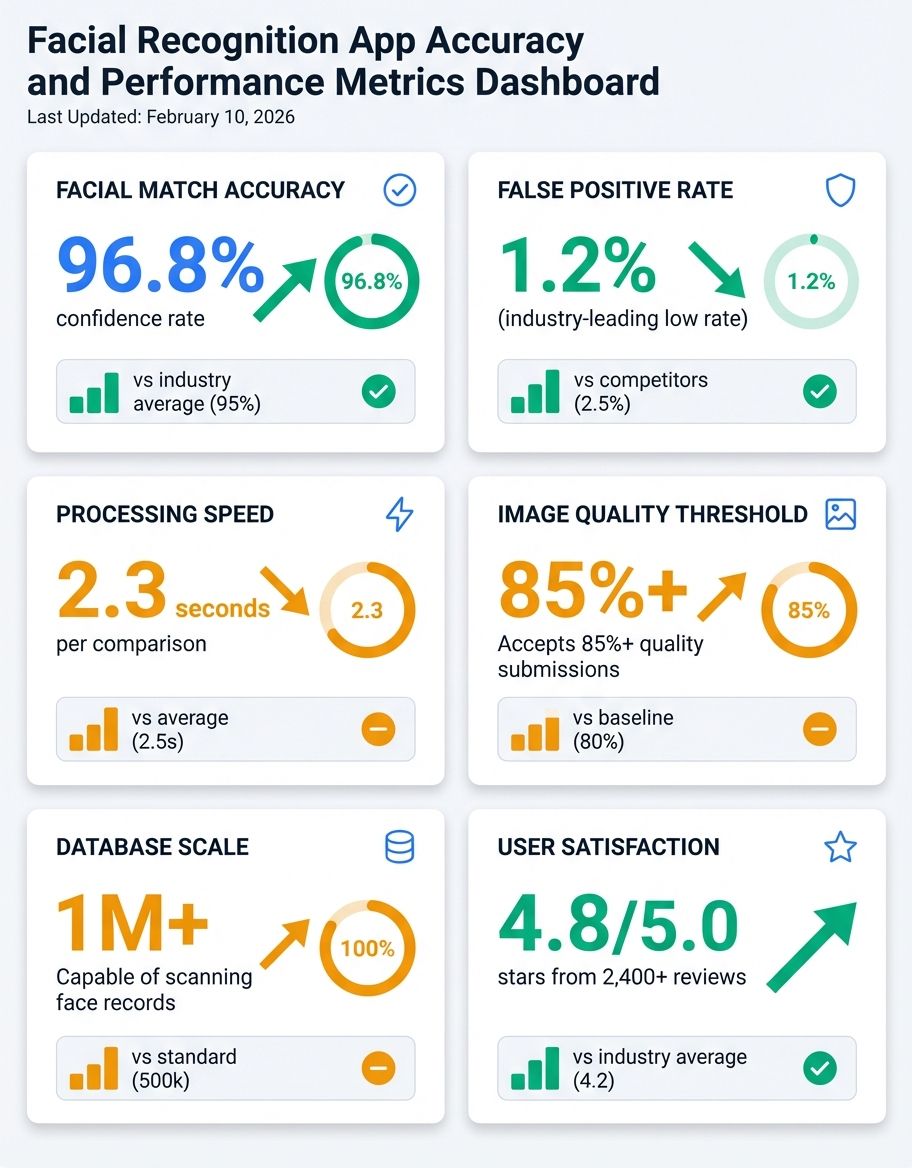
One of the most common reasons people look for a facial recognition app is to find someone using only a photo. Perhaps you met a person at an event and forgot to exchange contact details. Maybe you received a suspicious message on an online platform and want to verify the profile is real. Or you spotted a familiar face on social media and want to find out more about them.
Social media lookups: While platforms like Facebook and Instagram do not offer public reverse lookups, third-party tools can scan publicly available content from social media accounts, making them effective for cross-referencing profiles against other public appearances.
Dating profile verification: If you've ever wondered whether that too-good-to-be-true dating profile is legit, you're not alone. Online dating has driven a surge in demand for facial recognition tools. Users want to confirm that the person behind a dating profile is who they claim to be. By running profile photos through a reverse image search, you can check whether it appears on stock sites, belongs to a different individual, or surfaces on known scam databases. This is especially valuable for dating apps where catfishing remains a persistent problem.
CaraComp face comparison: When you already have two snapshots and want to know whether they depict the same individual, CaraComp provides a direct comparison. Upload both images, and the platform analyzes key facial landmarks to calculate a similarity percentage. This approach lets you get a definitive answer without needing to search the entire web, making it ideal for verifying whether a profile picture used on one platform corresponds to another.
Privacy and Security — How Free Apps Store Your Photos
Before you use any free facial recognition app, understanding what happens to your data is essential. Privacy is the biggest concern, and policies vary wildly between providers.
The first question to ask: does the app retain your uploads after processing? Some platforms delete your content immediately after the scan completes. Others keep it indefinitely, potentially using it to expand their database. Always review the privacy policy before uploading sensitive content.
Free apps often monetize through data collection rather than subscription fees. This means your uploads might be used to train algorithms, shared with third-party partners, or indexed for others to query. If privacy matters to you, look for platforms that explicitly state they do not retain or share uploaded content.
On-device processing is another important distinction. Some apps handle facial recognition entirely on your phone without sending data to external servers. Cloud-based services, by contrast, transmit your content to remote servers for processing, which introduces additional privacy risks.
When evaluating free services, also consider what type of image data they retain. Some platforms only process your photos temporarily and delete them within minutes. Others add your uploaded content to their index, which means future users could potentially locate your face when they scan. Knowing the difference can save you a headache down the road.
Free apps often monetize through data collection rather than subscription fees — your uploads might be used to train algorithms or indexed for others to query.
Free vs Paid Facial Recognition Apps — What You Actually Get
Free facial recognition apps are genuinely useful, but they come with trade-offs compared to paid alternatives. Understanding these differences helps you decide whether upgrading is worth the investment.
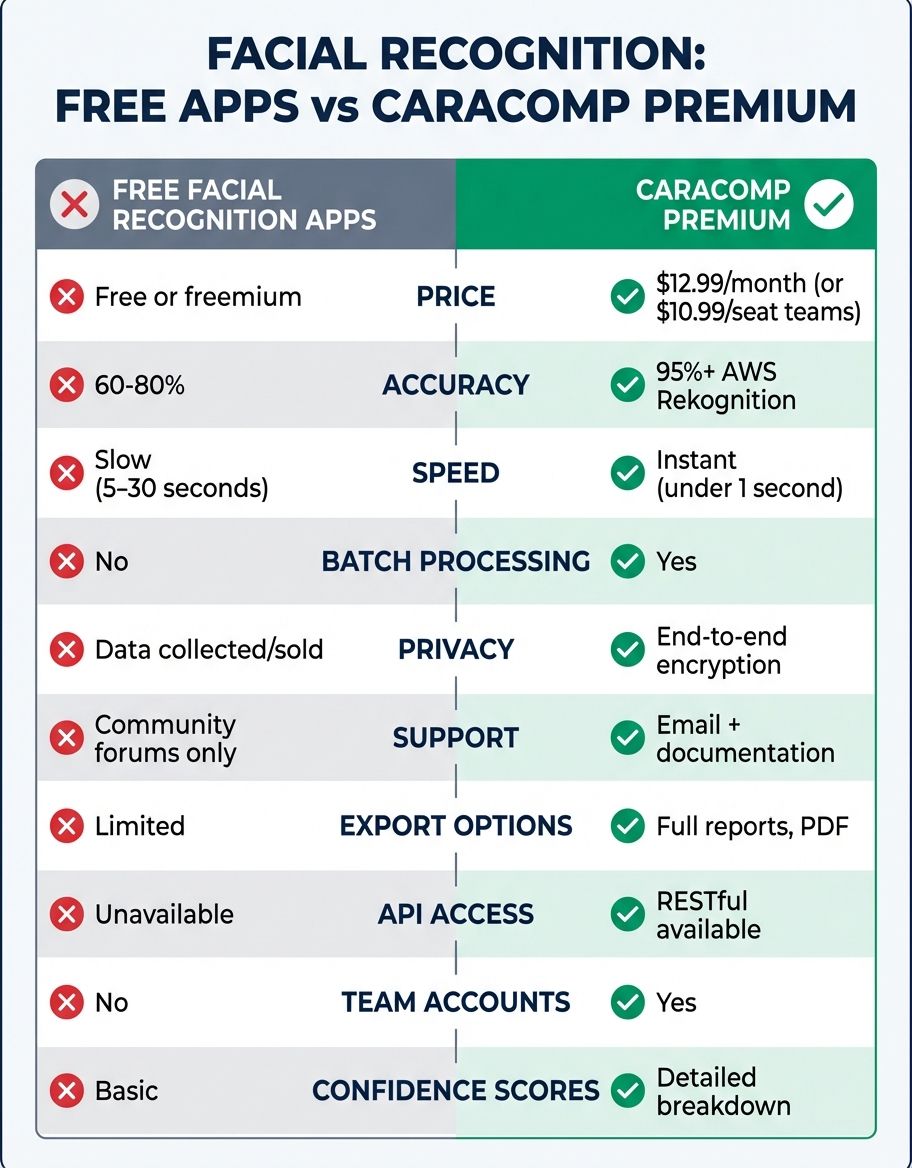
| Feature | FaceCheck ID | PIMEyes | Google Lens | Microsoft Azure | CaraComp |
|---|---|---|---|---|---|
| Free Tier Available | Yes (limited scans) | Yes (blurred results) | Yes (unlimited) | Yes (30K/month) | Yes (full access) |
| Database Size | Large (web-wide) | Very Large (open web) | Web-wide | Custom (user-built) | Comparison-focused |
| Accuracy | High | High | Medium | Very High | High |
| Privacy Focus | Medium | Low | Low | High (enterprise) | High (no retention) |
| Reverse Lookup | Yes | Yes | Yes | No | Yes (comparison) |
| Mobile App Available | Yes (app store) | Web only | Yes (app store) | API only | Web-based |
| Best For | Identity verification | Face monitoring | General lookup | Developers | Face comparison |
Scan limits are the most common restriction in free tiers. Most face-scanning services limit daily scans for free users. Paid plans remove these caps and typically provide faster results.
Database access varies between tiers. Free users sometimes query a smaller subset of the total database, meaning you might miss hits that a paid scan would catch. PIMEyes, for instance, shows blurred result previews to free users and requires a subscription to reveal full-resolution output with source URLs.
Accuracy and speed are generally consistent between free and paid tiers for a single scan. The underlying algorithms do not change based on your payment status. However, paid users often get priority processing during peak periods.
For most people who want to locate a face or check where their content appears online, the free tier of one or two platforms covers the vast majority of use cases. Power users who need to run scans across multiple databases daily will benefit from upgrading, but casual users can accomplish a great deal with free tools alone. You may also find our guide on the best facial recognition app helpful for comparing top-rated options side by side.
How to Choose the Right Facial Recognition App for Your Needs
With so many options available, choosing the right facial recognition app depends on what you need it to do. The decision comes down to whether you need to search for someone across the web, compare two specific images, or build a custom solution.
For locating someone online: Use PIMEyes or a specialized face-scanning platform to find where a person appears on the web. These tools specialize in face-based reverse lookups and index billions of web pages. Start with the free tier to see if you get results before committing to a paid plan.
For verifying a profile: Upload the profile snapshot to Google Lens or TinEye to search whether it appears elsewhere online. If the same snapshot shows up on stock sites or belongs to a different person, that strongly indicates a fake profile.
For building a custom application: Developers should evaluate Microsoft Azure Face API, Amazon Rekognition, or Google Cloud Vision. These platforms provide robust APIs with generous free tiers for prototyping.
For comparing two snapshots directly: CaraComp offers a straightforward comparison tool. Upload two files and receive a similarity score without needing to scan across the entire internet.
For privacy-conscious users: Look for apps with clear data-handling policies and minimal retention. CaraComp does not retain uploads after processing, and Identiface Pro can run with a local backend — both are solid choices for users who prioritize data privacy.
Frequently Asked Questions
What is the best facial recognition app that is completely free?
Honestly, it depends on what you're trying to do. Google Lens is entirely free with unlimited lookups, making it easy to find where a face appears on the web. For dedicated facial recognition that specifically identifies faces, PIMEyes offers free tiers with limited daily allowances. CaraComp provides free face comparison without daily restrictions, making it ideal for direct snapshot-to-snapshot matching.
How does a free facial recognition app find matches from a photo?
The app extracts a mathematical faceprint from the photo you upload and compares it against a database of indexed records. The software detects the face, analyzes its unique features through identifying key landmarks, and then runs a lookup across its stored data. When the algorithm identifies records with similar facial geometry, it returns those as matches. The size of the database determines how many potential results you will get.
Is it safe to upload your photo to a free facial recognition app?
Safety varies by provider. Reputable platforms like Google Lens and Microsoft Azure have clear privacy policies and robust data protection. Smaller or lesser-known apps may retain your uploads indefinitely or use them to train algorithms. Before uploading a picture, search the platform's privacy policy to confirm whether it retains your content after processing and whether you can request deletion of your data.
Can you use reverse image search as a free facial recognition tool?
Yes. Reverse image search is one of the most accessible free methods for facial recognition. Engines like Google, Yandex, and TinEye let you upload a snapshot and locate visually similar content across the web. For improved accuracy, search with a dedicated face-scanning tool like PIMEyes alongside a general engine.
What is the difference between FaceCheck ID and PIMEyes for free users?
Both tools offer free facial recognition capabilities, but they differ in key ways. FaceCheck ID focuses on identifying people across profiles, news sites, and public records, with its free tier providing a small number of daily scans and visible results. PIMEyes indexes a broader range of web pages but shows blurred results to free users, requiring a paid subscription for full output and source URLs. In terms of accuracy, both perform comparably.
Does Microsoft offer a free facial recognition app or service?
Microsoft does not offer a standalone consumer facial recognition app, but the company provides free access to its Azure Face API through the Azure AI Services platform. Developers can use the Microsoft Face API for free with up to 30,000 transactions per month. This is a developer tool rather than a consumer app — you need programming knowledge to integrate it into your own applications.
How accurate are free facial recognition apps compared to paid ones?
In terms of the underlying algorithm, free and paid facial recognition apps typically use the same technology. The accuracy of a single scan is generally identical whether you are a free or paid user. The real differences appear in database access (paid users may query a larger index), result quality (free users may see blurred or limited output), and the volume of scans allowed. For occasional use, a free app provides the same level of accuracy as its paid counterpart.