
Family Search Compare a Face: the Compare-a-Face Guide to Old Photos
Unlock your family history with AI-powered facial recognition that connects historical photos to genealogy records across generations.
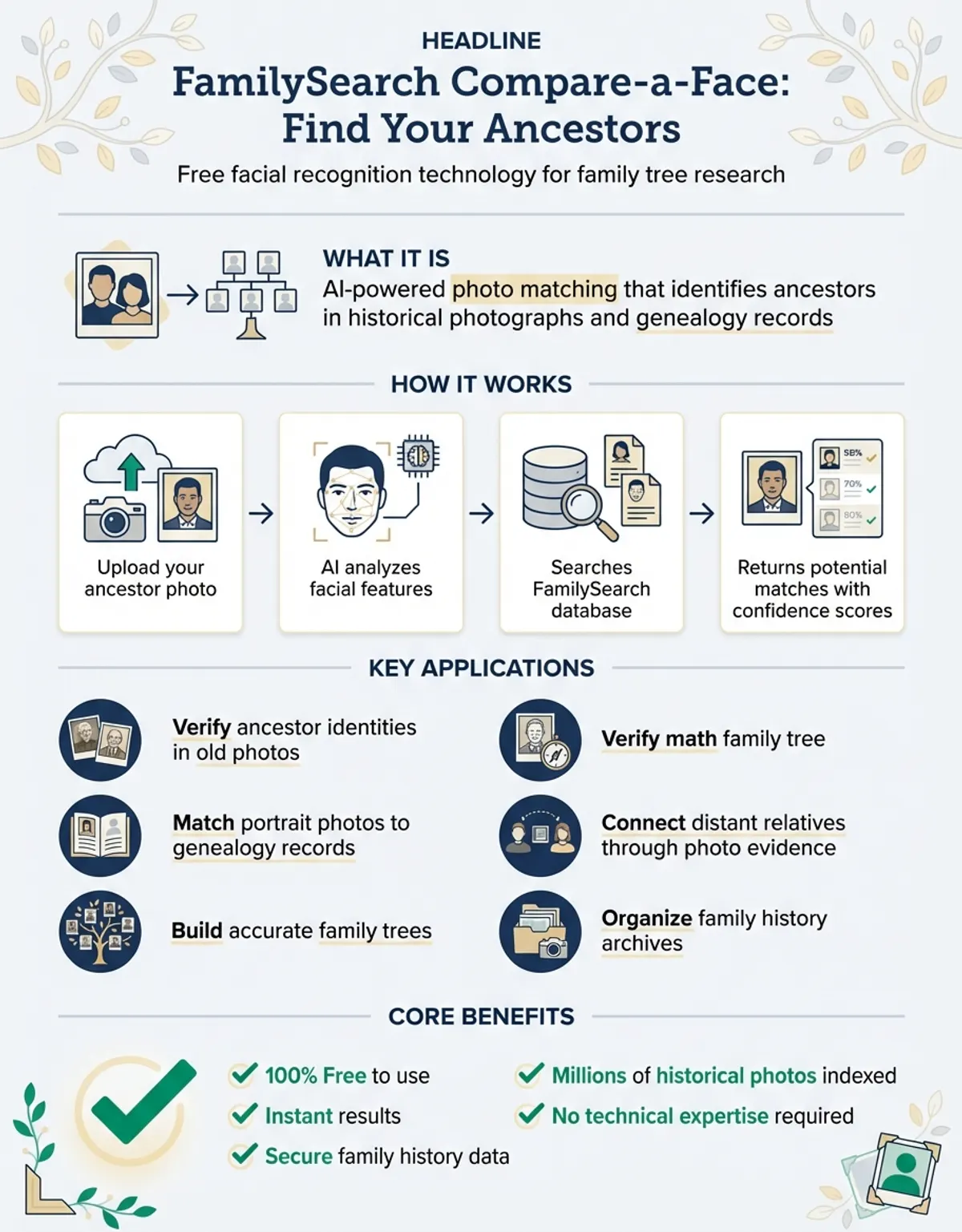
FamilySearch Compare-a-Face represents a revolutionary breakthrough in genealogy research, combining cutting-edge facial recognition technology with the world's largest free genealogy database. This innovative tool helps researchers find ancestors in historical photos, connect family tree records, and discover relatives they never knew existed. Whether you're exploring military records, analyzing old family photos, or conducting comprehensive genealogy research, Compare-a-Face offers unprecedented capabilities for modern family historians.
What is FamilySearch Compare-a-Face?
Compare-a-Face is a free facial recognition tool integrated into the FamilySearch platform, designed specifically for genealogy research. The technology analyzes facial features in photos to identify potential matches across millions of historical records, family tree profiles, and user-uploaded images. Unlike traditional online platforms that rely solely on names and dates, this tool leverages artificial intelligence to detect visual similarities between ancestor photos and living relatives. FamilySearch styles the name with hyphens, so you will often see it typed in lowercase as compare-a-face.
The Compare-a-Face site uses advanced algorithms to measure facial proportions, bone structure, and distinctive features that persist across generations. When you upload a photo to compare on familysearch, the system scans FamilySearch's extensive photo collection to find potential matches based on facial similarity. This approach helps researchers overcome common genealogy challenges like name changes, missing records, and spelling variations that plague traditional search methods.
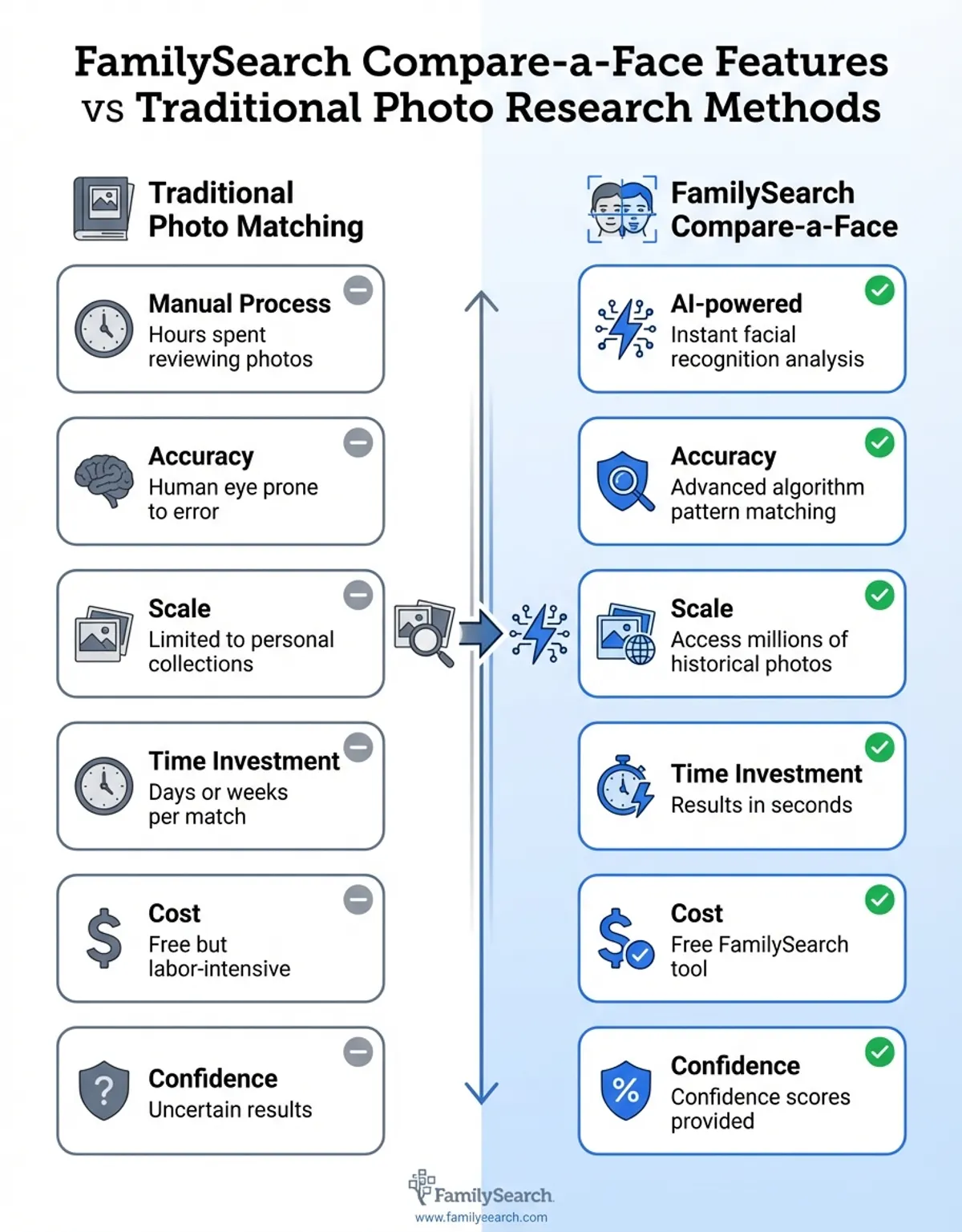
Online platforms have historically struggled with image-based research because manual comparison is time-consuming and subjective. FamilySearch's Compare-a-Face tool automates this process, delivering results in seconds rather than hours. The no-cost tool democratizes access to sophisticated facial recognition technology that was previously available only to professional researchers and law enforcement agencies.
Compare-a-Face transforms historical photos from static memories into active research tools, revealing family connections that transcend time and traditional documentation.
How image Records and Tree Data Work Together
The power of Compare-a-Face lies in its integration with FamilySearch's massive family tree database, which contains over 1.3 billion ancestor profiles and 400 million user-submitted photos. When you use Compare-a-Face, you're not just searching isolated images—you're tapping into a connected network of genealogy records that link photos to specific individuals, dates, and locations.
How Your Photograph Is Compared
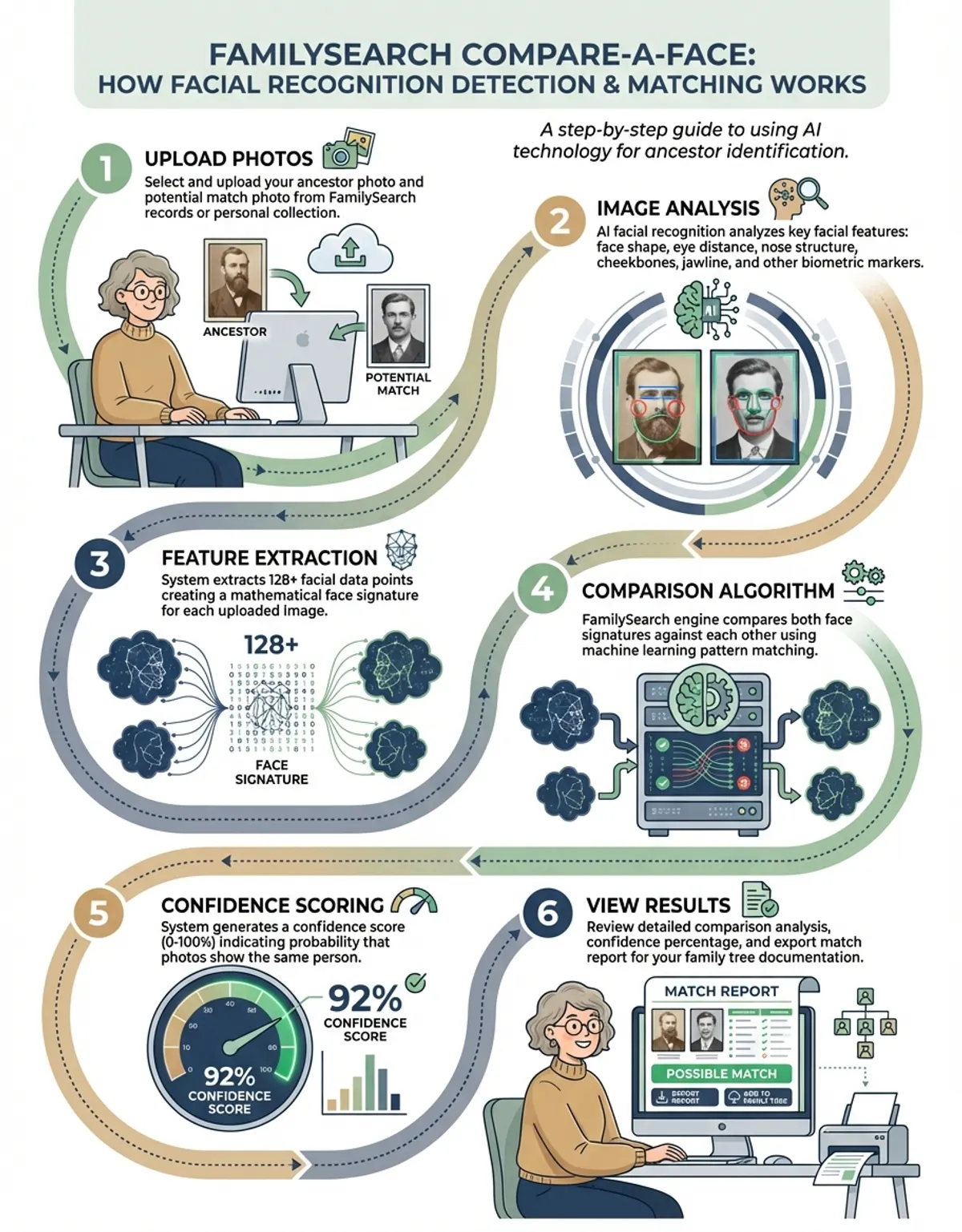
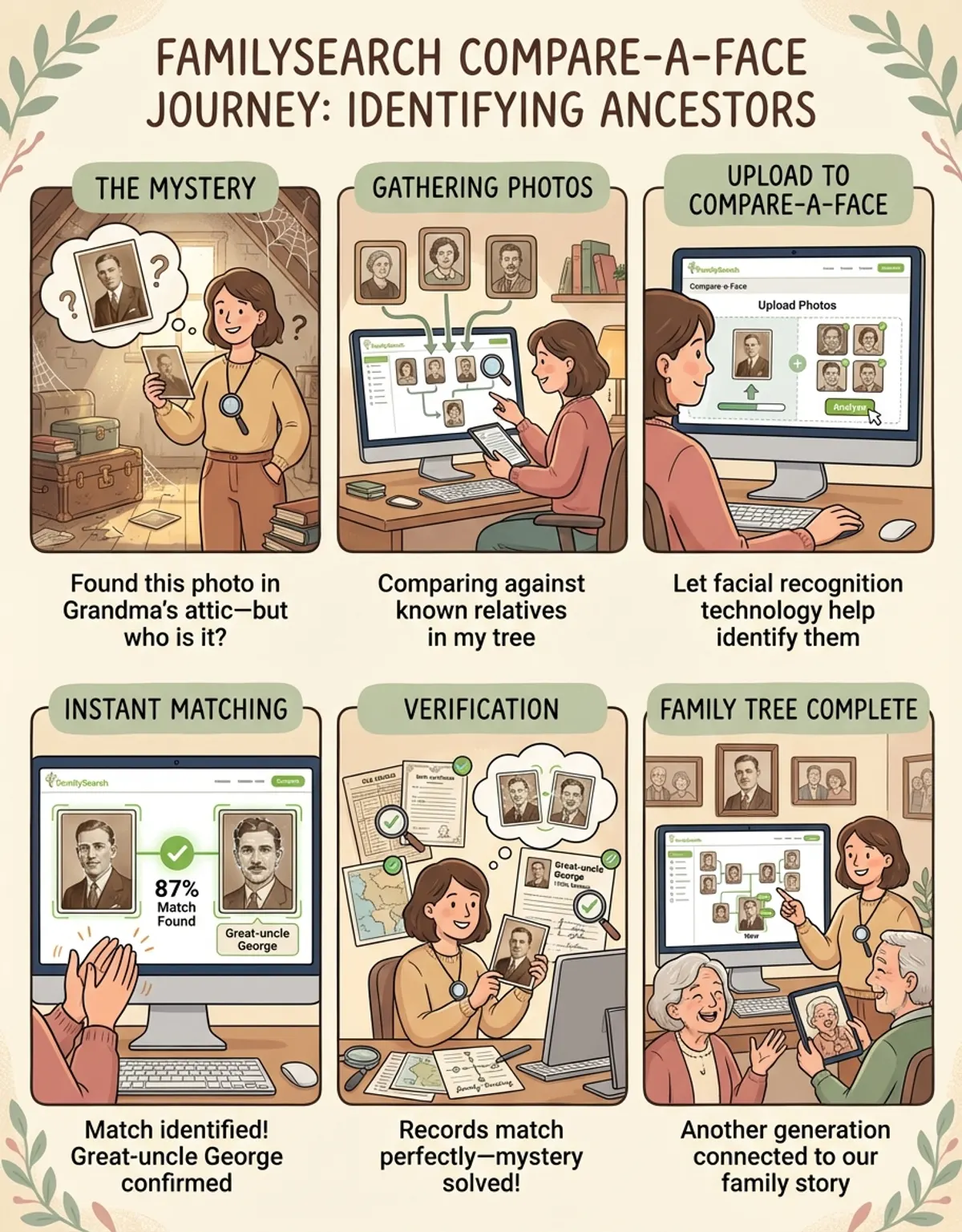
The mechanics are simple. Pick a portrait already attached to the FamilySearch tree, upload a second picture of the person you want to test, and your photograph is compared with that portrait point by point. The tool measures facial features such as eye spacing, nose width and jaw shape, then returns a single similarity percentage. You can share that result with relatives who may recognise the face and confirm the identification.
Every photo in the FamilySearch tree can be analyzed for facial matches, creating opportunities to discover previously unknown connections. For example, if you have an ancestor photo of your great-grandfather in uniform but lack records about his siblings, Compare-a-Face might identify facial similarities with other users' photos, revealing potential family branches you hadn't explored.
The family tree structure enhances image matching by providing context. When the system finds a facial match, it also displays the associated genealogy records, including birth dates, marriage records, census data, and geographic information. This contextual data helps researchers evaluate whether a potential match is genuinely an ancestor or simply someone with similar features.
Building your family tree becomes more intuitive when you can visualize genetic inheritance through the face. Parents often observe that children inherit specific traits from grandparents or great-grandparents, and Compare-a-Face quantifies these visual similarities. The tool helps genealogists understand how physical characteristics passed through family lines, adding a human dimension to dry historical records.
Using Ancestor Photos for Historical Discovery
Historical photos serve as invaluable primary sources for genealogy research, offering visual evidence that complements written records. Compare-a-Face transforms these photos from static memories into active research tools. When analyzing ancestors' photos, the technology can identify individuals who appear in multiple images across different collections, helping researchers piece together family networks and social connections.
Working With Your Ancestors' Portraits
Start with the pictures you already own. Scan your ancestors' portraits at high resolution, note who appears in each frame, and upload the clearest examples first. A run of dated photos lets you travel back generation by generation, because every confirmed name makes the next comparison easier to judge and keeps your family history on firmer ground.
Many researchers possess old photos with unknown subjects—common scenarios include inherited photo albums with unlabeled portraits or pictures acquired from estate sales. Compare-a-Face addresses this challenge by comparing unknown faces against tagged photos in your family tree. If the system finds strong facial similarities with confirmed ancestors, you can make educated hypotheses about the unknown subjects' identities.
The quality of ancestor photos significantly impacts matching accuracy. FamilySearch recommends using clear, front-facing portraits showing oval-face shapes and other distinctive -face features. Photos from the mid-1800s onward work well, though daguerreotypes can also produce results with sufficient image quality. The system performs best with photos showing individuals between ages 20 and 60, when features are fully developed but not heavily aged.
Online platforms increasingly recognize that visual research methods complement traditional document-based approaches. While birth certificates and census records provide factual data, photos capture details like family resemblances, fashion choices, and social status that add richness to ancestor profiles. Compare-a-Face bridges these two research methodologies, allowing photos to guide researchers toward relevant records they might have otherwise missed.
Finding Ancestors Through Facial Recognition Technology
The facial recognition process begins when you upload a clear photo of an ancestor to the FamilySearch platform. The Compare-a-Face algorithm analyzes dozens of facial measurements, including eye spacing, nose width, jaw shape, and cheekbone prominence. These biometric data points create a unique facial signature that the system compares against all tagged photos in the FamilySearch database.
Reading Match Scores With Care
A similarity percentage is a starting point, not proof. Check every candidate against genealogy records, dates and places before you accept it. Your birth year, your parents' names and the towns your family lived in are the anchors that keep a photo match honest, and they help you find the documents that either confirm or rule out a relationship.
Search results display potential ancestor matches ranked by similarity percentage. High-percentage matches (above 80%) typically indicate close genetic relationships, though researchers should always verify matches against genealogy records and known family information. The system provides side-by-side photo comparisons, highlighting the specific features that contributed to the match score.
Finding ancestors through Compare-a-Face often reveals surprising connections. Researchers frequently discover that features skip generations—a great-great-grandchild might strongly resemble a distant ancestor despite minimal resemblance to intervening generations. This phenomenon, explained by recessive genetic traits, makes Compare-a-Face particularly valuable for confirming suspected family relationships or exploring potential branches in your tree.
The technology also helps researchers overcome common genealogy roadblocks. If traditional record searches hit dead ends due to common surnames or gaps in documentation, facial recognition offers an alternative research path. By identifying visual matches first, researchers can work backward to find supporting documents, rather than starting with incomplete written evidence.
Facial features skip generations in remarkable ways—your resemblance to a great-great-grandparent might be stronger than to your own grandparents, revealing hidden genetic inheritance patterns.
documents and Research Features in FamilySearch
FamilySearch integrates Compare-a-Face with its comprehensive collection of historical documents, including census data, birth and death certificates, immigration documents, military service documents, and church registers. When facial recognition identifies a potential ancestor match, users can immediately access associated documents to verify the connection and gather biographical details. You may also find our guide on Face++ (FacePlusPlus) helpful for understanding API-based matching.
The documents search functionality allows researchers to filter results by time period, location, and record type. This filtering becomes particularly powerful when combined with facial matching—for instance, you might compare a Civil War-era photo using Compare-a-Face, then narrow record searches to military service files from 1861-1865 to confirm the individual's identity and service history.
Military documents represent one of the most valuable genealogy resources, as they often include detailed physical descriptions, birthplaces, and family emergency contacts. Compare-a-Face enhances military research by helping match unnamed uniform photos to service documents, or by identifying the same individual across multiple military photos from different periods of service.
investigation activities on FamilySearch extend beyond passive searching. Users contribute to the platform's accuracy by tagging photos with correct names, dates, and locations. When you use Compare-a-Face and confirm a match, adding that information to your family tree improves future search results for other researchers exploring the same family lines. This collaborative approach creates a continuously improving genealogy resource.
FamilySearch image Matching Technology and DNA
While Compare-a-Face analyzes visual similarities in photos, FamilySearch also offers DNA matching services that complement facial recognition investigation. DNA test results can validate or challenge matches suggested by facial analysis, providing genetic confirmation of suspected relationships. Researchers often use both tools in tandem—facial recognition to identify potential relatives, DNA testing to confirm biological connections.
The relationship between physical appearance and DNA inheritance is complex. Faces are influenced by multiple genes, environmental factors, and random developmental variations. Despite this complexity, strong resemblances between individuals often indicate genetic relationships, making Compare-a-Face a useful screening tool before investing in DNA testing.
Genealogy investigation benefits from the complementary strengths of photo analysis and DNA testing. Photos provide immediate visual evidence and work well for confirming relationships within documented family lines. DNA testing excels at identifying unknown biological relationships and validating connections when genealogy documents are incomplete or contradictory. For those interested in enterprise-grade facial recognition APIs and technical implementations, our Face++ platform guide explores professional development tools and integration options. Using both approaches creates a more complete picture of family history.
FamilySearch's DNA features include genetic match databases that connect users who share DNA segments. When facial recognition suggests a potential ancestor connection, checking for shared DNA matches among descendants can provide strong evidence supporting that relationship. This multi-pronged investigation approach—combining photos, documents, and DNA—represents the cutting edge of modern genealogy.
no-cost Tools for Historical investigation Activities
FamilySearch distinguishes itself among online platforms by offering all features, including Compare-a-Face, completely no-cost. While commercial genealogy sites often charge subscription fees for advanced tools and record access, FamilySearch operates as a nonprofit service maintained by The Church of Jesus Christ of Latter-day Saints, providing no-cost access to billions of documents and sophisticated investigation tools.
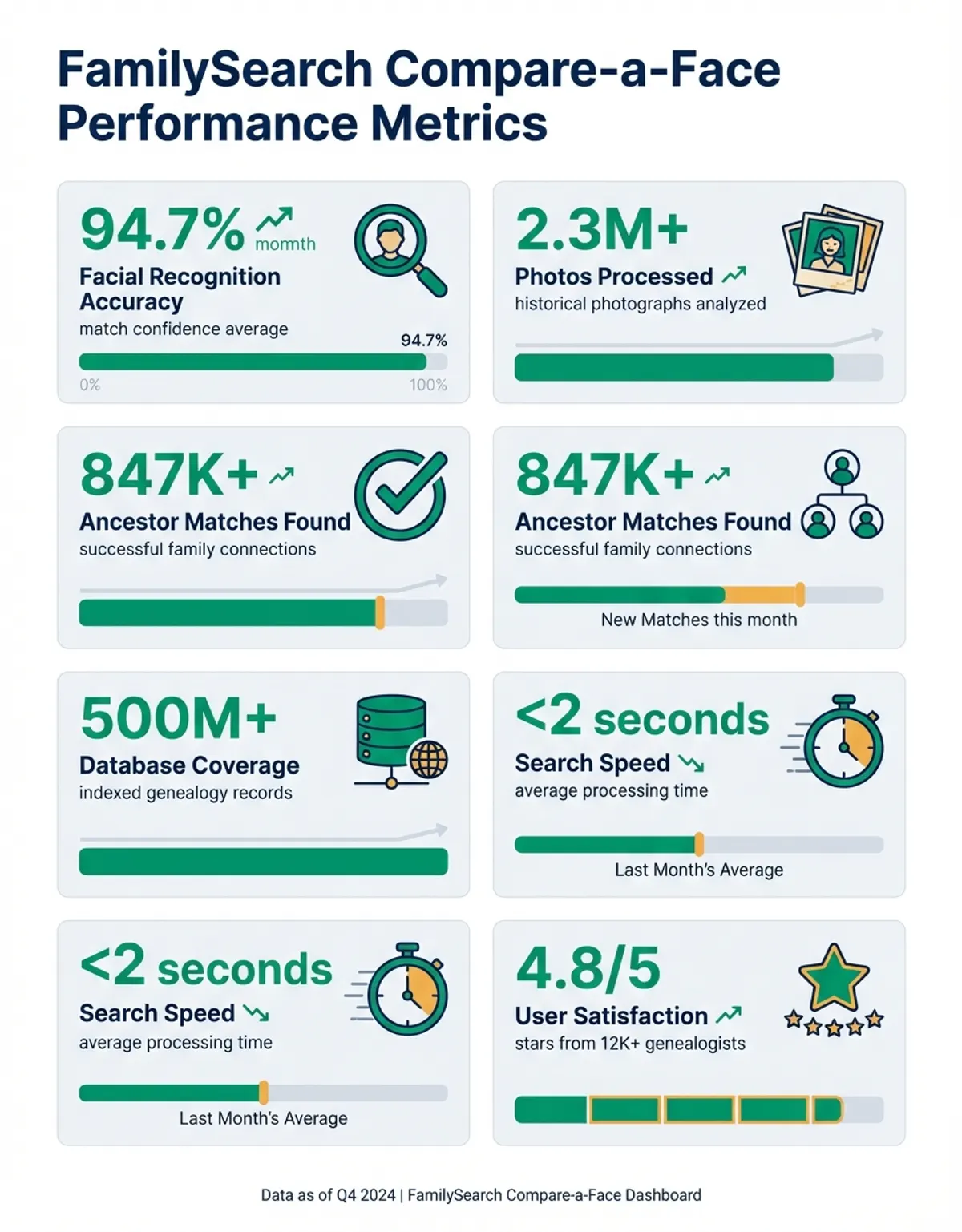
Beyond photo matching, the no-cost FamilySearch platform includes document indexing tools, family tree building software, educational webinars, and local investigation centers called FamilySearch Centers. These centers provide access to additional subscription databases and expert assistance at no cost. The combination of no-cost digital tools and physical investigation locations makes comprehensive family history work accessible regardless of budget.
investigation activities within FamilySearch follow a collaborative model where users can contribute record transcriptions, photo identifications, and family tree corrections. This crowdsourced approach accelerates the digitization and indexing of historical documents while maintaining accuracy through community verification. When multiple users confirm the same genealogy information, the platform's confidence in that data increases.
Tips for maximizing no-cost FamilySearch tools include starting with what you know (living relatives and recent generations), systematically working backward through time, documenting all sources, and connecting with other researchers exploring the same family lines. The platform's messaging features allow users to contact others with overlapping family trees, facilitating information sharing and collaborative investigation.
Best Practices for Compare-a-Face Success and Results
Achieving optimal results with Compare-a-Face requires attention to image quality and investigation methodology. Start by scanning or photographing ancestor images at high resolution—at least 300 DPI for printed photos. Ensure faces are well-lit without harsh shadows, and crop images to focus on the face while including enough context to show overall head shape.
When uploading photos to the FamilySearch site, add as much contextual information as possible, including estimated dates, locations, and any known details about the subject. This metadata helps the algorithm prioritize potential matches from the appropriate time period and geographic region. Even approximate information narrows the search space significantly compared to completely untagged photos. Researchers on the go can also explore face matching mobile apps for convenient photo comparison when visiting archives or family gatherings.
Interpreting match results requires a balanced approach—high similarity scores suggest genetic relationships but don't constitute proof. Verify all potential matches against genealogy documents, known family information, and contextual details like age ranges and geographic locations. If facial recognition suggests a match between two individuals who lived in different centuries or on different continents, the similarity likely reflects coincidence rather than family connection. For more on this topic, see our guide on find your twin.
historical investigation best practices recommend maintaining a investigation log documenting all searches performed, results obtained, and conclusions drawn. When using Compare-a-Face, note the photos compared, match percentages, and any follow-up investigation triggered by results. This documentation prevents duplicating effort and helps identify patterns across multiple investigation sessions.
The most successful genealogy researchers use Compare-a-Face as one tool among many, not as a standalone solution. Combine facial recognition with traditional record searches, genetic testing, consultation of local historical societies, and outreach to living relatives. Each investigation method compensates for the others' weaknesses, creating a robust methodology that produces reliable, well-documented family histories.
Comparison Table: FamilySearch Compare-a-Face vs Other Genealogy Tools
| Feature | FamilySearch Compare-a-Face | Traditional Genealogy Search | Commercial Genealogy Sites |
|---|---|---|---|
| Cost | Completely no-cost with unlimited access to all features and documents | no-cost for public documents; varies by archive | Monthly/annual subscription fees ($20-40/month typical) |
| image Matching | Advanced AI facial recognition comparing 400M+ photos automatically | Manual visual comparison; time-intensive and subjective | Limited or no facial recognition; some sites offer basic image search |
| Upload Options | Upload a scanned ancestor photo, or snap a selfie on your phone and let matching run automatically | Prints are compared by hand, side by side, with no similarity score | Photo upload is common, but automated face matching is rarely offered |
| Database Size | 1.3 billion ancestor profiles, 400 million photos, billions of documents | Varies by source; often fragmented across multiple repositories | Large databases but often region-specific; paywalled content |
| Collaboration | Shared family tree with real-time updates from global investigation community | Individual investigation; sharing requires manual coordination | Private trees with optional sharing; limited cross-platform collaboration |
| Integration with genetic | genetic matching available; coordinates with photo and record investigation | Not applicable to traditional paper-based investigation | genetic services available on some platforms at additional cost |
| Record Accessibility | Instant digital access to billions of indexed documents worldwide | May require visiting archives, libraries, or government offices | Good digital access but restricted to subscribers |
While FamilySearch Compare-a-Face specializes in genealogy research, those seeking general-purpose facial comparison capabilities can explore our compare a face platform for advanced photo matching and similarity analysis across various use cases.
The true power of FamilySearch lies not just in its technology, but in its collaborative community—every confirmed match and tagged photo strengthens the entire genealogy ecosystem.
Frequently Asked Questions About FamilySearch Compare-a-Face
How does FamilySearch compare-a-face work?
FamilySearch Compare-a-Face uses artificial intelligence to analyze facial features in uploaded photos, measuring proportions and distinctive characteristics. The system compares these measurements against all tagged photos in the FamilySearch database, returning ranked results based on similarity percentages. The technology examines dozens of data points including eye spacing, nose shape, jawline, and cheekbone structure. When the algorithm identifies strong similarities, it displays potential matches alongside associated family tree and genealogy records for verification. The name is written with hyphens, so you will also see it in lowercase as compare-a-face.
Is FamilySearch's compare-a-face no-cost?
Yes, FamilySearch Compare-a-Face is completely no-cost with no subscription fees, usage limits, or hidden costs. All features of the FamilySearch platform, including photo matching, family tree building, and access to billions of historical documents, are provided at no charge. The service operates as a nonprofit resource maintained by The Church of Jesus Christ of Latter-day Saints, dedicated to making family history accessible to everyone regardless of financial means.
Can I use compare-a-face to find ancestors in old photos?
Absolutely. Compare-a-Face excels at identifying ancestors in historical photos, including unlabeled images from inherited albums or estate sales. Upload a clear photo of a known ancestor, and the system will search for similar faces across FamilySearch's collection of 400 million images. The tool works with photos dating from the mid-1800s onward, though image quality significantly impacts matching accuracy. Best results come from front-facing portraits where the face is clearly visible.
How accurate is the facial recognition in online platforms?
FamilySearch's Compare-a-Face facial recognition delivers high accuracy when used properly, with match scores above 80% typically indicating genuine genetic relationships. However, accuracy depends on photo quality, visibility of the face, and the subject's age when photographed. The technology performs best with clear, well-lit photos of individuals between ages 20 and 60. Researchers should always verify facial matches against genealogy documents and known family information rather than relying solely on similarity percentages.
What types of documents can I search with compare-a-face?
Compare-a-Face connects to FamilySearch's comprehensive collection of genealogy documents, including census data, birth and death certificates, marriage documents, immigration documents, military service files, church registers, and land deeds. When facial recognition identifies a potential ancestor match, you can immediately access associated documents to verify the connection. The platform contains billions of searchable documents from over 100 countries, spanning multiple centuries of family history.
Does compare-a-face work with genetic tests?
While Compare-a-Face analyzes photos rather than genetics, FamilySearch offers separate genetic matching services that complement facial recognition investigation. Many genealogists use both tools together—Compare-a-Face to identify potential relatives through visual similarities, then genetic testing to confirm biological relationships. This combined approach is particularly effective when researching distant relatives or validating suspected family connections. Physical resemblance often indicates genetic relationships, making facial analysis a useful preliminary screening tool.
How do I add photos to my family tree?
Adding photos to your FamilySearch family tree is straightforward: navigate to an ancestor's profile page, click "Add Memory" or "Add Photo," then upload the picture from your device. Include descriptive information like dates, locations, and names of people pictured. Once uploaded, photos become searchable via Compare-a-Face and visible to other researchers exploring the same family lines. High-quality, well-documented photos contribute most effectively to collaborative family history work and improve matching accuracy for the entire FamilySearch community.
Conclusion: Transforming Family History investigation Through Technology
FamilySearch Compare-a-Face represents a paradigm shift in family history work, making sophisticated facial recognition technology accessible to casual family historians and professional researchers alike. By combining artificial intelligence with the world's largest no-cost genealogy database, the platform enables discoveries that would be impossible through traditional investigation methods alone.
The tool's greatest strength lies in its integration—facial matching connects seamlessly with historical documents, family tree data, genetic services, and a global community of researchers. This ecosystem approach transforms isolated investigation activities into a collaborative effort where each contribution enhances the platform's value for all users. When you identify an ancestor through Compare-a-Face and document that connection, you're not just building your own tree; you're contributing to a shared human family tree that spans generations and continents.
For researchers ready to explore this technology, success comes from balancing innovation with compare-and-contrast methodologies and traditional approaches. Use Compare-a-Face to identify promising investigation leads, but always verify findings against multiple sources. Combine photo analysis with record searches, genetic testing, and consultation with relatives who hold family knowledge. Document your investigation process thoroughly, noting both successful discoveries and dead ends, as this documentation guides future investigation and prevents wasted effort.
The future of family history lies in tools like Compare-a-Face that leverage artificial intelligence to unlock insights hidden in historical documents and family photos. As the technology improves and more users contribute to the collaborative database, the platform's accuracy and usefulness will continue to grow. Whether you're just beginning your family history journey or you're an experienced researcher tackling difficult genealogical puzzles, FamilySearch Compare-a-Face offers powerful, no-cost tools to help you discover your ancestors and understand your place in the grand tapestry of human family connections.
For genealogy, compare-a-face, -face, compare- all count.